
Einführung
Thank you for choosing the AstroAI Digital Tire Pressure Gauge. This manual provides detailed instructions for the safe and efficient use of your device. Please read it thoroughly before operation and retain it for future reference.

Image: The AstroAI Digital Tire Pressure Gauge in orange, showing its ergonomic design.
Aufstellen
1. Auspacken und Einlegen der Batterie
Your AstroAI Digital Tire Pressure Gauge comes with pre-installed AAA batteries. If replacement is needed, follow these steps:
- Suchen Sie das Batteriefach auf der Rückseite des Geräts.
- Schieben Sie die Batterieabdeckung vorsichtig auf.
- Legen Sie zwei AAA-Batterien ein und achten Sie dabei auf die richtige Polarität (+/-).
- Schließen Sie die Batterieabdeckung fest.

Bild: Intern view of the AstroAI Digital Tire Pressure Gauge showing the battery compartment with two AAA batteries.
2. Presta-Ventiladapter
A Presta-to-Schrader adapter is included for compatibility with Presta valves, commonly found on road bikes. This adapter is stored within the battery compartment for convenience.

Image: Close-up of the battery compartment showing the small brass Presta valve adapter stored inside.
Bedienungsanleitung
1. Power On and Unit Selection
Press the "ON/UNIT/OFF" button to turn on the device. The display will illuminate. To cycle through measurement units (PSI, bar, kPa, kg/cm²), press the "ON/UNIT/OFF" button repeatedly until your desired unit is displayed.
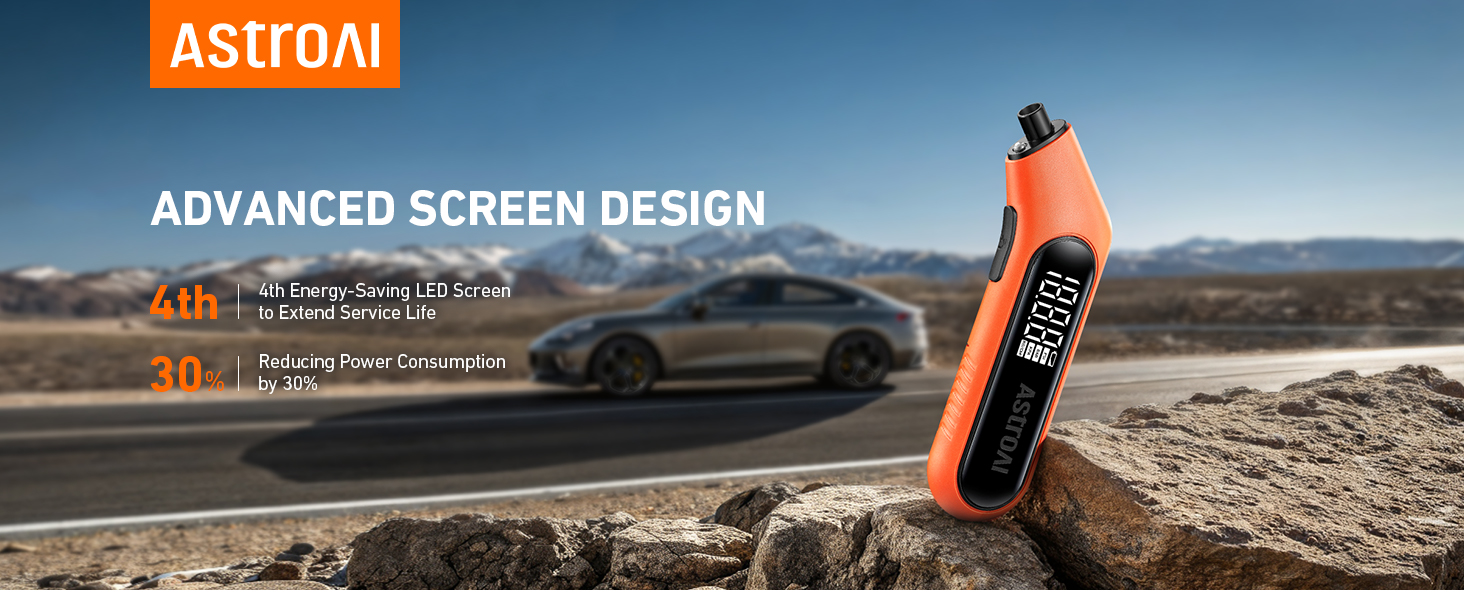
Image: The digital screen of the gauge displaying a tire pressure reading in PSI.
2. Measuring Tire Pressure
For accurate readings, ensure tires are cool (at least 3 hours after parking). Remove the valve cap from the tire.
- Press the gauge nozzle firmly and vertically onto the tire valve stem.
- Hold it in place until the digital display shows a stable reading. The built-in flashlight assists in low-light conditions.
- Remove the gauge. The reading will remain on the display for a few seconds.
- Ersetzen Sie die Ventilkappe.

Image: A hand holding the AstroAI Digital Tire Pressure Gauge against a car tire valve stem, showing the measurement process.
3. Ausschalten
The device will automatically shut off after 30-40 seconds of inactivity to conserve battery life. To manually turn it off, press and hold the "ON/UNIT/OFF" button for 3 seconds.
4. Videodemonstration
Video: A demonstration of the AstroAI G300 digital tire pressure gauge in use, showcasing its features and ease of measurement.
Wartung
- Keep the gauge clean and free from dirt or debris.
- An einem trockenen, vor extremen Temperaturen geschützten Ort aufbewahren.
- Tauschen Sie die Batterien umgehend aus, sobald die Anzeige für niedrigen Batteriestand erscheint, um genaue Messwerte zu gewährleisten.
- The Presta valve adapter should be kept in its designated storage slot within the battery compartment to prevent loss.
Fehlerbehebung
| Problem | Mögliche Ursache | Lösung |
|---|---|---|
| Kein Display/Gerät lässt sich nicht einschalten | Defekte oder falsch eingesetzte Batterien. | Prüfen Sie die Batteriepolarität oder ersetzen Sie die Batterien durch neue AAA-Batterien. |
| Ungenaue Messwerte | Gauge not firmly sealed on valve stem; tires are hot; low battery. | Ensure a tight seal; measure tire pressure when tires are cool; replace batteries. |
| Display difficult to read in bright sunlight | Direkte Sonneneinstrahlung. | Shield the display from direct sunlight or move to a shaded area. |
Technische Daten
- Marke: Astro-KI
- Modell: B0CN3325KB
- Material: Acrylnitril-Butadien-Styrol (ABS)
- Abmessungen (L x B x H): 6.3 x 1 x 2.2 Zoll
- Gewicht: 0.17 Pfund
- Messbereich: 3-300 PSI
- Genauigkeit: ANSI B40.7 Grade 2A (±0.5%)
- Maßeinheiten: PSI, bar, kPa, kg/cm²
- Energiequelle: 2 x AAA-Batterien
- Enthaltene Komponenten: 1 x AstroAI Digital Tire Pressure Gauge, 1 x Presta Valve Adapter
Garantie und Support
AstroAI is committed to providing high-quality products. This digital tire pressure gauge is manufactured from superior materials. If any damages from transportation or malfunctions occur, this product can be returned. For further assistance or warranty claims, please contact AstroAI customer support.
Kontaktinformationen: Please refer to the product packaging or the official AstroAI webAuf dieser Website finden Sie die aktuellsten Informationen zum Kundensupport.