
1. Sicherheitshinweise
Please read all safety instructions carefully before using the EC Buying T90A Intelligent Soldering Iron Set. Failure to follow these instructions may result in electric shock, fire, or serious injury.
- Beim Bedienen des Lötkolbens ist stets geeignete persönliche Schutzausrüstung, einschließlich einer Schutzbrille, zu tragen.
- Sorgen Sie für ausreichende Belüftung an Ihrem Arbeitsplatz, um das Einatmen von Lötrauch zu vermeiden.
- Do not touch the soldering iron tip or heating element when hot. Temperatures can reach up to 450°C.
- Place the soldering iron in its TH30 holder when not in use to prevent accidental burns or damage.
- Lötkolben und sämtliches Zubehör dürfen nicht in die Hände von Kindern und Haustieren gelangen.
- Do not use the soldering iron near flammable materials or liquids.
- Disconnect the power cable when the soldering iron is not in use or before performing maintenance.
- Inspect the power cable and soldering iron for any damage before each use. Do not use if damaged.
- This device is designed for soldering electronic components and similar materials. Do not use it for purposes other than its intended use.
- The T90A Intelligent Soldering Iron Set includes a triple safety protection mechanism: resistance, MOS anomaly, and overcurrent detection. However, always exercise caution during operation.
2. Produktüberschreitungview
The EC Buying T90A Intelligent Soldering Iron Set is a portable and efficient tool designed for precise soldering tasks. It features rapid heating, adjustable temperature control, and a clear IPS LCD color screen for real-time information.

Image: The EC Buying T90A Intelligent Soldering Iron, showcasing sein schlankes Design und sein digitales Display.
Hauptmerkmale:
- Präzise Temperaturregelung: Adjustable temperature range from 80°C to 450°C with a 0.99-inch IPS LCD color screen displaying real-time temperature and power.
- Schnelles Aufheizen: 140W fast heating capability ensures quick readiness for soldering tasks.
- Kompakt und tragbar: All-aluminum CNC-machined body for lightweight and durable design, ideal for on-the-go use.
- Smart Features: Supports PD protocol for automatic power detection, quick temperature setting, and sleep standby functions.
- Erhöhte Sicherheit: Incorporates triple safety protection mechanisms including resistance, MOS anomaly, and overcurrent detection.
3. Packungsinhalt
Überprüfen Sie, ob alle Artikel in Ihrem Paket vorhanden sind:
- EC Buying T90A Intelligent Soldering Iron
- TH30 Holder
- C2C Cable (USB-C to USB-C)
- 3 Type Soldering Iron Tips (Pencil, Chisel, Bevel)
- Benutzerhandbuch (dieses Dokument)

Image: The T90A Soldering Iron with its various tips, highlighting precise temperature control and fast heating core.
4. Spezifikationen
Technical specifications for the EC Buying T90A Intelligent Soldering Iron:
| Besonderheit | Detail |
|---|---|
| Modell | T90A |
| Marke | EG-Kauf |
| Stromquelle | Battery Powered (via C2C Cable, PD protocol) |
| Wastage | Up to 140W (Heating power for T90A is ~18-65W, but the set is 140W fast heating) |
| Temperaturbereich | 80 °C - 450 °C |
| Anzeige | 0.99-inch IPS LCD (160*40 Pixel) |
| Griffgröße | L178mm Ø16mm |
| Gesamtgewicht | ~55 g |
| Spitzentyp | T210 (Pencil, Chisel, Bevel included) |
| Widerstand | 2.1 Ω |
| Schmelzzeit | ~2.5S (at 65W) |
| Besondere Merkmale | Portable, Digital Display, Fast Heating, Adjustable Temperature, Sleep Standby, Triple Safety Protection |

Image: Detailed specifications table for the T90 series, including T90A.
5. Einrichtung
5.1 Anbringen einer Lötspitze
- Stellen Sie sicher, dass der Lötkolben ausgeschaltet und abgekühlt ist.
- Gently insert the desired soldering tip into the heating element end of the iron. Ensure it is fully seated.
- Do not force the tip. It should slide in smoothly.
5.2 Stromversorgung anschließen
- Connect one end of the provided C2C cable to the USB-C port on the soldering iron.
- Connect the other end of the C2C cable to a compatible USB-C power adapter (not included) that supports PD protocol. The soldering iron supports automatic power detection.
- Place the soldering iron securely in the TH30 holder when not actively soldering.
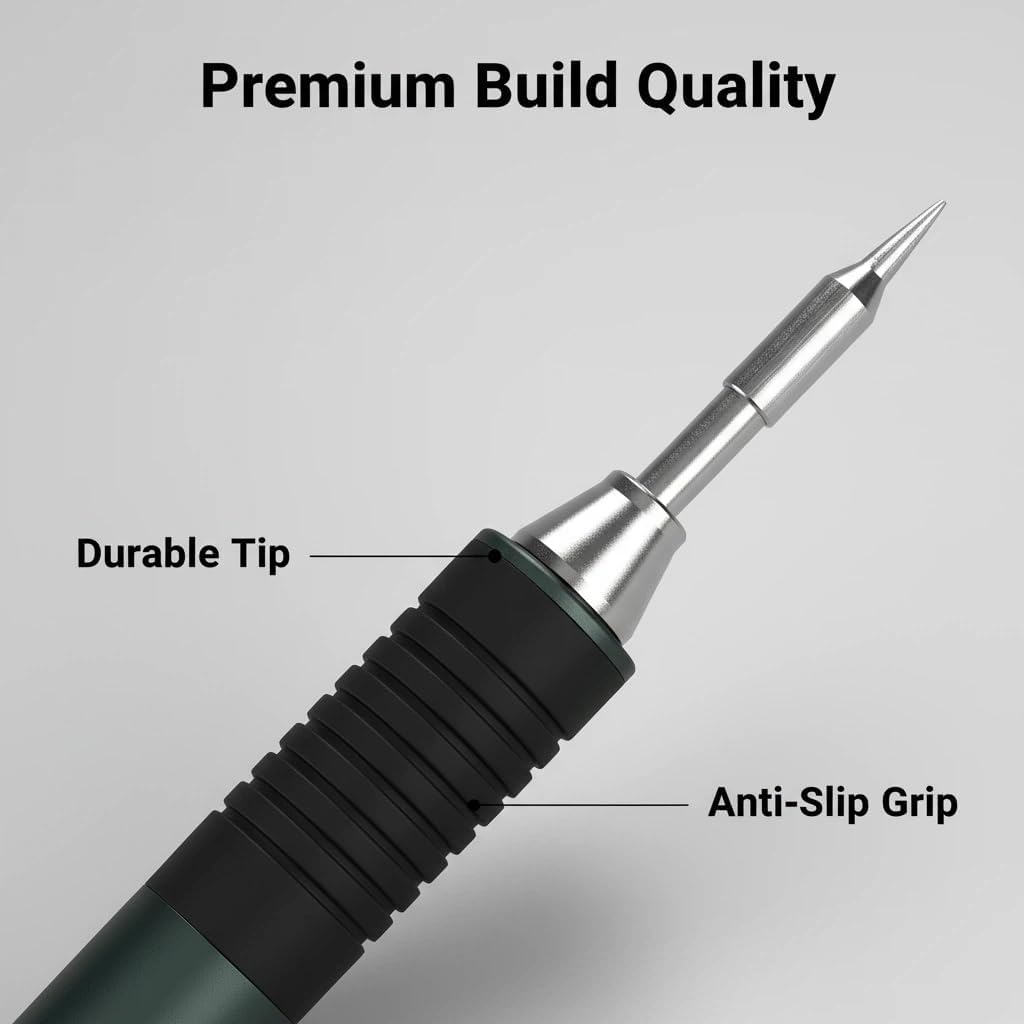
Bild: Nahaufnahme view of the soldering iron's durable tip and anti-slip grip for secure handling.
6. Bedienungsanleitung
6.1 Ein-/Ausschalten
Once connected to a power source, the soldering iron will typically power on automatically. To power off, disconnect the C2C cable.
6.2 Temperatureinstellung
- The 0.99-inch IPS LCD color screen displays the current temperature.
- Use the adjustment buttons (usually '+' and '-' or similar) on the handle to increase or decrease the target temperature.
- Das Bügeleisen wird sich schnell auf die eingestellte Temperatur erhitzen.
6.3 Sleep Standby Function
The soldering iron features an intelligent sleep standby function. If inactive for a set period, it will automatically enter sleep mode to conserve energy and prolong tip life. Movement or pressing a button will wake it up.
6.4 Allgemeine Löt-Tipps
- Ensure the soldering tip is clean and tinned before use.
- Apply a small amount of solder to the tip to improve heat transfer.
- Heat both the component lead and the PCB pad simultaneously with the soldering iron tip.
- Apply solder to the heated joint, not directly to the iron tip.
- Remove the solder and then the iron, allowing the joint to cool naturally.
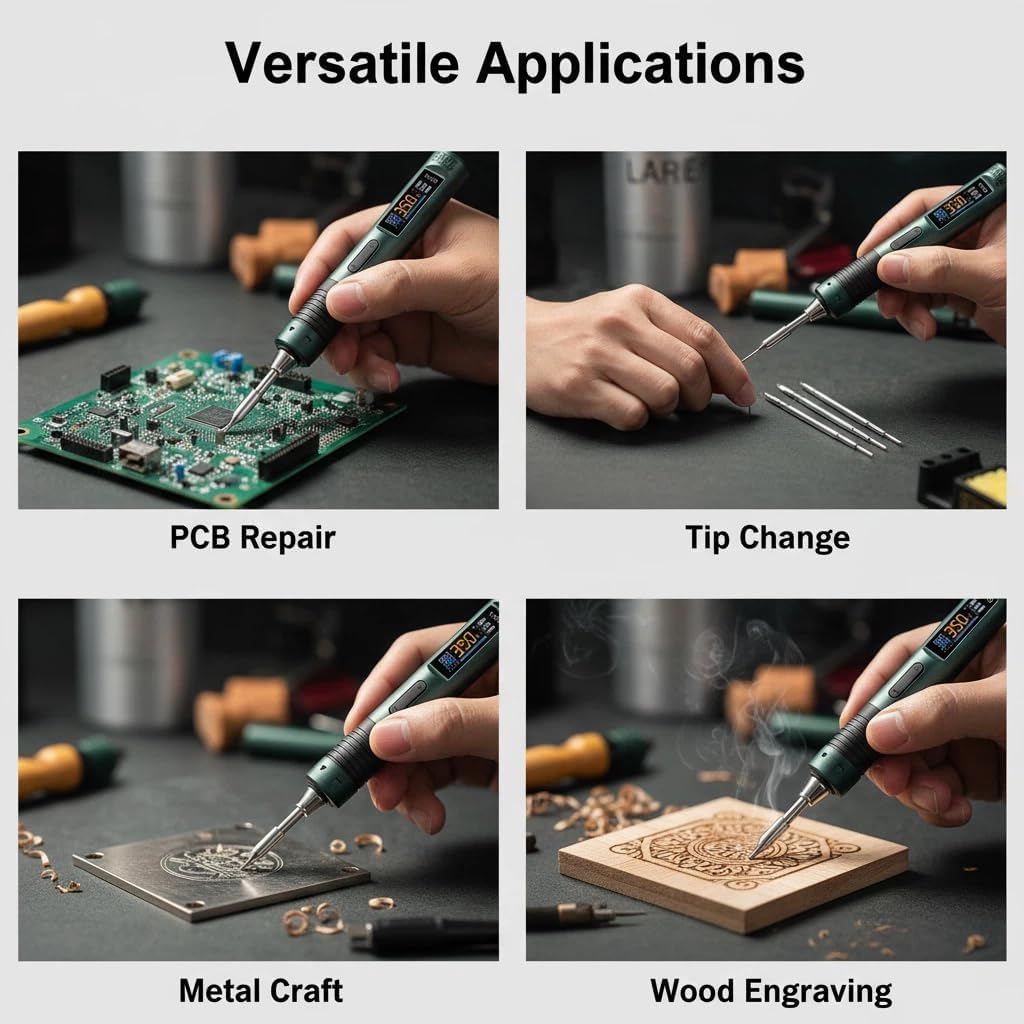
Image: The T90A soldering iron being used for various tasks including PCB repair, tip changing, metal crafting, and wood engraving.
7. Wartung
7.1 Reinigung der Lötspitze
- Reinigen Sie die Lötspitze regelmäßig mit einem Reinigungsmittel.amp Mit Schwamm oder Messingwolle überschüssiges Lötzinn und Oxidationsrückstände entfernen.
- After cleaning, re-tin the tip with a small amount of fresh solder to prevent oxidation and ensure optimal performance.
- Niemals file or sand the soldering tip, as this can damage the plating and shorten its lifespan.
7.2 Allgemeine Reinigung
- Ensure the device is cool and disconnected from power before cleaning.
- Reinigen Sie das Gehäuse des Lötkolbens mit einem weichen, trockenen Tuch. Verwenden Sie keine Scheuermittel oder Lösungsmittel.
7.3 Speicherung
- Store the soldering iron in a dry, cool place, away from direct sunlight and moisture.
- Always place the protective cap over the tip when storing to prevent accidental damage or injury.
8. Fehlerbehebung
| Problem | Mögliche Ursache | Lösung |
|---|---|---|
| Das Bügeleisen heizt nicht auf. | No power, faulty cable, incorrect power adapter. | Check C2C cable connection. Ensure power adapter supports PD protocol and provides sufficient power. Try a different power adapter/cable. |
| Die Temperaturanzeige ist unzuverlässig. | Loose tip, sensor issue. | Ensure the soldering tip is fully and securely inserted. If the problem persists, contact customer support. |
| Lötzinn schmilzt nicht leicht. | Low temperature setting, oxidized tip, insufficient power. | Increase the temperature setting. Clean and re-tin the soldering tip. Ensure power adapter provides adequate wattage. |
| Iron enters sleep mode too quickly. | Default sleep setting. | Refer to the on-screen menu (if available) for adjusting sleep timer settings. |
9. Garantie und Kundendienst
EC Buying products are manufactured to high-quality standards. For warranty information or technical support, please refer to the purchase platform or contact EC Buying customer service directly.
Bitte bewahren Sie Ihren Kaufbeleg für eventuelle Garantieansprüche auf.
Besuchen Sie die EC Buying Store on Amazon Für weitere Informationen oder zur Kontaktaufnahme mit dem Support.