1. Produktüberschreitungview
This manual provides detailed instructions for the assembly, operation, and maintenance of your Simple Deluxe 47-inch L-Shaped Gaming Desk. Designed for versatility, this desk features integrated power outlets, USB charging ports, three fabric storage drawers, and two open shelves, making it suitable for gaming, home office, or study environments.
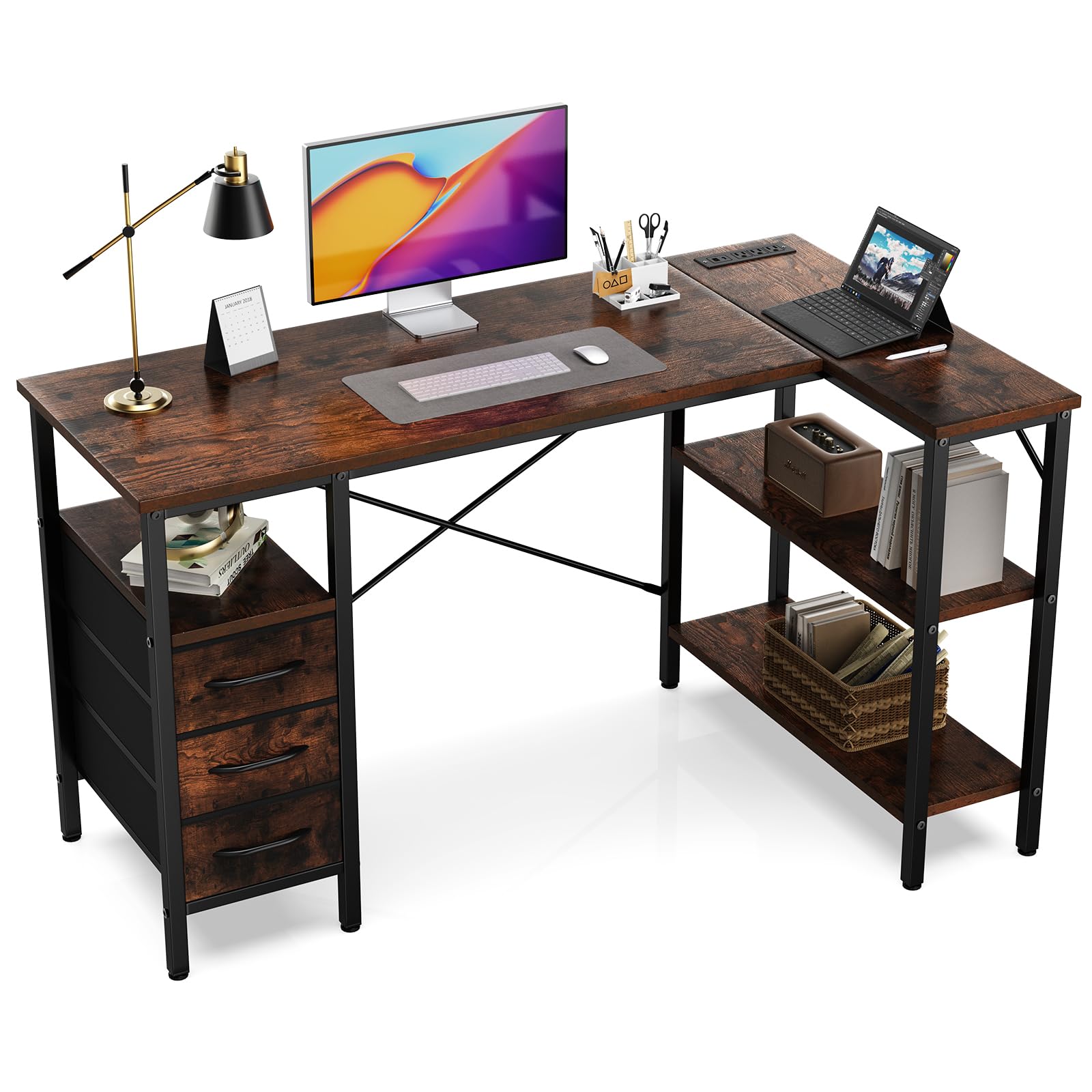
Figure 1: Fully assembled Simple Deluxe L-Shaped Gaming Desk.
2. Sicherheitshinweise
- Um Kratzer zu vermeiden, montieren Sie den Schreibtisch immer auf einer weichen, sauberen Unterlage.
- Stellen Sie vor der Verwendung sicher, dass alle Schrauben und Befestigungselemente fest angezogen sind.
- Do not overload the desk or shelves beyond the recommended weight capacity of 220 pounds (100 kg).
- Halten Sie Kinder und Haustiere vom Versammlungsbereich fern.
- Verwenden Sie für die Montage ausschließlich die mitgelieferten Werkzeuge und Hardware.
- For electrical safety, do not expose the power outlets to moisture.
3. Packungsinhalt
Prüfen Sie vor der Montage, ob alle unten aufgeführten Komponenten vorhanden und unbeschädigt sind. Sollten Teile fehlen oder beschädigt sein, wenden Sie sich bitte an den Kundendienst.
| Teil | Beschreibung | Menge |
|---|---|---|
| Schreibtischpaneele | Main desktop, L-shaped extension, shelf boards | Verschieden |
| Metallrahmenkomponenten | Legs, support bars, cross braces | Verschieden |
| Steckdosenmodul | Integrated AC outlets and USB ports | 1 |
| Stoffschubladen | Collapsible storage drawers | 3 |
| Hardware Pack | Schrauben, Inbusschlüssel usw. | 1 Satz |

Abbildung 2: Überview of desk dimensions and main components.
4. Montageanleitung
Follow these steps carefully for proper assembly. It is recommended that one person assembles the desk.
4.1. Videoanleitung
Video 1: Detailed assembly guide for the L-Shaped Desk with Shelf Drawers. This video demonstrates each step of the assembly process, from frame construction to drawer installation and power outlet integration.
4.2. Schritt-für-Schritt-Anleitung
- Montieren Sie den Haupttischrahmen:
Connect the metal frame components using the provided screws and Allen wrench. Ensure all connections are firm. Pay attention to the orientation of the pieces as shown in the diagrams.

Figure 3: Initial assembly of the desk's metal frame structure.
- Attach the Shelf Boards:
Insert the shelf boards into the designated slots on the frame. Secure them with screws. Note that the height of some shelves may be adjustable to suit your needs.

Figure 4: Securing the shelf boards within the metal frame.
- Install the Desktop Panels:
Carefully place the main desktop and the L-shaped extension panel onto the assembled frame. Align the pre-drilled holes and secure them with screws. Ensure the power outlet cutout is correctly positioned.

Figure 5: Placing and securing the desktop surfaces.
- Integrate the Power Outlet Module:
Insert the power outlet module into its designated cutout on the desktop. Secure it with the provided screws. Connect the power cable as instructed.

Figure 6: Securing the power outlet module into the desktop.
- Assemble and Insert Fabric Drawers:
Unfold the fabric drawers and insert the bottom panel to give them shape. Attach the handles. Slide the assembled drawers into their respective compartments under the desk.
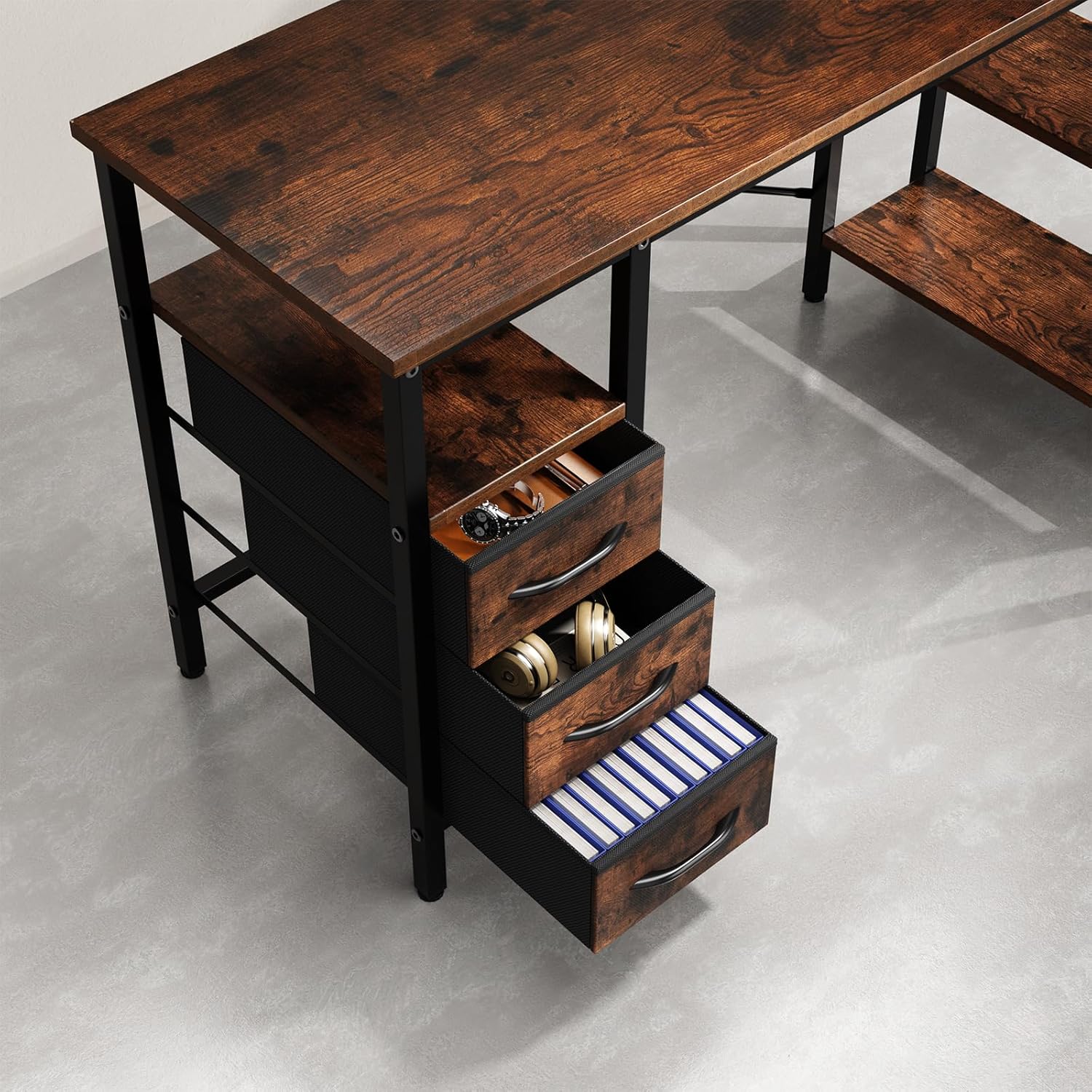
Figure 7: Fabric drawers providing ample storage for office supplies and accessories.
5. Bedienungsanleitung
5.1. Using the Integrated Power Outlets
- Stecken Sie das Netzkabel des Schreibtisches in eine normale Wandsteckdose.
- The integrated power strip provides three AC outlets and two USB charging ports.
- Connect your devices (monitors, laptops, phones, etc.) to the appropriate outlets.
- Ensure devices are compatible with the power specifications (120V AC, 60Hz, 12A max).
6. Wartung
- Reinigung: Wischen Sie die Schreibtischoberflächen mit einem Tuch ab.amp Mit einem Tuch abwischen. Vermeiden Sie aggressive Chemikalien oder Scheuermittel, die die Oberfläche beschädigen könnten.
- Hardwareprüfung: Überprüfen Sie regelmäßig alle Schrauben und Befestigungselemente, um sicherzustellen, dass sie fest sitzen. Ziehen Sie sie gegebenenfalls nach, um die Stabilität zu gewährleisten.
- Elektrische Sicherheit: Inspect the power cord and outlets for any signs of damage. Discontinue use and contact customer support if damage is found.
- Schubladenpflege: The fabric drawers can be spot cleaned with a mild detergent. Allow them to air dry completely before reinserting.
7. Fehlerbehebung
| Problem | Mögliche Ursache | Lösung |
|---|---|---|
| Der Schreibtisch wackelt. | Lose Schrauben oder unebener Boden. | Check and tighten all screws. Adjust the leveling feet on the bottom of the desk legs if applicable. |
| Die Steckdosen funktionieren nicht. | Desk not plugged in, circuit breaker tripped, or faulty module. | Stellen Sie sicher, dass das Netzkabel des Schreibtischs fest in einer funktionierenden Steckdose steckt. Überprüfen Sie den Sicherungskasten in Ihrem Haus. Sollten die Probleme weiterhin bestehen, wenden Sie sich bitte an den Kundendienst. |
| Die Schubladen lassen sich nicht leichtgängig öffnen und schließen. | Drawers are fabric and not designed to slide on rails. | The drawers are fabric storage bins designed to fit into compartments, not to slide on metal rails. Ensure they are properly shaped and inserted. |
8. Spezifikationen
- Marke: Einfaches Deluxe
- Modellnummer: D-D3BCL01-47IN-RUST
- Form: L Form
- Produktabmessungen: 18.5"T x 47.2"B x 29.7"H
- Farbe: Rustikales Braun
- Material: Holzwerkstoff, Metall
- Anzahl der Schubladen: 3
- Anzahl der Einlegeböden: 2
- Maximale Gewicht Empfehlung: 220 Pfund
- Steckdosen: Integrated AC outlets and USB ports
- Montage erforderlich: Ja (Empfohlen für 1 Person)
- Pflegehinweise: Wischen mit Damp Tuch
9. Garantie und Support
For warranty information, missing parts, or technical support, please contact Simple Deluxe customer service. Keep your purchase receipt and model number handy for faster service.
Besuchen Sie die Simple Deluxe Store Für weitere Produkte und Informationen.