1. Einleitung
This manual provides essential information for the proper use and maintenance of your Generic HT37 Smart Watch. Please read this manual thoroughly before using the device to ensure optimal performance and longevity. The HT37 Smart Watch is designed to help you monitor your health and fitness activities, and stay connected with notifications.
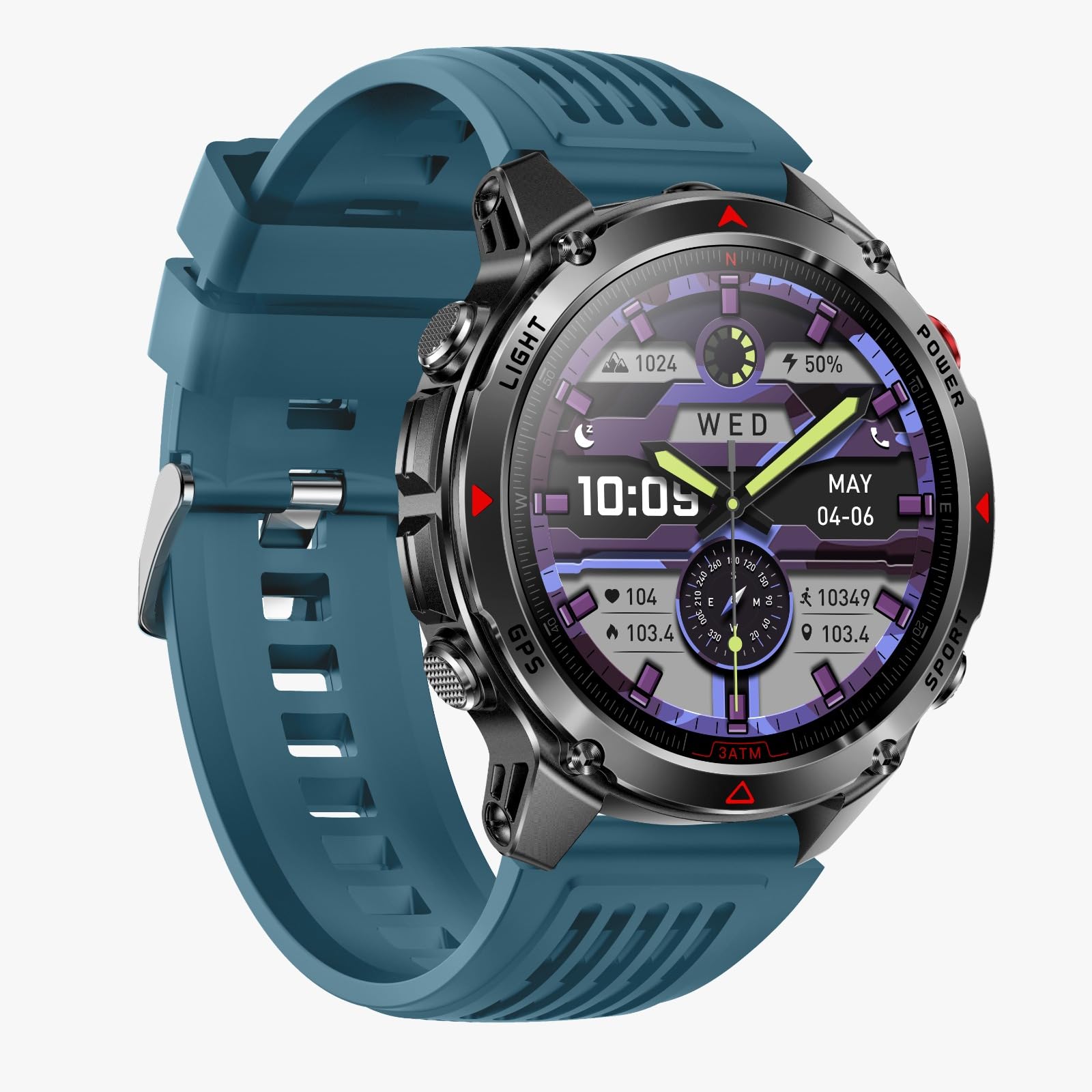
Image: The HT37 Smart Watch featuring a round display, metallic casing, and a blue silicone strap.
2. Sicherheitshinweise
- Versuchen Sie nicht, das Gerät zu zerlegen oder zu verändern. Dies kann zum Erlöschen der Garantie und zu Schäden führen.
- Das Gerät darf keinen extremen Temperaturen, direkter Sonneneinstrahlung oder offenen Flammen ausgesetzt werden.
- Setzen Sie das Gerät keinen starken Stößen oder Stürzen aus.
- Do not use corrosive cleaners to clean the watch. Use a soft, dry cloth.
- Konsultieren Sie vor Beginn eines neuen Trainingsprogramms einen Arzt, insbesondere wenn Sie bereits gesundheitliche Probleme haben.
- This device is not a medical instrument and should not be used for diagnostic or treatment purposes.
3. Lieferumfang
Bitte überprüfen Sie nach dem Öffnen des Pakets, ob alle Artikel vorhanden sind:
- HT37 Smartwatch
- Benutzerhandbuch (dieses Dokument)
- Ladekabel
4. Installationsanleitung
4.1. Aufladen des Geräts
Before first use, fully charge your HT37 Smart Watch. Connect the provided charging cable to the charging port on the back of the watch and plug the USB end into a standard USB power adapter (not included) or a computer's USB port. The watch display will indicate charging status.
4.2. App-Installation
To unlock the full functionality of your HT37 Smart Watch, you need to install the companion application on your smartphone. Suchen nach the official app (e.g., 'HT37 Fit' or similar, refer to packaging for exact name) in the Apple App Store (for iOS devices) or Google Play Store (for Android devices). Download and install the application.
4.3. Gerätekopplung
- Ensure your HT37 Smart Watch is charged and powered on.
- Aktivieren Sie Bluetooth auf Ihrem Smartphone.
- Open the installed companion application on your smartphone.
- Follow the on-screen instructions within the app to search for and connect to your HT37 Smart Watch. The app will guide you through the pairing process.
- Bestätigen Sie die Kopplungsanfrage gegebenenfalls sowohl auf Ihrer Uhr als auch auf Ihrem Smartphone.

Image: The HT37 Smart Watch displaying notifications, illustrating its connectivity features.
5. Bedienungsanleitung
5.1. Grundlegende Navigation
The HT37 Smart Watch features a full touchscreen display for easy navigation. Swipe left, right, up, or down to access different functions and menus. Press the physical buttons on the side for specific actions like power on/off or returning to the home screen.
5.2. Gesundheitsüberwachung
Die Uhr überwacht kontinuierlich verschiedene Gesundheitsdaten:
- Herzfrequenz-Überwachung: Greifen Sie auf die Herzfrequenz-Oberfläche der Uhr zu, um view your current heart rate. The watch can track your heart rate throughout the day.
- Schlafüberwachung: Wear the watch while sleeping to track your sleep patterns, including deep sleep, light sleep, and awake times. Data can be viewed in der Begleit-App.
- Blutsauerstoffüberwachung: The watch may offer blood oxygen level measurements. Refer to the specific watch interface for this function.

Image: The HT37 Smart Watch displaying various health metrics like heart rate and blood oxygen levels.

Image: The HT37 Smart Watch showing detailed sleep analysis, including sleep stages.
5.3. Aktivitätsverfolgung und Sportmodi
The HT37 Smart Watch tracks daily steps, distance, and calories burned. It also supports multiple sports modes for more specific activity tracking.
- Zugriff auf Sportmodi: Swipe on the watch face to find the sports mode menu. Select your desired activity (e.g., running, cycling, walking).
- GPS-Verfolgung: The watch supports GPS via smartphone. Ensure your phone is connected and GPS is enabled for accurate route tracking during outdoor activities.

Image: The HT37 Smart Watch showcasing its multiple sports modes and activity tracking capabilities.

Image: The HT37 Smart Watch demonstrating GPS precise positioning and track return functionality during an outdoor activity.
5.4. Benachrichtigungen
Once paired with your smartphone, the HT37 Smart Watch can display call reminders, text messages, and app notifications directly on your wrist. Ensure notification permissions are granted in your phone's settings and the companion app.
6. Wartung
6.1. Reinigung
Regularly clean your watch and strap to prevent skin irritation and maintain device hygiene. Use a soft, lint-free cloth. If necessary, slightly dampen the cloth with plain water. Avoid using soaps, detergents, or abrasive materials.
6.2. Wasserdichtigkeit (IP67)
The HT37 Smart Watch has an IP67 waterproof rating. This means it is resistant to dust and can withstand immersion in water up to 1 meter for up to 30 minutes. It is suitable for daily use, workouts, and light water exposure like hand washing or rain. It is not recommended for swimming, showering with hot water, or diving, as steam and high water pressure can compromise the seals.
7. Fehlerbehebung
7.1. Uhr lässt sich nicht einschalten
- Stellen Sie sicher, dass die Uhr vollständig aufgeladen ist. Schließen Sie sie mindestens 30 Minuten lang an das Ladekabel an.
- Halten Sie die Einschalttaste mehrere Sekunden lang gedrückt.
7.2. Kopplung mit Smartphone nicht möglich
- Stellen Sie sicher, dass Bluetooth auf Ihrem Smartphone aktiviert ist.
- Stellen Sie sicher, dass sich die Uhr in Bluetooth-Reichweite befindet (typischerweise 10 Meter).
- Starten Sie sowohl Ihre Uhr als auch Ihr Smartphone neu.
- Prüfen Sie, ob die Begleit-App auf die neueste Version aktualisiert ist.
- Falls das Gerät zuvor gekoppelt war, versuchen Sie, die Kopplung über die Bluetooth-Einstellungen Ihres Telefons aufzuheben und es anschließend über die App erneut zu koppeln.
7.3. Ungenaue Gesundheitsdaten
- Achten Sie darauf, dass die Uhr eng am Handgelenk sitzt, nicht zu eng und nicht zu locker.
- Reinigen Sie den Sensor auf der Rückseite der Uhr.
- Vermeiden Sie übermäßige Bewegungen während der Messungen.
8. Spezifikationen
| Besonderheit | Detail |
|---|---|
| Modellnummer | HT37 |
| Bildschirmgröße | 1.46 Zoll |
| Konnektivität | Bluetooth |
| Wasserbeständigkeit | IP67 |
| Batteriekapazität | 540 Milliamp Std |
| Betriebssystem | Android Wear 1.0 |
| Speicherkapazität | 128 MB |
| Kompatibilität | Android und iOS |
| GPS | GPS per Smartphone |
9. Garantie und Support
Your Generic HT37 Smart Watch comes with a standard manufacturer's warranty. Please refer to the product packaging or the official brand website for specific warranty terms and conditions. For technical support, troubleshooting assistance, or warranty claims, please contact the retailer or the manufacturer's customer service department.
For further assistance, please visit the Generic support website or contact customer service at the details provided with your purchase.


