
1. Einleitung
The ACECONN Pi2 Linux 4K HD Super Box TV Box is a versatile streaming device designed for high-definition media consumption. It operates on a Linux system, offering a customizable, stable, and secure platform for your entertainment needs. This device supports 4K UHD resolution and a wide array of video formats, ensuring a premium viewErfahrung.
Zu den Hauptmerkmalen gehören:
- Linux system for high customization, stability, and security.
- Supports 4K UHD resolution and multiple video formats for high-definition quality.
- Compatible with various connection methods such as HDMI and RCA.
- Multiple USB ports for media playback and software updates.
- Supports network and USB dual upgrades for convenient software maintenance.

Image: The ACECONN Pi2 Linux 4K HD Super Box TV Box and its remote control.
2. Installationsanleitung
2.1 Packungsinhalt
Bevor Sie beginnen, überprüfen Sie bitte, ob alle Artikel im Paket vorhanden sind:
- ACECONN Pi2 TV Box
- Fernbedienungseinheit (RCU)
- Power Adapter (US type)
- HDMI-Kabel
- IR-Extender
- Bedienungsanleitung

Image: All components included in the ACECONN Pi2 package.
2.2 Anschließen des Geräts
- Stromanschluss: Connect the provided power adapter to the DC IN port on the TV Box and then plug it into a power outlet.
- HDMI-Verbindung: Use the HDMI cable to connect the HDMI OUT port on the TV Box to an HDMI IN port on your television or display. Note the HDMI input number on your TV.
- Netzwerkverbindung (optional):
- Ethernet: Für eine kabelgebundene Verbindung verbinden Sie Ihren Router mit einem Ethernet-Kabel mit dem LAN-Anschluss der TV-Box.
- W-lan: For a wireless connection, you will configure Wi-Fi settings after the initial power-on.
- USB-Geräte (optional): You can connect USB storage devices or other peripherals to the available USB ports.
2.3 Erstes Einschalten
After connecting all necessary cables, turn on your television and select the correct HDMI input. The ACECONN Pi2 TV Box should power on automatically or can be powered on using the remote control. Follow any on-screen prompts for initial setup, such as language selection and network configuration.
3. Bedienungsanleitung
3.1 Benutzeroberfläche vorbeiview
Upon startup, you will see the main user interface, which provides access to various applications and settings. The interface is designed for easy navigation using the provided remote control.
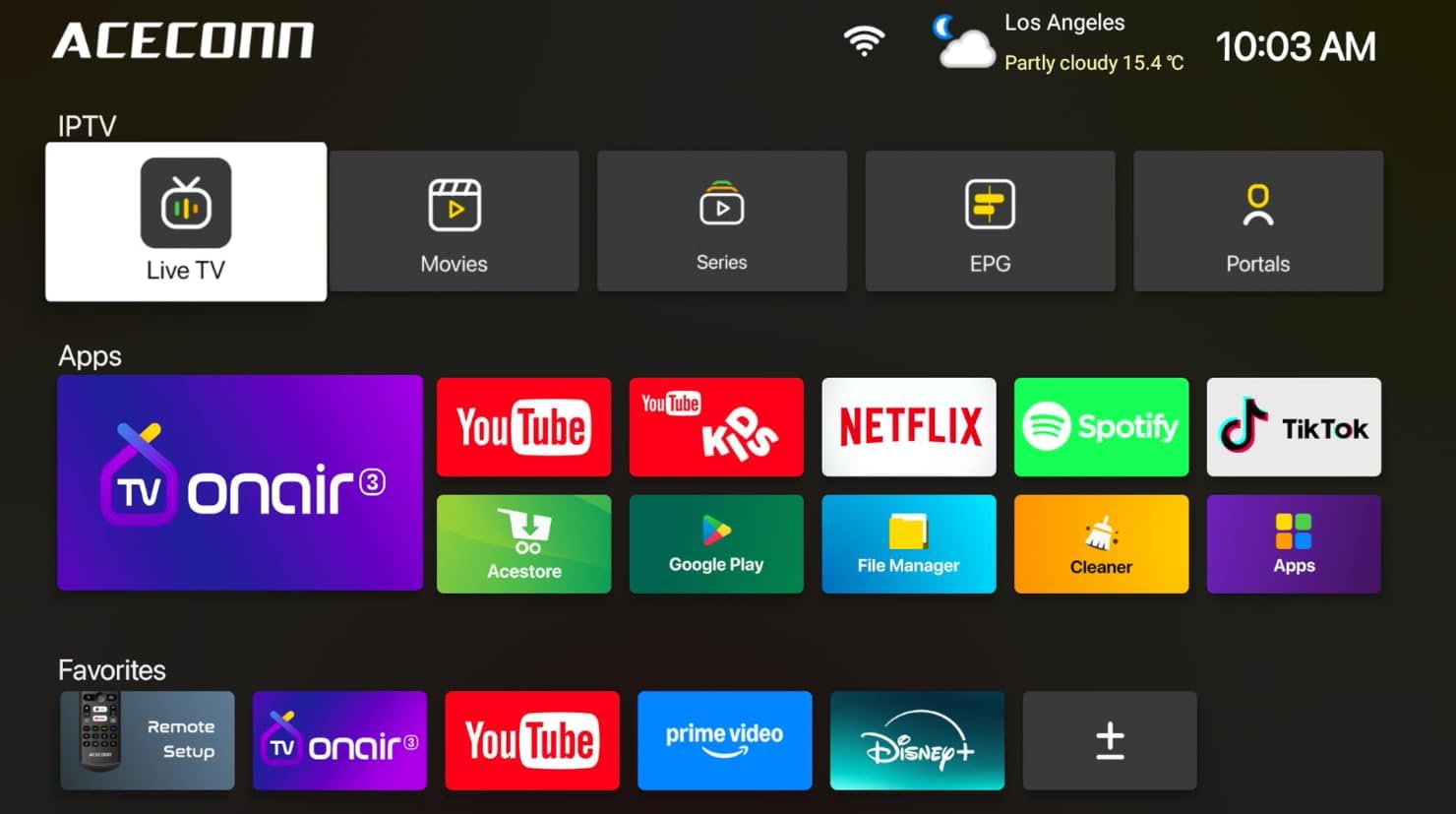
Image: Main user interface of the ACECONN Pi2, displaying various content categories and applications.
3.2 Navigation und Fernbedienung
Use the directional buttons on the remote control to navigate through menus and select items. The 'OK' button confirms selections, and the 'Back' button returns to the previous screen. Familiarize yourself with the remote's layout for optimal control.
3.3 Medienwiedergabe
The Pi2 supports various media playback options:
- Streaming: Access pre-installed or downloaded streaming applications for online content.
- Lokale Wiedergabe: Connect a USB hard drive or flash drive to play downloaded 4K content directly. The device supports full format compatibility including MKV, MP4, and AVI.
- Personal Media Library: Utilize applications like Kodi to organize and play your media collection.

Image: The ACECONN Pi2 supports various media consumption scenarios, including family streaming, personal media organization, and local file Wiedergabe.
3.4 Netzwerkeinstellungen
So verbinden Sie sich mit einem Netzwerk:
- Navigieren Sie vom Startbildschirm aus zum Menü „Einstellungen“.
- Select 'Network' or 'Wi-Fi' settings.
- For Wi-Fi, select your network from the list and enter the password. For Ethernet, ensure the cable is connected; the device should automatically connect.
3.5 Systemeinstellungen
The 'Settings' menu allows you to customize various aspects of your device:
- Anzeige: Adjust resolution, screen scaling, and HDR settings. The device supports 4K@60fps with HDR 10+ for an enhanced visual experience.
- Audio: Configure audio output options.
- Language & Input: Change the system language and keyboard settings.
- Kindersicherung: Utilize the built-in parental control features to manage content access.
- Um: View device information, including the Linux 4.9 kernel version.

Image: The ACECONN Pi2 offers advanced 4K decoding, HDR 10+ dynamic color, and broad media format compatibility.
4. Wartung
4.1 Reinigung
To maintain the device's appearance and performance, gently wipe the exterior with a soft, dry cloth. Avoid using liquid cleaners or abrasive materials.
4.2 Software Updates (OTA Updates)
The ACECONN Pi2 supports Over-The-Air (OTA) updates, as well as updates via USB. Regularly checking for and installing updates ensures you have the latest features, drivers, and security enhancements. This contributes to the device's rugged 24/7 stability.
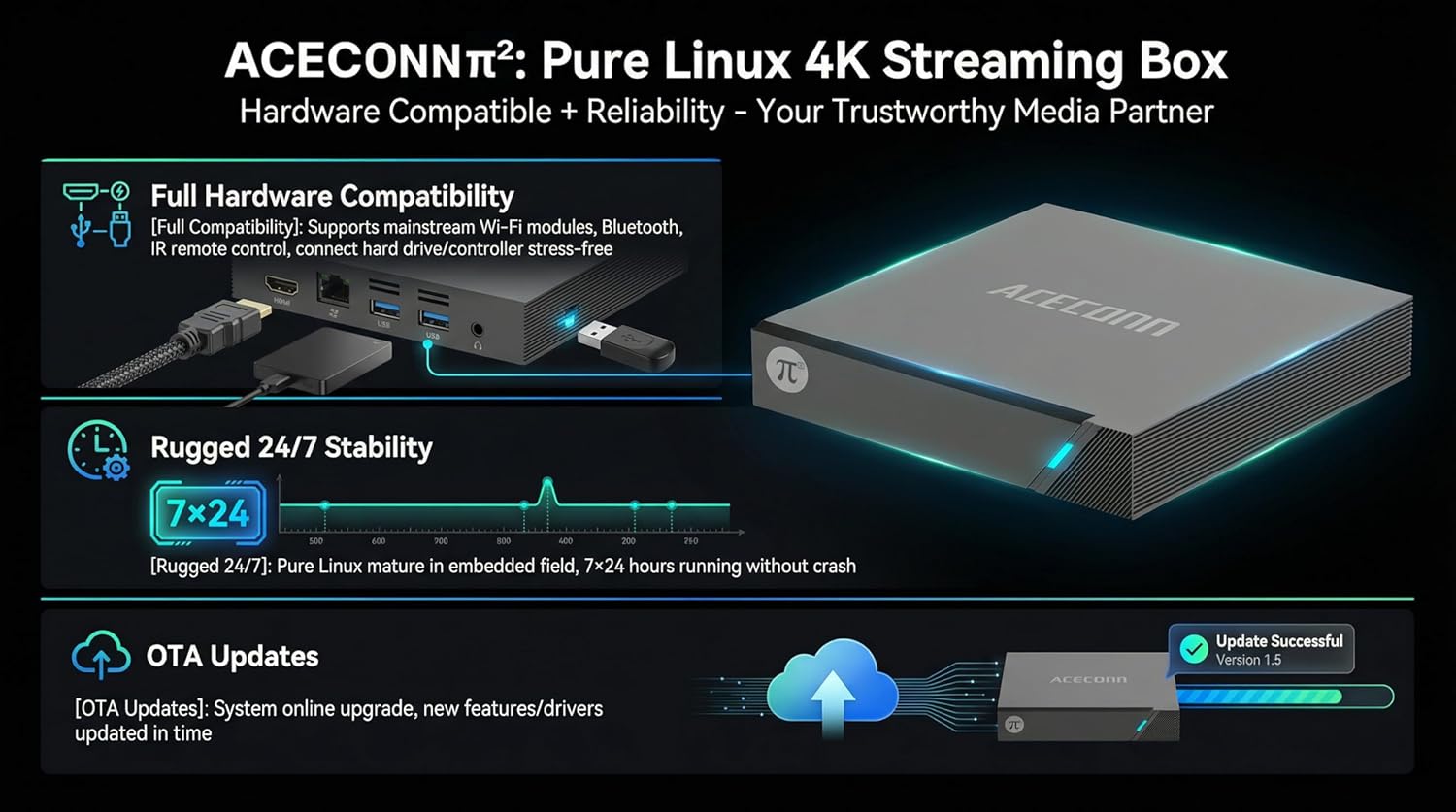
Image: The ACECONN Pi2 features full hardware compatibility, robust stability, and convenient OTA updates.
5. Fehlerbehebung
If you encounter issues with your ACECONN Pi2, refer to the following common problems and solutions:
- Kein Strom:
- Stellen Sie sicher, dass das Netzteil fest mit dem Gerät und einer funktionierenden Steckdose verbunden ist.
- Versuchen Sie es mit einer anderen Steckdose.
- Kein Fernsehsignal:
- Vergewissern Sie sich, dass das HDMI-Kabel sowohl an die TV-Box als auch an den Fernseher fest angeschlossen ist.
- Prüfen Sie, ob Ihr Fernseher auf die richtige HDMI-Eingangsquelle eingestellt ist.
- Versuchen Sie es mit einem anderen HDMI-Kabel oder einem anderen HDMI-Anschluss an Ihrem Fernseher.
- Fernbedienung reagiert nicht:
- Ensure the batteries in the remote control are correctly inserted and not depleted. Replace if necessary.
- Point the remote directly at the TV Box's IR receiver.
- Netzwerkverbindungsprobleme:
- For Wi-Fi, re-enter the password in network settings. Ensure your router is working correctly.
- For Ethernet, check the cable connection to both the TV Box and the router.
- Starten Sie Ihren Router und die TV-Box neu.
- System Lag or Freezing:
- Starten Sie die TV-Box neu.
- Stellen Sie sicher, dass das Gerät ausreichend belüftet ist.
- Suchen Sie nach verfügbaren Software-Updates und installieren Sie diese.
6. Spezifikationen
| Besonderheit | Spezifikation |
|---|---|
| Modellnummer | Pi2 |
| Marke | ACECONN |
| Technische Daten | 11 x 11 x 2 cm |
| Artikelgewicht | 0.5 Kilogramm |
| Konnektivitätstechnologie | Bluetooth, Ethernet, HDMI, USB, WLAN |
| Steckertyp | HDMI |
| Auflösung | 4K |
| Videoausgabeauflösung | 3840 Pixel |
| Controllertyp | App-Steuerung, Fernbedienung |
| Speicherkapazität | 8 GB |
| Besonderheit | Kindersicherung |
| Betriebssystem | Linux 4.9 Kernel |
7. Garantie und Support
7.1 Garantieinformationen
This ACECONN Pi2 Linux 4K HD Super Box TV Box comes with a 1 Jahre Herstellergarantie ab Kaufdatum. Bitte bewahren Sie Ihren Kaufbeleg für Garantieansprüche auf.
7.2 Kundendienst
For technical assistance or warranty inquiries, please contact the manufacturer:
- Hersteller: shenzhenshiniulinkejiyouxiangongsi
- E-Mail: zengkkoo@gmail.com