
Einführung
This manual provides detailed instructions for the setup, operation, maintenance, and troubleshooting of your Hwagol Smart Watch. Please read this manual thoroughly before using the device to ensure proper function and longevity.
Lieferumfang
Überprüfen Sie, ob alle Artikel im Paket vorhanden sind:
- Hwagol Smartwatch (Modell 619704314148)
- Ladekabel
- Interchangeable Straps (typically one stainless steel and two silicone straps)
- Benutzerhandbuch (dieses Dokument)
Aufstellen
1. Aufladen des Geräts
Before first use, fully charge your Hwagol Smart Watch. Connect the provided charging cable to the charging port on the back of the watch and to a standard USB power adapter (not included). The watch display will indicate charging status.

Image: The Hwagol Smart Watch connected to its charging cable, illustrating the charging process.
2. App-Installation und -Kopplung
To unlock the full functionality of your smart watch, you need to install the companion application on your smartphone.
- Laden Sie die App herunter: Suchen nach the recommended companion app (e.g., 'FitCloudPro' or similar, as indicated in the watch's quick start guide or packaging) in your smartphone's app store (Google Play Store for Android, Apple App Store for iOS).
- Installieren und öffnen: Install the app and open it. Follow the on-screen prompts to create an account or log in.
- Bluetooth aktivieren: Stellen Sie sicher, dass Bluetooth auf Ihrem Smartphone aktiviert ist.
- Koppeln Sie die Uhr: In the app, navigate to the device pairing section. Select your Hwagol Smart Watch from the list of available devices. Confirm the pairing request on both your phone and the watch if prompted.
3. Erstkonfiguration
After successful pairing, configure basic settings:
- Zur Person: Enter your age, height, weight, and gender in the app for accurate health tracking.
- Berechtigungen: Grant necessary permissions to the app (e.g., notification access, location services) for full functionality.
- Zifferblatt: Customize your watch face through the app or directly on the watch. Over 200 online UI options are available.
Bedienungsanleitung
1. Grundlegende Navigation
The Hwagol Smart Watch features a 1.52-inch HD touch screen with 360*360 resolution.
- Nach oben/unten wischen: Schnellzugriff auf Einstellungen oder Benachrichtigungen.
- Nach links/rechts wischen: Navigate through widgets and main functions (e.g., activity, heart rate, weather).
- Klopfen: Wählen Sie ein Element aus oder bestätigen Sie eine Aktion.
- Seitliche Tasten drücken: The watch typically has side buttons for power, back, or quick access to sport modes. Refer to the watch's on-screen prompts for specific button functions.
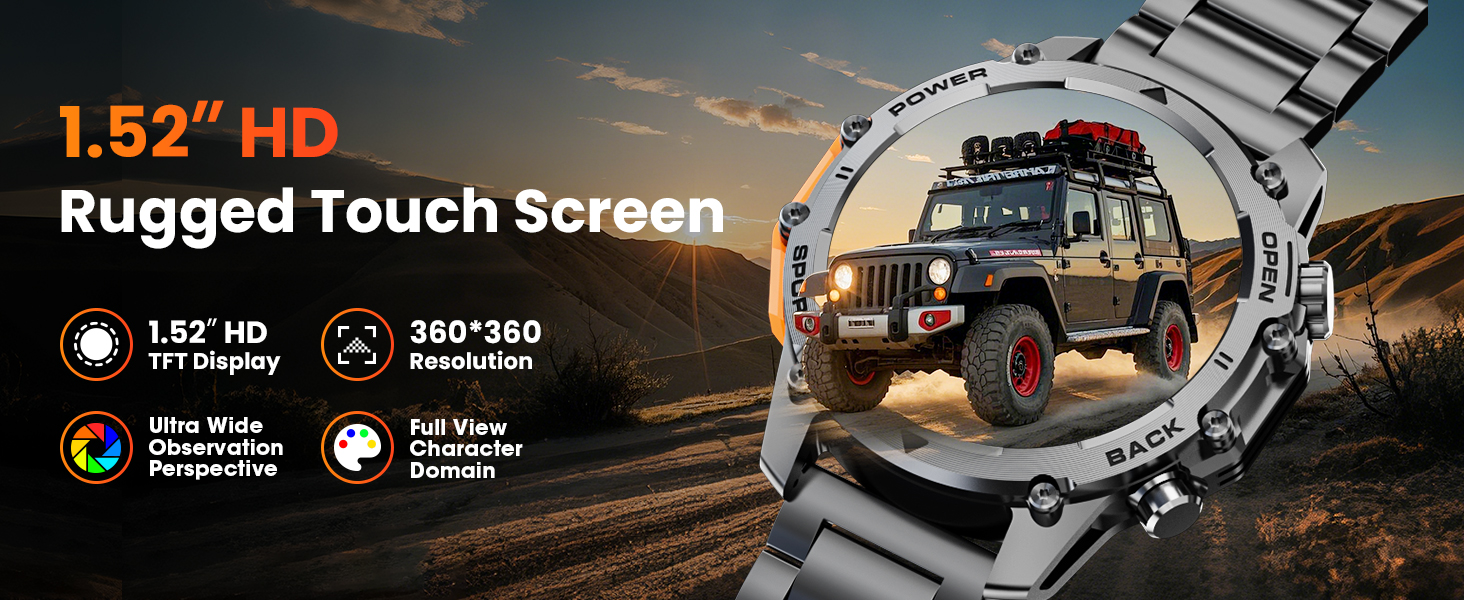
Image: A close-up of the Hwagol Smart Watch display, highlighting its 1.52-inch HD screen and resolution.
2. Bluetooth-Anrufe
Sobald die Uhr mit Ihrem Smartphone gekoppelt ist, können Sie Anrufe direkt von Ihrer Uhr aus tätigen und empfangen.
- Anrufe tätigen: Um einen Anruf zu starten, rufen Sie das Tastenfeld oder die Kontaktliste auf der Uhr auf.
- Anrufe entgegennehmen: Bei einem eingehenden Anruf zeigt die Uhr die Anrufer-ID an. Tippen Sie auf das grüne Symbol, um den Anruf anzunehmen, oder auf das rote Symbol, um ihn abzulehnen.
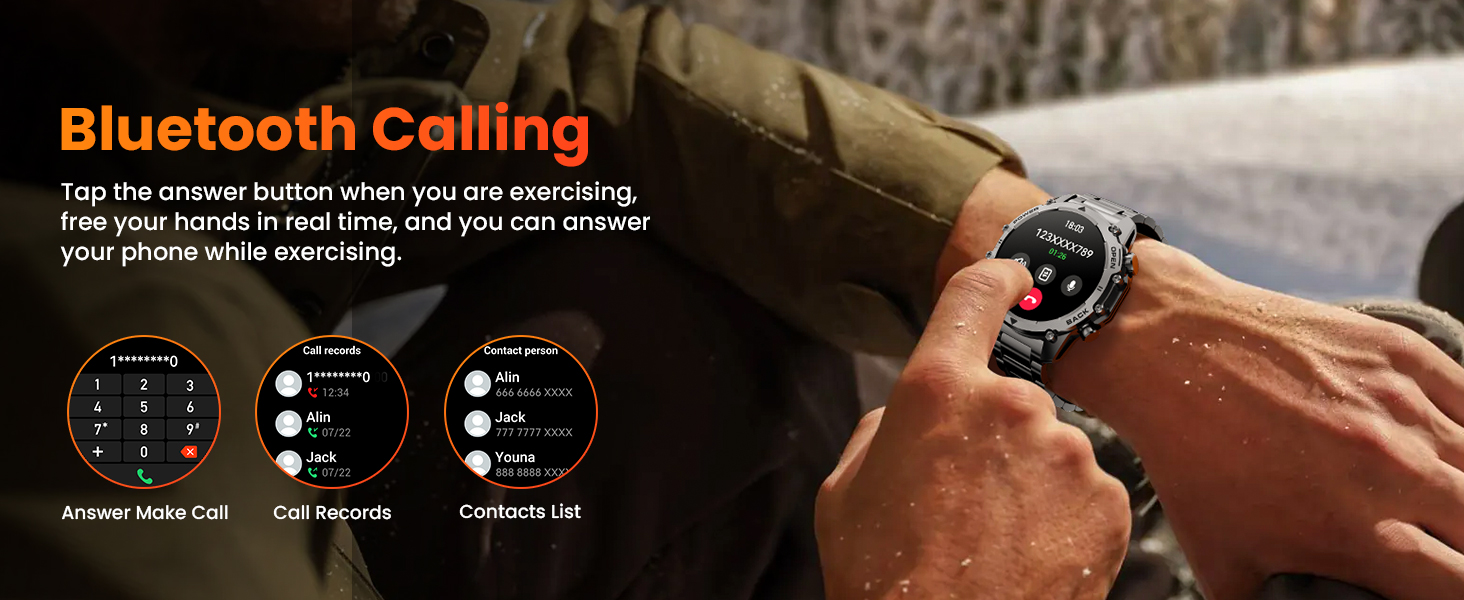
Image: The Hwagol Smart Watch displaying an incoming call, demonstrating the Bluetooth calling function.
3. Intelligente Benachrichtigungen
Empfangen Sie Benachrichtigungen von Ihrem Smartphone direkt auf Ihrer Uhr.
- Ensure notification permissions are granted to the app on your smartphone.
- Notifications for calls, messages, and various social media apps will be displayed on the watch screen.
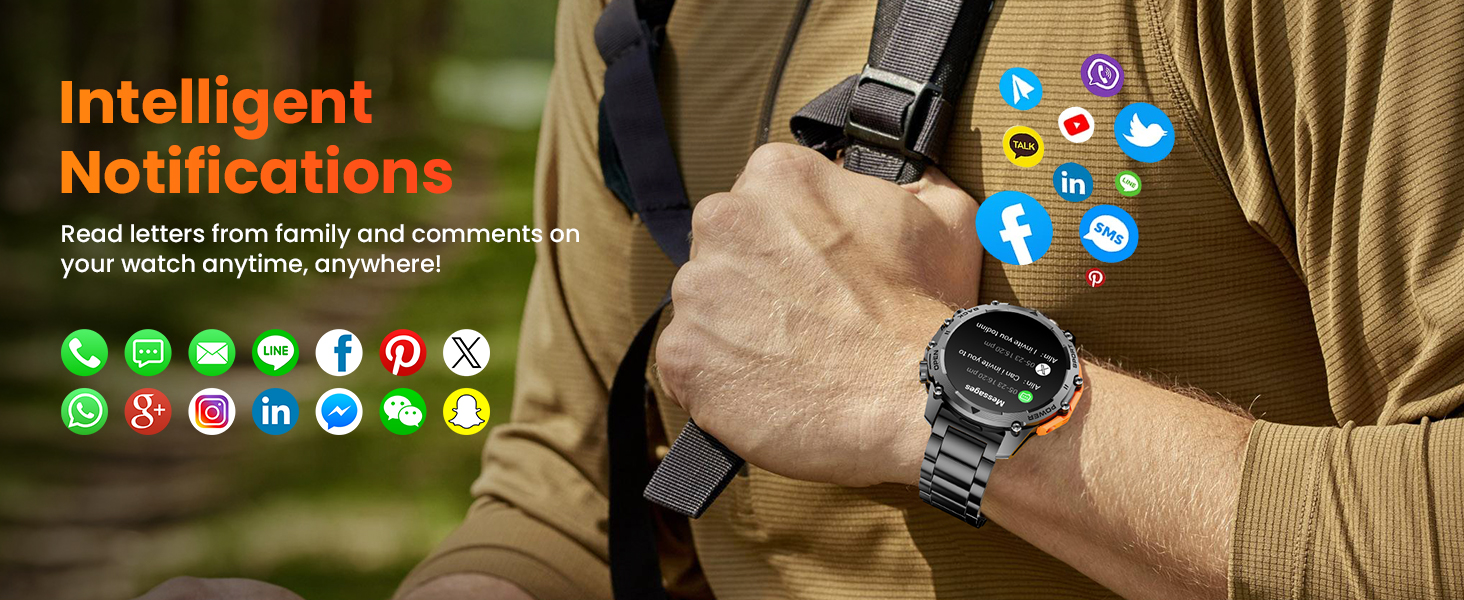
Image: The Hwagol Smart Watch showing various app notification icons, illustrating the intelligent notification feature.
4. Sportmodi
The watch supports over 100 sport modes for tracking various physical activities.
- Access the 'Sport' menu on the watch.
- Select your desired activity (e.g., running, cycling, mountaineering).
- Die Uhr erfasst während des Trainings Daten wie Schritte, Distanz, Kalorienverbrauch und Herzfrequenz.

Image: The Hwagol Smart Watch displaying various sport mode icons and activity tracking data.
5. Gesundheitsüberwachung rund um die Uhr
Die Uhr überwacht kontinuierlich wichtige Gesundheitsdaten.
- Herzfrequenzmesser: Liefert Herzfrequenzdaten in Echtzeit.
- Blutsauerstoffmonitor (SpO2): Misst den Sauerstoffsättigungsgrad im Blut.
- Schlafqualitätsüberwachung: Überwacht Ihre Schlafmuster, einschließlich Tiefschlaf, Leichtschlaf und Wachzeiten.
- View detailed historical data for all health metrics within the companion app.
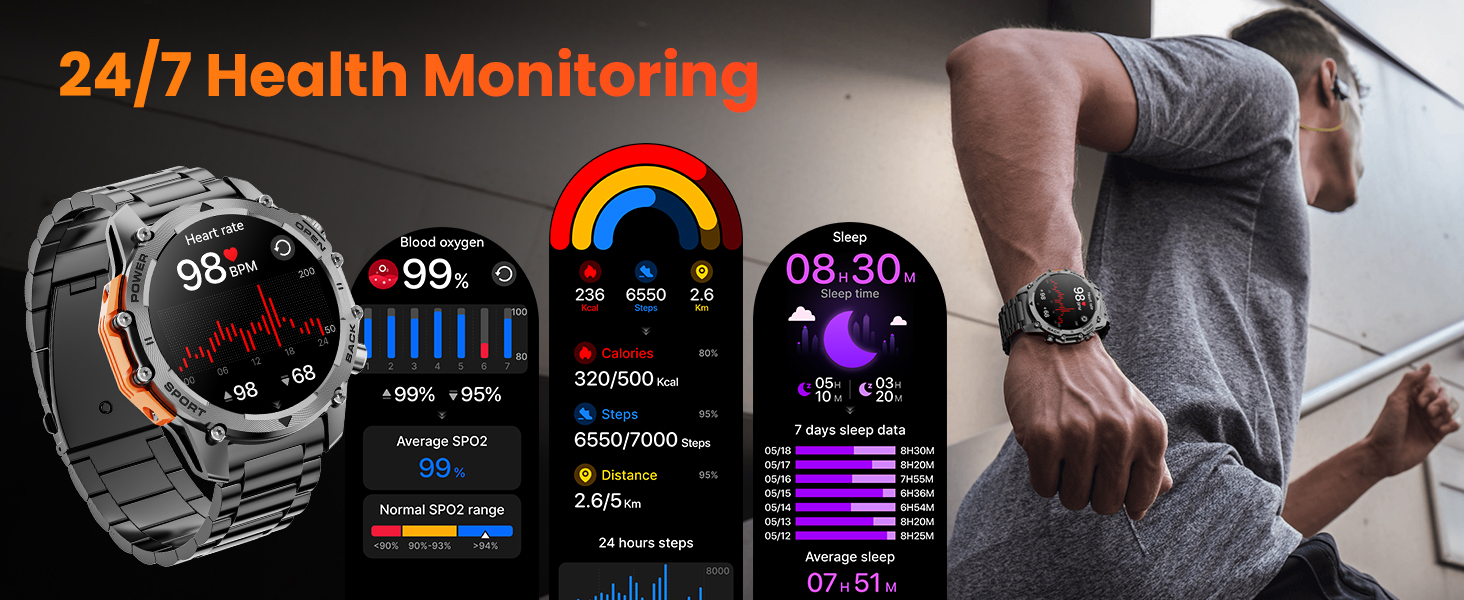
Image: The Hwagol Smart Watch displaying heart rate, blood oxygen, and sleep tracking data.
6. Taschenlampe
Activate the super bright flashlight feature for illumination in dark environments.
- Access the flashlight function from the quick settings menu or a dedicated app on the watch.
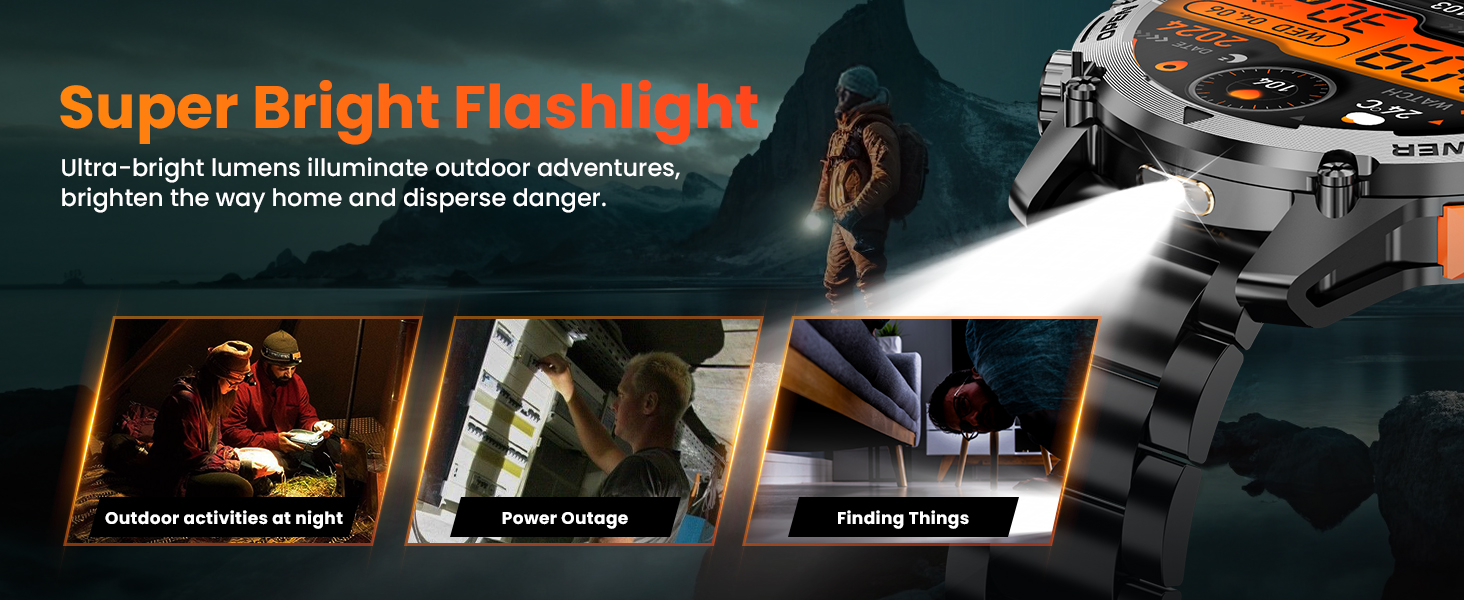
Image: The Hwagol Smart Watch with its flashlight activated, showing its utility in various scenarios.
7. Weitere Funktionen
The Hwagol Smart Watch includes several additional useful functions:
- Musik-Player-Steuerung: Steuern Sie die Musikwiedergabe auf Ihrem Smartphone (Wiedergabe, Pause, Titel überspringen).
- Fernfotografie: Verwenden Sie Ihre Uhr als Fernauslöser für die Kamera Ihres Smartphones.
- Wettervorhersage: View aktuelle Wetterbedingungen und Vorhersagen.
- Taschenrechner: Führen Sie grundlegende Berechnungen durch.
- Sprachassistent: Interact with your smartphone's voice assistant.
- Wecker: Stellen Sie Alarme direkt über Ihre Uhr ein.
- Erinnerung zum Wassertrinken: Erhalten Sie Erinnerungen, ausreichend zu trinken.
- Atemtraining: Geführte Atemübungen zur Entspannung.
- Handysuche: Finden Sie Ihr gekoppeltes Smartphone, indem Sie es klingeln lassen.
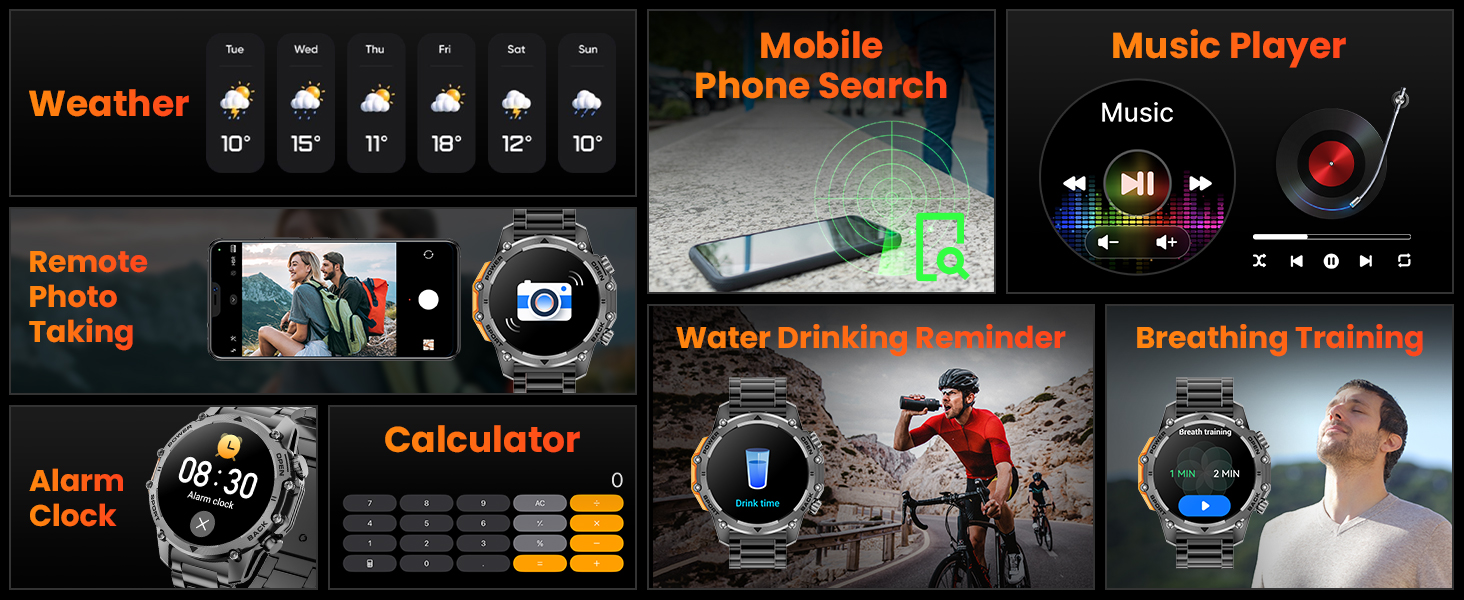
Image: A collage of the Hwagol Smart Watch's various features including weather, music control, remote camera, calculator, and health reminders.
Wartung
1. Reinigung
Regelmäßige Reinigung trägt dazu bei, das Aussehen und die Funktionalität der Uhr zu erhalten.
- Wischen Sie den Bildschirm und das Gehäuse der Uhr mit einem weichen, fusselfreien Tuch ab.amp, fusselfreies Tuch.
- Silikonarmbänder sollten mit milder Seife und Wasser gewaschen, anschließend gründlich abgespült und getrocknet werden.
- For metal straps, use a soft brush to remove debris from links, then wipe with a damp Tuch.
- Vermeiden Sie die Verwendung aggressiver Chemikalien oder Scheuermittel.
2. Armbandwechsel
The Hwagol Smart Watch comes with interchangeable straps (stainless steel and silicone) to suit different occasions.
- To remove a strap, locate the quick-release pins on the underside of the strap where it connects to the watch body.
- Schieben Sie den Stift nach innen, um den Riemen zu lösen.
- To attach a new strap, align one end of the pin with the watch lug hole, then slide the other end of the pin inwards and guide it into the opposite lug hole. Release the pin to secure the strap.

Image: The Hwagol Smart Watch with its various interchangeable straps and a tool for replacement.
3. Wasserbeständigkeit
The watch is designed to be water-resistant. However, it is not suitable for deep diving or high-pressure water activities. Avoid prolonged exposure to hot water or steam.
Fehlerbehebung
Sollten Sie Probleme mit Ihrer Hwagol Smartwatch haben, beachten Sie bitte die folgenden gängigen Lösungsansätze:
| Ausgabe | Mögliche Lösung |
|---|---|
| Die Uhr lässt sich nicht einschalten. | Stellen Sie sicher, dass die Uhr vollständig aufgeladen ist. Schließen Sie sie für mindestens 30 Minuten an das Ladegerät an. |
| Kopplung mit Smartphone nicht möglich | Ensure Bluetooth is enabled on your phone. Restart both the watch and phone. Make sure the watch is not already paired with another device. Try resetting the watch to factory settings. |
| Nicht erhaltene Benachrichtigungen | Check app permissions on your phone for notification access. Ensure the app is running in the background. Disable 'Do Not Disturb' mode on both devices. Verify that notifications are enabled within the watch app settings. |
| Ungenaue Gesundheitsdaten | Ensure the watch is worn snugly on your wrist, not too tight or too loose. Update your personal information (age, height, weight) in the app. Clean the sensor on the back of the watch. |
| Kurze Akkulaufzeit | Reduce screen brightness. Turn off continuous heart rate monitoring if not needed. Limit frequent use of power-intensive features like Bluetooth calling. Ensure the watch is fully charged. |
Technische Daten
- Modellnummer: 619704314148
- Marke: Hwagol
- Bildschirmgröße: 1.52 Zoll
- Anzeigetyp: TFT HD, 360*360 Resolution
- Batteriekapazität: 500 mAh
- Akkulaufzeit: 4-6 days (heavy use), 20 days (standby)
- Konnektivität: Bluetooth
- Betriebssystemkompatibilität: Android, iOS
- Geographisches Positionierungs System: Per Smartphone
- Gesundheitsüberwachung: Heart Rate, Blood Oxygen (SpO2), Sleep Tracking
- Sportmodi: 100+
- Haltbarkeit: Military-grade (wear-resistant, shock-resistant, water-resistant, sand-resistant)
- Artikelgewicht: 0.634 Unzen
- Paketabmessungen: 6.73 x 3.74 x 1.34 Zoll

Image: The Hwagol Smart Watch highlighting its 3-proof military-grade durability against impact, dust, high, and low temperatures.
Garantie und Support
For warranty information and customer support, please refer to the documentation included with your purchase or contact Hwagol customer service through their official webBewahren Sie Ihren Kaufbeleg für Garantieansprüche auf.
- Hersteller: Hwagol
- ASIN: B0G5MSRRTG