
1. Einleitung
Thank you for choosing the TOPTRO TP3 4K Google TV Portable Projector. This manual provides essential information for setting up, operating, and maintaining your projector. Please read it thoroughly before use to ensure optimal performance and safety.
The TOPTRO TP3 is designed to deliver a versatile and immersive viewing experience, featuring integrated Google TV, AI-powered image adjustments, and comprehensive connectivity options. Enjoy your content at home, outdoors, or on the go.
2. Produktüberschreitungview
2.1 Hauptmerkmale
- Integriertes Google TV: Access over 10,000 official streaming applications, including Netflix, Prime Video, and YouTube, without additional devices.
- Google Voice Control: Use the remote control's voice assistant button to search for content, adjust settings, and control playback hands-free.
- AI-Powered Image Adjustment: Features automatic focus, automatic keystone correction, obstacle avoidance, and automatic screen adjustment for a perfectly aligned and clear image within seconds.
- Native 1080P Resolution with 4K Decoding: Delivers sharp, detailed images and natural colors, supporting 4K video decoding.
- Kurzdistanzverhältnis (0.8:1): Projects a 60-inch image from just one meter distance, ideal for small spaces.
- 90-Grad-Drehständer: Ermöglicht flexible Projektionswinkel, einschließlich Deckenprojektion.
- Erweiterte Konnektivität: Equipped with dual-band WiFi 6, Bluetooth 5.3, HDMI ARC, USB, and a 3.5mm audio jack for wide device compatibility.
- Tragbares Design: Weighing only 1.2 kg (2.6 lbs) with a hidden carry handle, making it easy to transport.
2.2 Packungsinhalt
Stellen Sie sicher, dass alle Artikel im Paket vorhanden sind:
- TOPTRO TP3 Projektor
- Fernbedienung
- HDMI-Kabel
- Netzteil
- Bedienungsanleitung
3. Einrichtung
3.1 Erstplatzierung
Place the projector on a stable, flat surface. The 90-degree rotating stand allows for various projection angles, including wall, ceiling, or tabletop. For optimal image quality, ensure the projection surface is smooth and light-colored.

Image: The TOPTRO TP3 projector can be used in diverse environments, from living rooms to outdoor camping, showcasing seine Anpassungsfähigkeit.
3.2 Stromanschluss
- Connect the power adapter to the projector's power input.
- Plug the power adapter into a suitable electrical outlet (220V).
- Drücken Sie den Netzschalter am Projektor oder an der Fernbedienung, um ihn einzuschalten.
3.3 Netzwerkverbindung
Upon first startup, follow the on-screen prompts to connect to your Wi-Fi network. The projector supports dual-band WiFi 6 for a fast and stable connection.
3.4 Google TV-Einrichtung
After connecting to Wi-Fi, sign in with your Google account to access Google TV and download applications from the Google Play Store. This step is crucial for utilizing the integrated streaming services.

Image: The projector's interface showing integrated Google TV with direct access to popular streaming applications.
4. Bedienungsanleitung
4.1 Grundlegende Bedienung
- Ein-/Ausschalten: Drücken Sie den Ein-/Ausschalter an der Fernbedienung oder am Projektor.
- Navigation: Use the directional buttons on the remote to navigate menus.
- Auswahl: Drücken Sie die Taste „OK“, um die Auswahl zu bestätigen.
- Lautstärkeregelung: Benutzen Sie die Lautstärketasten auf der Fernbedienung.
4.2 Bildanpassung
The TOPTRO TP3 features AI-powered automatic image adjustments:
- Autofokus: Der Projektor passt die Bildschärfe automatisch an.
- Automatische Trapezkorrektur: Automatically corrects distorted images to a rectangular shape.
- Hindernisvermeidung: Erkennt und passt das Bild an, um Objekte auf der Projektionsfläche zu vermeiden.
- Auto Screen Adjustment: Optimiert das Bild, sodass es in die Bildschirmfläche passt.
These adjustments occur automatically within seconds of powering on or repositioning the projector. Manual digital zoom (80-100%) is also available for fine-tuning image size.

Image: Visual representation of the projector's AI-powered automatic image adjustment features, ensuring a clear and aligned picture.
4.3 Google-Sprachsteuerung
Press the dedicated voice assistant button on your remote control and speak your command. For example, say "Open YouTube" or "Play music." The projector will respond to your voice commands for quick access to functions and content.
4.4 Bildschirmspiegelung (Google Cast)
Utilize Google Cast technology to wirelessly mirror content from your smartphone or tablet to the projector. For iPhone users, download the "AirScreen" application from the Google Play Store on the projector for wireless screen mirroring.
4.5 Rotating Stand Usage
The integrated 90-degree rotating stand allows you to easily adjust the projection angle. Simply pivot the projector to direct the image onto a wall, screen, or ceiling. This feature is particularly useful for bedroom viewing or creative setups.
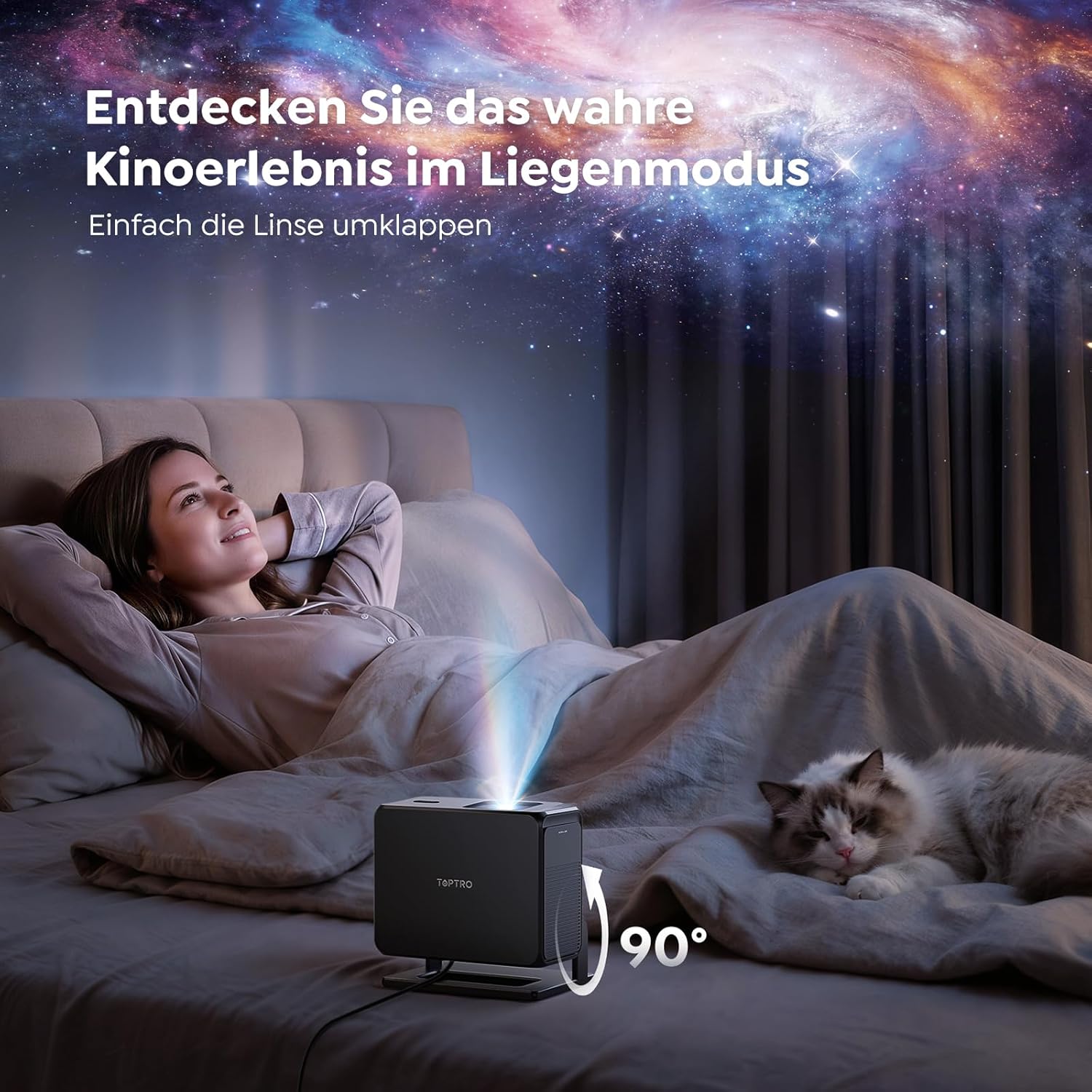
Image: The TOPTRO TP3 projector rotated 90 degrees to project content onto a bedroom ceiling, offering a unique viewErfahrung.
5. Konnektivität
5.1 Kabelverbindungen
- HDMI ARC/CEC: Connect external devices like laptops, gaming consoles (Xbox/PlayStation 5), or Blu-ray players. The ARC feature allows audio to be sent back to a compatible sound system.
- USB: Schließen Sie USB-Laufwerke zur Medienwiedergabe an.
- 3.5-mm-Audiobuchse: Connect external wired speakers or headphones.
5.2 Drahtlose Verbindungen
- WLAN 6: Provides faster and more stable wireless connectivity for streaming and online content.
- Bluetooth 5.3: Connect Bluetooth headphones or speakers for an enhanced audio experience.
6. Wartung
6.1 Reinigung der Linse
Gently clean the projector lens with a soft, lint-free cloth designed for optical surfaces. Avoid using abrasive cleaners or excessive force, as this can scratch the lens.
6.2 Allgemeine Reinigung
Wischen Sie die Außenseite des Projektors mit einem weichen, trockenen Tuch ab. Verwenden Sie keine flüssigen Reinigungsmittel direkt auf dem Gerät.
6.3 Speicherung
Bewahren Sie den Projektor bei Nichtgebrauch an einem kühlen, trockenen Ort, geschützt vor direkter Sonneneinstrahlung und extremen Temperaturen, auf. Verwenden Sie die Originalverpackung oder eine Schutzhülle, um Staubansammlungen und Beschädigungen zu vermeiden.
7. Fehlerbehebung
7.1 Kein Bild angezeigt
- Stellen Sie sicher, dass der Projektor eingeschaltet und an eine Stromquelle angeschlossen ist.
- Check all cable connections (HDMI, USB) to external devices.
- Verify the input source selected on the projector matches the connected device.
- Confirm the lens cap is removed.
7.2 Unscharfes Bild
- Warten Sie, bis die Autofokusfunktion ihre Anpassung abgeschlossen hat.
- Stellen Sie sicher, dass die Projektionsfläche eben ist und der Projektor stabil steht.
- Clean the projector lens if smudges or dust are visible.
7.3 Kein Ton
- Überprüfen Sie die Lautstärke sowohl am Projektor als auch am angeschlossenen Quellgerät.
- Ensure external speakers or headphones are properly connected (wired or Bluetooth).
- If using HDMI ARC, verify your sound system is compatible and correctly configured.
7.4 Fernbedienung funktioniert nicht
- Ersetzen Sie die Batterien in der Fernbedienung.
- Stellen Sie sicher, dass sich keine Hindernisse zwischen der Fernbedienung und dem Infrarotempfänger des Projektors befinden.
For further assistance, refer to the detailed troubleshooting section in the full user manual or contact customer support.
8. Spezifikationen
| Besonderheit | Spezifikation |
|---|---|
| Marke | TOPTRO |
| Modellname | TP3 |
| Native Auflösung | 1920 x 1080 (1080 P) |
| Unterstützung für Videodekodierung | 4K |
| Anzeigetyp | LED |
| Besondere Merkmale | Auto Focus, Auto Keystone Correction, Obstacle Avoidance, Auto Screen Adjustment, Google TV, Google Voice Control |
| Konnektivitätstechnologie | HDMI, USB, Bluetooth 5.3, Wi-Fi 6 |
| Hardware-Schnittstelle | HDMI ARC/CEC, USB, 3.5mm Audio |
| Produktabmessungen (L x B x H) | 19.4 x 15.8 x 14.1 cm |
| Artikelgewicht | 1.2 kg |
| Formfaktor | Tragbar |
| Montagetyp | Ceiling Mount, Tabletop, Wall |
| Minimale Bildgröße | 40 Zoll |
| Maximale Bildgröße | 120 Zoll |
| Maximale Projektionsentfernung | 2.13 Meter |
| Bandtage | 220 Volt |
| Im Lieferumfang enthaltene Komponenten | HDMI-Kabel |
| Farbe | Schwarz |
| Controllertyp | Fernbedienung |
| Kompatible Geräte | Xbox/PlayStation 5, Smartphone, Tablet, Laptop, Speaker, Notebook |
| Empfohlene Verwendung | Gaming, Business, Home Cinema, Education |
9. Garantie und Support
9.1 Garantieinformationen
Die genauen Garantiebedingungen entnehmen Sie bitte der Ihrem Produkt beiliegenden Garantiekarte. Bewahren Sie Ihren Kaufbeleg für Garantieansprüche auf.
9.2 Kundendienst
If you encounter any issues or have questions regarding your TOPTRO TP3 projector, please contact our customer service team. We provide prompt, professional, and effective support to ensure a smooth user experience.
Die Kontaktdaten finden Sie in der Regel auf unserer offiziellen Website. webauf der Website oder auf der Garantiekarte.