
1. Einleitung
This manual provides detailed instructions for the LIGE FV21-F Smart Watch. Please read this guide thoroughly to ensure proper usage, optimal performance, and longevity of your device. This smartwatch is designed to enhance your daily life with health monitoring, fitness tracking, and smart communication features.
2. Lieferumfang
Upon unboxing your LIGE FV21-F Smart Watch, verify that all the following items are included:
- Smartwatch (LIGE FV21-F)
- Ladekabel
- Watch Strap (Black Mesh)
- Additional Watch Strap (Apricot Silicone)
- Einstellungen für die Uhr
- Smartwatch Manuals (this document)
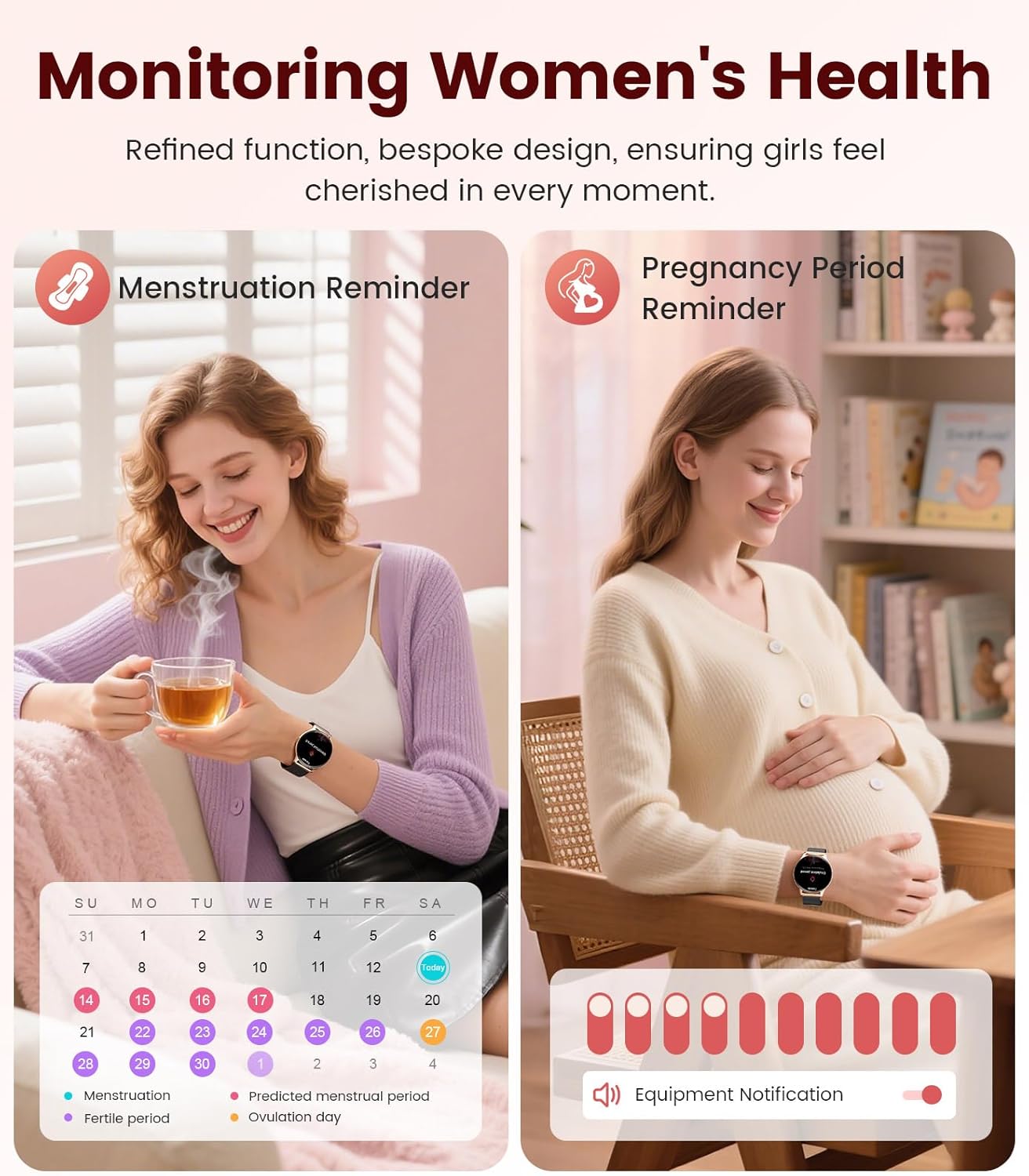
Image: Contents of the LIGE FV21-F Smart Watch package, showing the watch, charging cable, and two interchangeable bands.
3. Installationsanleitung
3.1 Attaching the Watch Straps
Your LIGE FV21-F Smart Watch comes with two interchangeable straps: a black mesh band and an apricot silicone band. To attach a strap:
- Locate the spring bar on the back of the watch strap.
- Align one end of the spring bar with the lug hole on the watch case.
- Push the spring bar inward and slide the strap into place between the lugs.
- Release the spring bar, ensuring both ends are securely seated in the lug holes.
- Gently pull the strap to confirm it is firmly attached.
Video: Demonstrates how to attach and change the watch straps, as well as initial setup and pairing with a smartphone.
3.2 Aufladen der Smartwatch
Before first use, fully charge your smartwatch. Use the provided magnetic charging cable.
- Connect the USB end of the charging cable to a power adapter (not included) or a computer's USB port.
- Place the magnetic end of the charging cable onto the charging contacts on the back of the smartwatch. The magnets will align it correctly.
- The watch screen will display a charging indicator. A full charge typically takes approximately 2-3 hours.
Image: The LIGE FV21-F Smart Watch being charged using its magnetic charging cable.
3.3 App-Download und Kopplung
To unlock the full functionality of your smartwatch, download the companion app, "FitCloudPro," and pair it with your smartphone.
- Laden Sie die App herunter: Scan the QR code displayed on the watch screen (access via Settings > QR Code) or search for "FitCloudPro" in your smartphone's app store (App Store for iOS, Google Play Store for Android).
- Bluetooth aktivieren: Stellen Sie sicher, dass Bluetooth auf Ihrem Smartphone aktiviert ist.
- App öffnen und koppeln: Open the FitCloudPro app, navigate to the "Device" section, and tap "Add Device" or "Search Now". Select "FV21" from the list of discovered devices.
- Kopplung bestätigen: Auf Ihrem Smartphone und Ihrer Smartwatch wird eine Kopplungsanfrage angezeigt. Bestätigen Sie die Kopplung auf beiden Geräten.
- Benachrichtigungen zulassen: Grant necessary permissions for notifications (calls, messages, apps) when prompted by the app.

Image: The FitCloudPro app interface on a smartphone and the QR code on the smartwatch for easy app download and pairing.
4. Bedienungsanleitung
4.1 Grundlegende Navigation
- Touch-Screen: Durch Wischen nach links/rechts oder nach oben/unten navigieren Sie durch Menüs und Bildschirme. Zum Auswählen tippen.
- Seitentaste: Drücken Sie, um den Bildschirm zu aktivieren, zum Startbildschirm zurückzukehren oder auf die App-Liste zuzugreifen.
- Bildschirm aktivieren: Raise your wrist or press the side button to activate the display.
4.2 Anpassen von Zifferblättern
The LIGE FV21-F offers over 200 customizable watch faces. You can also upload your own photos.
- On the watch, long-press the home screen to access watch face options, then swipe to select.
- In the FitCloudPro app, go to "Watch Face Store" to browse and sync new faces.
- To use a custom photo, select "Watch Face DIY" in the app, choose a photo, adjust its position, and sync to your watch.

Image: The smartwatch displaying a custom watch face, demonstrating the personalization options available through the app.
4.3 Kommunikationsmerkmale
- Anrufe annehmen/tätigen: Once paired via Bluetooth, you can answer incoming calls directly from your watch or dial numbers using the watch's dial pad.
- Nachrichtenbenachrichtigungen: Receive notifications for SMS, emails, and various social media apps (WhatsApp, Facebook, Instagram, etc.) directly on your wrist. Ensure app permissions are granted.
- Sprachassistent: Nutzen Sie den integrierten Sprachassistenten für schnelle Befehle und Informationen.

Image: The smartwatch displaying an incoming call and message notifications, highlighting its communication capabilities.
5. Gesundheitsüberwachung
The LIGE FV21-F Smart Watch provides comprehensive health tracking features to help you monitor your well-being.
- Herzfrequenz-Überwachung: Erfasst kontinuierlich Ihre Herzfrequenz den ganzen Tag über.
- Schlafüberwachung: Analysiert Ihre Schlafmuster, einschließlich Tiefschlaf, Leichtschlaf und Wachphasen.
- Überwachung des Blutsauerstoffs (SpO2): Misst Ihren Blutsauerstoffsättigungsgrad.
- Physiologischer Zyklusmonitor für Frauen: Provides reminders and tracking for menstrual and pregnancy periods.
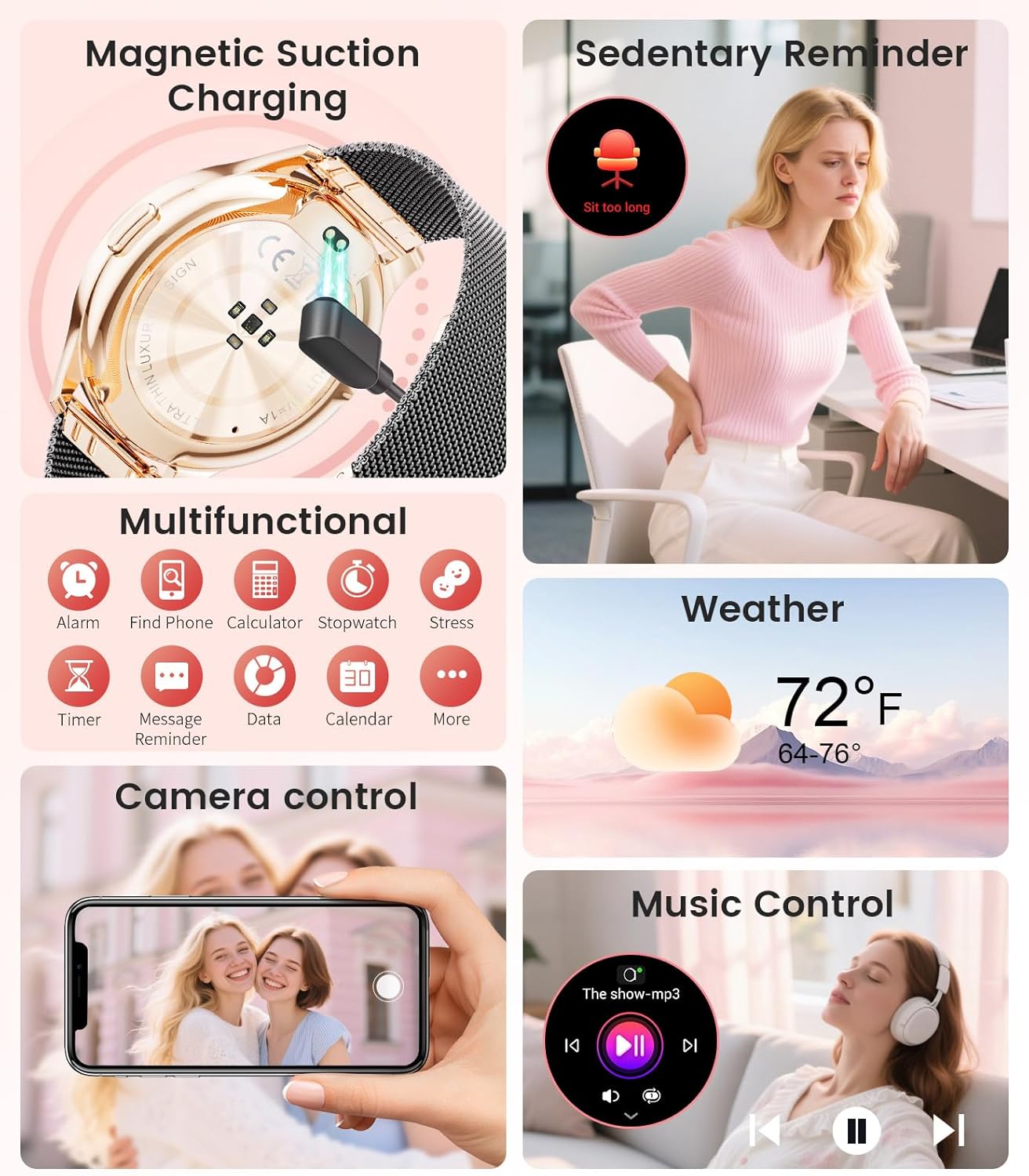
Image: The smartwatch interface showing women's health tracking features, including menstruation and pregnancy reminders.

Image: A user sleeping while wearing the smartwatch, with an inset showing the sleep tracking data on the watch face.
6. Fitness Tracking (120+ Sport Modes)
The LIGE FV21-F Smart Watch supports over 120 sport modes to track your activities, including walking, running, cycling, yoga, and more. It records steps, distance, calories burned, and heart rate during workouts.
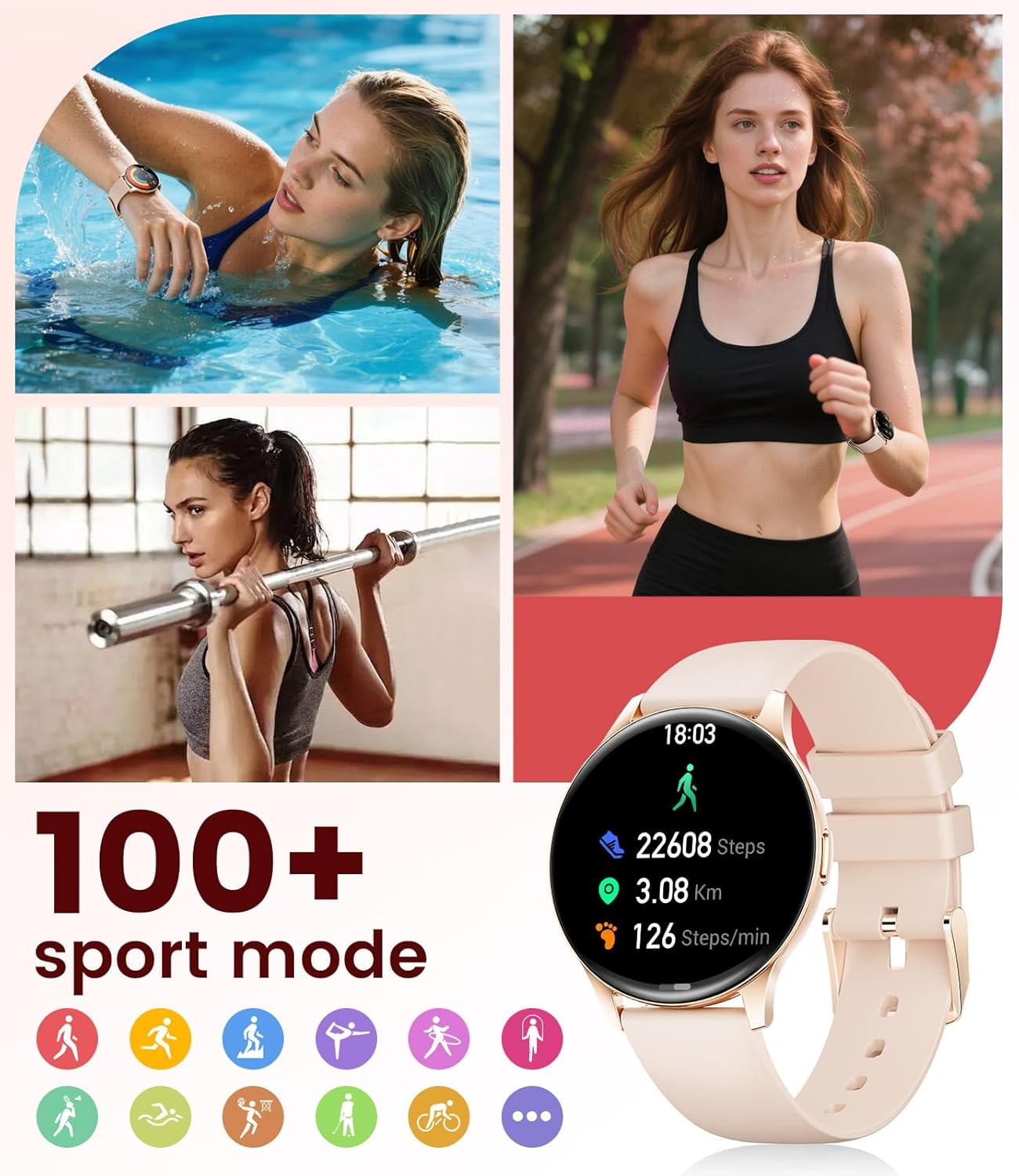
Image: The smartwatch showing different sport modes and real-time fitness data like steps, distance, and calories.
7. Weitere intelligente Funktionen
Beyond health and fitness, your smartwatch offers several convenient smart features:
- Musiksteuerung: Steuern Sie die Musikwiedergabe auf Ihrem Smartphone direkt von Ihrer Uhr aus.
- Kamerasteuerung: Verwenden Sie Ihre Uhr als Fernauslöser für die Kamera Ihres Telefons.
- Wetteranzeige: Erhalten Sie Wetterinformationen in Echtzeit.
- Alarme und Erinnerungen: Stelle Wecker, Erinnerungen für Bewegungsmangel und Erinnerungen zum Wassertrinken ein.
- Telefon finden: Finden Sie Ihr verlegtes Telefon wieder, indem Sie einen Alarm über Ihre Uhr auslösen.
- Taschenrechner & Stoppuhr: Basic utility tools available on your wrist.

Image: The smartwatch screen showing icons for music control, weather forecast, camera remote, and other utility features.
8. Spezifikationen
Detailed technical specifications for the LIGE FV21-F Smart Watch:
| Besonderheit | Detail |
|---|---|
| Modellname | FV21-F |
| Anzeige | 1.43" HD Curved AMOLED (466x466) |
| Betriebssystemkompatibilität | Android 4.4+ und iOS 9.0+ |
| Konnektivität | Bluetooth |
| Batteriekapazität | 1000 Milliamp Stunden (Lithium-Polymer) |
| Wasserbeständigkeit | IP68 Waterproof (up to 50 meters) |
| Speicherkapazität | 256 MB |
| Armbandmaterialtyp | Edelstahl, Silikon |
| Gemessene Metriken | Heart Rate, Sleep Duration, Blood Oxygen |
| Eingabe der menschlichen Schnittstelle | Touch-Screen |
| GPS | Per Smartphone |
9. Wartung
To ensure the longevity and optimal performance of your LIGE FV21-F Smart Watch, follow these maintenance guidelines:
- Reinigung: Regularly wipe the watch screen and straps with a soft, dry cloth. For silicone straps, a mild soap and water solution can be used, ensuring to rinse thoroughly and dry completely.
- Vermeiden Sie aggressive Chemikalien: Do not use abrasive cleaners, solvents, or strong chemicals, as these can damage the watch's finish and internal components.
- Laden: Use only the provided magnetic charging cable. Avoid exposing the charging contacts to moisture or corrosive substances.
- Lagerung: Bei längerer Nichtbenutzung sollte die Uhr an einem kühlen, trockenen Ort, geschützt vor direkter Sonneneinstrahlung und extremen Temperaturen, aufbewahrt werden.
- Wassereinwirkung: While IP68 waterproof, avoid prolonged submersion in hot water, steam, or high-pressure water jets. Dry the watch thoroughly after exposure to water.
Video: The smartwatch being rinsed under tap water, showcasing its IP68 water resistance. Ensure to dry the watch after such exposure.
10. Fehlerbehebung
If you encounter issues with your LIGE FV21-F Smart Watch, refer to the following common solutions:
- Uhr schaltet sich nicht ein: Stellen Sie sicher, dass die Uhr vollständig aufgeladen ist. Schließen Sie sie für mindestens 30 Minuten an das Ladegerät an.
- Kopplung mit dem Telefon nicht möglich:
- Stellen Sie sicher, dass Bluetooth auf Ihrem Telefon aktiviert ist und sich die Uhr in Reichweite befindet.
- Starten Sie sowohl Ihr Telefon als auch die Uhr neu.
- Löschen Sie den Bluetooth-Cache Ihres Telefons und versuchen Sie es erneut mit der Kopplung.
- Ensure the FitCloudPro app has all necessary permissions.
- Benachrichtigungen nicht erhalten:
- Check app permissions for notifications in your phone settings and within the FitCloudPro app.
- Stellen Sie sicher, dass die Uhr ordnungsgemäß über Bluetooth verbunden ist.
- Disable and re-enable notifications in the FitCloudPro app.
- Ungenaue Gesundheitsdaten:
- Achten Sie darauf, dass die Uhr eng am Handgelenk sitzt, nicht zu eng und nicht zu locker.
- Reinigen Sie den Sensor auf der Rückseite der Uhr.
- Note that health data is for reference and not for medical diagnosis.
- Kurze Akkulaufzeit:
- Reduzieren Sie die Bildschirmhelligkeit und die Bildschirm-Einschaltzeit.
- Deaktivieren Sie die kontinuierliche Herzfrequenzüberwachung, falls diese nicht benötigt wird.
- Beschränken Sie die Anzahl der Apps, die Benachrichtigungen an die Uhr senden.
Sollte das Problem weiterhin bestehen, wenden Sie sich bitte an den Kundendienst.
11. Garantie und Support
The LIGE FV21-F Smart Watch comes with a 2 Jahr Garantie Die Garantie gilt ab Kaufdatum und deckt Herstellungsfehler ab. Schäden durch Missbrauch, Unfälle, unbefugte Änderungen oder normale Abnutzung sind von dieser Garantie ausgeschlossen.
For technical support, warranty claims, or any other inquiries, please contact LIGE customer service through the retailer where you purchased the product or visit the official LIGE webWebsite für Kontaktinformationen.
We are committed to ensuring your satisfaction and providing a delightful experience with your LIGE Smart Watch.