
1. Einleitung
This manual provides detailed instructions for the Donner DEK-630 61-Key Electronic Keyboard. Please read this manual thoroughly before using the instrument to ensure proper operation and to maximize your musical experience. The DEK-630 is designed for beginners and music enthusiasts, featuring lighted keys, various tones and rhythms, and learning modes to support your musical journey.

Image 1.1: The Donner DEK-630 61-Key Electronic Keyboard Set, including the keyboard, Z-stand, and bench.
2. Lieferumfang
Überprüfen Sie, ob alle Komponenten im Paket vorhanden sind:
- Donner DEK-630 Electric Keyboard
- Z-shaped Stand
- Klavierbank
- Musik Rest
- Notizaufkleber
- Netzteil
- Bedienungsanleitung (dieses Dokument)
3. Einrichtung
3.1 Assembling the Z-shaped Stand
- Unfold the main frame of the Z-stand.
- Attach the horizontal support bars to the vertical frames using the provided screws and knobs. Ensure they are securely tightened.
- Adjust the height of the stand to your preferred playing position using the adjustment knobs.
Video 3.1: Official Donner Music video demonstrating the assembly of the DEK-630 keyboard stand.
3.2 Assembling the Piano Bench
- Klappen Sie die Beine der Klavierbank aus.
- Für Stabilität sorgen Sie dafür, dass alle Verriegelungsmechanismen eingerastet sind.
3.3 Placing the Keyboard and Music Rest
- Carefully place the DEK-630 keyboard onto the assembled Z-stand. Ensure it is stable and centered.
- Insert the music rest into the designated slots on the top panel of the keyboard.

Image 3.1: The Donner DEK-630 keyboard fully set up with the Z-stand and piano bench.
3.4 Stromanschluss
- Connect the provided power adapter to the DC 12V input jack (8) on the rear panel of the keyboard.
- Stecken Sie das Netzteil in eine normale Steckdose.

Image 3.2: Close-up of the DEK-630's rear panel, highlighting the power adapter input and other connectivity options.
4. Bedienungsanleitung
4.1 Ein-/Ausschalten
Drücken Sie die LEISTUNG button located on the control panel to turn the keyboard on or off. The LCD display will illuminate upon power-on.
4.2 LCD-Anzeige überview
The LCD display provides visual feedback on the current tone, rhythm, tempo, and learning mode status. Use the navigation buttons to browse through options.

Image 4.1: The DEK-630's LCD display, showing active settings for tones, rhythms, and learning modes.
4.3 Tone Selection (300 Tones)
To select a tone:
- Drücken Sie die TON Taste.
- Verwenden Sie den Ziffernblock oder den +/- buttons to select from 300 available tones. The selected tone number and name will appear on the LCD.
4.4 Rhythm Selection (256 Rhythms)
To select a rhythm:
- Drücken Sie die RHYTHMUS Taste.
- Verwenden Sie den Ziffernblock oder den +/- buttons to select from 256 available rhythms.
- Drücken START/STOP Um die Rhythmuswiedergabe zu starten oder zu beenden.
4.5 Demo Songs (40 Songs)
The keyboard includes 40 demo songs for listening and practice.
- Drücken Sie die DEMO-SONG Taste.
- Verwenden Sie die +/- Tasten zum Durchblättern der Demo-Songs.
- Drücken SPIELEN to start the selected demo song.
4.6 Lernmodi
The DEK-630 offers built-in learning modes to assist beginners, including lighted keys, auto-chord, and metronome functions.
- Beleuchtete Tasten: Keys illuminate to guide you during learning exercises.
- Auto-Chord: Automatically plays chords based on single key presses, simplifying accompaniment.
- Metronom: Provides a steady beat to help develop rhythm and timing. Activate by pressing the METRONOM Taste.

Image 4.2: A user's hands playing the DEK-630, demonstrating the lighted key feature for learning.
4.7 Aufnahme und Wiedergabe
Um Ihre Darbietung aufzuzeichnen:
- Drücken Sie die AUFNAHME button. The REC indicator will light up.
- Spiele deine gewünschte Melodie.
- Drücken SPIELEN to stop recording and listen to your recorded performance.
4.8 Dual Keyboard / Split Functions
- Doppeltastatur: Allows two different voices to be layered and played simultaneously.
- Split-Funktion: Divides the keyboard into two sections, each with its own tone, allowing two different instruments to be played at once. Refer to the full manual for detailed activation steps.
4.9 Lautstärkeregelung
Stellen Sie die Master-Lautstärke mit dem/der/dem … ein. MASTERLAUTSTÄRKE knob or buttons on the control panel.
4.10 Konnektivitätsoptionen
The DEK-630 offers various ports for expanded functionality:
- Sustain Pedal Jack (1): Connect an optional sustain pedal for expressive playing.
- MIDI Port (2): Connect to computers or other MIDI devices for music production and learning software.
- USB-Anschluss (3): For USB MIDI connectivity.
- Audio Input Line (4): Connect external audio sources (e.g., MP3 player) to play along.
- Output (L/R) (5): Mit extern verbinden amplifiers or mixing consoles.
- Mic Jack (6): Schließen Sie ein Mikrofon für die Gesangsbegleitung an.
- Kopfhöreranschluss (7): Connect headphones for private practice. Headphones need to be purchased separately.
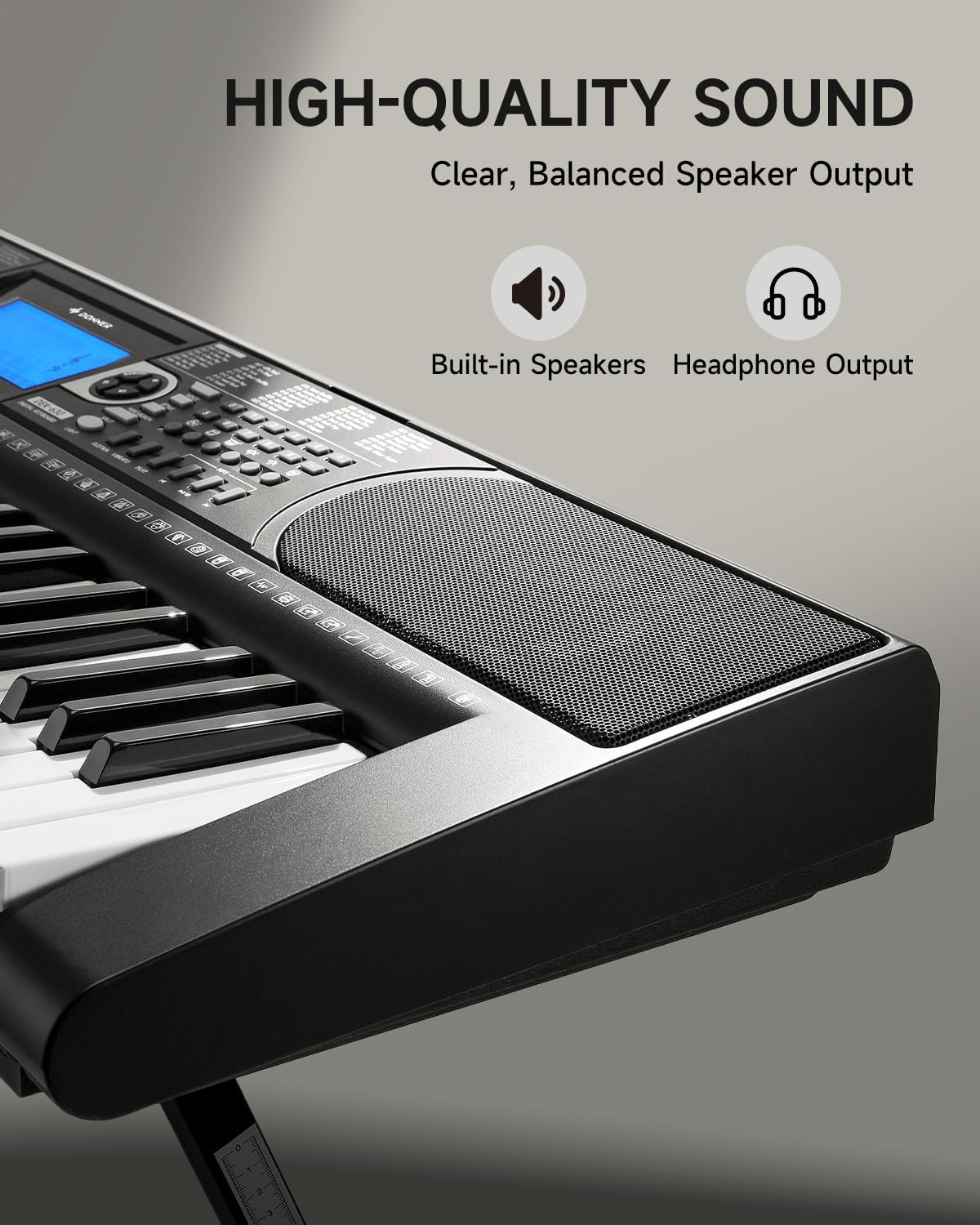
Image 4.3: The DEK-630's built-in speaker and headphone output for versatile sound options.
5. Wartung
5.1 Reinigung
- Wipe the keyboard and stand with a soft, dry cloth.
- Bei hartnäckigem Schmutz verwenden Sie ein leichtamp Tuch ab und trocknen Sie es anschließend gründlich ab.
- Vermeiden Sie die Verwendung von Scheuermitteln, Lösungsmitteln oder Wachsen, da diese die Oberfläche beschädigen können.
5.2 Speicherung
- Bewahren Sie die Tastatur an einem kühlen, trockenen Ort fern von direkter Sonneneinstrahlung und extremen Temperaturen auf.
- Bei längerer Lagerung das Netzteil abziehen.
6. Fehlerbehebung
| Problem | Mögliche Ursache | Lösung |
|---|---|---|
| Kein Ton |
|
|
| Tasten reagieren nicht |
|
|
| Das LCD-Display ist leer |
|
|
7. Spezifikationen
- Modell: DEK-630
- Anzahl Schlüssel: 61
- Töne: 300
- Rhythmen: 256
- Demosongs: 40
- Besondere Merkmale: Built-In Speaker, Lighted Keys, Portable, LCD Display, Learning Modes (Auto-Chord, Metronome)
- Konnektivität: USB MIDI, Audio Input, Output (L/R), Mic Jack, Headphone Jack, Sustain Pedal Jack
- Leistung: DC 12V Netzteil
- Dimensions (Keyboard without stand): 37.80 x 11.81 x 3.54 Zoll (96 x 30 x 9 cm)
- Enthaltene Komponenten: Electric Keyboard, Z-shaped Stand, Piano Bench, Music Rest, Note Stickers
8. Garantie und Support
8.1 Garantieinformationen
The Donner DEK-630 Electronic Keyboard comes with a 2 Jahr Garantie Diese Garantie gilt ab Kaufdatum und deckt Herstellungsfehler und Funktionsstörungen bei normalem Gebrauch ab. Bitte bewahren Sie Ihren Kaufbeleg für Garantieansprüche auf. Die Garantie deckt keine Schäden ab, die durch Missbrauch, Unfälle, nicht autorisierte Änderungen oder normale Abnutzung verursacht wurden.
8.2 Kundendienst
For technical assistance, troubleshooting, or warranty inquiries, please contact Donner customer support. Visit the official Donner webWebsite für Kontaktinformationen und weitere Ressourcen.
Donner Official WebWebsite: www.donnerdeal.com