
1. Produktüberschreitungview
The Hunter ZenTech 52 Inch Smart Ceiling Fan (Model 53638) is designed for both indoor and covered outdoor spaces, offering quiet, efficient performance with advanced smart home integration. This 5-blade fan features a slim DC motor, adjustable LED lighting with TrueLight technology, and Wi-Fi connectivity for control via the HunterSMART app, Amazon Alexa, Google Assistant, and Apple HomeKit. It is ENERGY STAR certified and damp-rated for versatile use.
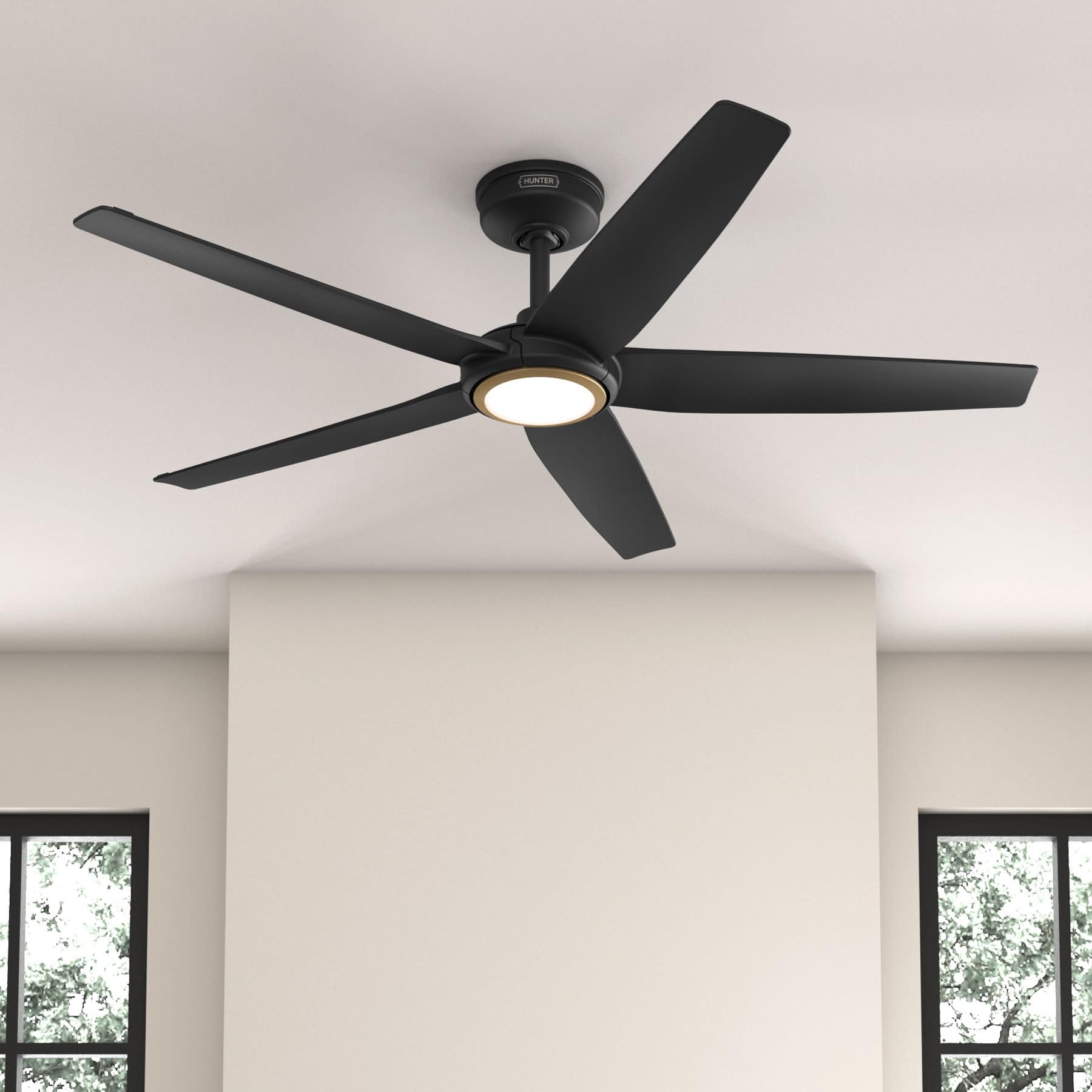
Figure 1: Hunter ZenTech 52 Inch Smart Ceiling Fan (Matte Black)
Hauptmerkmale:
- Erweitertes Design: Ultra-slim DC motor for powerful, quiet airflow and a modern aesthetic.
- Smart Home Integration: HunterSMART technology for app and voice control via Amazon Alexa, Google Assistant, and Apple HomeKit.
- Einstellbare LED-Beleuchtung: TrueLight LED offers 10 brightness levels and 10 color temperatures, protected by a durable Duralight lens.
- SureSpeed Guarantee: Delivers strong, consistent airflow with quiet, wobble-free performance.
- Energieeffizient: ENERGY STAR certified reversible 6-speed DC motor.
- Damp Bewertet: Suitable for indoor and covered outdoor areas.
2. Wichtige Sicherheitshinweise
Lesen Sie alle Anweisungen sorgfältig durch, bevor Sie mit der Installation beginnen. Die Nichtbeachtung dieser Anweisungen kann zu Stromschlag, Brand oder Verletzungen führen.
- Vor Installation oder Wartung muss immer die Stromzufuhr am Hauptsicherungsschalter unterbrochen werden.
- Stellen Sie sicher, dass alle elektrischen Anschlüsse den örtlichen Vorschriften und Verordnungen entsprechen. Wenn Sie mit elektrischen Leitungen nicht vertraut sind, wenden Sie sich an einen qualifizierten Elektriker.
- Die Montagekonstruktion muss in der Lage sein, das Gewicht des Ventilators (ca. 14.11 lbs) zu tragen.
- Do not bend blade brackets during installation or cleaning.
- Halten Sie Ihre Hände von den Ventilatorflügeln fern, solange der Ventilator in Betrieb ist.
- Dieser Lüfter ist damp-rated for use in covered outdoor areas but should not be exposed directly to water.
3. Packungsinhalt
Vergewissern Sie sich vor Beginn der Installation, dass alle unten aufgeführten Komponenten in Ihrem Paket enthalten sind.
- Gehäuse des Deckenventilatormotors
- 5 Lüfterblätter
- Light Kit with Duralight Lens
- 6-Zoll-Downrod
- Baldachin und Montagehalterung
- Handfernbedienung
- Hardware-Set (Schrauben, Unterlegscheiben, Drahtverbinder)

Figure 2: ZenTech 52 Inch Fan Components
4. Installationsanleitung
Professional installation is recommended. Ensure the power is OFF at the circuit breaker before starting.
4.1 Montage des Lüfters
- Befestigen Sie die Montagehalterung an der Deckenanschlussdose. Die Anschlussdose muss für die Montage von Ventilatoren zugelassen sein.
- Assemble the downrod (6-inch included, compatible with up to 24-inch downrods) to the fan motor housing.
- Hang the fan assembly from the mounting bracket.
- Complete electrical wiring connections as per the wiring diagram provided in the full manual.
- Befestigen Sie die Lüfterflügel am Motorgehäuse.
- Install the light kit and Duralight lens.

Figure 3: ZenTech Fan installed in a covered outdoor space
5. Bedienungsanleitung
The ZenTech fan can be operated using the included handheld remote control or through the HunterSMART app.
5.1 Fernbedienungsbetrieb
- Lüfter ein/aus: Drücken Sie den Lüfterknopf, um den Lüfter ein- oder auszuschalten.
- Lüftergeschwindigkeit: Mit den Geschwindigkeitstasten können Sie zwischen 6 Lüfterstufen umschalten.
- Licht ein/aus: Drücken Sie die Lichttaste, um das Licht ein- oder auszuschalten.
- Lichtdimmung: Hold the light button to dim or brighten the light.
- Farbtemperatur: Press the color temperature button to cycle through different color temperatures (warm to cool).
- Umkehrfunktion: Press the reverse button to change the fan's direction for seasonal use.
5.2 LED Light Control (TrueLight Technology)
The TrueLight LED system allows for precise control over your lighting environment. You can select from 10 brightness levels and 10 color temperatures to match your preference.

Figure 4: TrueLight LED Technology for adjustable lighting
6. Smart Home Integration
The ZenTech fan features HunterSMART technology, enabling seamless integration with popular smart home ecosystems.
6.1 Connecting to HunterSMART App
- Download the HunterSMART app from your device's app store.
- Follow the in-app instructions to create an account and add your ZenTech fan.
- Ensure your fan is powered on and your mobile device is connected to a 2.4 GHz Wi-Fi network during setup.
6.2 Kompatibilität mit Sprachsteuerung
Once connected to the HunterSMART app, you can link your fan to:
- Amazon Alexa
- Google Assistant
- Apple HomeKit
Refer to the respective smart home platform's instructions for linking smart devices.

Figure 5: HunterSMART Control Options
7. Pflege und Wartung
Regelmäßige Wartung gewährleistet optimale Leistung und Langlebigkeit Ihres Deckenventilators.
- Reinigung: Dust the fan blades and motor housing periodically with a soft, lint-free cloth. For damp-rated areas, wipe down with a slightly damp cloth, then dry thoroughly. Do not use abrasive cleaners or solvents.
- Dichtheitsprüfung: Annually, check all screws and connections for tightness. Vibrations can cause them to loosen over time.
- Beleuchtungsset: The LED light source is designed for long life and is not user-serviceable.
8. Anleitung zur Fehlerbehebung
If you encounter issues with your ZenTech ceiling fan, refer to the table below for common problems and solutions.
| Problem | Mögliche Ursache | Lösung |
|---|---|---|
| Lüfter startet nicht | Kein Strom für den Ventilator; Lose Kabelverbindungen; Batterie der Fernbedienung schwach. | Prüfen Sie den Sicherungsautomaten; Vergewissern Sie sich, dass alle Drahtverbindungen fest sitzen; Ersetzen Sie die Batterie der Fernbedienung. |
| Licht funktioniert nicht | No power to the light kit; Loose wire connection; Light kit malfunction. | Check circuit breaker; Verify light kit wiring; Contact customer support if LED is faulty. |
| Lüfter wackelt | Loose blades or blade holders; Improperly balanced blades; Loose mounting bracket. | Ensure all blade screws are tight; Use a blade balancing kit (not included); Tighten mounting bracket screws. |
| Smart-Funktionen verbinden sich nicht | Incorrect Wi-Fi network (not 2.4 GHz); Incorrect app setup; Router issues. | Ensure connection to 2.4 GHz Wi-Fi; Re-attempt app setup; Restart router and fan. |
9. Technische Daten
| Spezifikation | Detail |
|---|---|
| Marke | Jäger |
| Modellname | ZenTech |
| Modellnummer | 53638 |
| Größe | 52 Zoll |
| Farbe | Mattschwarz |
| Technische Daten | 52"T x 52"B x 11.78"H |
| Artikelgewicht | 14.11 Pfund |
| Anzahl der Klingen | 5 |
| Motortyp | DC |
| Anzahl der Geschwindigkeiten | 6 |
| Luftstromkapazität | 5443.94 Kubikfuß pro Minute |
| Wastage | 17 Watt |
| Bandtage | 120 Volt |
| Verwendung im Innen- und Außenbereich | Indoor, Covered Outdoor (Damp (Bewertung) |
| Besondere Merkmale | LED Light, Quiet Operation, Water Resistant, Wi-Fi Enabled |
| Controllertyp | App-Steuerung, Fernbedienung |
| Zertifizierungen | ETL, Energy Star, FCC |
| Downrod-Länge | 6 Inches (included) |
10. Garantieinformationen
The Hunter ZenTech 52 Inch Smart Ceiling Fan is backed by Hunter's commitment to quality. It includes a limited lifetime motor warranty, ensuring long-term confidence in your product. For full warranty details and terms, please refer to the documentation included with your fan or visit the official Hunter Fan Company webWebsite.
11. Kundendienst
If you require further assistance, have questions about installation, operation, or troubleshooting that are not covered in this manual, please contact Hunter Fan Company customer support. You can typically find contact information on the official Hunter Fan Company webor oder innerhalb der Produktverpackung.