
1. Einleitung
This manual provides detailed instructions for setting up, operating, and maintaining your AOOSTAR MACO AMD Ryzen 7 H255 Mini PC. Please read this manual thoroughly before using the device to ensure proper functionality and safety. The AOOSTAR MACO Mini PC is designed for high performance, featuring an AMD Ryzen 7 H255 processor, Radeon 780M graphics, and extensive connectivity options.
2. Packungsinhalt
Bitte überprüfen Sie, ob alle unten aufgeführten Artikel in Ihrem Paket enthalten sind:
- 1 x AOOSTAR MACO AMD Ryzen 7 H255 Mini PC
- 1 x SSD-Kühlpad
- 1 x 120W 19V 6.32A Type-C Power Supply
3. Produktüberschreitungview
The AOOSTAR MACO Mini PC is a compact yet powerful computing solution. Below are key features and an overview seiner Komponenten und Anschlüsse.
3.1 Hauptmerkmale
- Prozessor: AMD Ryzen 7 H255 (8-core, 16-thread, up to 4.9 GHz) with Zen 4 architecture and 4nm process.
- Grafik: Integrated Radeon 780M graphics (RDNA 3 architecture).
- Erinnerung: Dual-channel DDR5 5600MHz (expandable up to 128GB).
- Lagerung: Dual-channel M.2 2280 NVMe PCIe4.0x4 SSD (expandable up to 8TB).
- Sicherheit: One-touch fingerprint unlock for secure access.
- Unterstützung anzeigen: Supports up to four 4K displays simultaneously.
- Konnektivität: OCuLink, Dual USB4, USB 3.2 Gen2, USB 3.0, HDMI, DisplayPort, Dual 2.5G LAN, Wi-Fi 6.
3.2 Externe Komponenten und Anschlüsse
Familiarize yourself with the various ports and components of your Mini PC.
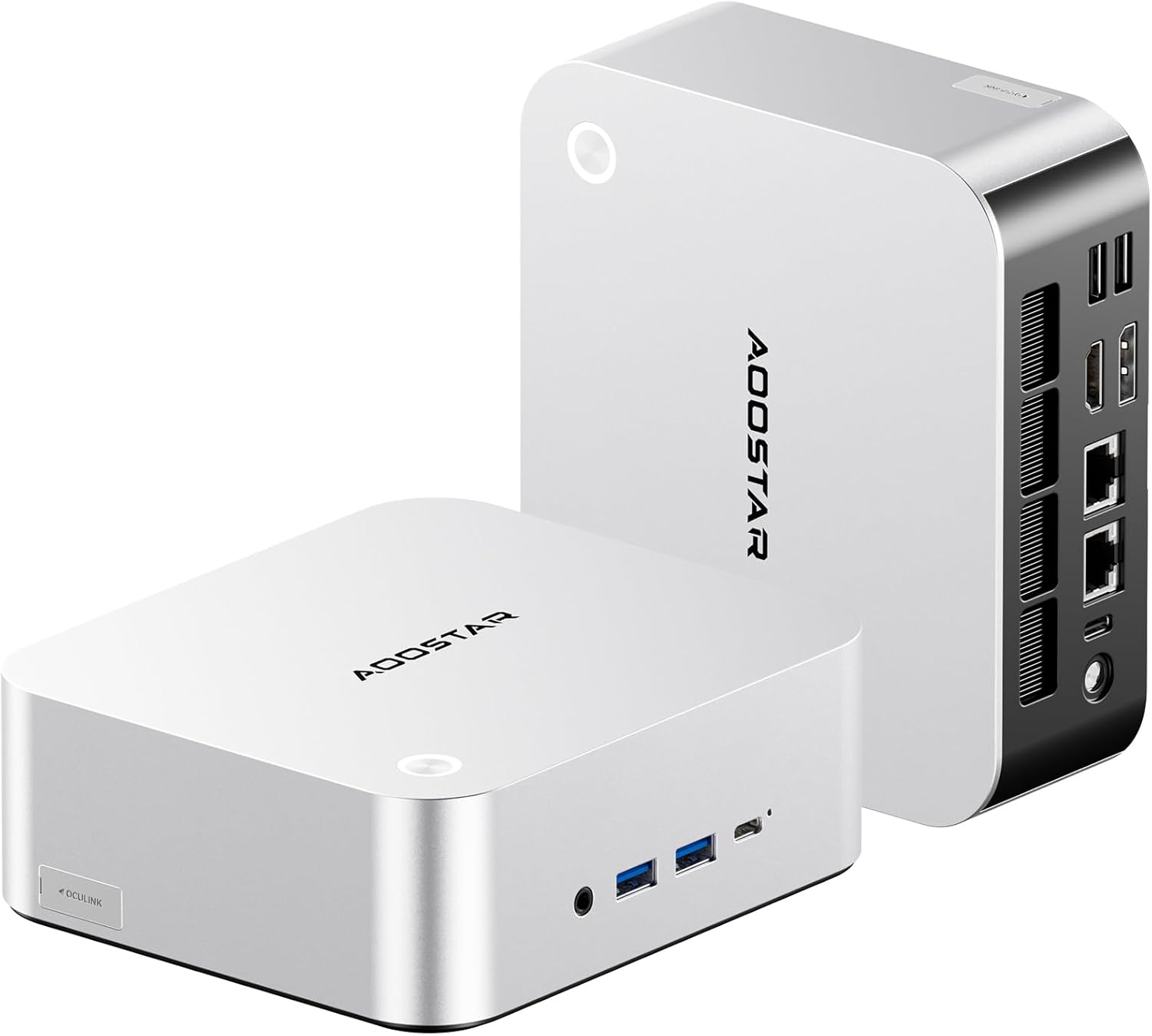
Abbildung: Vorder- und Rückseite view of the AOOSTAR MACO Mini PC, showcasing dank seines kompakten Designs und der verschiedenen Anschlüsse.

Bild: Detailliert view of the AOOSTAR MACO Mini PC's rear ports, including OCuLink, USB4, USB 3.2 Gen2, HDMI, DisplayPort, and Dual 2.5G LAN ports.
- Vorderseite: Power button with fingerprint sensor, USB ports.
- Rückwand: OCuLink port (1), USB4 ports (2), USB 3.2 Gen2 ports (2), USB 3.0 ports (2), HDMI port (1), DisplayPort (1), 2.5G LAN ports (2), DC power input (1), Audio Jack (1).

Image: Close-up of the one-touch fingerprint sensor on the AOOSTAR MACO Mini PC for secure login.

Image: Visual representation of the AMD Ryzen 7 H255 processor, highlighting its core count, turbo frequency, and architecture.

Bild: Intern view showing the dual DDR5 memory slots and dual M.2 PCIe 4.0 SSD slots for high-speed storage and memory.

Image: The OCuLink port connected to an external GPU enclosure, demonstrating its use for enhanced graphics performance.

Image: Two AOOSTAR MACO Mini PCs side-by-side, highlighting the dual USB4 ports for high-speed data transfer and power delivery.
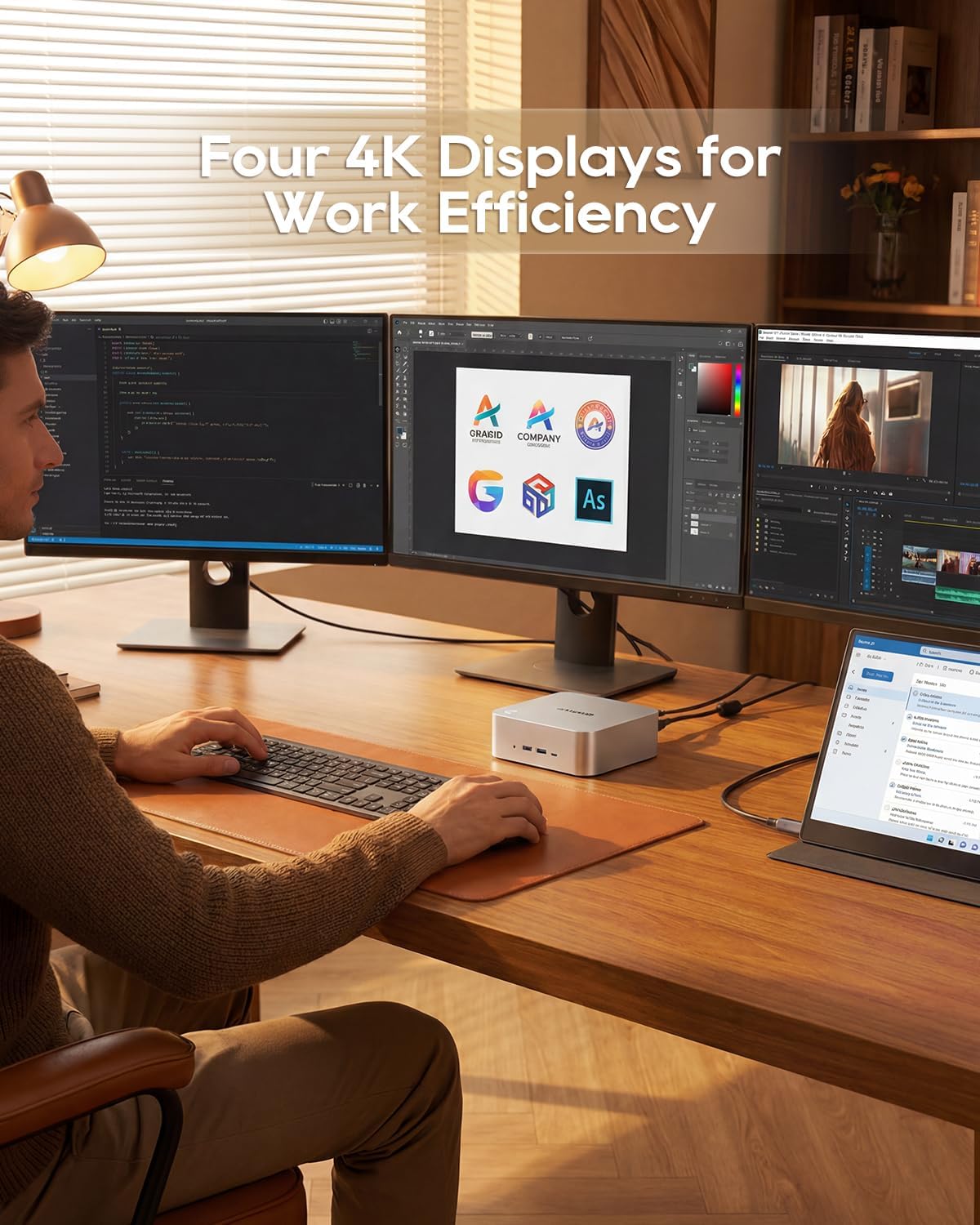
Image: A user working with the AOOSTAR MACO Mini PC connected to four 4K displays, illustrating its multi-display capability for productivity.
Image: The rear of the Mini PC showing the dual 2.5G LAN ports and an external WiFi antenna, emphasizing its high-speed networking capabilities.
Video: Ein überview of the AOOSTAR MACO Mini PC, demonstrating its features such as fingerprint unlock, business applications, gaming performance, and home theater use.
4. Einrichtungsanweisungen
Follow these steps to set up your AOOSTAR MACO Mini PC:
- Display anschließen: Connect your monitor(s) to the Mini PC using an HDMI or DisplayPort cable. The Mini PC supports up to four 4K displays.
- Peripheriegeräte anschließen: Schließen Sie Ihre Tastatur, Maus und alle anderen USB-Geräte an die verfügbaren USB-Anschlüsse an.
- Netzwerkverbindung: For wired internet, connect an Ethernet cable to one of the 2.5G LAN ports. For wireless internet, ensure the Wi-Fi antenna is connected (if external) and the device is powered on to configure Wi-Fi settings.
- Stromanschluss: Connect the 120W Type-C power supply to the DC input port on the Mini PC, then plug the power adapter into a wall outlet.
- Einschalten: Drücken Sie den Netzschalter an der Vorderseite des Mini-PCs. Das System startet.
- Ersteinrichtung: Follow the on-screen instructions to complete the operating system setup (e.g., Windows OS).
5. Bedienungsanleitung
Dieser Abschnitt behandelt die allgemeine Bedienung und die spezifischen Funktionen Ihres Mini-PCs.
5.1 Entsperren per Fingerabdruck
The Mini PC features a one-touch fingerprint unlock for enhanced security and quick access. During initial OS setup or via system settings, you can enroll your fingerprints. Once configured, simply touch the power button to wake and log in without needing a password.
5.2 Multi-Display-Setup
The Mini PC supports connecting up to four 4K displays. Connect your monitors to the available HDMI and DisplayPort outputs. You can configure display settings (e.g., extend, duplicate) within your operating system's display settings.
5.3 OCuLink for External Graphics
The OCuLink port provides a high-bandwidth connection (64 Gbps) for external GPU solutions. This allows for significantly improved graphics performance for demanding applications or gaming. Note that OCuLink is not hot-swappable and does not occupy an M.2 2280 PCIe4.0 SSD slot.
5.4 USB4 Ports
The dual USB4 ports offer versatile connectivity with high data transfer speeds and power delivery capabilities (up to 100W). These ports can be used for external graphics card docks, NVMe SSD arrays, or other high-speed peripherals.
6. Wartung
Regelmäßige Wartung trägt dazu bei, die Langlebigkeit und optimale Leistung Ihres Mini-PCs zu gewährleisten.
- Reinigung: Reinigen Sie die Außenseite des Mini-PCs mit einem weichen, trockenen Tuch. Verwenden Sie Druckluft, um Staubablagerungen in den Lüftungsschlitzen zu entfernen. Stellen Sie sicher, dass das Gerät ausgeschaltet und vom Stromnetz getrennt ist, bevor Sie es reinigen.
- Belüftung: Stellen Sie sicher, dass der Mini-PC an einem gut belüfteten Ort aufgestellt wird. Blockieren Sie die Lüftungsöffnungen nicht.
- Software-Updates: Regularly update your operating system, drivers, and applications to maintain security and performance.
7. Fehlerbehebung
Sollten Sie Probleme mit Ihrem Mini-PC haben, beachten Sie bitte die folgenden gängigen Schritte zur Fehlerbehebung:
- Kein Strom:
- Stellen Sie sicher, dass das Netzteil sowohl mit dem Mini-PC als auch mit einer funktionierenden Steckdose fest verbunden ist.
- Überprüfen Sie die Funktionsfähigkeit der Steckdose, indem Sie ein anderes Gerät anschließen.
- Kein Bildschirm:
- Check that the display cable (HDMI/DisplayPort) is securely connected to both the Mini PC and the monitor.
- Stellen Sie sicher, dass der Monitor eingeschaltet und auf die richtige Eingangsquelle eingestellt ist.
- Versuchen Sie, eine Verbindung zu einem anderen Bildschirm herzustellen oder ein anderes Kabel zu verwenden.
- Keine Internetverbindung:
- Bei kabelgebundener Verbindung überprüfen Sie bitte den Zustand des Ethernet-Kabels und des Routers.
- For Wi-Fi, ensure Wi-Fi is enabled in the operating system settings and you are connected to the correct network with the correct password.
- Starten Sie Ihren Router/Ihr Modem und den Mini-PC neu.
- Langsame Leistung:
- Schließen Sie unnötige Anwendungen, die im Hintergrund laufen.
- Prüfen Sie, ob auf Ihrer SSD ausreichend freier Speicherplatz vorhanden ist.
- Sorgen Sie für eine gute Belüftung des Mini-PCs, um eine Überhitzung zu vermeiden.
8. Spezifikationen
Detailed technical specifications for the AOOSTAR MACO AMD Ryzen 7 H255 Mini PC:
| Besonderheit | Spezifikation |
|---|---|
| Marke | AOOSTAR |
| Modellnummer | MACO AMD Ryzen 7 H255 |
| CPU Modell | AMD Ryzen 7 H255 |
| CPU-Geschwindigkeit | 3.8 GHz (Base), up to 4.9 GHz (Max Boost) |
| Grafik-Coprozessor | Radeon 780M |
| Größe des installierten RAM-Speichers | 24 GB |
| RAM-Speichertechnologie | DDR5 |
| Speichergeschwindigkeit | 5600 MHz |
| Maximale Größe des RAM-Speichers | 128 GB |
| Speicherkapazität | 1 TB SSD |
| Festplattenschnittstelle | PCIE x 4 |
| Betriebssystem | Betriebssystem (vorinstalliert) |
| Konnektivitätstechnologie | HDMI, USB, Wi-Fi 6, 2.5G LAN, OCuLink |
| Videoausgangsschnittstelle | DisplayPort, HDMI |
| Auflösung | 4K |
| Anzahl USB-Anschlüsse | 6 (2x USB4, 2x USB 3.2 Gen2, 2x USB 3.0) |
| Artikelabmessungen | 5.12 x 5.12 x 2.36 Zoll |
| Artikelgewicht | 660 Gramm |
| Farbe | Schwarz |
9. Garantie und Support
The AOOSTAR MACO AMD Ryzen 7 H255 Mini PC comes with a 1-year warranty. For warranty claims, technical support, or service inquiries, please contact AOOSTAR customer support through their official channels or the retailer where the product was purchased. Keep your proof of purchase for warranty validation.