
1. Einleitung
This manual provides essential information for the AITRIP ESP32-S3 2.8-inch Touchscreen Module. This module is a development board featuring an ESP32-S3 chip, a 2.8-inch 320x240 IPS LCD with capacitive touch, and integrated Wi-Fi and Bluetooth capabilities. It is designed for various applications including smart appliances, smart home systems, industrial instruments, and other intelligent devices requiring an LCD color screen display.
2. Produktüberschreitungview
2.1 Hauptmerkmale
- System-on-Chip: ESP32-S3 Module (WT32-S3-WROOM-N8R2) with Xtensa Dual-core 32-bit LX7 Microprocessor.
- Anzeige: 2.8-inch, 320x240 IPS LCD with 262K color depth (RGB666) and full view Winkel.
- Touch-Screen: Capacitive touch with FT6336U chip.
- Konnektivität: 2.4GHz Wi-Fi (802.11 b/g/n), Bluetooth 5 (LE), and RS485 interface.
- Schnittstellen: LCD 8080 Interface, USB Interface, RS485 Interface, Expansion IO Interface, Debugging Interface.
- Stromversorgung: Gleichstrom 5V/1A.
- Betriebstemperatur: -20 °C bis +70 °C.
- Integrated black embedded mounting bracket for easy installation.
2.2 Modulabmessungen

Figure 1: Physical dimensions of the AITRIP ESP32-S3 Touchscreen Module, showing measurements for the screen and included cables.
2.3 Hardware-Layout

Abbildung 2: Vorderseite view displaying the 2.8-inch LCD and back view showing the main components and interfaces of the module.

Abbildung 3: Ausführlich view of the module's back, highlighting the LCD Interface, RS485, USB Interface, Debug Interface, and Expansion IO Interface.
3. Einrichtung
To begin using the AITRIP ESP32-S3 Touchscreen Module, follow these general setup guidelines:
- Stromanschluss: Connect a stable DC 5V/1A power supply to the module's power input. Ensure the polarity is correct to prevent damage.
- USB-Verbindung: For programming and debugging, connect the module to your computer using a compatible USB cable. This will typically provide both power and data communication.
- Schnittstellenverbindungen: Depending on your application, connect external devices to the RS485, LCD 8080, or Expansion IO interfaces as required. Refer to the module's pinout documentation for specific connections.
- Entwicklungsumgebung: Set up your preferred ESP32-S3 development environment (e.g., Arduino IDE, ESP-IDF) on your computer. Install necessary drivers and libraries for the ESP32-S3 and the ST7789P3 display driver.
- Initial Firmware Upload: Upload a basic test program to the module to verify functionality of the display, touch, Wi-Fi, and Bluetooth.
4. Bedienungsanleitung
The AITRIP ESP32-S3 Touchscreen Module is designed for flexible operation in various embedded systems. Its primary function is to provide a user interface and connectivity for your projects.
4.1 Programmierung und Steuerung
- Firmware-Entwicklung: Develop custom firmware using the ESP-IDF framework or Arduino core for ESP32. Utilize libraries for the ST7789P3 display and FT6336U touch controller to manage screen output and touch input.
- WLAN und Bluetooth: Implement Wi-Fi (802.11 b/g/n) for network connectivity and Bluetooth 5 (LE) for short-range communication with other devices.
- Serielle Kommunikation: Use the RS485 interface for robust long-distance serial communication in industrial applications. The expansion IO interface allows for custom serial port configurations.
- Benutzeroberfläche: Design and implement graphical user interfaces (GUIs) on the 2.8-inch LCD, responding to capacitive touch inputs for interactive control.
4.2 Example Anwendungen
Dieses Modul eignet sich für eine Vielzahl von Anwendungen, darunter:
- Smart home control panels
- Industrielle Steuerungs- und Überwachungssysteme
- Energy storage and charging equipment interfaces
- Kitchen and household appliance displays (e.g., air fryers, washing machines)
- Water quality detectors and other intelligent devices
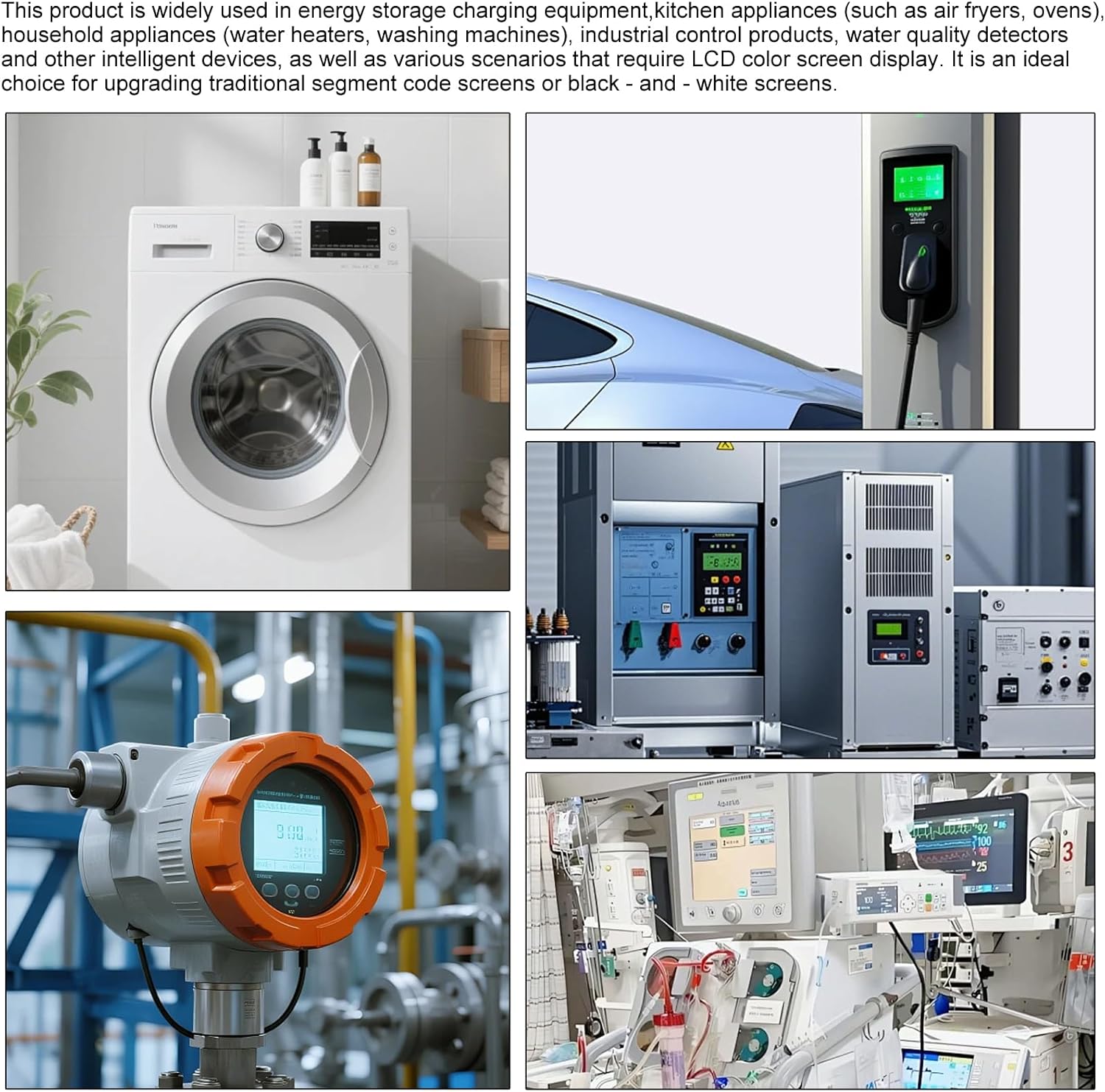
Abbildung 4: Visuelles Beispielamples of various applications where the ESP32-S3 touchscreen module can be integrated, such as smart appliances and industrial controls.
5. Wartung
Proper maintenance ensures the longevity and reliable operation of your AITRIP ESP32-S3 Touchscreen Module.
- Reinigung: Use a soft, dry, anti-static cloth to clean the display surface. Avoid abrasive cleaners or solvents that may damage the screen or casing.
- Umgebungsbedingungen: Operate the module within the specified temperature range of -20℃ to +70℃. Avoid exposure to extreme humidity, direct sunlight, or corrosive environments.
- Stromversorgung: Always use a stable and correctly rated DC 5V/1A power supply. Unstable power can lead to erratic behavior or damage.
- Handhabung: Handle the module with care, avoiding excessive force on the screen or connectors. Static electricity can damage electronic components, so take appropriate precautions.
- Firmware-Updates: Regularly check for and apply firmware updates from the manufacturer or community to ensure optimal performance and security.
6. Fehlerbehebung
If you encounter issues with your AITRIP ESP32-S3 Touchscreen Module, consider the following troubleshooting steps:
- Keine Anzeige/leerer Bildschirm:
- Verify the 5V/1A power supply is correctly connected and providing power.
- Check all cable connections, especially the LCD interface cable, for secure seating.
- Ensure your uploaded firmware initializes the display correctly.
- Touchscreen reagiert nicht:
- Confirm the touch chip (FT6336U) is correctly initialized in your firmware.
- Prüfen Sie, ob die Touch-Oberfläche durch physische Hindernisse oder Beschädigungen beeinträchtigt ist.
- Ensure the touch controller's I2C communication is functioning.
- Probleme mit der WLAN-/Bluetooth-Verbindung:
- Verify Wi-Fi credentials and network availability.
- Ensure Bluetooth is enabled and discoverable on the target device.
- Check for proper antenna connection (if external) and clear any interference.
- Confirm the ESP32-S3 module's radio functions are correctly configured in firmware.
- Module Not Detected by PC (USB):
- Try a different USB cable and USB port on your computer.
- Install or update the necessary USB-to-serial drivers for the ESP32-S3.
- Stellen Sie sicher, dass das Modul eingeschaltet ist.
- Unerwartetes Verhalten:
- Review your code for logical errors or resource conflicts.
- Perform a hard reset of the module.
- Re-flash the firmware with a known working example.
For further assistance, consult online forums, the ESP32-S3 documentation, or contact AITRIP support.
7. Spezifikationen
The following table details the technical specifications of the AITRIP ESP32-S3 2.8-inch Touchscreen Module:

Figure 5: Official specifications table for the AITRIP ESP32-S3 Touchscreen Module.
| Besonderheit | Detail |
|---|---|
| System-on-Chip | ESP32-S3 Module (WT32-S3-WROOM-N8R2) |
| Zentrale Verarbeitungseinheit | Xtensa Dual-core 32-bit LX7 Microprocessor |
| Verbindungsmethode | 2.4GHz Wi-Fi (802.11 b/g/n) and Bluetooth 5 (LE) |
| Anzeigebildschirm | 2.8-inch, 320x240 LCD Display |
| Treiber-IC-Modell | ST7789P3 |
| Touch Chip IC | FT6336U |
| ViewRichtung | Voll View Winkel |
| Schnittstelle | MCU8080 8-bit Interface |
| Typ | G + F (Glass + Film) |
| Stromversorgung | Gleichstrom 5 V/1 A |
| Betriebstemperatur | -20℃ bis +70℃ |
| Im Lieferumfang enthaltene Komponenten | 2.8" ESP32-S3 Touchscreen Module |
| Betriebssystem | FreeRTOS (typical for ESP32-S3 development) |
| Anzahl USB-Anschlüsse | 1 |
8. Garantie und Support
Garantieinformationen: The product's warranty period is typically provided at the point of purchase. Please refer to your purchase documentation or contact the seller for specific warranty terms and conditions. The manufacturer's warranty description is generally "1", which refers to a standard warranty period, often one year, but confirmation with the seller is recommended.
Technische Unterstützung: For technical assistance, programming guides, or further inquiries regarding the AITRIP ESP32-S3 Touchscreen Module, please visit the official AITRIP website or contact their customer support channels. Online communities and forums dedicated to ESP32 development can also be valuable resources.