
1. Einleitung
This manual provides essential information for setting up, operating, maintaining, and troubleshooting your Xiaomi Redmi Note 15 Pro 5G smartphone. Please read this manual carefully before using your device to ensure optimal performance and longevity.
The Xiaomi Redmi Note 15 Pro 5G features a 200MP main camera with optical stabilization, a 6580mAh battery, a 1.5K CrystalRes AMOLED display with 120Hz refresh rate, and is powered by the Mediatek Dimensity 7400-Ultra processor. It also boasts advanced water and dust resistance (IP66, IP68, IP69, and IP69K ratings).
2. Gerät überview
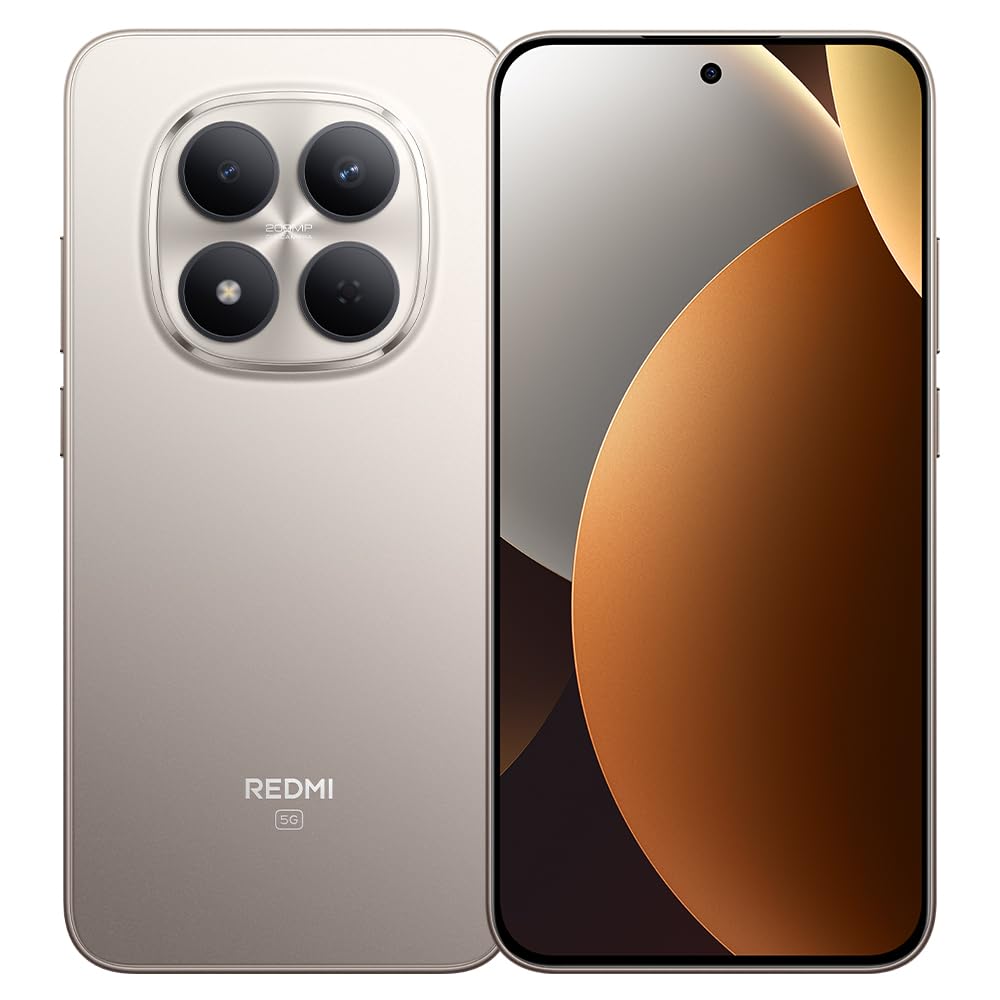
Abbildung 1: Xiaomi Redmi Note 15 Pro 5G Smartphone. This image displays the front and back of the device, highlighting its sleek design and camera module.
Packungsinhalt
- Xiaomi Redmi Hinweis 15 Pro 5G Smartphone
- Netzteil
- USB-Typ-C-Kabel
- SIM-Auswurfwerkzeug (kann je nach Region variieren)
- Kurzanleitung (dieses Handbuch)
3. Einrichtung
3.1. Einlegen der SIM-Karte
- Suchen Sie den SIM-Karten-Einschub an der Seite Ihres Geräts.
- Führen Sie das SIM-Auswurfwerkzeug in die kleine Öffnung neben dem Fach ein und drücken Sie fest, bis das Fach herausspringt.
- Place your Nano-SIM card(s) into the tray with the gold contacts facing down. Ensure proper orientation. This device supports Dual SIM functionality.
- Setzen Sie die Schublade vorsichtig wieder in das Telefon ein.
3.2. Erste Inbetriebnahme und Einrichtung
- Halten Sie den Ein-/Ausschalter gedrückt, bis das Xiaomi-Logo erscheint.
- Folgen Sie den Anweisungen auf dem Bildschirm, um Ihre Sprache und Region auszuwählen, eine WLAN-Verbindung herzustellen und Ihr Google-Konto einzurichten.
- Configure biometric security features such as facial recognition for enhanced security.
3.3. Aufladen des Geräts
Connect the USB Type-C cable to the phone's charging port and the other end to the provided power adapter. Plug the adapter into a power outlet. The device supports fast charging. Ensure the power adapter is suitable for your region.
4. Bedienungsanleitung
4.1. Anzeige und Navigation
- The device features a 6.83-inch CrystalRes AMOLED display with a 120Hz refresh rate for smooth visuals.
- Navigate using gestures or on-screen navigation buttons (configurable in settings).
- Adjust display brightness and color settings in the 'Display' section of the Settings app.
4.2. Kameranutzung
Your Redmi Note 15 Pro 5G is equipped with a 200MP main rear camera with optical stabilization and a 20MP front camera.
- Öffnen Sie die Kamera-App.
- Wählen Sie den gewünschten Modus (Foto, Porträt, Video, Pro usw.).
- Tippen Sie auf den Auslöser, um Fotos aufzunehmen oder die Videoaufnahme zu starten/stoppen.
- Utilize the 200MP mode for high-resolution images and 4K video recording for detailed videos.
4.3. Leistung und Konnektivität
- The Mediatek Dimensity 7400-Ultra processor and 8GB RAM ensure smooth multitasking and gaming.
- Connect to 5G networks for high-speed internet access.
- Manage Wi-Fi, Bluetooth, and mobile data connections through the Quick Settings panel or the 'Network & Internet' section in Settings.
5. Wartung
5.1. Batteriepflege
- The 6580mAh battery provides extended usage. For optimal battery life, avoid extreme temperatures.
- Use the provided charger for efficient and safe charging.
- Regularly check battery usage in Settings to identify and manage power-consuming apps.
5.2. Wasser- und Staubbeständigkeit
Your device is rated IP66, IP68, IP69, and IP69K for water and dust resistance. This means it is protected against strong jets of water, immersion up to certain depths, and high-pressure/high-temperature water jets. However, resistance is not permanent and may decrease over time with normal wear. Avoid exposing the device to seawater, chlorinated water, or liquids other than fresh water. If the device gets wet, dry it thoroughly before charging or using the USB port.
5.3. Software-Updates
Regularly check for and install software updates to ensure your device has the latest features, security patches, and performance improvements. Go to 'Settings' > 'About phone' > 'MIUI version' to check for updates.
6. Fehlerbehebung
6.1. Häufige Probleme und Lösungen
- Gerät lässt sich nicht einschalten: Stellen Sie sicher, dass der Akku geladen ist. Schließen Sie das Gerät mindestens 15 Minuten lang an das Ladegerät an und versuchen Sie dann, es einzuschalten.
- Schlechte Akkulaufzeit: Reduce screen brightness, disable unnecessary background apps, turn off GPS/Bluetooth when not in use. Check 'Battery' settings for detailed usage.
- Verbindungsprobleme (WLAN/5G): Restart your device. Toggle Wi-Fi/Mobile Data off and on. Reset network settings if the issue persists.
- Apps stürzen ab: Clear the cache of the problematic app (Settings > Apps > [App Name] > Storage > Clear cache). If the issue continues, reinstall the app.
- Gerät reagiert nicht: Um einen Neustart zu erzwingen, halten Sie den Netzschalter etwa 10-15 Sekunden lang gedrückt.
7. Spezifikationen
| Besonderheit | Spezifikation |
|---|---|
| Marke | XIAOMI |
| Modell | Redmi Note 15 Pro 5G |
| Betriebssystem | Android |
| CPU Modell | Mediatek Dimensity 7400-Ultra |
| Speicherkapazität | 256 GB |
| RAM | 8 GB |
| Bildschirmgröße | 6.83 Zoll |
| Anzeigetyp | AMOLED |
| Maximale Bildschirmauflösung | 2772 x 1280 Pixel |
| Bildwiederholrate | 120 Hz |
| Auflösung der Rückkamera | 200 Megapixel |
| Auflösung der Frontkamera | 20 Megapixel |
| Auflösung der Videoaufnahme | 4K (4096 Pixel) |
| Batteriekapazität | 6580 mAh |
| Akkulaufzeit | 24 Stunden (typische Nutzung) |
| Konnektivitätstechnologie | 5G, 2G |
| Drahtlose Netzwerktechnologie | GSM |
| Steckertyp | USB Typ C |
| SIM-Kartentyp | Nano-SIM (Dual SIM) |
| Biometrische Sicherheit | Gesichtserkennung |
| Wasserbeständigkeit | IP66, IP68, IP69, IP69K |
| Kopfhöreranschluss | Keiner |
| Im Lieferumfang enthaltene Komponenten | Netzteil |
| External Test Certification | Anatel: 062732509185 / Model: 25080RABDG |
8. Garantie und Support
8.1. Garantieinformationen
Dieses Produkt wird mit einem 90 Tage Garantie against manufacturing defects. Please retain your proof of purchase for warranty claims. The warranty does not cover damage caused by misuse, accidents, unauthorized repairs, or normal wear and tear.
8.2. Kundendienst
For further assistance, technical support, or warranty inquiries, please refer to the official Xiaomi support website or contact their customer service. You can find contact details on the official Xiaomi webauf der Website oder in der mit Ihrem Gerät gelieferten Dokumentation.
For product homologation details, please visit: sistemas.anatel.gov.br/sch