
1. Einleitung
Welcome to the user manual for your VBESTLIFE 4G Mini Phone. This compact and lightweight device is designed for essential communication, offering 4G network support, quick dialing, and emergency SOS features. It also includes multimedia functions such as an MP3 player and FM radio, making it a versatile companion for various situations.

Image 1.1: The VBESTLIFE 4G Mini Phone, highlighting its compact size and key features like 4G connectivity, MP3 player, and silent/ringtone modes.
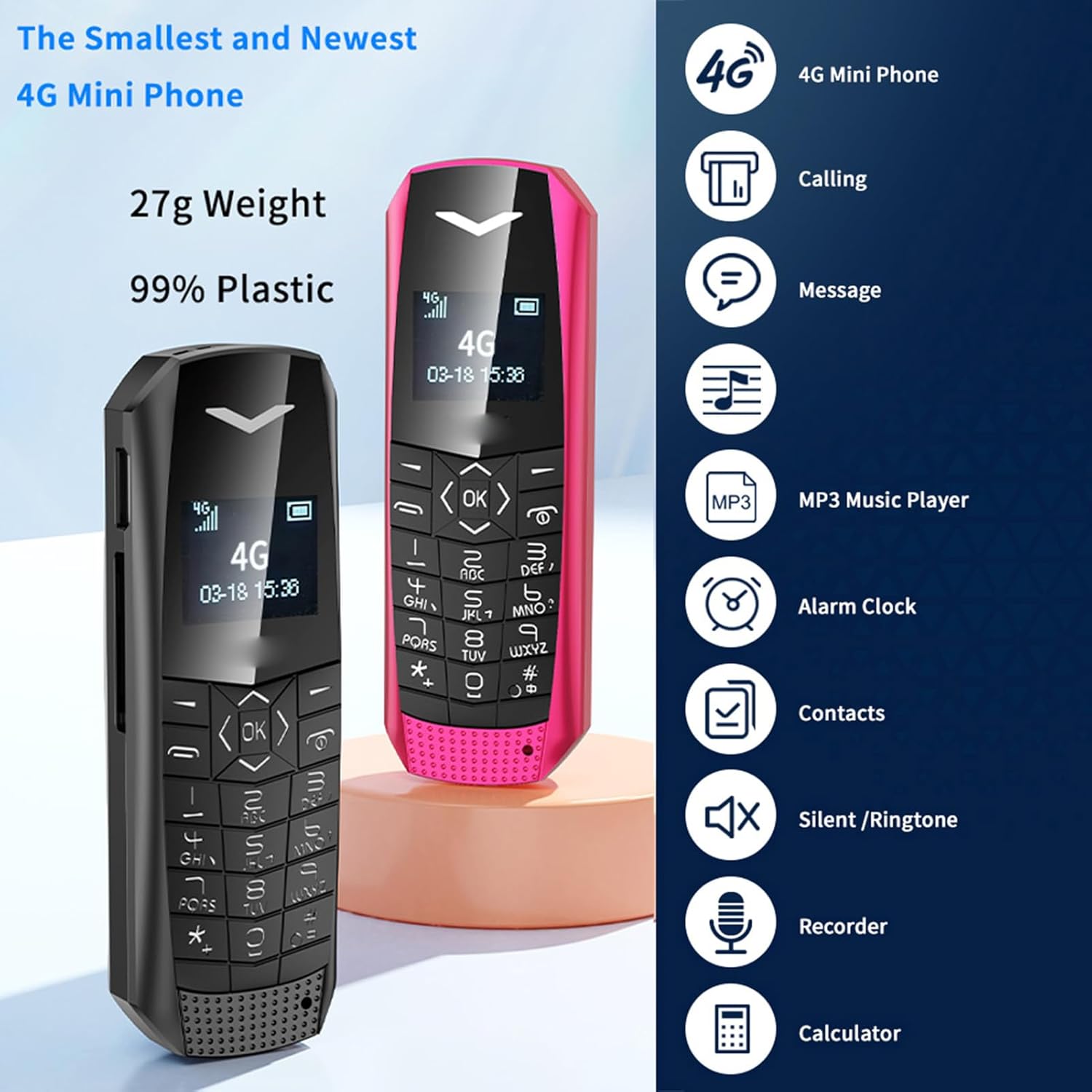
Image 1.2: Two VBESTLIFE 4G Mini Phones (black and pink) demonstrating their small form factor, alongside icons representing features such as calling, messaging, MP3 player, alarm clock, contacts, silent/ringtone, recorder, and calculator.
2. Packungsinhalt
Bitte kreuzen Sie das Kästchen für die folgenden Elemente an:
- 1 x VBESTLIFE 4G Mini Phone
- 1 x SIM Card Tray
- 1 x SIM Ejection Tool
- 1 x Charging Cable (USB 2.0)
- 1 x Benutzerhandbuch
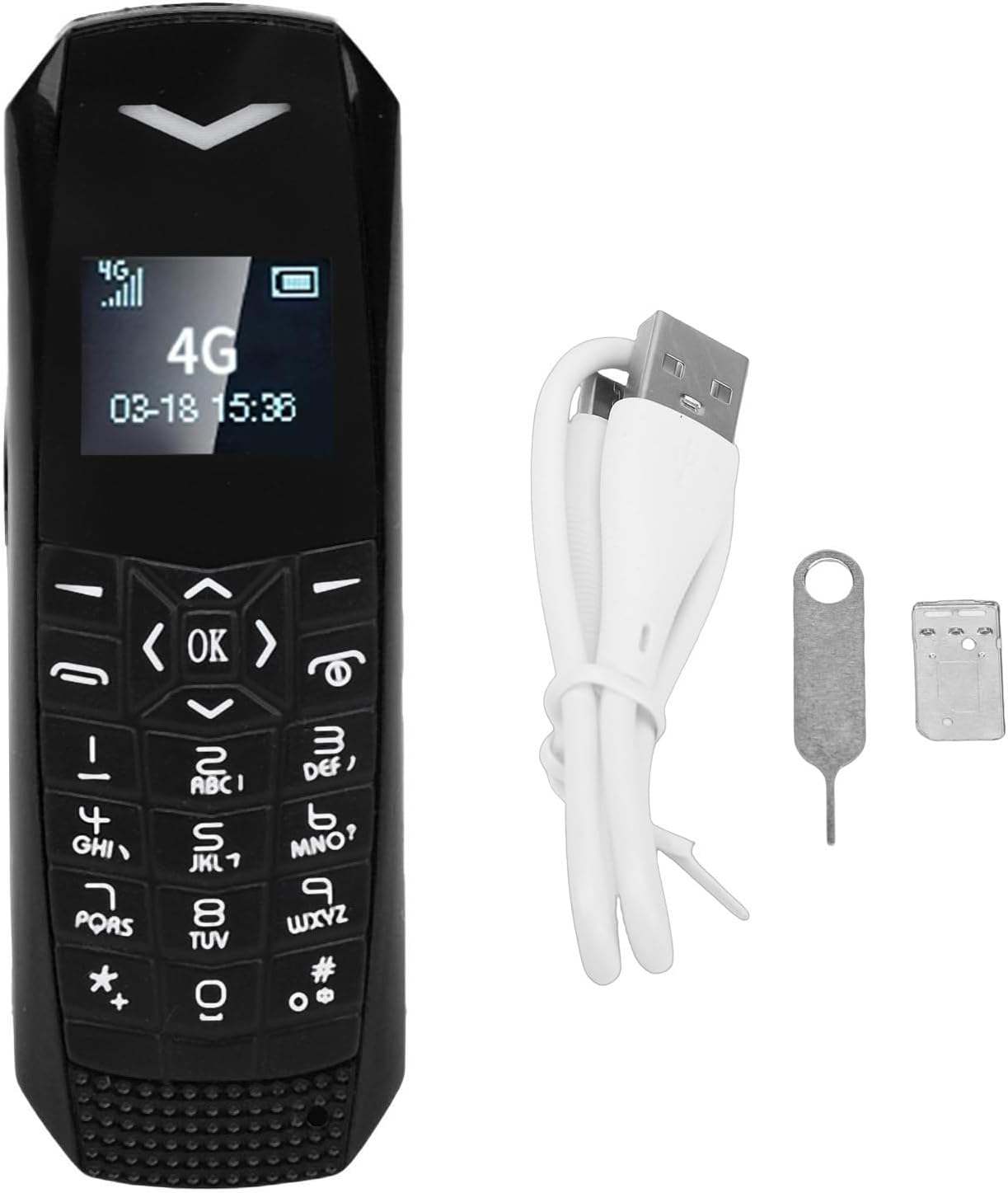
Image 2.1: The VBESTLIFE 4G Mini Phone displayed with its included accessories: a SIM card tray, a SIM ejection tool, and a USB charging cable.
3. Ersteinrichtung
3.1. SIM-Karteninstallation
- Suchen Sie den SIM-Karten-Einschub an der Seite des Telefons.
- Insert the SIM ejection tool into the small hole next to the tray to eject it.
- Place your Nano SIM card into the tray, ensuring it is correctly oriented.
- Schieben Sie den SIM-Kartenhalter vorsichtig wieder in das Telefon ein, bis er einrastet.
Note: The SIM card is not included and must be purchased separately.
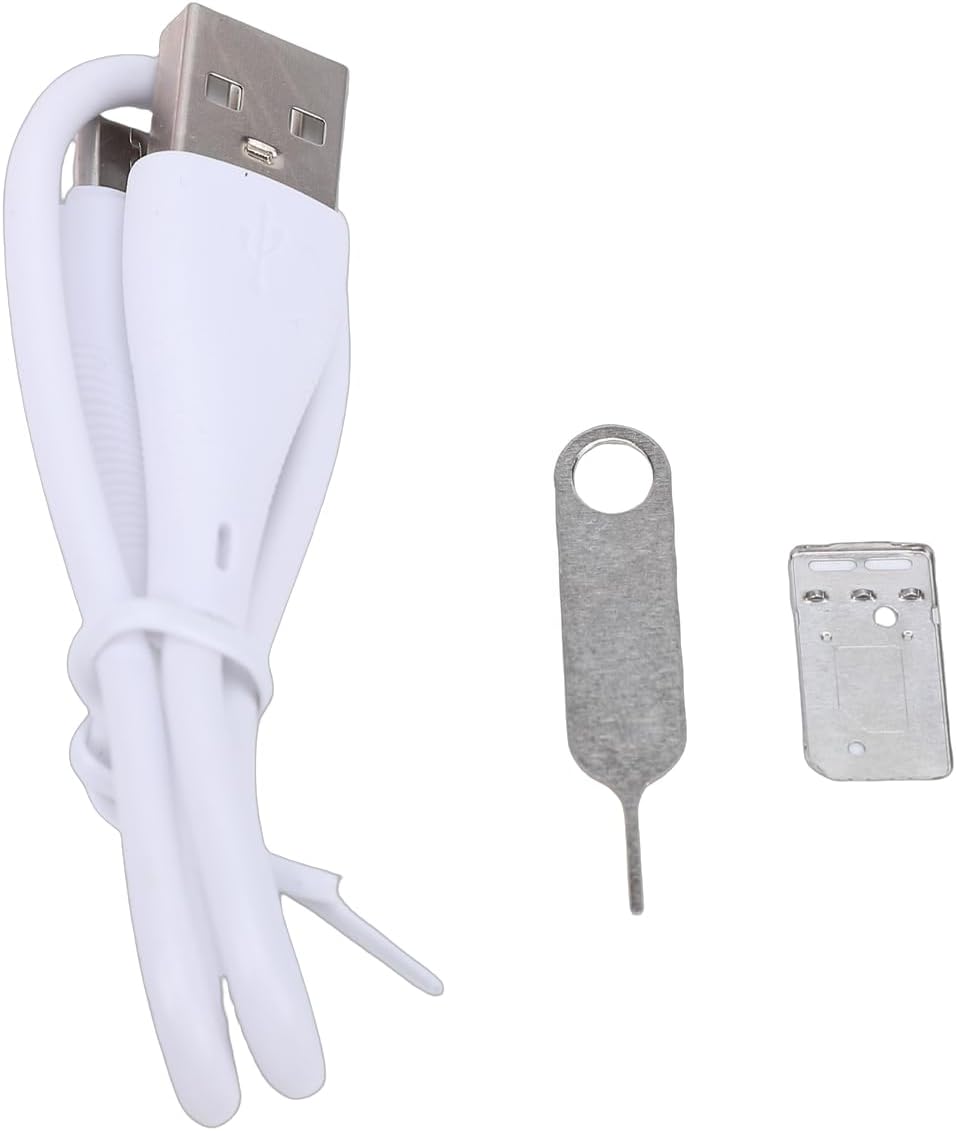
Bild 3.1: Nahaufnahme view of the SIM ejection tool and the SIM card tray, used for installing the Nano SIM card.
3.2. Aufladen des Telefons
Vor der ersten Benutzung muss der Akku des Telefons vollständig aufgeladen werden.
- Connect the small end of the provided USB charging cable to the phone's charging port.
- Verbinden Sie das größere Ende des USB-Kabels mit einem kompatiblen USB-Netzteil (nicht im Lieferumfang enthalten) oder einem USB-Anschluss Ihres Computers.
- The phone will indicate that it is charging. A full charge typically takes approximately 1 hour.
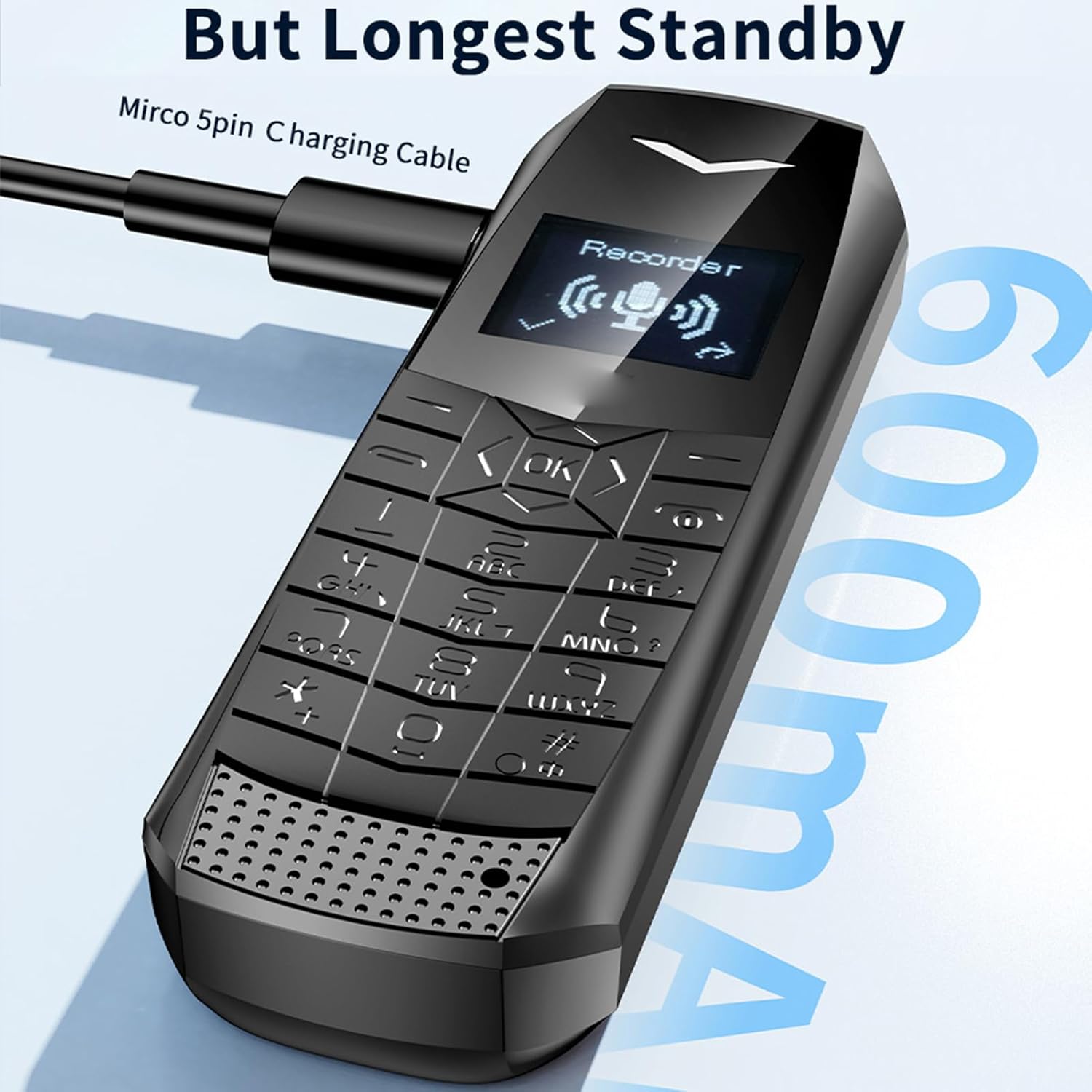
Image 3.2: The VBESTLIFE 4G Mini Phone being charged via its Micro USB port, with the charging cable connected.
4. Bedienungsanleitung
4.1. Ein-/Ausschalten
- Zum Einschalten: Halten Sie die Ein-/Aus-Taste gedrückt, bis der Bildschirm aufleuchtet.
- To power off: Press and hold the Power/End Call button until the power-off options appear, then select 'Power Off'.
4.2. Anrufe tätigen und entgegennehmen
- To make a call: Enter the phone number using the keypad and press the Call button (green icon).
- Um einen Anruf anzunehmen: Drücken Sie die Anruftaste, wenn das Telefon klingelt.
- To end a call: Press the Power/End Call button (red icon).
4.3. Senden und Empfangen von Nachrichten
- Navigieren Sie zum Menü „Nachrichten“.
- Select 'New Message' to compose a text message.
- Geben Sie die Nummer des Empfängers und Ihre Nachricht ein.
- Drücken Sie auf „Senden“.
4.4. SOS Emergency Dialing
Mit der SOS-Funktion können Sie schnell voreingestellte Notrufnummern kontaktieren.
- Einrichtung von SOS-Kontakten: Access the SOS settings in the phone's menu. Add up to 5 emergency contacts.
- SOS verwenden: In an emergency, press and hold the dedicated SOS button (if available) or a pre-assigned key. The phone will automatically dial the emergency contacts in sequence until one answers.

Image 4.1: The VBESTLIFE 4G Mini Phone displaying its SOS calling feature, showing how to set up and activate emergency contacts.
4.5. MP3-Player
The phone supports MP3 playback. Transfer MP3 files to the phone's memory (if expandable) or internal storage. Access the MP3 player from the main menu to play your music.
4.6 Bluetooth
Enable Bluetooth in the phone's settings to connect to compatible devices such as headsets or other phones for file Übertragung.
4.7. UKW-Radio
To use the FM radio, ensure headphones are connected as they act as the antenna. Access the FM radio application from the menu and scan for available stations.
5. Wartung und Pflege
- Trocken halten: Schützen Sie Ihr Telefon vor Feuchtigkeit und Flüssigkeiten.
- Sanft reinigen: Use a soft, dry cloth to clean the phone. Avoid harsh chemicals.
- Vermeiden Sie extreme Temperaturen: Setzen Sie das Telefon keinen sehr hohen oder sehr niedrigen Temperaturen aus.
- Vorsichtig handhaben: Vermeiden Sie es, das Telefon fallen zu lassen oder starken Stößen auszusetzen.
- Batteriepflege: Do not attempt to replace the battery yourself. Dispose of batteries properly.
6. Fehlerbehebung
Sollten Sie Probleme mit Ihrem Telefon haben, beachten Sie bitte die folgenden gängigen Lösungsansätze:
| Problem | Mögliche Lösung |
|---|---|
| Telefon lässt sich nicht einschalten | Stellen Sie sicher, dass der Akku geladen ist. Schließen Sie das Ladegerät an und versuchen Sie es erneut. |
| Anrufe können weder getätigt noch empfangen werden. | Check if the SIM card is correctly inserted and activated. Verify network signal strength. |
| Kein Netzwerksignal | Move to an area with better network coverage. Restart the phone. |
| Schlechte Audioqualität bei Anrufen | Check the volume settings. Ensure there is no obstruction to the speaker or microphone. |
| Der Akku entlädt sich schnell | Reduzieren Sie die Bildschirmhelligkeit. Schließen Sie nicht benötigte Anwendungen. Begrenzen Sie die Hintergrunddatennutzung. |
7. Spezifikationen
| Besonderheit | Detail |
|---|---|
| Modellname | VBESTLIFE817oqtu920-11 |
| Zellulartechnologie | 4G LTE (FDD LTE: B1 B2 B3 B5 B7 B8 B20, TDD LTE: B38 B40 B411), WCDMA: B1 B5, GSM: 900-1800 |
| SIM-Kartensteckplatz | Nano-SIM (nicht im Lieferumfang enthalten) |
| RAM | 1 GB |
| ROM | 64 MB |
| Anzeigebildschirm | 0.66" Organic LED HD screen |
| Produktgröße | Approx. 70 x 23 x 12 mm / 2.76 x 0.91 x 0.47 inches |
| Batterie | 600 mAh Lithium-Ionen-Akku |
| Standby-Zeit | 2-3 Tage |
| Bluetooth | 5.0 |
| Steckertyp | USB 2.0 |
| Betriebssystem | Windows (Note: This likely refers to a basic OS, not Microsoft Windows) |
| Formfaktor | Handgehalten |
| Farbe | Schwarz |
8. Garantieinformationen
This VBESTLIFE 4G Mini Phone comes with a warranty period of 90 Tage ab Kaufdatum. Bitte bewahren Sie für eventuelle Garantieansprüche Ihren Kaufbeleg auf.
9. Kundendienst
For further assistance, technical support, or warranty inquiries, please contact your retailer or the manufacturer directly. Refer to the contact information provided with your purchase documentation or visit the official VBESTLIFE webWebsite.