
Einführung
Thank you for choosing the OneOdio Focus A1Pro Wireless On-Ear Headphones. This manual provides detailed instructions for setting up, operating, maintaining, and troubleshooting your new headphones. Please read this manual thoroughly before use to ensure optimal performance and longevity of your device.
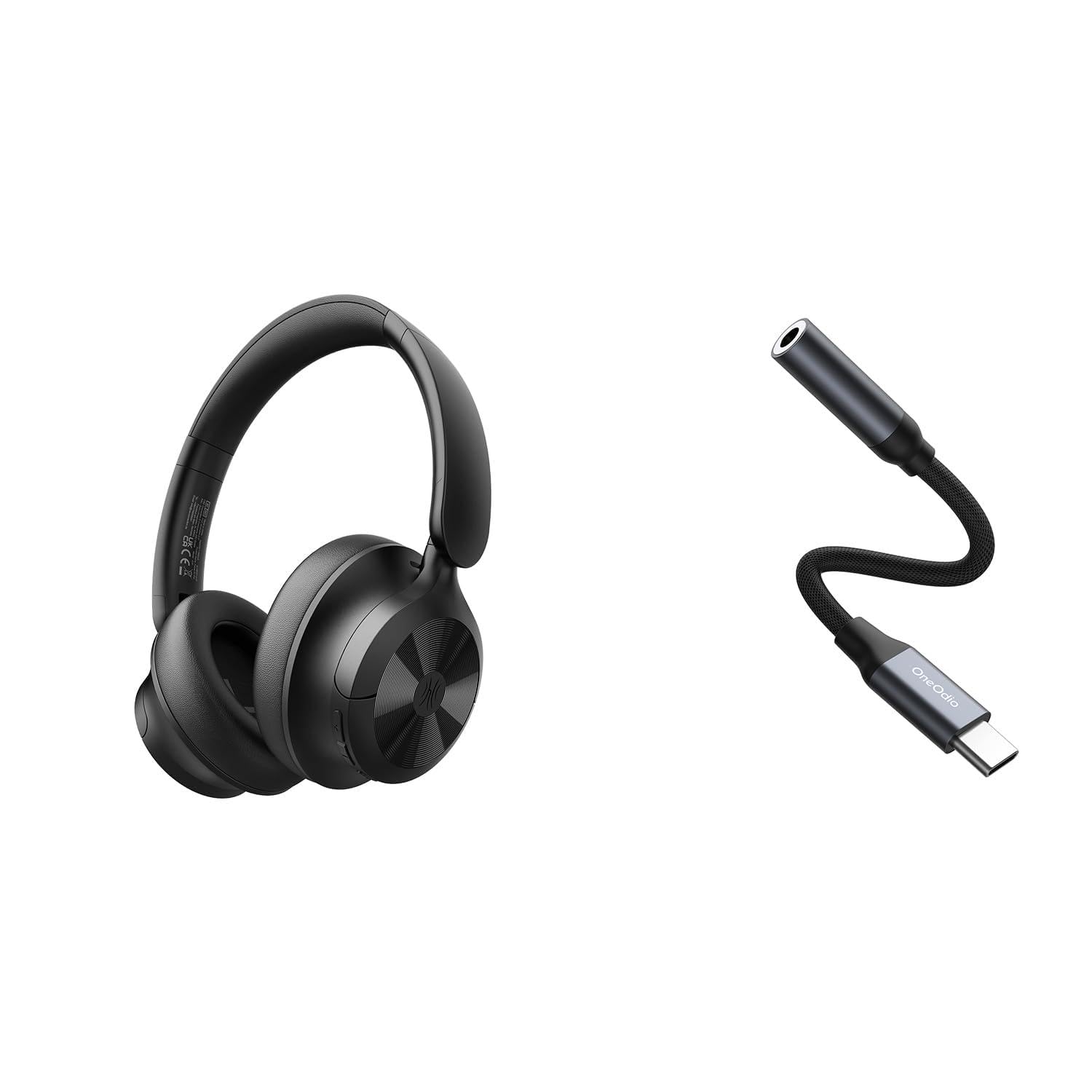
Image: OneOdio Focus A1Pro Wireless On-Ear Headphones. This image displays the headphones in their typical on-ear design, showcasing die Ohrmuscheln und das Kopfband.
Packungsinhalt
Bitte prüfen Sie das Paket auf folgende Artikel:
- OneOdio Focus A1Pro Wireless On-Ear Headphones
- USB-C-auf-3.5-mm-Audioadapter
- USB-C-Ladekabel
- Tragetasche
- Benutzerhandbuch (dieses Dokument)
Aufstellen
1. Aufladen der Kopfhörer
Before first use, fully charge the headphones. Connect the USB-C charging cable to the charging port on the headphones and the other end to a USB power source (e.g., computer USB port, wall adapter). The LED indicator will show charging status and turn off or change color when fully charged.

Image: Close-up of the USB-C charging port on the OneOdio Focus A1Pro headphones, with a charging cable connected.
2. Ein-/Ausschalten
- So schalten Sie das Gerät ein: Halten Sie die Multifunktionstaste etwa 3 Sekunden lang gedrückt, bis die LED-Anzeige blau blinkt.
- So schalten Sie das Gerät aus: Halten Sie die Multifunktionstaste etwa 3 Sekunden lang gedrückt, bis die LED-Anzeige rot blinkt und dann erlischt.
3. Bluetooth-Kopplung
- Stellen Sie sicher, dass die Kopfhörer ausgeschaltet sind.
- Press and hold the Multi-function button for 5-7 seconds until the LED indicator flashes red and blue alternately. This indicates pairing mode.
- Aktivieren Sie auf Ihrem Gerät (Smartphone, Tablet, Computer) Bluetooth und suchen Sie nach verfügbaren Geräten.
- Select "OneOdio A1Pro" from the list of found devices.
- Sobald die Verbindung hergestellt ist, blinkt die LED-Anzeige langsam blau.
- If a password is required, enter "0000".
Die Kopfhörer versuchen beim Einschalten automatisch, sich wieder mit dem zuletzt gekoppelten Gerät zu verbinden.
4. Wired Connection (using USB-C to 3.5mm Audio Adapter)
For a wired connection, use the provided USB-C to 3.5mm audio adapter. This allows you to connect the headphones to devices with a standard 3.5mm audio jack.
- Plug the USB-C end of the adapter into the USB-C port on the headphones.
- Plug the 3.5mm end of the adapter into the 3.5mm audio jack of your audio source device.
- Ensure the headphones are powered off for wired mode to function correctly and conserve battery.

Image: The OneOdio Focus A1Pro headphones connected to an audio source via the USB-C to 3.5mm audio adapter.
Bedienungsanleitung
Kontrollen überview
The headphones feature intuitive controls located on the earcup. Familiarize yourself with these buttons for seamless operation.

Image: Diagram showing the location and function of control buttons on the OneOdio Focus A1Pro headphones, including volume, multi-function, and ANC buttons.
Musikwiedergabe
- Abspielen/Pause: Drücken Sie einmal die Multifunktionstaste.
- Nächster Titel: Die Lauter-Taste 2 Sekunden lang gedrückt halten.
- Vorheriges Lied: Die Leiser-Taste 2 Sekunden lang gedrückt halten.
- Lautstärke erhöhen: Drücken Sie kurz die Lauter-Taste.
- Lautstärke runter: Drücken Sie kurz die Leiser-Taste.
Anrufbearbeitung
- Anruf annehmen/beenden: Drücken Sie einmal die Multifunktionstaste.
- Anruf ablehnen: Halten Sie die Multifunktionstaste 2 Sekunden lang gedrückt.
- Wahlwiederholung letzte Nummer: Drücken Sie die Multifunktionstaste zweimal.
Aktive Geräuschunterdrückung (ANC)
The Focus A1Pro headphones feature Active Noise Cancellation to reduce ambient noise.
- ANC aktivieren: Press the ANC button once. The ANC indicator light will turn green.
- ANC deaktivieren: Drücken Sie die ANC-Taste erneut. Die ANC-Kontrollleuchte erlischt.
Tragen der Kopfhörer
Adjust the headband to fit comfortably over your head. The earcups should fully cover your ears for optimal sound quality and noise cancellation. The earcups are typically marked 'L' for left and 'R' for right.
Wartung
Reinigung
- Reinigen Sie die Kopfhörer mit einem weichen, trockenen, fusselfreien Tuch.
- Verwenden Sie keine Scheuermittel, Alkohol oder chemische Lösungsmittel.
- Vermeiden Sie, dass Feuchtigkeit in die Öffnungen eindringt.
- The earpads can be gently wiped with a slightly damp cloth and mild soap solution, then dried thoroughly.
Lagerung
When not in use, store the headphones in the provided carrying pouch to protect them from dust and scratches. Store in a cool, dry place away from extreme temperatures.
Batteriepflege
- Vermeiden Sie häufiges vollständiges Entladen des Akkus.
- Laden Sie die Kopfhörer regelmäßig auf, auch wenn Sie sie über längere Zeiträume nicht benutzen, um die Batterieleistung zu erhalten.
- Do not expose the headphones to high temperatures, as this can degrade battery performance.
Fehlerbehebung
Kein Strom
- Stellen Sie sicher, dass die Kopfhörer vollständig aufgeladen sind.
- Zum Einschalten die Multifunktionstaste 3 Sekunden lang gedrückt halten.
Kein Ton
- Bluetooth:
- Ensure the headphones are paired and connected to your device.
- Check the volume level on both the headphones and your device.
- Versuchen Sie, die Kopfhörer zu entkoppeln und anschließend wieder zu koppeln.
- Verdrahtet:
- Ensure the USB-C to 3.5mm adapter is securely connected to both the headphones and the audio source.
- Überprüfen Sie, ob die Audioquelle abgespielt wird und die Lautstärke aufgedreht ist.
- Test with a different audio cable or device if possible.
Probleme mit der Bluetooth-Verbindung
- Ensure the headphones are in pairing mode (red and blue flashing LED).
- Bringen Sie die Kopfhörer näher an Ihr Gerät heran.
- Clear the Bluetooth list on your device and try pairing again.
- Vermeiden Sie Störungen durch andere drahtlose Geräte.
Zurücksetzen der Kopfhörer
If you experience persistent issues, you can try resetting the headphones to their factory settings. (Note: Specific reset procedures vary by model. A common method is to press and hold the Multi-function and Volume Down buttons simultaneously for 5-10 seconds while powered on, or connect to power while holding a button. Refer to the manufacturer's official support for exact steps if this general method does not work.)
Technische Daten
| Modellname | Focus A1Pro |
| Bluetooth-Version | 5.0 (Estimated, common for modern headphones) |
| Treiberdurchmesser | 40 mm (Geschätzt) |
| Frequenzgang | 20 Hz - 20 kHz (Typisch) |
| Batteriekapazität | 500mAh (Geschätzt) |
| Ladezeit | Ca. 2-3 Stunden |
| Wiedergabezeit | Bis zu 30 Stunden (Varies with volume and ANC usage) |
| Gewicht | Approx. 250g (Geschätzt) |
Note: Specifications are subject to change without notice. Actual performance may vary.
Garantie und Support
Garantieinformationen
OneOdio products are covered by a limited warranty from the date of purchase. This warranty covers manufacturing defects in materials and workmanship. It does not cover damage caused by misuse, accidents, unauthorized modifications, or normal wear and tear. Please retain your proof of purchase for warranty claims.
Kundenservice
For technical support, warranty inquiries, or other assistance, please contact OneOdio customer service through their official webWebsite oder der Einzelhändler, bei dem Sie das Produkt gekauft haben.
Offiziell WebWebsite: www.oneodio.com
E-Mail-Support: support@oneodio.com