
Einführung
Welcome to your new Yamaha YDP105 Digital Piano. This manual provides essential information for setting up, operating, maintaining, and troubleshooting your instrument. Please read it thoroughly to ensure proper use and to maximize your playing experience.
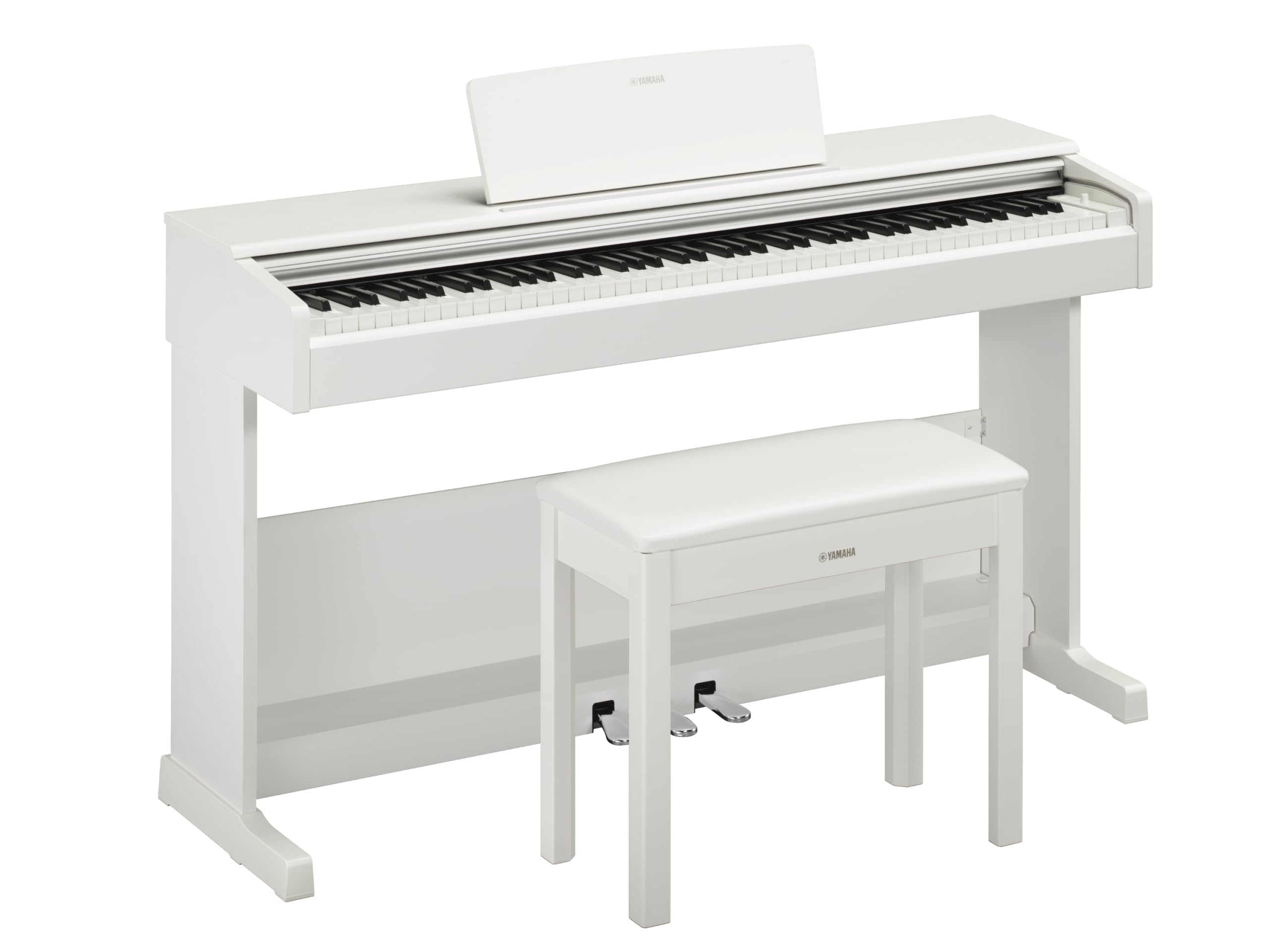
This image shows the Yamaha YDP105 digital piano in a white finish, positioned in a modern living room environment, highlighting its elegant design.
Wichtige Sicherheitshinweise
- Stromversorgung: Verwenden Sie ausschließlich das angegebene Netzteil. Stellen Sie sicher, dass die Lautstärketage passt zu Ihrer örtlichen Stromversorgung.
- Wasser und Feuchtigkeit: Setzen Sie das Instrument weder Regen noch Feuchtigkeit oder übermäßiger Luftfeuchtigkeit aus. Halten Sie Flüssigkeiten vom Klavier fern.
- Belüftung: Sorgen Sie für ausreichende Belüftung um das Instrument herum. Blockieren Sie keine Belüftungsöffnungen.
- Standort: Place the piano on a stable, level surface. Avoid direct sunlight, heat sources, and areas with excessive dust or vibrations.
- Handhabung: Behandeln Sie das Instrument mit Sorgfalt. Vermeiden Sie es, es fallen zu lassen oder starken Stößen auszusetzen.
- Wartung: Führen Sie keine Reparaturen am Instrument selbst durch. Überlassen Sie alle Reparaturen qualifiziertem Fachpersonal.
Aufstellen
Auspacken
Carefully remove all components from the packaging. Ensure all included items are present: the piano unit, bench, 3-pedal unit, power adapter, and music rest.
Montage
The Yamaha YDP105 requires some assembly. Follow these steps:
- Attach the side panels to the main keyboard unit using the provided screws.
- Secure the pedal unit to the assembled frame.
- Attach the backboard.
- Place the music rest into its slot on the keyboard unit.
- Assemble the bench according to its separate instructions.

This image shows the fully assembled Yamaha YDP105 digital piano in white, complete with its matching bench and music rest.
Stromanschluss
Connect the supplied power adapter to the DC IN jack on the rear of the piano and then to a standard AC outlet.
Pedal Unit Connection
Ensure the 3-pedal unit cable is securely connected to the corresponding jack on the piano.

This image displays a close-up of the three-pedal unit, showing the sustain, sostenuto, and soft pedals.
Bedienungsanleitung
Ein-/Ausschalten
Drücken Sie die LEISTUNG button to turn the instrument on or off.
Lautstärkeregelung
Verwenden Sie die MASTERLAUTSTÄRKE Drehknopf zur Einstellung des Gesamtschallpegels.
Selecting Voices (Instrument Sounds)
The YDP105 features 10 instrument voices. To select a voice:
- Drücken Sie die STIMME Taste.
- Use the keyboard keys to select the desired voice as indicated in the manual's voice list.

This image shows a close-up of the control panel on the left side of the keyboard, highlighting the "GRAND PIANO" and "FUNCTION" buttons.
Kopfhörer verwenden
The piano includes dual headphone jacks for private practice or duets. Connect standard 3.5mm headphones to either jack.

This image shows a pair of headphones resting on the top surface of the digital piano, near the keys.
Smart Pianist App Integration
Enhance your experience by connecting the YDP105 to the Yamaha Smart Pianist app. This app allows for intuitive control of piano functions, access to scores, and learning tools. Refer to the Smart Pianist app's documentation for detailed connection and usage instructions.

This image displays the icon for the Yamaha Smart Pianist App, featuring a stylized piano keyboard and musical notes.
Wartung
Reinigung
Reinigen Sie das Instrument mit einem weichen, trockenen Tuch. Bei hartnäckigem Schmutz verwenden Sie ein leicht feuchtes Tuch.amp cloth and then wipe dry. Avoid abrasive cleaners, solvents, or polishes.
Lagerung
Lagern Sie das Klavier in einer stabilen Umgebung, fern von direkter Sonneneinstrahlung, extremen Temperaturen und hoher Luftfeuchtigkeit.
Moving the Instrument
Beim Transport des Klaviers muss sichergestellt sein, dass es ausgeschaltet und vom Stromnetz getrennt ist. Gehen Sie vorsichtig damit um, um Beschädigungen zu vermeiden.
Fehlerbehebung
Kein Ton
- Überprüfen Sie, ob das Gerät eingeschaltet ist.
- Stellen Sie sicher, dass die Lautstärke aufgedreht ist.
- Falls Kopfhörer angeschlossen sind, trennen Sie diese, um die Lautsprecherausgabe zu überprüfen.
- Prüfen Sie, ob alle Kabel fest angeschlossen sind.
Tasten reagieren nicht
- Das Gerät muss ausgeschaltet und wieder eingeschaltet werden.
- Ensure no objects are obstructing the keys.
Pedals Not Working
- Check the pedal unit cable connection.
- Ensure the pedal unit is correctly assembled and positioned.
Technische Daten
| Besonderheit | Detail |
|---|---|
| Modellname | YDP-105 |
| Anzahl der Schlüssel | 88 |
| Schlüsseltyp | Graded Hammer Standard (GHS) keyboard with matte black keytops |
| Tippen Sie auf Antwort | Hard/Medium/Soft/Fixed |
| Stimmen | 10 (including Grand Piano) |
| Polyfonie | 64 Notizen |
| Pedale | 3 (damper with half pedal effect, Sostenuto, Soft) |
| Konnektivität | USB to Host, Headphone Jacks (2 x Standard Stereo Phone Jack) |
| Lautsprecher | 12cm x 2 |
| Ampschwerer | 8 B x 2 |
| Abmessungen (B x T x H) | 1357 mm x 422 mm x 815 mm (53.44" x 16.63" x 32.09") |
| Gewicht | 37.5 kg |
| Stromversorgung | PA-150B or an equivalent recommended by Yamaha |
Garantieinformationen
The Yamaha YDP105 Digital Piano comes with a 1-year manufacturer warranty. Yamaha Corporation of America is committed to the quality and craftsmanship of its products. This limited warranty applies only to products purchased from an authorized Yamaha retailer in the fifty United States (including the District of Columbia) and used within this area. For complete warranty details and terms, please refer to the official Yamaha website or contact Yamaha customer support.
Kundenservice
For further assistance, technical support, or service inquiries, please visit the official Yamaha webWebsite oder wenden Sie sich an die Kundendienstabteilung.