
Einführung
This manual provides essential information for the AITRIP ESP32-S3 4.0-inch Color LCD Display Development Board. It covers product features, setup, operation, maintenance, troubleshooting, and technical specifications. Please read this manual thoroughly before using the device to ensure proper functionality and longevity.
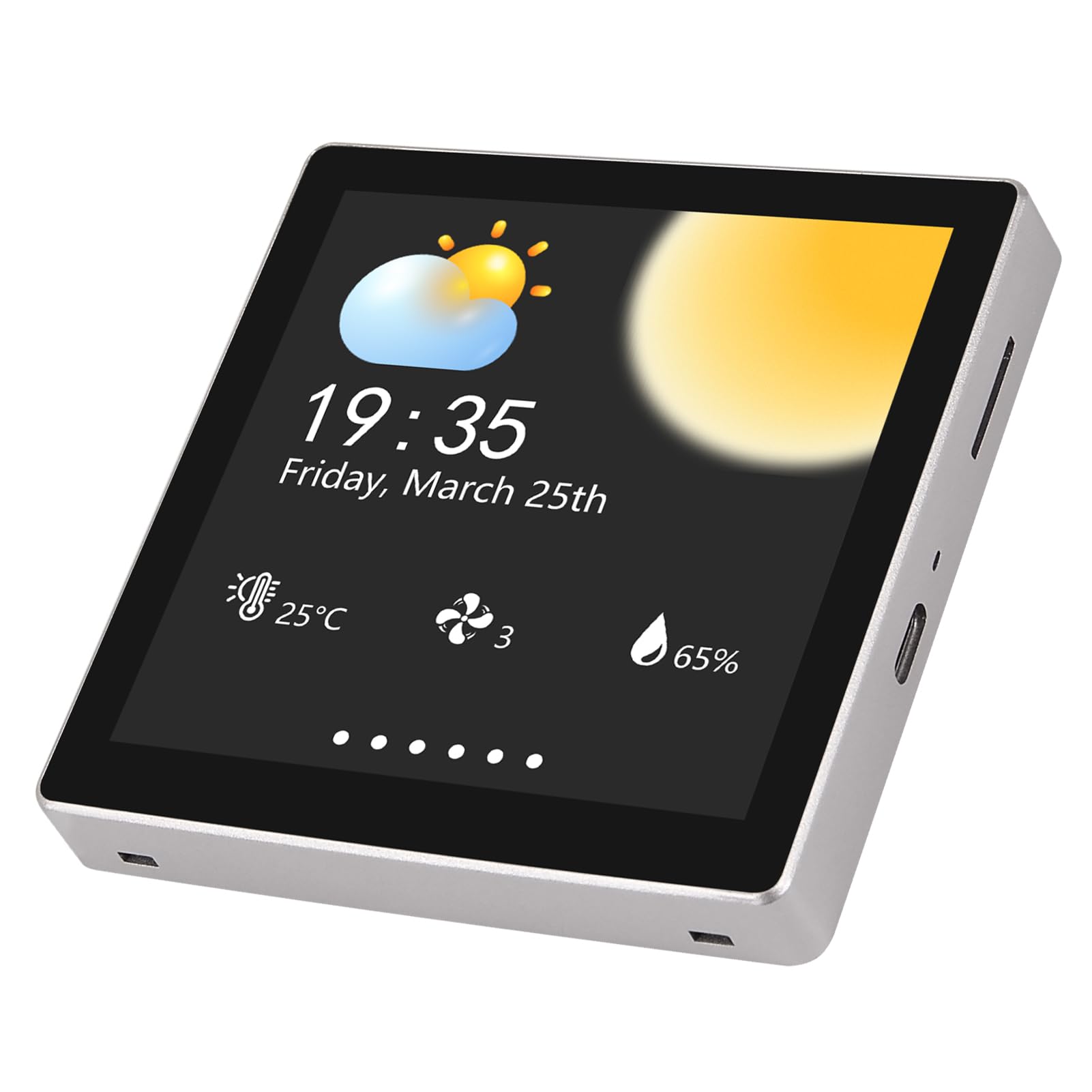
Abbildung 1: Vorder- und Rückseite view of the AITRIP ESP32-S3 4.0-inch Color LCD Display Development Board. The front shows the 4.0-inch capacitive touch display, while the back reveals the main control board and connectors.
Produkteigenschaften
- Integrated ESP32-S3-WROOM-1 module as the main control unit.
- Dual-core MCU with integrated Wi-Fi and Bluetooth functions.
- Main frequency up to 240MHz, 512KB SRAM, 384KB ROM, 8MB PSRAM, 16MB Flash.
- 4.0-inch color screen with 480x480 resolution, supporting 16-bit RGB 65K color display.
- Capacitive touch functionality.
- Includes LCD display screen, backlight control circuit, and touch screen control circuit.
- Reserved TF card interface and IO port interface for expansion.
- Supports development in Arduino IDE, ESP IDE, Micropython, and Mixly.
- Equipped with a TF card slot for easy expansion storage.
- Provides Arduino library functions and sample programs for rapid secondary development.
- Supports one-click program download.
Lieferumfang
Im Paket sind folgende Komponenten enthalten:
- 1 x AITRIP ESP32-S3 4.0-inch IPS Touch Screen Development Board
Aufstellen
Follow these steps to set up your AITRIP ESP32-S3 Development Board:
- Stromanschluss: Connect the development board to a 5V power source using the Type-C USB port.
- Entwicklungsumgebung: Install your preferred development environment (e.g., Arduino IDE, ESP IDE, Micropython, Mixly) on your computer.
- Treiberinstallation: Ensure all necessary USB-to-serial drivers are installed on your computer for proper communication with the ESP32-S3 board.
- Software-Setup: Configure your chosen IDE with the appropriate board definitions and libraries for the ESP32-S3.
- TF-Karte (optional): If using, insert a TF card into the designated slot for expanded storage.

Abbildung 2: Connection ports on the AITRIP ESP32-S3 Development Board, including the Type-C USB port for power and data, Lithium Battery Control pins, and the TF Card Slot.
Bedienungsanleitung
The AITRIP ESP32-S3 Development Board is designed for various embedded projects.
- Programmierung: Use the Type-C USB port to upload programs from your development environment to the ESP32-S3 module. The board supports one-click program download.
- Anzeigenutzung: The 4.0-inch capacitive touch display can be programmed to show various graphical interfaces, data, or interactive elements. Refer to the provided Arduino library functions and sample programs for display control.
- WLAN und Bluetooth: Utilize the integrated Wi-Fi and Bluetooth capabilities for network connectivity, data transfer, and IoT applications.
- TF-Kartenspeicher: The TF card slot allows for external storage of data, images, or program assets, expanding the board's capabilities.
- IO Port Expansion: The reserved IO port interface enables connection to external sensors, actuators, and other peripherals.
Wartung
To ensure the longevity and optimal performance of your development board, follow these maintenance guidelines:
- Reinigung: Gently wipe the display and board surfaces with a soft, dry cloth. Avoid using abrasive cleaners or solvents.
- Lagerung: Store the board in a dry, dust-free environment away from direct sunlight and extreme temperatures.
- Handhabung: Handle the board by its edges to avoid touching sensitive components. Prevent static discharge by working on an anti-static mat if possible.
- Stromversorgung: Verwenden Sie stets ein stabiles 5V-Netzteil. Falsche Lautstärketage kann die Platine beschädigen.
Fehlerbehebung
If you encounter issues with your AITRIP ESP32-S3 Development Board, consider the following:
- Platine schaltet sich nicht ein:
- Check the Type-C USB cable and power source. Ensure they are functioning correctly and providing 5V.
- Verify the connection to the Type-C port is secure.
- Programm-Upload fehlgeschlagen:
- Stellen Sie sicher, dass in Ihrer IDE das richtige Board und der richtige Port ausgewählt sind.
- Check if the necessary drivers are installed.
- Versuchen Sie es mit einem anderen USB-Kabel oder einem anderen USB-Anschluss an Ihrem Computer.
- Ensure the board is in programming mode (if applicable, though one-click download is supported).
- Anzeige funktioniert nicht:
- Verify that the display is properly connected to the main board.
- Check your code for display initialization and drawing commands.
- Ensure the backlight control circuit is receiving power.
- Probleme mit der WLAN-/Bluetooth-Verbindung:
- Confirm your code correctly initializes and uses the Wi-Fi/Bluetooth modules.
- Check network credentials (SSID, password) if connecting to Wi-Fi.
- Ensure there are no physical obstructions or excessive distance from the access point/device.
Technische Daten
| Besonderheit | Detail |
|---|---|
| Hauptsteuereinheit | ESP32-S3-WROOM-1 Module (Dual-core MCU) |
| CPU-Geschwindigkeit | 240 MHz |
| Erinnerung | 512KB SRAM, 384KB ROM, 8MB PSRAM, 16MB Flash |
| Anzeigegröße | 4.0 Zoll |
| Bildschirmauflösung | 480 x 480 Pixel |
| Farbtiefe | 16 BIT RGB 65K Color Display |
| Berührungstyp | Kapazitive Berührung |
| Konnektivität | Wi-Fi, Bluetooth, SD card support |
| Betriebslautstärketage | 5V |
| Betriebstemperatur | -20 °C bis 70 °C (-4 °F bis 158 °F) |
| Lagertemperatur | -30 °C bis 80 °C (-22 °F bis 176 °F) |
| Abmessungen (L x B x H) | 86.5 x 86.5 x 37.8 mm (3.41 x 3.41 x 1.49 Zoll) |
| Unterstützte IDEs | Arduino IDE, ESP IDE, Micropython, Mixly |

Abbildung 3: Visual representation of key specifications for the AITRIP ESP32-S3 Development Board, including screen size, resolution, and operating voltage.
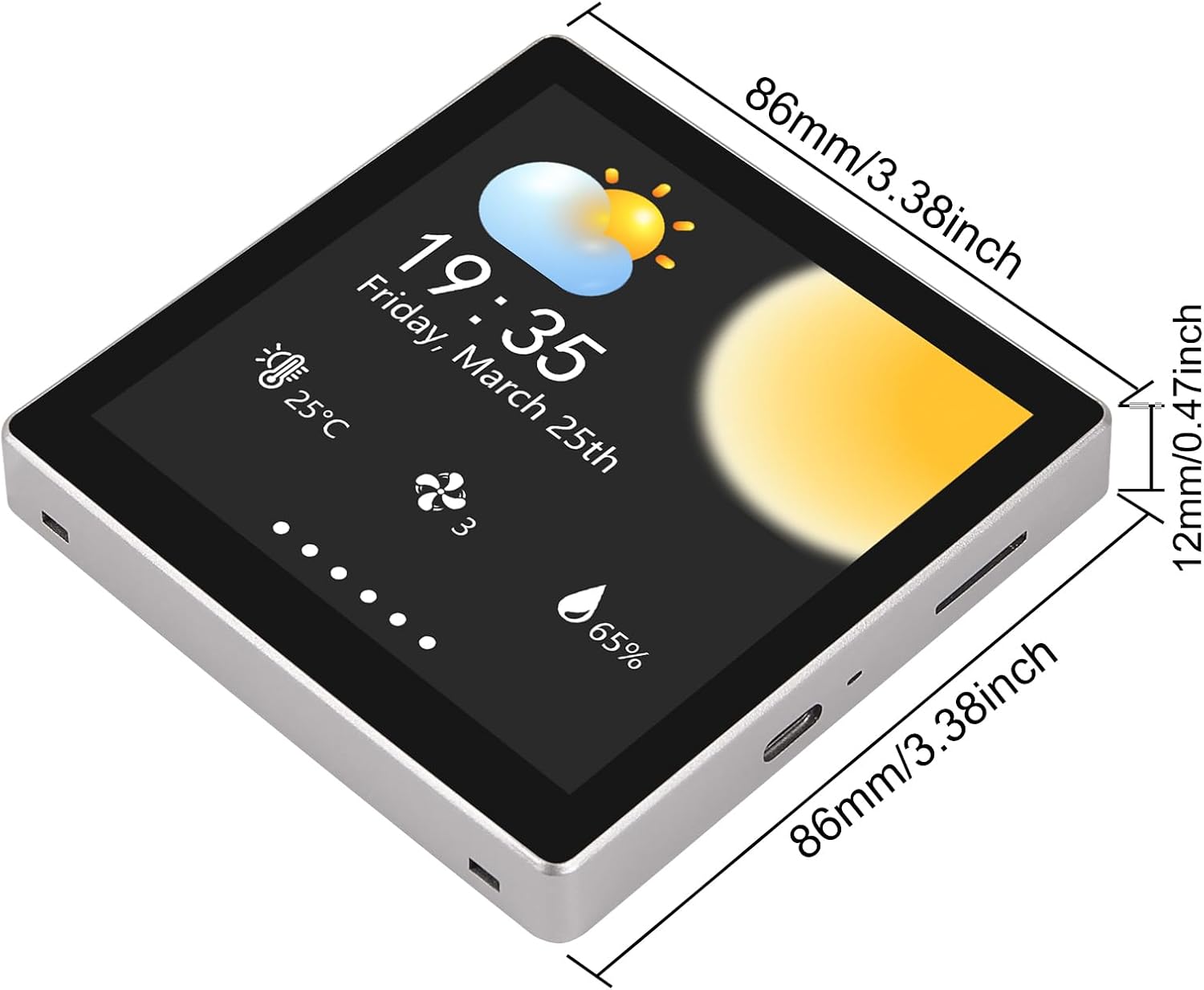
Abbildung 4: Physical dimensions of the AITRIP ESP32-S3 Development Board, showing its length, width, and thickness.
Garantie
The product comes with a limited warranty. For specific warranty terms and conditions, please refer to the documentation provided with your purchase or contact AITRIP customer support.
Unterstützung
For technical assistance, additional documentation, or inquiries, please contact AITRIP customer support. You can typically find support information by visiting the seller's page on the platform where you purchased the product and using the "Ask a question" feature.