
1. Einleitung
The TP-Link UB600 is a compact Bluetooth 6.0 USB adapter designed for PCs. It enhances connection security and stability compared to previous Bluetooth generations, providing reliable wireless connectivity for various Bluetooth-enabled devices. Its ultra-small nano design allows it to remain discreetly plugged into a USB port, making it ideal for mobile use or permanent connection.
This adapter supports Windows 11, 10, 8.1, and 7. For Windows 11, 10, and 8.1, it offers Plug & Play functionality. For Windows 7, driver installation is required.
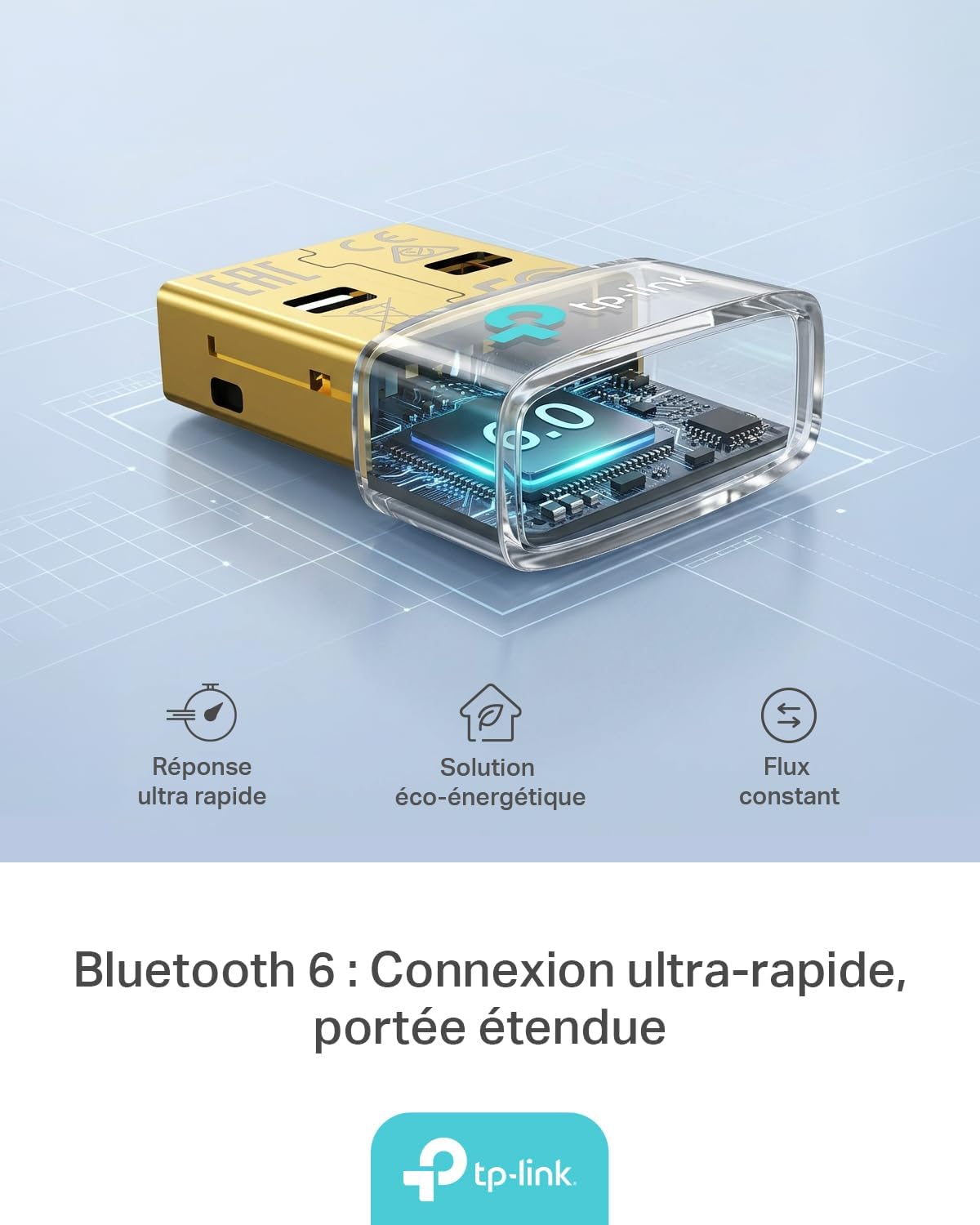
Figure 1: TP-Link UB600 Bluetooth 6.0 USB Adapter showcasing its key features: ultra-fast response, energy-saving solution, and constant data flow.
2. Einrichtungsanweisungen
2.1 Systemanforderungen
- Operating System: Windows 11, Windows 10, Windows 8.1, Windows 7.
- Verfügbarer USB-Anschluss.
2.2 Installation
- Setzen Sie den Adapter ein: Plug the TP-Link UB600 Bluetooth USB adapter into an available USB port on your computer.

Figure 2: The UB600 adapter discreetly plugged into a laptop's USB port, demonstrating its compact design.
- Treiberinstallation:
- For Windows 11, 10, 8.1: The adapter is Plug & Play. Your operating system should automatically detect and install the necessary drivers. No manual installation is typically required.
- Für Windows 7: Driver installation is required. Please visit the official TP-Link webSeite? ˅ (www.tp-link.com) to download the latest drivers for the UB600 model. Follow the on-screen instructions to complete the installation.

Figure 3: Visual representation of the UB600's compatibility with different Windows versions and various Bluetooth peripherals like smartphones, headphones, controllers, and keyboards.
- Überprüfung: After installation, check your computer's Device Manager to ensure the Bluetooth adapter is recognized and functioning correctly.
3. Bedienungsanleitung
3.1 Koppeln von Bluetooth-Geräten
Once the UB600 adapter is installed, you can pair it with your Bluetooth-enabled devices:
- Bluetooth aktivieren: Ensure Bluetooth is enabled on your computer. You can usually find this in the Windows Settings (Settings > Devices > Bluetooth & other devices).
- Gerät in den Kopplungsmodus versetzen: Versetzen Sie Ihr Bluetooth-Gerät (z. B. Kopfhörer, Maus, Tastatur) in den Kopplungsmodus. Spezifische Anweisungen finden Sie in der Bedienungsanleitung Ihres Geräts.
- Gerät hinzufügen: Klicken Sie auf Ihrem Computer auf „Bluetooth- oder anderes Gerät hinzufügen“ und wählen Sie „Bluetooth“ aus.
- Gerät auswählen: Ihr Computer sucht nach Bluetooth-Geräten in der Nähe. Wählen Sie Ihr Gerät aus der Liste aus und folgen Sie den Anweisungen auf dem Bildschirm, um den Kopplungsvorgang abzuschließen.
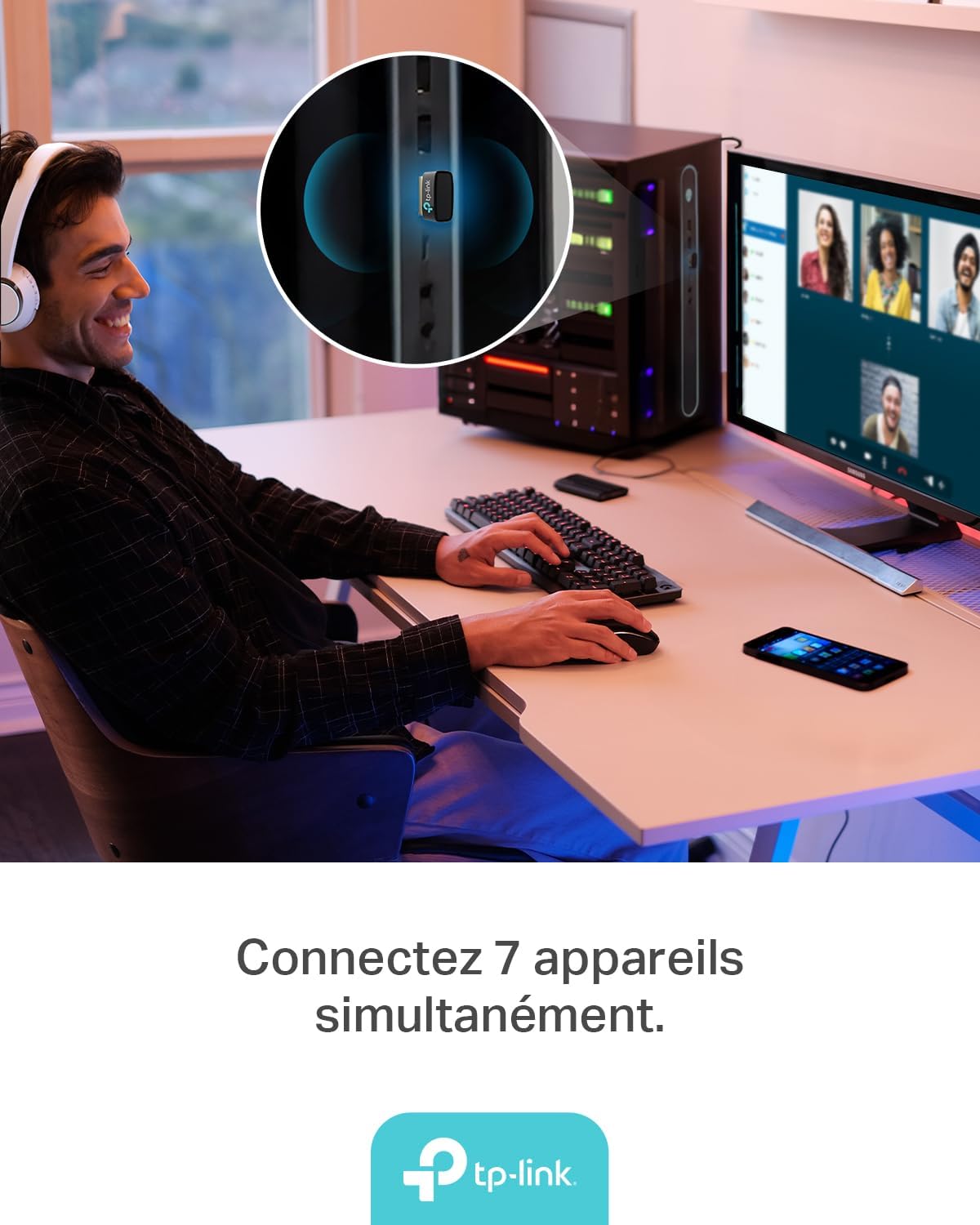
Figure 4: The UB600 adapter allows simultaneous connection of up to 7 Bluetooth devices, enhancing productivity and convenience.
3.2 Bluetooth 6.0 Advantages
The UB600 utilizes Bluetooth 6.0 technology, offering several improvements:
- Verbesserte Sicherheit: Provides improved security features for your wireless connections.
- Erhöhte Stabilität: Offers a more stable and reliable connection compared to older Bluetooth versions.
- Faster Speeds (EDR): Supports Enhanced Data Rate (EDR) for quicker data transfer.
- Reduced Power Consumption (BLE): Utilizes Bluetooth Low Energy (BLE) for energy-efficient operation, especially beneficial for battery-powered devices.

Figure 5: The UB600 adapter contributes to daily efficiency with faster speeds (EDR) and reduced power consumption (BLE).
4. Wartung
The TP-Link UB600 is designed for durability and requires minimal maintenance. To ensure optimal performance and longevity:
- Sauber halten: Reinigen Sie die Außenseite des Adapters regelmäßig mit einem weichen, trockenen Tuch. Vermeiden Sie die Verwendung von flüssigen Reinigern oder Lösungsmitteln.
- Vor Schäden schützen: While compact, avoid subjecting the adapter to physical shocks, extreme temperatures, or moisture.
- Feste Verbindung: Ensure the adapter is securely plugged into the USB port to prevent intermittent connections.
5. Fehlerbehebung
If you encounter issues with your TP-Link UB600 adapter, consider the following steps:
- Adapter nicht erkannt:
- Versuchen Sie, den Adapter an einen anderen USB-Anschluss anzuschließen.
- Starten Sie Ihren Computer neu.
- For Windows 7, ensure drivers are correctly installed from the TP-Link webWebsite.
- Geräte können nicht gekoppelt werden:
- Ensure Bluetooth is enabled on your computer and the device you are trying to pair.
- Make sure your device is in pairing mode.
- Check if the device is already paired with another computer or adapter.
- Move the device closer to the computer to rule out range issues.
- Intermittierende Verbindung:
- Ensure there are no major obstructions between the adapter and the Bluetooth device.
- Vermeiden Sie es, den Adapter in der Nähe von Quellen starker elektromagnetischer Störungen (z. B. WLAN-Router, Mikrowellen) aufzustellen.
- Aktualisieren Sie das Betriebssystem und die Bluetooth-Treiber Ihres Computers auf die neuesten Versionen.
Weitere Unterstützung finden Sie auf der offiziellen TP-Link-Supportseite. webWebsite.
6. Spezifikationen
| Besonderheit | Detail |
|---|---|
| Modellnummer | UB600 |
| Schnittstelle | USB |
| Bluetooth-Version | Bluetooth 6.0 |
| Datenübertragungsrate | 2 Mbit/s |
| Kompatible Betriebssysteme | Windows 11, Windows 10, Windows 8.1, Windows 7 |
| Kompatible Geräte | Computer, Laptop (for connecting mouse, keyboard, headset, smartphone, controller, etc.) |
| Abmessungen (L x B x H) | 0.68 x 1.89 x 1.48 cm |
| Gewicht | 10 Gramm |
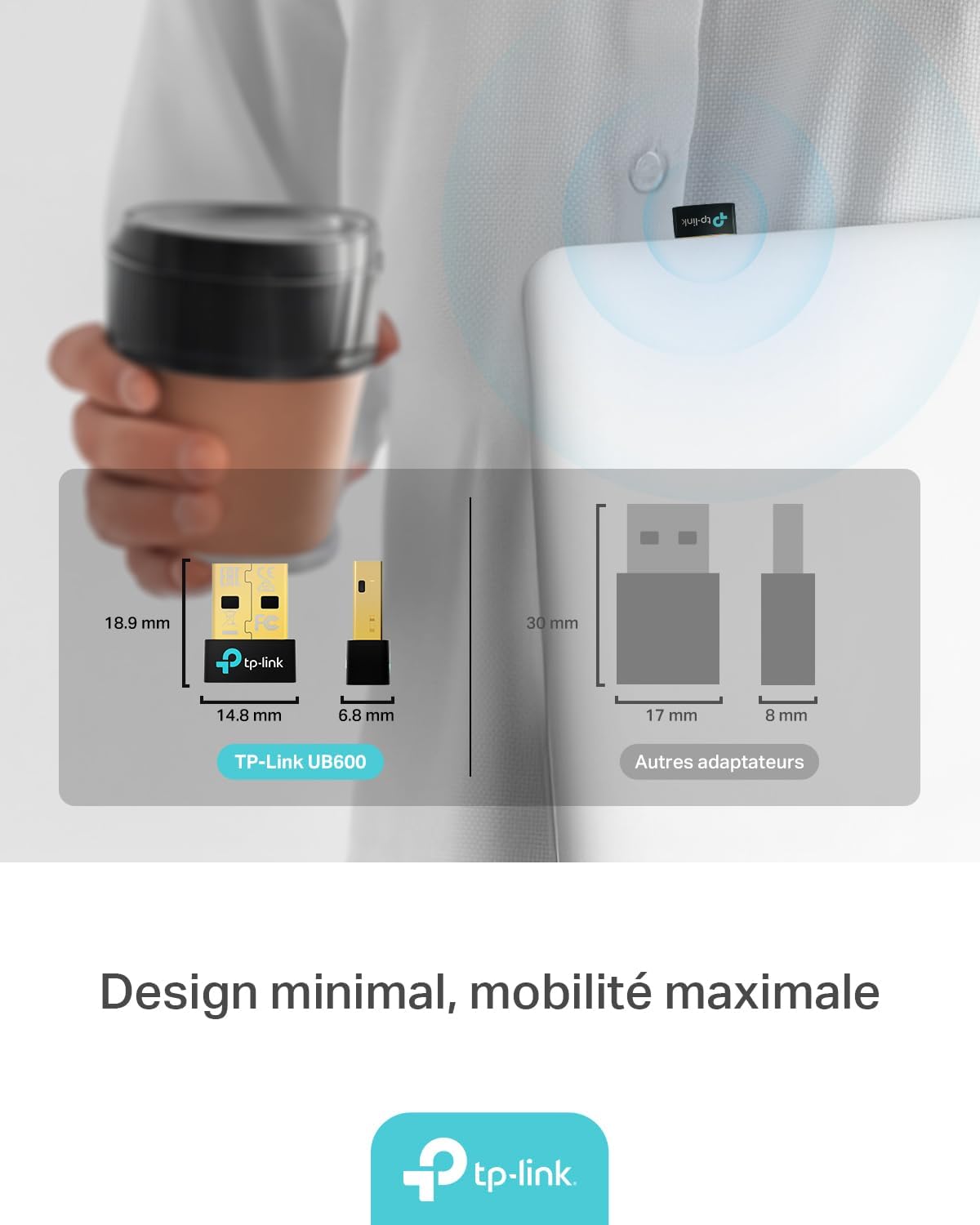
Figure 6: The UB600's minimal design ensures maximum mobility and discreet integration with your device.
7. Garantieinformationen
Detaillierte Garantieinformationen finden Sie auf der Ihrem Produkt beiliegenden Garantiekarte oder auf der offiziellen TP-Link-Website. webDie Garantiebedingungen können je nach Region variieren.
8. Technischer Support
If you require technical assistance or have questions regarding your TP-Link UB600 Bluetooth USB Adapter, please visit the TP-Link support webWebsite:
You can find FAQs, driver downloads, and contact information for customer service on their webWebsite.