
Einführung
This instruction manual provides essential information for the proper setup, operation, and maintenance of your eMylo RTH11 Indoor Outdoor Thermometer Hygrometer. Please read this manual thoroughly before using the device to ensure optimal performance and longevity.
Produkt überview
The eMylo RTH11 is a waterproof wireless hygrometer sensor designed to monitor temperature and humidity both indoors and outdoors. It requires pairing with an eMylo WiFi Thermometer Gateway (models WS06 or WS01, sold separately) to function as a full-featured thermo-hygrometer. Once connected, it offers a monitoring range of up to 492 feet in open areas.
Zu den Hauptmerkmalen gehören:
- IP65 wasserdicht und staubdicht: Suitable for various environments, including rainy conditions.
- Hohe Genauigkeit: Provides readings with an accuracy of ±5%RH and ±0.5°C / 0.9°F.
- Unterstützung mehrerer Sensoren: The main unit can connect to up to 9 additional sensors, monitoring up to 10 locations simultaneously.
- Intelligente Warnungen: Receive instant push notifications via the Smart Life/Tuya App for out-of-range temperature/humidity and low battery.
- Sprachsteuerung: Compatible with Amazon Alexa and Google Assistant for hands-free queries.
- Intelligente Szenenverknüpfung: Create automated scenes with other Tuya-compatible devices.
- Datenspeicherung & -export: Free remote access to hourly, daily, monthly, and yearly historical data, with export options for up to 1 year of records.
- Langanhaltende Leistung: Ultra-low power consumption for prolonged use, up to 1 year on replaceable batteries.
Aufstellen
1. Auspacken und Komponentencheck
Packen Sie den Inhalt vorsichtig aus und vergewissern Sie sich, dass alle Artikel vorhanden sind:
- eMylo RTH11 Sensor
- Batteries (if included in your package)
- Bedienungsanleitung
Note: This RTH11 sensor requires an eMylo WiFi Thermometer Gateway (WS06 or WS01) to function. The gateway is not included with this sensor and must be purchased separately. The sensor cannot be used independently or with third-party gateways.
2. Einlegen der Batterie
- Open the battery compartment cover on the back of the RTH11 sensor.
- Legen Sie die mitgelieferten Batterien ein und achten Sie dabei auf die richtige Polarität (+/-).
- Schließen Sie den Batteriefachdeckel fest.
3. App-Installation und -Kopplung
To utilize the full features of your eMylo RTH11 sensor, you need to connect it to an eMylo WiFi Thermometer Gateway and the Smart Life/Tuya App.
- Laden Sie die App herunter: Download and install the "Smart Life" or "Tuya Smart" app from your smartphone's app store.
- Gateway hinzufügen: If you haven't already, add your eMylo WiFi Thermometer Gateway (WS06 or WS01) to the app following its specific instructions. Ensure the gateway is connected to a 2.4GHz Wi-Fi network.
- Add Sensor: In the Smart Life/Tuya App, navigate to the gateway's interface and select the option to add a sub-device or sensor.
- Verbindungsmodus: Press and hold the reset button on the RTH11 sensor for approximately 5 seconds until the indicator light flashes, indicating it's in pairing mode.
- Kopplung bestätigen: The app should detect the new sensor. Follow the on-screen prompts to confirm and add the sensor.
Videobeschreibung: This video tutorial demonstrates how to connect the eMylo RTH11 sensor to the Smart Life app, including steps for adding the device, setting up alarms, calibrating temperature and humidity, switching temperature units, and viewVerarbeitung historischer Daten.
Bedienungsanleitung
1. Anzeige überview
The main unit's LED display shows real-time temperature and humidity readings from connected sensors, along with the current date, time, and basic weather information. You can view readings from up to 10 sensors.

Bildbeschreibung: The eMylo RTH11 sensor and its main display unit are shown, highlighting the accurate temperature and humidity sensitivity. The display shows current readings, while a baby sleeps peacefully in the background, emphasizing its suitability for nurseries.
2. Temperatur-Einheitenschalter (°C/°F)
So wechseln Sie zwischen Celsius und Fahrenheit:
- Per App: Go to the "Settings" section of the Smart Life/Tuya App for your Smart Weather Station. Locate the "Temperature Unit" option and select your preferred unit.
- Über das Gerät: Briefly press the reset button on the main unit once. The temperature unit on the display will switch.
3. Time Format Switch (12-hour/24-hour)
To switch between 12-hour and 24-hour time formats, double-click the reset button on the main unit.
4. Viewing Sensor Data
- On Main Unit: Click the touch button on the main unit to cycle through and view the temperature and humidity readings from each connected sensor.
- On App: The Smart Life/Tuya App provides a comprehensive overview of all connected sensors, displaying their current temperature and humidity.
5. Intelligente Benachrichtigungen
Set personalized temperature and humidity thresholds in the Smart Life/Tuya App to receive instant push alerts when readings fall outside your specified range. You can also enable low battery alerts.

Bildbeschreibung: A smartphone displays the 'Smart Alerts' feature of the eMylo app, allowing users to set minimum and maximum thresholds for temperature and humidity. This ensures users are notified if conditions exceed or fall below desired levels.
6. Data Storage & Export
The app stores historical temperature and humidity data. You can view records by hour, day, month, or year. Up to one year of historical data can be exported for detailed analysis.

Bildbeschreibung: A smartphone screen shows graphs of historical temperature and humidity data, with options to view by day, month, or year. An 'Export' button is visible, indicating the ability to download this data for further analysis.
7. Sprachsteuerung
Integrate with Amazon Alexa or Google Assistant to query real-time temperature and humidity data using voice commands.

Bildbeschreibung: The image illustrates the voice command compatibility of the eMylo RTH11 sensor with smart assistants like Amazon Alexa and Google Home. Text bubbles show example queries such as "Alexa, what's the humidity in the bathroom?" and the corresponding response, "It's currently 70%."
8. Intelligente Szenenverknüpfung
Create automated smart scenes within the Smart Life/Tuya App. For example, link your sensor to a smart IR remote to automatically adjust an AC or humidifier based on temperature and humidity readings.

Bildbeschreibung: This diagram demonstrates 'Smart Home Life' integration, where the eMylo sensor links with other Tuya smart devices, such as a Smart IR Remote Controller. It shows an air conditioner turning on if the temperature is over 86°F and a humidifier activating if humidity is below 40%, illustrating automated environmental control.
Wartung
1. Batteriewechsel
When the app or main unit indicates a low battery, replace the batteries in the RTH11 sensor promptly to ensure continuous monitoring. Follow the battery installation steps outlined in the Setup section.
2. Reinigung
Wipe the sensor and main unit with a soft, dry cloth. Do not use abrasive cleaners or immerse the devices in water. Ensure the sensor's vents are clear of dust and debris for accurate readings.
3. Platzierung
For outdoor sensors, place them in a location that avoids direct sunlight and heavy rain to prolong battery life and ensure accurate readings. Ensure the sensor is within the wireless range of the gateway and that there are no major obstacles impeding the signal.

Bildbeschreibung: The eMylo RTH11 sensor is shown hanging from a tree branch outdoors during rainfall, with water droplets visible on its surface. The text overlay highlights its 'IP65 Waterproof & Dustproof' feature, indicating its durability in outdoor conditions.

Bildbeschreibung: This image, titled 'Usage Compatibility Reminder', displays a multi-story house with several eMylo RTH11 sensors placed in different rooms and outdoors. It visually explains that the sensor must pair with an eMylo WiFi Thermometer Gateway (WS06 or WS01) and cannot be used independently or with third-party gateways, supporting only 2.4GHz WiFi.
Videobeschreibung: This video demonstrates the unboxing of the eMylo RTH11 sensor, showing the main unit and three wireless sensors. It illustrates battery installation, the main unit's display of temperature and humidity, and examples of outdoor and indoor sensor placement in various locations like a porch and a baby's room.
Fehlerbehebung
- Sensor verbindet sich nicht mit Gateway/App:
- Ensure the sensor has fresh batteries and is correctly installed.
- Verify the eMylo WiFi Thermometer Gateway is powered on and connected to a 2.4GHz Wi-Fi network.
- Make sure the sensor is within the effective wireless range of the gateway (up to 492ft without obstacles).
- Repeat the pairing process as described in the Setup section.
- Ungenaue Temperatur-/Luftfeuchtigkeitsmesswerte:
- Check the sensor's placement; avoid direct sunlight, heat sources, or areas with extreme drafts.
- Stellen Sie sicher, dass die Lüftungsöffnungen des Sensors nicht blockiert sind.
- Use the calibration feature in the Smart Life/Tuya App settings to fine-tune readings if necessary.
- App Alerts Not Working:
- Verify that alert switches are enabled in the app's alarm settings.
- Check that your smartphone's notification settings allow alerts from the Smart Life/Tuya App.
- Ensure the sensor and gateway have a stable internet connection.
- No Historical Data in App:
- Confirm that the gateway and sensor maintain a continuous connection. Data logging requires an active connection.
- Check the app's data storage settings.
Technische Daten
| Besonderheit | Spezifikation |
|---|---|
| Modell | RTH11 |
| Marke | eMylo |
| Wasserdichtigkeit | IP65 |
| Feuchtigkeitsgenauigkeit | ± 5% RH |
| Temperaturgenauigkeit | ± 0.5 ° C / 0.9 ° F |
| Luftfeuchtigkeit bei Betrieb | 0 % bis 100 % |
| Obere Temperaturbewertung | 140 Grad Fahrenheit |
| Wireless-Protokoll | WiFi + BLE + RF433 |
| Akku-Typ | Alkalisch |
| Artikellänge | 3 Zoll |
| Im Lieferumfang enthaltene Komponenten | Batterie |
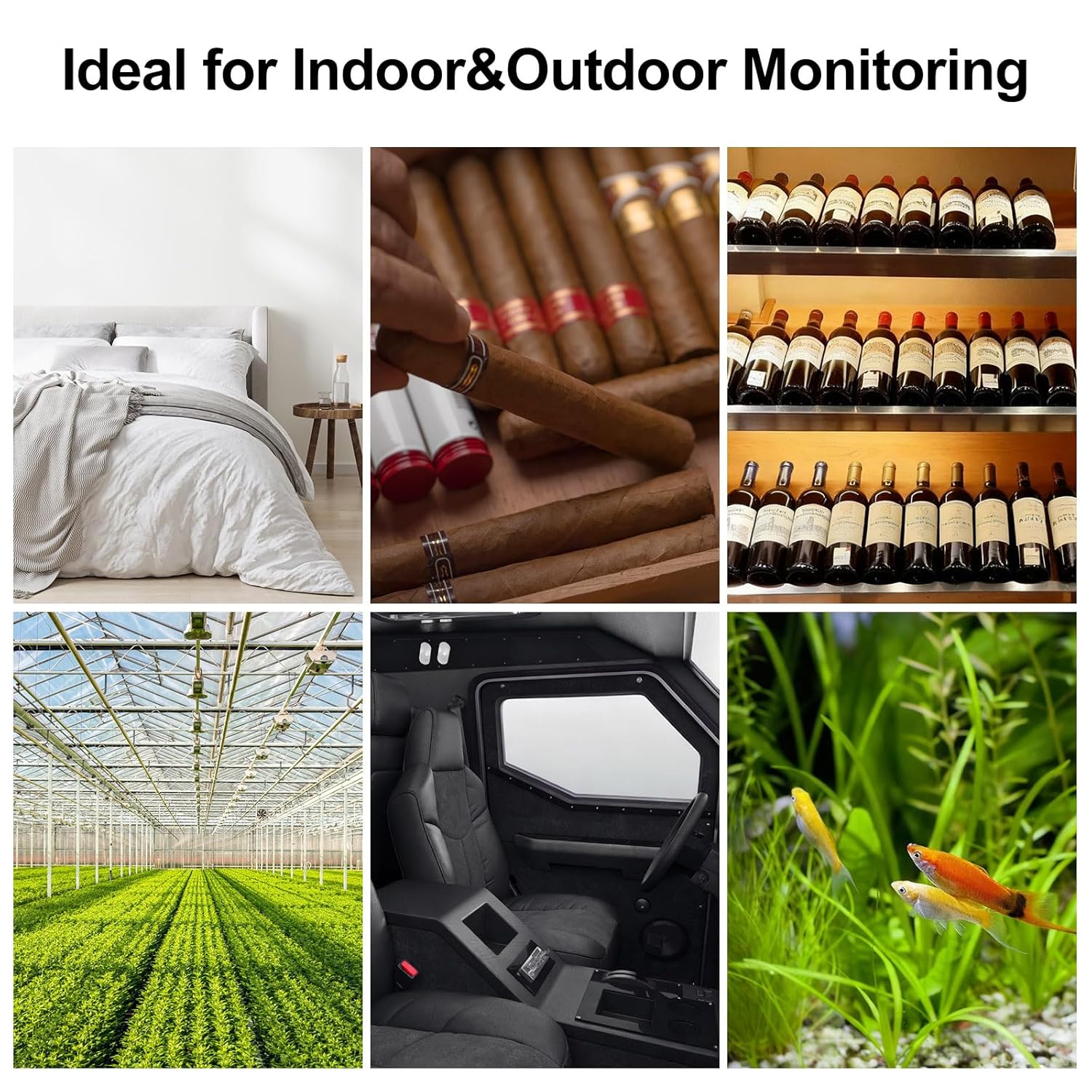
Bildbeschreibung: This image, titled 'Ideal for Indoor & Outdoor Monitoring', presents a collage of six different environments where the eMylo RTH11 sensor can be effectively used. These include a bedroom, a cigar humidor, a wine cellar, a greenhouse, the interior of a vehicle, and an aquarium, showcasing seine Vielseitigkeit.
Garantie und Support
Garantie: Bitte beachten Sie die offiziellen Angaben des Herstellers. website or product packaging for specific warranty details and terms.
Unterstützung: For technical assistance, troubleshooting, or any product-related inquiries, please contact eMylo customer service through their official channels. Contact information can typically be found on the product packaging or the eMylo official webWebsite.