
1. Produktüberschreitungview
The Beatbot Sora 10 is a cordless robotic pool cleaner designed for both inground and above-ground pools. It features powerful suction, extended runtime, and intelligent navigation to clean various pool surfaces including floors, walls, waterlines, and shallow areas.
Hauptmerkmale:
- 6800 GPH Suction Power: Equipped with HydroBalance Structure for efficient debris collection.
- Bis zu 300 Minuten Laufzeit: Powered by a 7,800mAh battery for extensive cleaning coverage up to 3,229 sq.ft.
- 3-Zone & Shallow-Water Platform Cleaning: Cleans floors, walls, waterlines, and shallow areas down to 12 inches.
- Smart Waterline Parking: Automatically returns to the waterline for easy retrieval after cleaning.
- 5L Debris Capacity & Pro Filtration: Large basket with a 150 µm filter for daily debris, with support for a 3 µm ultra-fine filter (sold separately).
- Intensive Wall & Waterline Cleaning: Dual front roller brushes provide traction and scrubbing for stubborn stains.
- Smart App Control & OTA Updates: Control via Wi-Fi (2.4G/5G) or Bluetooth, with automatic software updates.
- SonicSense Obstacle Avoidance: Ultrasonic sensors for real-time navigation around obstacles.

Image: The Beatbot Sora 10 demonstrating its 3-zone coverage, cleaning walls, waterline, floor, and shallow platforms.

Image: Illustration of the Beatbot Sora 10's 6800 GPH suction power, effectively capturing various debris types.
2. Einrichtung
Before first use, ensure the Beatbot Sora 10 is fully charged and the debris basket is properly installed.
Erstladung:
- Suchen Sie den Ladeanschluss am Gerät.
- Connect the charger to the device and a power outlet.
- Allow the unit to charge completely. A full charge typically takes 3.5 hours.
App-Verbindung (optional):
- Lade die Beatbot-App aus dem App Store deines Geräts herunter.
- Ensure the robot is out of the water and powered on.
- Follow the in-app instructions to connect the robot via Wi-Fi (2.4G/5G) or Bluetooth.

Image: The Beatbot Sora 10 being lowered into a pool, highlighting its simple 'Plug and Drop' operation.
3. Bedienungsanleitung
The Beatbot Sora 10 offers various cleaning modes and smart features for comprehensive pool cleaning.
Starten eines Reinigungszyklus:
- Stellen Sie sicher, dass der Roboter vollständig aufgeladen ist.
- Place the robot into the pool. It will sink to the bottom.
- Press the power button on the robot or select a cleaning mode via the Beatbot app.
Reinigungsmodi:
Select your desired cleaning mode based on your pool's needs:
- Bodenmodus: Reinigt nur den Poolboden.
- Standardmodus: Cleans the floor, walls, and waterline.
- Energiesparmodus: Automatically cleans the pool floor every 48 hours.

Image: The Beatbot app displaying the three smart cleaning modes available for the Sora 10.
Waterline Parking:
At the end of a cleaning cycle, the Sora 10 will automatically return to the waterline and park for 10 minutes, allowing for easy retrieval without heavy lifting.
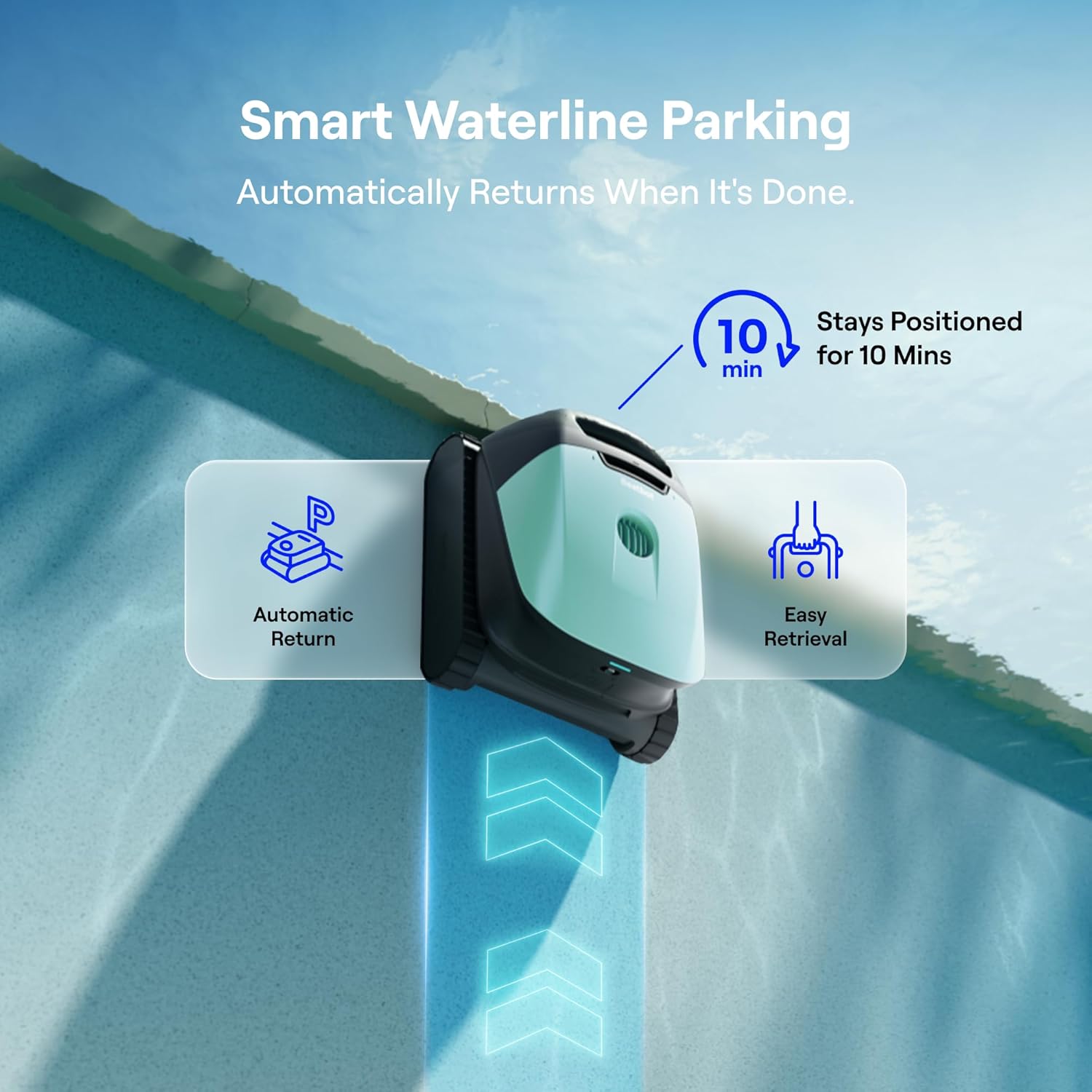
Image: The Beatbot Sora 10 automatically parking at the waterline for convenient retrieval.
Hindernisvermeidung:
The SonicSense Obstacle Avoidance system uses ultrasonic sensors to detect and navigate around ladders, drains, and steps, ensuring uninterrupted cleaning.

Image: The Beatbot Sora 10 intelligently avoiding obstacles in the pool using its advanced sensors.
4. Wartung
Regular maintenance ensures optimal performance and longevity of your Beatbot Sora 10.
Cleaning the Debris Basket:
- Nach jedem Reinigungszyklus muss der Roboter aus dem Pool entfernt werden.
- Open the debris basket compartment.
- Remove the 5L debris basket.
- Empty collected debris and rinse the basket thoroughly with a hose.
- Reinsert the clean debris basket into the robot.

Image: The Beatbot Sora 10's large 5L debris basket, capable of holding a significant amount of pool debris.
Video: An official Beatbot Tech video demonstrating the cleaning and maintenance of the Sora 10's debris basket.
Filterreinigung:
The 150 µm filter should be rinsed regularly. For microscopic particles, consider using the optional 3 µm ultra-fine filter and clean it as per its instructions.
Lagerung:
When not in use, store the Beatbot Sora 10 in a cool, dry place away from direct sunlight and extreme temperatures.
5. Fehlerbehebung
If you encounter issues with your Beatbot Sora 10, refer to the following common solutions:
| Problem | Mögliche Ursache | Lösung |
|---|---|---|
| Robot not moving or cleaning | Low battery; Debris basket full; Obstruction in brushes. | Charge the robot; Empty and clean debris basket; Check and clear brushes. |
| Schlechte Reinigungsleistung | Debris basket or filter dirty; Incorrect cleaning mode selected; Excessive algae. | Clean debris basket and filter; Select appropriate cleaning mode (e.g., Standard); Address pool chemistry for algae. |
| Robot not parking at waterline | Low battery; Sensor obstruction. | Ensure full charge before cycle; Clean sensors. |
| Probleme mit der App-Konnektivität | Robot out of water; Wi-Fi/Bluetooth interference; Outdated app/firmware. | Ensure robot is out of water for app connection; Check network connection; Update app and robot firmware via OTA. |
Sollten die Probleme weiterhin bestehen, wenden Sie sich bitte an den Kundendienst.
6. Spezifikationen
| Besonderheit | Detail |
|---|---|
| Marke | Beatbot |
| Modellname | Sora 10 |
| Modellnummer | RCMPM031G |
| Technische Daten | 17 Zoll L x 15.2 Zoll B x 10.5 Zoll H |
| Artikelgewicht | 18.7 Pfund |
| Stromquelle | Batteriebetrieben |
| Akku-Typ | Lithium-Ionen (7,800 mAh) |
| Energiegehalt der Lithiumbatterie | 168.48 Wattstunden |
| Saugleistung | 6800 GPH |
| Schuttkapazität | 5 Liter |
| Filtertyp | 150 µm (standard), 3 µm (ultra-fine, sold separately) |
| Kontrollmethode | App, Druckknopf |
| Saltwater Safe | Yes (NaCl < 5000 ppm) |
| Material | Corrosion-resistant ASA housing |
7. Garantie und Support
Garantieinformationen:
The Beatbot Sora 10 comes with a 2 Jahr eingeschränkte Garantie. This warranty covers manufacturing defects and ensures long-term reliability for your investment. Please retain your proof of purchase for warranty claims.
Kundendienst:
For technical assistance, troubleshooting, or warranty inquiries, please contact Beatbot Tech customer service. Refer to the contact information provided in your product packaging or visit the official Beatbot webSite für Supportressourcen.