
1. Einleitung
The Monster Mission 350 is a versatile wireless gaming headset designed for an immersive audio experience across various platforms. It features dual connectivity options (2.4GHz wireless and Bluetooth 6.0), a detachable microphone, and comfortable over-ear design. This manual provides instructions for setup, operation, maintenance, and troubleshooting to ensure optimal use of your headset.
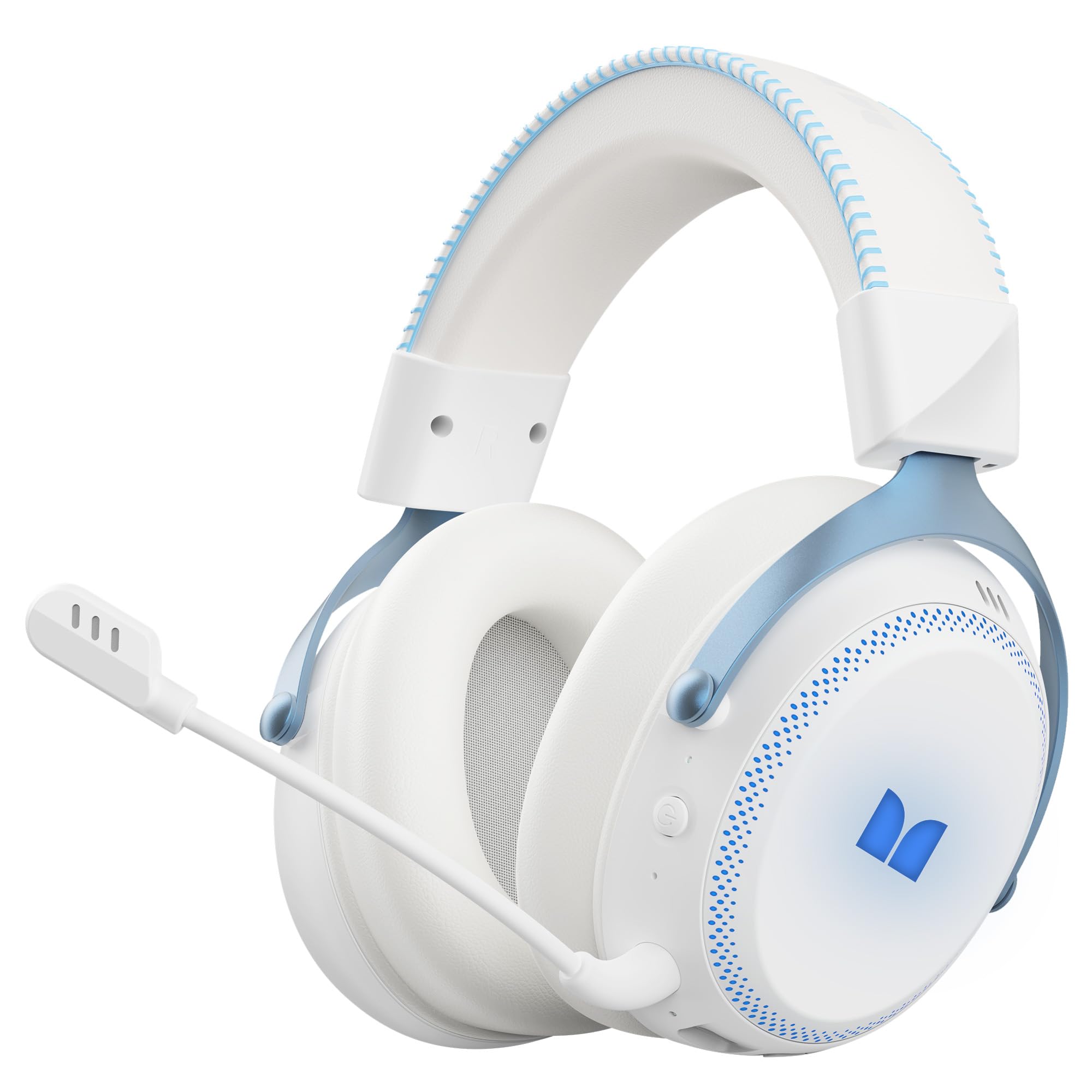
Abbildung 1.1: The Monster Mission 350 headset providing 7.1 surround sound, allowing users to pinpoint audio cues like gunshots, explosions, vehicle sounds, and enemy footsteps for an immersive gaming experience.
2. Packungsinhalt
Bitte prüfen Sie das Paket auf folgende Artikel:
- Monster Mission 350 Wireless Gaming Headset x1
- 2.4GHz USB Wireless Dongle x1
- Detachable Microphone x1
- USB-Ladekabel x1
- 3.5-mm-Audiokabel x1
- Benutzerhandbuch x1
3. Produktüberschreitungview
Machen Sie sich mit den Komponenten und Bedienelementen Ihres Monster Mission 350 Headsets vertraut.

Abbildung 3.1: The headset features a detachable and adjustable gaming microphone, designed for clear in-game communication and versatile use in various scenarios.

Abbildung 3.2: The headset includes customizable RGB lighting effects on the earcups, allowing users to personalize their gaming setup and enhance the aesthetic appeal.
Headset Controls (Refer to diagram in physical manual for exact placement)
- Netzschalter: Zum Ein-/Ausschalten gedrückt halten.
- Lautstärkerad: Regelt den Audioausgangspegel.
- Mikrofon-Stummschalttaste: Schaltet das Mikrofon ein/aus.
- RGB Lighting Button: Cycles through lighting modes or turns RGB off.
- 3.5-mm-Audiobuchse: Für kabelgebundene Verbindungen.
- USB-C-Ladeanschluss: Zum Aufladen des Headsets.
4. Einrichtung
4.1. Laden des Headsets
Before first use, fully charge the headset. Connect the USB charging cable to the headset's USB-C port and the other end to a USB power source (e.g., computer, wall adapter). The charging indicator light will show charging status and turn off or change color when fully charged. A full charge takes approximately 2 hours.
4.2. Verbindung über 2.4-GHz-Funk
This method provides a low-latency connection ideal for gaming.
- Insert the 2.4GHz USB wireless dongle into an available USB port on your gaming console, desktop, or laptop.
- Power on the Monster Mission 350 headset.
- The headset should automatically connect to the dongle. A status indicator light on the headset will confirm the connection.
- Stellen Sie sicher, dass die Audioeinstellungen Ihres Geräts so eingestellt sind, dass das Headset als Eingabe- und Ausgabegerät ausgewählt ist.
4.3. Verbindung über Bluetooth
Use Bluetooth for connecting to mobile devices, tablets, or other Bluetooth-enabled devices.
- Power on the Monster Mission 350 headset.
- Press and hold the Bluetooth pairing button (refer to physical manual for location) until the indicator light flashes, indicating pairing mode.
- On your device, go to Bluetooth settings and search for "Monster Mission 350".
- Select the headset to pair. The indicator light on the headset will become solid when connected.
4.4. Anschluss über ein 3.5-mm-Audiokabel
For wired connections to devices with a 3.5mm audio jack, or when the battery is depleted.
- Verbinden Sie ein Ende des 3.5-mm-Audiokabels mit der 3.5-mm-Audiobuchse des Headsets.
- Verbinden Sie das andere Ende mit dem 3.5-mm-Audioausgang Ihres Geräts.
- The headset will operate in passive mode, and power is not required for audio playback.

Abbildung 4.1: The Monster Mission 350 supports dual audio connections, featuring Bluetooth 6.0 for mobile devices and a dedicated 2.4GHz wireless dongle for low-latency gaming on compatible platforms.
5. Bedienungsanleitung
5.1. Ein-/Ausschalten
Press and hold the Power button for approximately 3 seconds to turn the headset on or off. An audible prompt or indicator light will confirm the status.
5.2. Lautstärkeregelung
Rotate the Volume wheel located on the earcup to increase or decrease the audio volume.
5.3. Mikrofonnutzung
Attach the detachable microphone to the designated port on the headset. Press the Microphone Mute button to toggle the microphone on or off. The microphone can be adjusted for optimal positioning.
5.4. RGB-Beleuchtungssteuerung
Press the RGB Lighting button to cycle through different lighting effects or to turn the RGB lighting off. This feature allows for customization of the headset's appearance.
5.5. Akkulaufzeit und Anzeigen
The headset provides approximately 70 hours of battery life for general use, or 45 hours with RGB lights continuously on. A low battery indicator will alert you when charging is required.

Abbildung 5.1: The Monster Mission 350 headset offers extended battery performance, with a 2-hour charge providing up to 90 hours of gaming, 45 hours with RGB lights active, or 70 hours for calls.
6. Wartung und Pflege
Die richtige Pflege gewährleistet die Langlebigkeit und Leistungsfähigkeit Ihres Headsets.
- Reinigung: Reinigen Sie das Headset mit einem weichen, trockenen Tuch. Wischen Sie die Ohrmuscheln vorsichtig mit einem leicht feuchten Tuch ab.amp Bei Bedarf mit einem Tuch abwischen und vor Gebrauch vollständig an der Luft trocknen lassen. Scharfe Chemikalien und scheuernde Materialien vermeiden.
- Lagerung: Bewahren Sie das Headset an einem kühlen, trockenen Ort fern von direkter Sonneneinstrahlung und extremen Temperaturen auf.
- Wasserbeständigkeit: Das Headset ist nicht Wasserabweisend. Kontakt mit Flüssigkeiten vermeiden.
- Batteriepflege: To maintain battery health, avoid fully discharging the battery frequently. Charge the headset regularly, even if not in use for extended periods.

Abbildung 6.1: The Monster Mission 350 headset is designed for all-day comfort, featuring comfortable memory foam earcups, an adjustable headband, and soft, breathable earpads to reduce fatigue during extended use.
7. Fehlerbehebung
If you encounter issues with your Monster Mission 350 headset, refer to the following common problems and solutions:
| Problem | Mögliche Lösung |
|---|---|
| Das Headset lässt sich nicht einschalten. | Ensure the headset is fully charged. Press and hold the Power button for 3-5 seconds. |
| Kein Ton oder geringe Lautstärke. | Check headset volume wheel. Verify device's audio output settings. Ensure headset is properly connected (2.4GHz dongle, Bluetooth, or 3.5mm cable). |
| Mikrofon funktioniert nicht. | Ensure microphone is securely attached and not muted. Check device's input settings to confirm the headset microphone is selected. |
| Verbindung über 2.4-GHz-Funkverbindung nicht möglich. | Ensure the USB dongle is fully inserted. Try a different USB port. Power cycle both the headset and the device. |
| Kopplung via Bluetooth nicht möglich. | Ensure headset is in pairing mode. Turn off and on Bluetooth on your device. Forget the device from your Bluetooth list and try pairing again. |
| Die RGB-Beleuchtung funktioniert nicht. | Press the RGB Lighting button to cycle through modes. Ensure the headset has sufficient battery charge. |
8. Spezifikationen
Detailed technical specifications for the Monster Mission 350 Wireless Gaming Headset:
| Besonderheit | Detail |
|---|---|
| Modellnummer | Monster Mission 350 |
| Konnektivitätstechnologie | 2.4GHz Wireless, Bluetooth 6.0, 3.5mm Jack |
| Drahtlose Reichweite | Bis zu 33 Meter (Bluetooth) |
| Größe des Audiotreibers | 55 mm dynamischer Treiber |
| Impedanz | 32 Ohm |
| Empfindlichkeit | 120 dB |
| Platzierung des Ohrs | Über dem Ohr |
| Gehäusematerial | Leder (Ohrpolster) |
| Akkulaufzeit | Up to 70 Hours (general use), 45 Hours (with RGB lights on) |
| Akkuladezeit | Ungefähr 2 Stunden |
| Steuerungstyp | Button Control (Push Button, Siri compatible) |
| Kompatible Geräte | Gaming Consoles, Desktops, Tablets, Laptops, Cellphones |
| Artikelgewicht | 0.54 Kilogramm |
| Wasserbeständigkeit | Nicht wasserfest |

Abbildung 8.1: The Monster Mission 350 headset is equipped with a 55mm dynamic driver, engineered to deliver clear and powerful audio performance for gaming and multimedia.
9. Garantieinformationen
The Monster Mission 350 Wireless Gaming Headset comes with a 3 Monate Garantie Diese Garantie gilt ab Kaufdatum und deckt Herstellungsfehler bei normalem Gebrauch ab. Sie deckt keine Schäden ab, die durch Missbrauch, Unfälle, nicht autorisierte Änderungen oder normale Abnutzung verursacht wurden. Bitte bewahren Sie Ihren Kaufbeleg für Garantieansprüche auf.
10. Kundendienst
For further assistance, technical support, or warranty inquiries, please refer to the contact information provided with your product packaging or visit the official Monster website. When contacting support, please have your product model number (Monster Mission 350) and proof of purchase readily available.