
Einführung
This manual provides detailed instructions for the safe and efficient operation of your Reshow Portable Cassette Tape Player. Please read this manual thoroughly before using the device and retain it for future reference.
Produkt überview
The Reshow Portable Cassette Tape Player is designed for playing audio cassette tapes. It features a built-in speaker for direct listening and a headphone jack for private audio. The device can be powered via USB-C or batteries, offering portability and convenience.
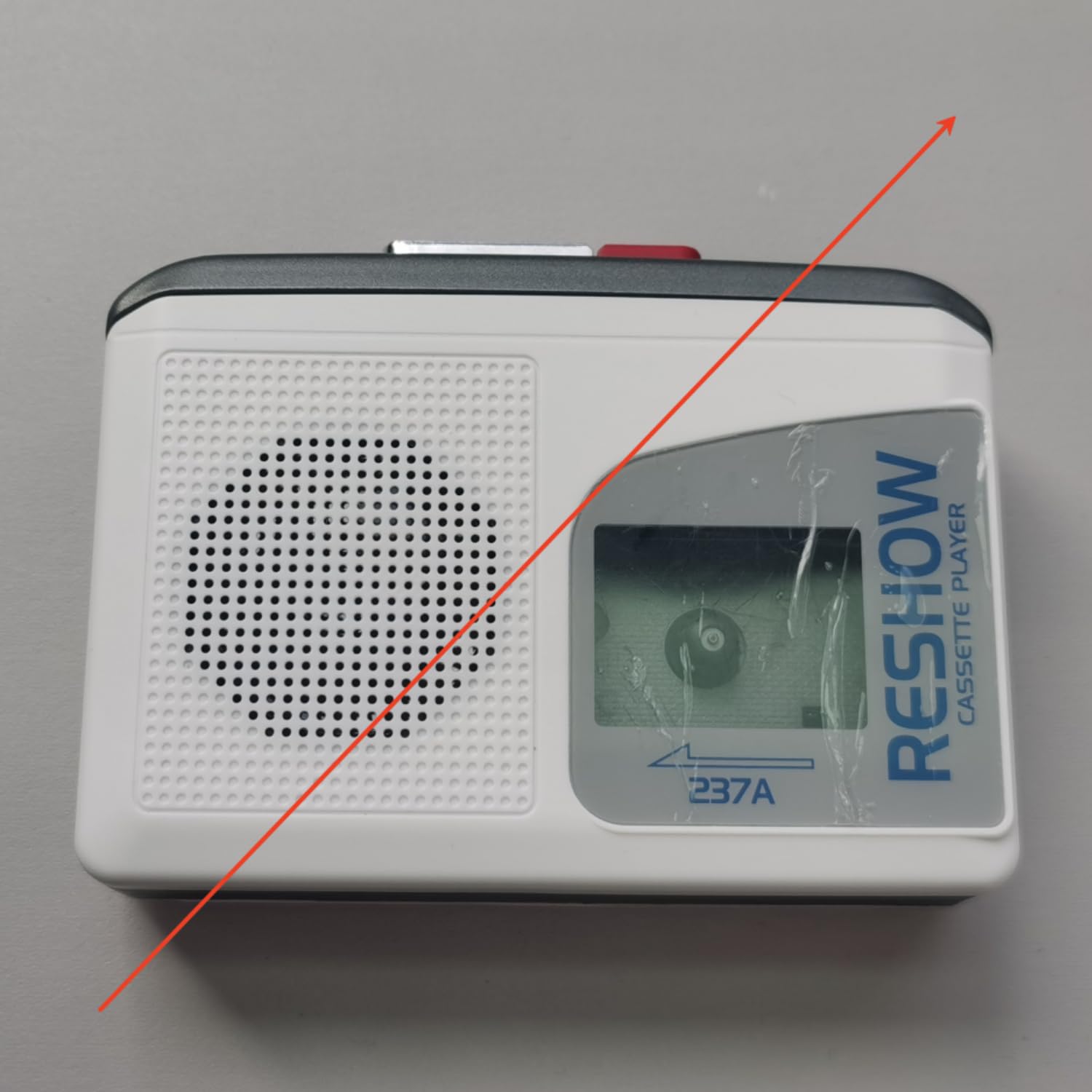
Image: The Reshow Portable Cassette Tape Player, a compact device for playing audio cassettes.

Bild: Vorderseite view of the Reshow Cassette Player showing the cassette window and playback controls.
Sicherheitshinweise
- Setzen Sie das Gerät nicht Wasser oder übermäßiger Feuchtigkeit aus.
- Vermeiden Sie extreme Temperaturen.
- Versuchen Sie nicht, das Gerät selbst zu zerlegen oder zu reparieren. Wenden Sie sich an qualifiziertes Servicepersonal.
- Use only the specified power source (USB-C cable or appropriate batteries).
- Außerhalb der Reichweite von Kindern aufbewahren.
Packungsinhalt
Überprüfen Sie, ob alle Artikel im Paket vorhanden sind:
- Reshow Portable Cassette Tape Player
- USB-C-Stromkabel
- Bedienungsanleitung
Aufstellen
Einschalten des Geräts
Der Kassettenrekorder kann auf zwei Arten mit Strom versorgt werden:
- USB-C-Stromversorgung: Connect the provided USB-C cable to the USB-C port on the side of the player and plug the other end into a compatible USB power adapter (not included) or a computer USB port.
- Batterieleistung: Open the battery compartment on the back of the player. Insert 2 AA batteries (not included), ensuring correct polarity (+/-). Close the battery compartment securely.

Abbildung: Seite view of the Reshow Cassette Player, highlighting the USB-C power input and headphone jack.
Loading a Cassette Tape
- Press the 'OPEN' button or slide the latch to open the cassette compartment door.
- Insert a standard audio cassette tape with the exposed tape facing upwards and the side you wish to play facing the front.
- Schließen Sie die Klappe des Kassettenfachs vorsichtig, bis sie hörbar einrastet.
Bedienungsanleitung
Wiedergabesteuerung
- SPIELEN (►): Press this button to start playing the cassette tape.
- STOP (■): Drücken Sie diese Taste, um die Wiedergabe zu stoppen.
- VORSPULEN (FF): Press this button to quickly advance the tape. Press STOP to disengage.
- ZURÜCKSPULEN (REW): Press this button to quickly rewind the tape. Press STOP to disengage.
- VOLUMEN: Rotate the volume dial (typically on the side) to adjust the audio output level.
Verwendung des eingebauten Lautsprechers
The built-in speaker will automatically activate when no headphones are connected to the headphone jack. Adjust the volume dial to your desired listening level.
Kopfhörer verwenden
To listen privately, plug a standard 3.5mm headphone jack into the headphone port on the side of the player. The built-in speaker will automatically mute. Adjust the volume dial for comfortable listening.
Wartung
Reinigung
- Wischen Sie die Außenseite des Players mit einem weichen, trockenen Tuch ab.
- Verwenden Sie keine flüssigen Reinigungsmittel oder Scheuermittel.
- Periodically clean the tape head and pinch roller using a specialized cassette head cleaning kit to ensure optimal sound quality and tape longevity.
Lagerung
When not in use, store the cassette player in a cool, dry place away from direct sunlight and extreme temperatures. Remove batteries if the device will not be used for an extended period to prevent leakage.
Fehlerbehebung
| Problem | Mögliche Ursache | Lösung |
|---|---|---|
| Kein Strom | Batteries are dead or incorrectly inserted; USB-C cable not connected properly. | Replace batteries or check USB-C connection. |
| Kein Ton | Volume too low; headphones connected; tape head dirty. | Increase volume; unplug headphones; clean tape head. |
| Tape not playing/moving | Tape is jammed; tape compartment not closed; batteries low. | Check tape for damage; ensure compartment is closed; replace batteries. |
| Schlechte Tonqualität | Dirty tape head; worn-out tape. | Clean tape head; try a different tape. |
Technische Daten
- Marke: Wieder aufführen
- Modell: B0GSPR9NFW
- Energiequelle: USB-C (DC 5V) or 2 x AA Batteries
- Audioausgang: Eingebauter Lautsprecher, 3.5-mm-Kopfhöreranschluss
- Kompatible Medien: Standard Audio Cassette Tapes
- UPC: 797465915221
Garantie und Support
For warranty information or technical support, please refer to the contact details provided with your purchase or visit the official Reshow webBewahren Sie Ihren Kaufbeleg als Kaufnachweis auf.