
Einführung
This manual provides essential information for the setup, operation, maintenance, and troubleshooting of your VIZIO Onn 55S4V1 55-inch 4K UHD Smart TV. This television offers breathtaking 4K UHD visuals with HDR10 support, an integrated Roku platform for smart entertainment, and compatibility with smart home systems like Apple AirPlay, Google Assistant, and Amazon Alexa. It also features versatile connectivity options and a mobile app companion for enhanced control.
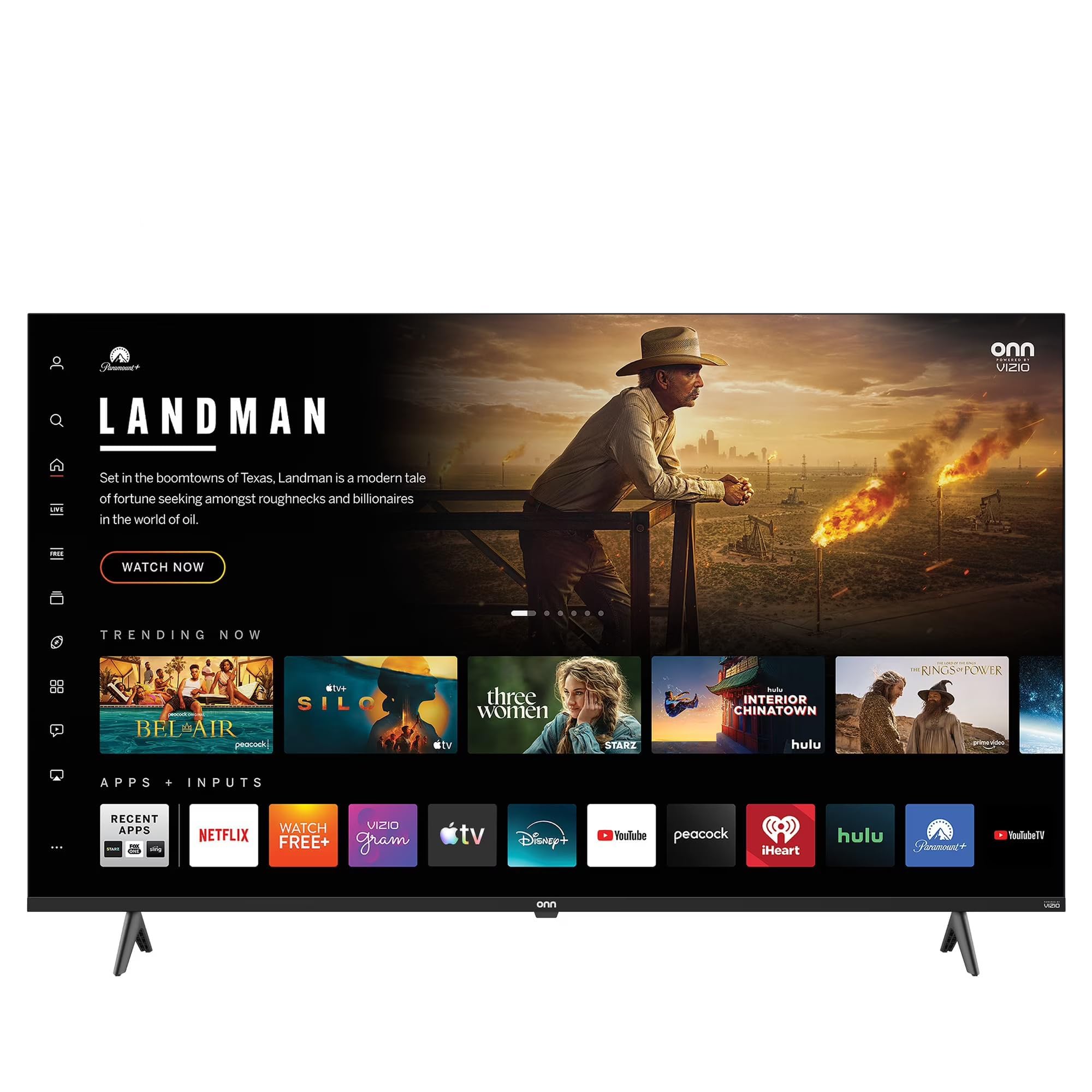
This image shows the VIZIO Onn 55S4V1 55-inch 4K UHD Smart TV powered on, displaying a web browser interface with various featured websites like Wikipedia and YouTube. The TV is mounted on a stand in a room setting.
Aufstellen
Lieferumfang
- VIZIO Onn 55S4V1 55-inch 4K UHD Smart TV
- Fernbedienung
- Stromkabel
- TV-Ständer (falls im Lieferumfang enthalten)
Physische Installation
Carefully unpack the television. If using the included stand, attach it securely according to the separate stand assembly instructions. Alternatively, if wall-mounting, ensure you use a compatible VESA mount (sold separately) and follow the mount manufacturer's instructions.
Anschließen von Geräten
Schließen Sie Ihre externen Geräte an die Anschlüsse des Fernsehers an:
- HDMI Ports (3 total, including 1 ARC): For gaming consoles (PS5/Xbox), soundbars, Blu-ray players, and other HDMI-enabled devices.
- USB Port (1 total): Zum Anschließen von USB-Speichergeräten.
- Composite-Eingang: For older devices requiring composite video and audio connections.
- Stromkabel: Schließen Sie das Netzkabel an den Fernseher und anschließend an eine Steckdose an.
Erstes Einschalten und Netzwerk-Setup
After connecting all devices and power, press the power button on the remote control or TV. Follow the on-screen instructions to complete the initial setup, including selecting your language, connecting to your Wi-Fi network, and activating the Roku platform.
Smart Home Integration
Your TV is compatible with various smart home ecosystems:
- Apple AirPlay und HomeKit: Stream content from Apple devices and integrate with your Apple Home ecosystem.
- Amazon Alexa: Control your TV using voice commands through an Alexa-enabled device.
- Google Assistant: Control your TV using voice commands through a Google Assistant-enabled device.
Refer to the respective app instructions for pairing your TV with these smart home systems.
Bedienungsanleitung
Roku Platform Navigation
The integrated Roku platform provides a user-friendly interface. Use the directional pad on your remote to navigate through menus and select channels (apps). The Home screen displays your installed channels, input selections, and featured content.
Zugriff auf Streaming-Dienste
The TV supports popular internet services such as Netflix, Disney+, and Hulu. Access these by selecting their respective icons on the Roku Home screen. You may need to log in with your existing account credentials.
Sprachsteuerung
If you have paired your TV with Amazon Alexa or Google Assistant, you can use voice commands to perform actions such as:
- "Alexa, schalte den Fernseher ein."
- "Hey Google, open Netflix."
- "Alexa, change the volume to 20."
Roku Mobile App
Download the free Roku mobile app on your smartphone for additional features:
- Fernbedienung: Use your phone as a full-function remote.
- Privates Hören: Listen to TV audio through headphones connected to your phone.
- Besetzung: Cast photos, videos, and music directly from your phone to the TV.
- Voice Search & Keyboard: Use your phone's keyboard for faster text entry and voice commands.
Wartung
Reinigen des Bildschirms
To clean the screen, first power off the TV and unplug it from the power outlet. Use a soft, dry, lint-free cloth to gently wipe the screen. For stubborn marks, lightly dampen the cloth with water or a specialized screen cleaner (avoid harsh chemicals or abrasive materials).
Allgemeine Pflege
- Um eine Überhitzung zu vermeiden, sollte der Fernseher an einem gut belüfteten Ort aufgestellt werden.
- Setzen Sie den Fernseher keiner direkten Sonneneinstrahlung, extremen Temperaturen oder hoher Luftfeuchtigkeit aus.
- Stellen Sie keine schweren Gegenstände auf den Fernseher.
- Prüfen Sie regelmäßig, ob Software-Updates verfügbar sind, und installieren Sie diese, um optimale Leistung und Sicherheit zu gewährleisten.
Fehlerbehebung
If you encounter issues with your TV, try the following steps before contacting support:
- Kein Strom: Vergewissern Sie sich, dass das Netzkabel fest mit dem Fernseher und der Steckdose verbunden ist. Versuchen Sie es mit einer anderen Steckdose.
- Kein Bild/Ton: Verify that the correct input source is selected. Check all cable connections (HDMI, etc.). Restart connected devices.
- Fernbedienung funktioniert nicht: Tauschen Sie die Batterien in der Fernbedienung aus. Stellen Sie sicher, dass sich keine Hindernisse zwischen der Fernbedienung und dem Infrarotsensor des Fernsehers befinden.
- Netzwerkverbindungsprobleme: Starten Sie Ihren WLAN-Router neu. Rufen Sie die Netzwerkeinstellungen Ihres Fernsehers auf, um die Verbindung zu Ihrem WLAN-Netzwerk wiederherzustellen.
- Picture/Sound Quality Issues: Check the resolution settings of your connected devices. Ensure cables are not damaged.
- Allgemeine Störungen: Power cycle the TV by unplugging it from the wall for 60 seconds, then plugging it back in.
Sollten die Probleme weiterhin bestehen, wenden Sie sich bitte an den VIZIO-Support. webWebsite oder wenden Sie sich an den Kundendienst.
Technische Daten
| Besonderheit | Spezifikation |
|---|---|
| Modellname | 55S4V1 |
| Bildschirmgröße | 55 Zoll |
| Auflösung | 4K (2160p) |
| Display-Technologie | LED |
| Bildwiederholrate | 60 Hz |
| HDR-Format unterstützt | HDR10 |
| HDMI-Anschlüsse | 3 (including 1 ARC) |
| USB-Anschlüsse | 1 |
| Konnektivitätstechnologie | Bluetooth, Wi-Fi |
| Unterstützte Internetdienste | Netflix, Disney+, Hulu, Roku |
| Besondere Merkmale | Bezel-Less Design, Built-In Speaker, Flat, Game Mode, Multiple Voice Assistance |
| Kontrollmethode | App, Fernbedienung, Stimme |
| Farbe | Schwarz |
| Hersteller | VIZIO |
| Modelljahr | 2021 |
Garantieinformationen
This VIZIO Onn 55S4V1 Smart TV comes with a 90 Tage eingeschränkte Garantie. Please retain your proof of purchase for warranty claims. For detailed terms and conditions, refer to the warranty documentation provided with your product or visit the official VIZIO support webWebsite.
Unterstützung
For further assistance, technical support, or to access additional resources, please visit the official VIZIO support webAuf dieser Website finden Sie in der Regel häufig gestellte Fragen, Anleitungen zur Fehlerbehebung und Kontaktinformationen zum Kundendienst.
Hersteller: VIZIO
WebWebsite: www.vizio.com/support (Example link, please verify official VIZIO support URL)