
1. Einleitung
Thank you for choosing the Generic LP V57 Wireless Bluetooth Speaker. This portable speaker offers versatile audio playback options including Bluetooth, FM radio, TF card, and USB. It features a removable battery, strong bass, and an LED display, making it suitable for various indoor and outdoor activities. Please read this manual carefully before using the product to ensure proper operation and to maximize its lifespan.
2. Packungsinhalt
- LP V57 Wireless Bluetooth Speaker
- USB-Ladekabel
- Bedienungsanleitung
3. Produktüberschreitungview
Familiarize yourself with the various components and features of your LP V57 speaker.
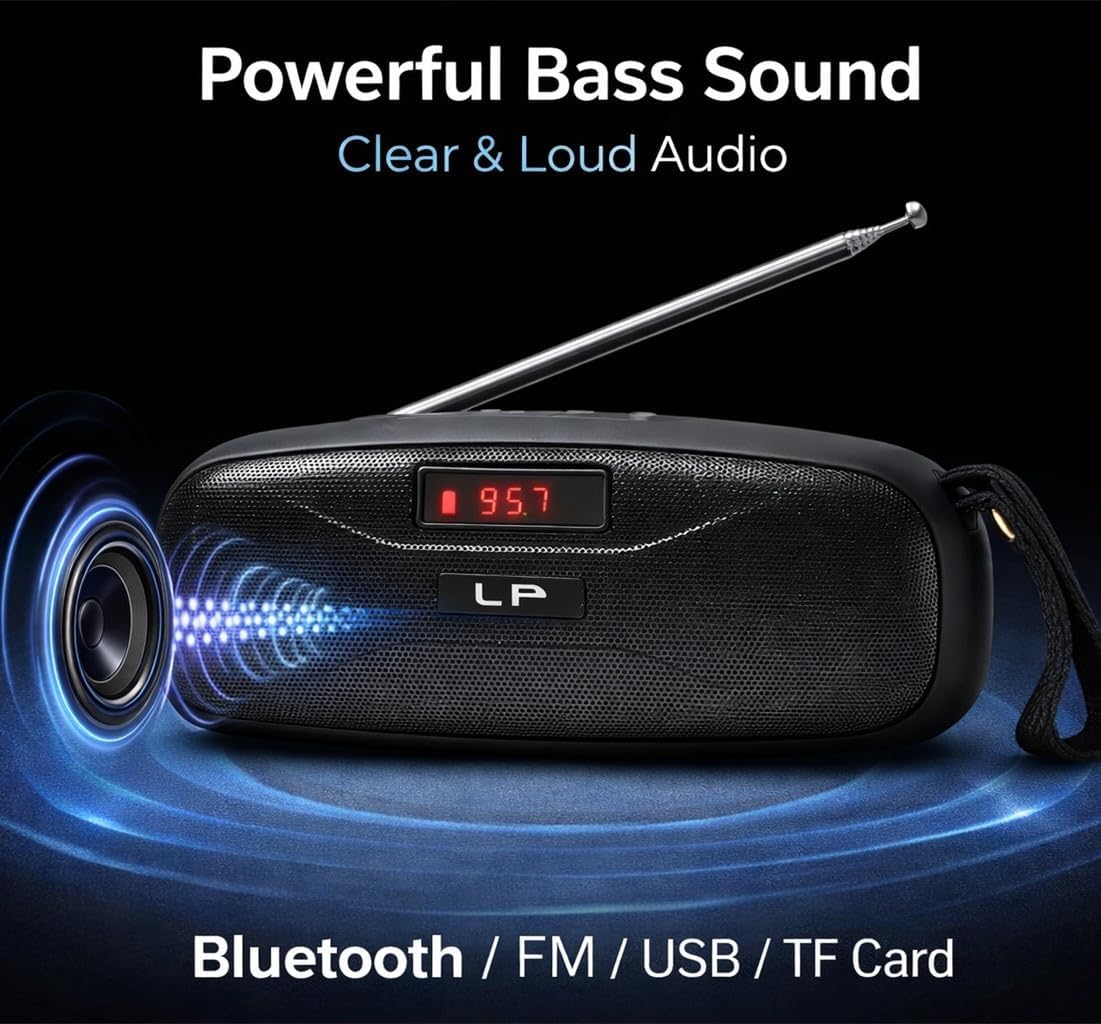
Image: The LP V57 speaker showcasing its powerful bass sound and multiple connectivity options including Bluetooth, FM, USB, and TF Card. The LED display shows '95.7'.

Image: An illustration of the LP V57 speaker highlighting its 'All-in-One' functionality with distinct icons for Bluetooth, FM radio, USB, and TF card playback.

Image: The LP V57 speaker with its back panel open, revealing the removable 1500mAh Li-ion battery compartment. An illustration of a charged battery is shown next to it.
4. Einrichtung
4.1 Laden des Akkus
- Schließen Sie das mitgelieferte USB-Ladekabel an den Ladeanschluss des Lautsprechers an.
- Verbinden Sie das andere Ende des USB-Kabels mit einem Standard-USB-Netzteil (nicht im Lieferumfang enthalten) oder einem USB-Anschluss Ihres Computers.
- Die LED-Anzeige zeigt den Ladestatus an. Sobald der Akku vollständig geladen ist, ändert sich die Farbe der Anzeige oder sie erlischt.
- Eine vollständige Aufladung dauert in der Regel 2-3 Stunden.
4.2 Inserting TF Card / USB Drive
- Locate the TF card slot or USB port on the speaker.
- Insert your TF card (microSD) or USB flash drive with the metal contacts facing the correct direction until it clicks into place.
- The speaker will automatically switch to TF card or USB mode and begin playing music if files sind vorhanden.
5. Bedienungsanleitung
5.1 Ein-/Ausschalten
- To power on, slide the power switch to the 'ON' position. The LED display will light up.
- Zum Ausschalten schieben Sie den Netzschalter in die Position „AUS“.
5.2 Modusauswahl
Press the 'M' (Mode) button to cycle through available modes: Bluetooth, FM Radio, TF Card, and USB.
5.3 Bluetooth-Modus
- Turn on the speaker and switch to Bluetooth mode. The LED display will show 'BLUE' or a similar indicator, and you will hear an audible prompt.
- Aktivieren Sie Bluetooth auf Ihrem Mobilgerät (Smartphone, Tablet usw.).
- Suchen nach Bluetooth devices and select 'LP V57' from the list.
- Sobald die Kopplung hergestellt ist, hören Sie einen Bestätigungston und können nun Audio von Ihrem Gerät über den Lautsprecher abspielen.
5.4 FM-Radio-Modus
- Verlängern Sie die Antenne für einen besseren Signalempfang.
- Switch the speaker to FM Radio mode. The LED display will show the frequency.
- Halten Sie die Taste „Wiedergabe/Pause“ gedrückt, um automatisch verfügbare FM-Sender zu scannen und zu speichern.
- Verwenden Sie die Schaltflächen „Zurück“ und „Weiter“, um zwischen gespeicherten Sendern zu navigieren.
5.5 TF-Karten-/USB-Wiedergabemodus
- Legen Sie eine TF-Karte oder einen USB-Stick mit MP3-Audiodateien ein. files. The speaker will automatically detect and switch to the corresponding mode.
- Verwenden Sie die Taste „Wiedergabe/Pause“, um die Wiedergabe anzuhalten oder fortzusetzen.
- Use the 'Previous' and 'Next' buttons to skip tracks.
5.6 Lautstärkeregelung
Press and hold the 'Previous' button to decrease volume. Press and hold the 'Next' button to increase volume.
6. Batterieinformationen
The LP V57 speaker is equipped with a removable 1500mAh Li-ion battery. This design allows for extended usage time and easy replacement if needed.
- Akkulaufzeit: A fully charged battery provides several hours of playback, depending on volume level and usage mode.
- Ersatz: To replace the battery, carefully open the battery compartment cover on the back of the speaker, remove the old battery, and insert a new compatible 1500mAh Li-ion battery. Ensure correct polarity.
- Entsorgung: Dispose of used batteries responsibly according to local regulations. Do not dispose of batteries in general household waste.
7. Wartung
- Reinigung: Reinigen Sie die Außenseite des Lautsprechers mit einem weichen, trockenen Tuch. Verwenden Sie keine Scheuermittel oder Lösungsmittel.
- Lagerung: Bewahren Sie den Lautsprecher an einem kühlen, trockenen Ort fern von direkter Sonneneinstrahlung und extremen Temperaturen auf.
- Wassereinwirkung: Dieser Lautsprecher ist nicht wasserdicht. Vermeiden Sie den Kontakt mit Wasser und hoher Luftfeuchtigkeit.
8. Fehlerbehebung
| Problem | Mögliche Ursache | Lösung |
|---|---|---|
| Lautsprecher schaltet sich nicht ein | Batterie ist leer | Laden Sie den Lautsprecher mindestens 30 Minuten lang auf. |
| Kein Ton | Volume is too low; Incorrect mode selected; Device not paired (Bluetooth) | Increase volume; Switch to correct mode (Bluetooth, FM, TF, USB); Re-pair Bluetooth device. |
| Schlechter UKW-Radioempfang | Antenne nicht ausgefahren; Schwaches Signal | Fully extend the antenna; Try moving the speaker to a different location. |
| TF-Karte/USB-Stick wird nicht abgespielt | Karte/Laufwerk nicht korrekt eingesetzt; Inkompatibel file Format; Beschädigt files | Karte/Laufwerk wieder einsetzen; Sicherstellen files are MP3 format; Try a different card/drive. |
9. Spezifikationen
- Marke: Generisch
- Modell: V57
- Konnektivität: Bluetooth, FM Radio, TF Card, USB
- Batterie: Removable 1500mAh Li-ion
- Abmessungen (L x B x H): 18L x 7B x 7H Zentimeter
- Besonderheit: Leichtes LED-Display
- Farbe: Schwarz
10. Garantie und Support
Please note that this product is provided with Keine Garantie as per the manufacturer's specifications.
For any operational questions or issues not covered in this manual, please refer to the retailer where the product was purchased for further assistance.


