
1. Zu Endeview
This manual provides essential information for setting up, operating, maintaining, and troubleshooting your OPPO F33 Pro 5G Smartphone. Please read this guide thoroughly to ensure optimal performance and longevity of your device.

Image: OPPO F33 Pro 5G highlighting key features including 50MP selfie camera, smooth performance, IP69K durability, and 7000 mAh battery.
2. Installationsanleitung
2.1 Auspacken und erste Inspektion
Prüfen Sie nach dem Öffnen der Verpackung, ob alle Inhalte vorhanden und unbeschädigt sind. Die Box sollte Folgendes enthalten:
- OPPO F33 Pro 5G-Smartphone
- Netzteil (80W SUPERVOOC)
- USB-Typ-C-Kabel
- Handyhülle
- SIM-Fach-Auswerfer
- Displayschutzfolie (vorinstalliert oder in der Verpackung)
- Kurzanleitung
2.2 Installation der SIM-Karte
- Suchen Sie den SIM-Karten-Einschub an der Seite Ihres Geräts.
- Führen Sie das SIM-Karten-Auswurfwerkzeug in die kleine Öffnung neben dem Fach ein und drücken Sie fest, bis das Fach herausspringt.
- Place your Nano-SIM cards (up to two) into the designated slots on the tray. Ensure the gold contacts face downwards.
- Schieben Sie den SIM-Kartenhalter vorsichtig wieder in das Telefon ein, bis er einrastet.
2.3 Erstes Einschalten und Laden
Press and hold the Power button until the OPPO logo appears. Follow the on-screen instructions to complete the initial setup, including language selection, Wi-Fi connection, and Google account setup. It is recommended to fully charge your device before first use.
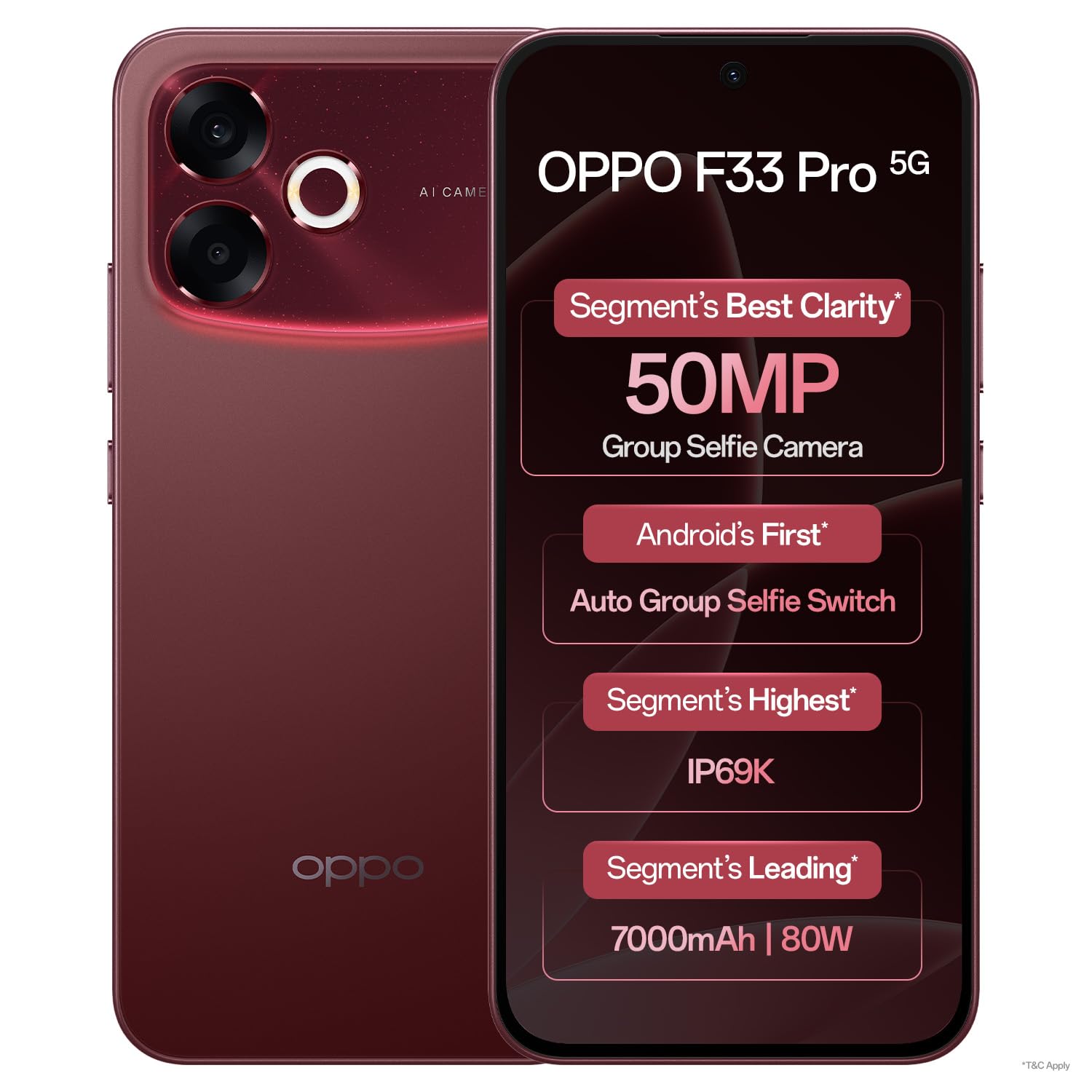
Bild: Vorderseite view of the OPPO F33 Pro 5G Smartphone, showcasing das Display und die Frontkamera.
3. Bedienungsanleitung
3.1 Grundlegende Navigation
The OPPO F33 Pro 5G features an intuitive Android 15 operating system with ColorOS 16. Use touch gestures such as tap, swipe, pinch-to-zoom, and long-press to navigate the interface, open apps, and access menus.
3.2 Kameranutzung
Your device is equipped with a 50MP rear camera and a 50MP ultrawide front camera. Open the Camera app to access various modes including Photo, Video, Portrait, and Night. The front camera features a 100° Field of View and an automatic wide-angle switch for group selfies.

Image: Specifications of the 50MP Ultra-Wide Selfie Camera, including 100° FOV and f/2.0 aperture.

Image: The phone's camera automatically adjusts to wide-angle when multiple faces are detected in the frame.
3.3 Batteriemanagement und Laden
The device is powered by a 7000 mAh battery. Utilize the included 80W SUPERVOOC charger for rapid charging. A 5-minute charge can provide significant usage time. The phone also supports reverse wired charging, allowing it to act as a power bank for other devices using an OTG cable.

Image: Information on the 7000 mAh battery and 80W Flash Charge capabilities, showing usage times for a 5-minute charge.
3.4 Leistung und Kühlung
The Dual-Engine Smoothness System, powered by ColorOS 16, is designed to provide a lag-free experience. A high-performance 4289mm² VC Cooling System helps maintain optimal device temperature even under heavy usage.

Image: Diagram illustrating the Dual-Engine Smoothness System and its benefits for a fluid user experience.

Image: Visual representation of the cooling system designed for high temperatures, ensuring smooth operation with multiple applications.
3.5 Konnektivität
The OPPO F33 Pro 5G supports 5G cellular technology, Wi-Fi, and Bluetooth for seamless connectivity. The device is designed to maintain strong signal reception in various environments.

Image: The smartphone maintaining strong network signal in challenging environments like elevators, hilly areas, and narrow city lanes.
4. Wartung
4.1 Reinigung Ihres Geräts
To clean your smartphone, power it off and disconnect any cables. Use a soft, lint-free cloth slightly dampened with water or a screen cleaner. Avoid harsh chemicals or abrasive materials. Do not spray cleaners directly onto the device.
4.2 Langlebigkeit und Schutz
The OPPO F33 Pro 5G features an IP69K rating for water and dust resistance, and MIL-STD-810H certified durability with a 360° Armour Body. While designed to withstand splashes, dust, and everyday rough usage, it is not indestructible. Avoid intentional submersion or exposure to extreme conditions beyond its rated capabilities.

Image: The smartphone being used in rainy conditions, illustrating its IP69K water and dust resistance.

Image: The phone's 360° Armour Body and MIL-STD-810H certification for enhanced damage resistance.
4.3 Softwareaktualisierungen
Regularly check for and install software updates to ensure your device has the latest features, security patches, and performance improvements. You can usually find this option in the device's Settings menu under 'About Phone' or 'Software Update'.
5. Fehlerbehebung
5.1 Häufige Probleme und Lösungen
- Gerät lässt sich nicht einschalten: Stellen Sie sicher, dass der Akku geladen ist. Schließen Sie das Ladegerät an und warten Sie einige Minuten, bevor Sie das Gerät erneut einschalten. Sollte das Gerät nicht reagieren, erzwingen Sie einen Neustart, indem Sie die Ein-/Aus-Taste und die Leiser-Taste gleichzeitig etwa 10–15 Sekunden lang gedrückt halten.
- Probleme beim Aufladen: Check the charging cable and adapter for damage. Ensure they are securely connected. Try a different outlet or charger.
- Netzwerkverbindungsprobleme: Verify that Airplane Mode is off. Restart the device. Check your SIM card installation. If issues persist, contact your network provider.
- Apps stürzen ab oder frieren ein: Close and reopen the app. Clear the app's cache and data in Settings > Apps. Ensure the app is updated to its latest version.
- Langsame Leistung: Schließen Sie unnötige Hintergrund-Apps. Leeren Sie regelmäßig den Cache. Erwägen Sie, Speicherplatz freizugeben.
5.2 Werksreset
If persistent software issues occur, a factory reset may be necessary. Warnung: This will erase all data on your device. Back up important data before proceeding. Navigate to Settings > System > Reset options > Erase all data (factory reset).
6. Spezifikationen
| Besonderheit | Detail |
|---|---|
| Marke | OPPO |
| Modell | F33 Pro 5G |
| Betriebssystem | Android 15 (ColorOS 16) |
| RAM | 8 GB |
| Speicherkapazität | 256 GB |
| CPU Modell | Mediatek Dimensity 6300 |
| CPU-Geschwindigkeit | 2.4 GHz |
| Hauptkamera | 50 Megapixel |
| Frontkamera | 50MP Ultrawide |
| Batterieleistung | 7000 mAh |
| Laden | 80W SUPERVOOC Fast Charging |
| Anzeigetyp | AMOLED |
| Maße | 16.3 x 7.8 x 0.8 Zentimeter |
| Gewicht | 204 Gramm |
| Haltbarkeit | IP69K Water & Dust Resistance, MIL-STD-810H |
| SIM-Kartensteckplatz | Dual-SIM |
7. Garantie und Support
7.1 Garantieinformationen
Your OPPO F33 Pro 5G Smartphone comes with a 12-month warranty on the handset and a 6-month warranty on the adapter and cable from the date of purchase. Please retain your proof of purchase for warranty claims.
7.2 Kundendienst
For any queries, technical assistance, or service requests, please contact OPPO customer support:
- Hotline: 18001032777 (Available 9:00 - 22:00, Monday - Sunday, including holidays)
- WhatsApp-Support: +91-9871502777
You can also visit one of the 580+ authorized service centers for in-person assistance, software updates, or device diagnosis.

Bild: Überview of OPPO's customer support services, including contact numbers and service center information.