Einführung
This manual provides essential instructions for the safe and efficient operation of your NEC VT670 Value LCD Video Projector. Please read this manual thoroughly before using the projector and keep it for future reference. The NEC VT670 is designed for clear image projection with a native resolution of 1024 x 768 and a brightness of up to 2,100 ANSI lumens.
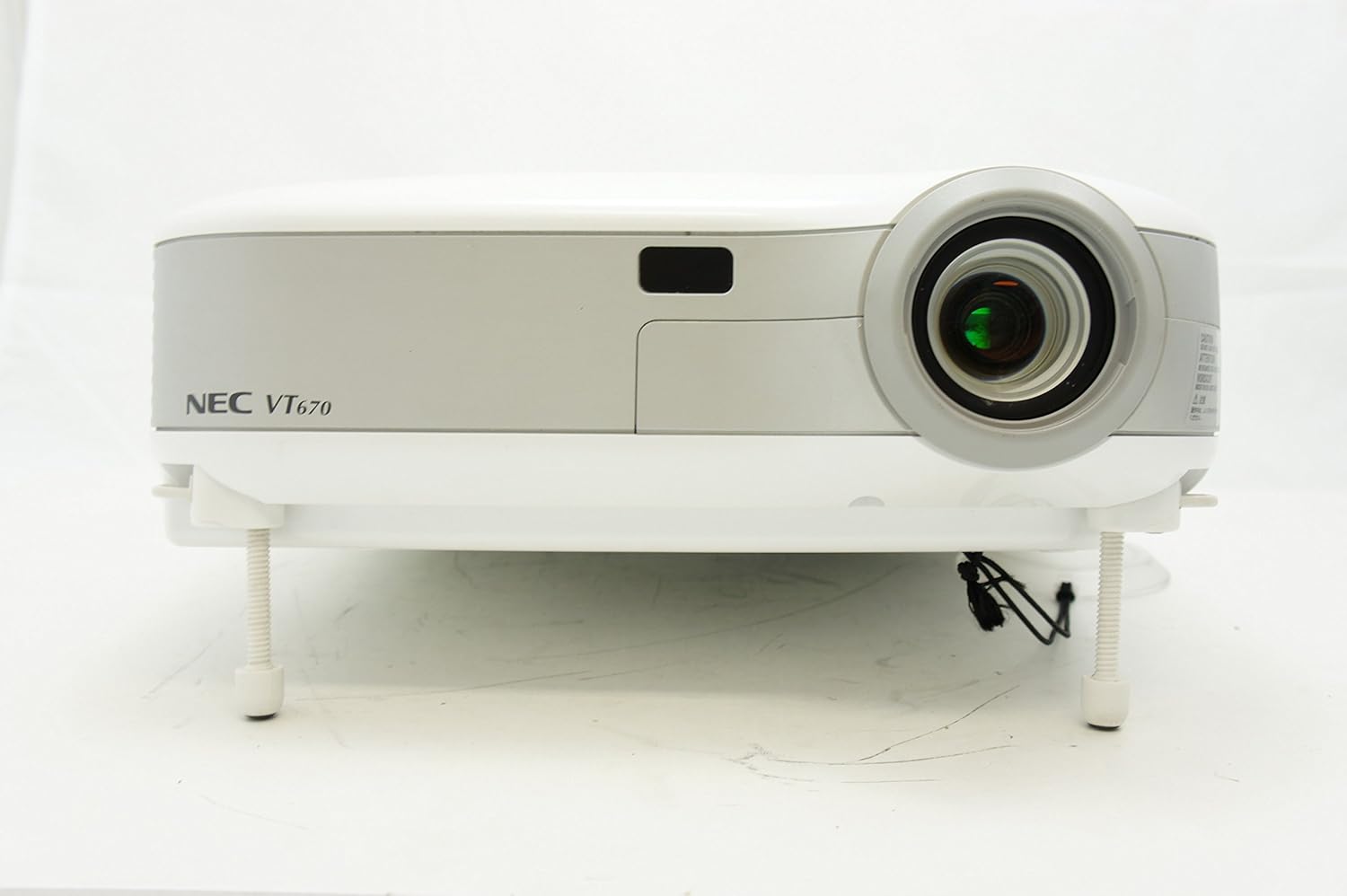
Abbildung 1: Front view of the NEC VT670 projector, showing the lens and front panel.
Aufstellen
Follow these steps to set up your NEC VT670 projector:
- Platzierung: Position the projector on a stable, flat surface or mount it according to the instructions for your specific mounting solution. Ensure adequate ventilation around the unit. The projector is designed for tabletop mounting.
- Stromanschluss: Schließen Sie das Netzkabel an den Stromeingang des Projektors und anschließend an eine geerdete Steckdose an.
- Quellverbindung: Connect your video source (e.g., computer, DVD player) to the appropriate input port on the projector. The VT670 supports VGA (D-Sub), S-Video, and composite video inputs. Use the color-coded connections for ease of setup.
- Kabelverbindungen: Ensure all necessary cables, such as the VGA cable for computer input, are securely connected to both the projector and the source device.
- Audioverbindung: If your source provides audio, connect it to the projector's audio input ports. The projector features built-in speakers.
- Erstes Einschalten: Drücken Sie den Netzschalter am Projektor oder an der Fernbedienung, um das Gerät einzuschalten.

Abbildung 2: Rear panel of the NEC VT670 projector, illustrating various input and output ports including VGA, S-Video, and audio connections.

Abbildung 3: Example of a VGA cable (left) and a power cable (right) used for connecting the projector.
Bedienungsanleitung
In diesem Abschnitt wird die grundlegende Funktionsweise Ihres Projektors erläutert.
Ein-/Ausschalten
- Zum Einschalten drücken Sie die LEISTUNG button once. The power indicator will illuminate.
- Zum Ausschalten drücken Sie die LEISTUNG button twice. The projector will enter a cooling cycle before shutting down completely.
Auswahl der Eingangsquelle
- Verwenden Sie die EINGANG or dedicated source buttons (e.g., RECHNER 1, VIDEO) on the control panel or remote to cycle through available input sources.

Abbildung 4: Top control panel of the NEC VT670 projector, showing power, input selection, and navigation buttons.
Fokus- und Zoomeinstellung
- Passen Sie die FOKUS Drehen Sie den Ring am Objektiv, bis das Bild scharf und klar ist.
- Verwenden Sie die ZOOM lever on the lens to adjust the image size to fit your screen.
Menünavigation
- Drücken Sie die SPEISEKARTE button to access the on-screen display (OSD) menu.
- Verwenden Sie die Pfeiltasten (UP, RUNTER, LINKS, RECHTS) to navigate through menu options.
- Drücken EINGEBEN or WÄHLEN um eine Auswahl zu bestätigen.
- Drücken EXIT or SPEISEKARTE again to close the OSD menu.
Wartung
Regelmäßige Wartung gewährleistet optimale Leistung und verlängert die Lebensdauer Ihres Projektors.
Lamp Ersatz
Der Projektor lamp hat eine begrenzte Lebensdauer. Wenn das lamp Wenn die Kontrollleuchte aufleuchtet oder das Bild schwächer wird, ...amp Möglicherweise muss es ausgetauscht werden. Ausführliche Informationen finden Sie im vollständigen Servicehandbuch.amp Austauschverfahren. Lassen Sie den Projektor immer vollständig abkühlen, bevor Sie versuchen, lamp Ersatz.
Luftfilterreinigung
Dust accumulation on the air filter can reduce cooling efficiency and affect projector performance. Clean the air filter regularly (e.g., every 100 hours of operation) by removing it and gently brushing off dust or using a vacuum cleaner. Replace the filter if it is damaged.
Linsenreinigung
Reinigen Sie die Projektorlinse vorsichtig mit einem weichen, fusselfreien Tuch, das speziell für optische Oberflächen geeignet ist. Verwenden Sie keine Scheuermittel und üben Sie keinen übermäßigen Druck aus.
Fehlerbehebung
Dieser Abschnitt bietet Lösungen für häufig auftretende Probleme.
| Problem | Mögliche Ursache | Lösung |
|---|---|---|
| Kein Bild angezeigt |
|
|
| Bild ist verschwommen |
|
|
| Kein Ton |
|
|
Technische Daten
Key technical specifications for the NEC VT670 Value LCD Video Projector:
- Modellname: VT670
- Anzeigetyp: LCD
- Native Auflösung: 1024 x 768 (XGA)
- Maximale Helligkeit: 2,100 ANSI Lumen
- Kontrastverhältnis: 400:1
- Konnektivitätstechnologie: VGA (D-Sub), S-Video, Composite Video
- Hardware-Konnektivität: D-Sub, VGA
- Maximale Bildgröße: 300 Zoll
- Formfaktor: Tragbar
- Montageart: Tischhalterung
- Controller-Typ: Tastensteuerung
- Artikelgewicht: 9.2 Pfund
- Zusätzliche Funktionen: Eingebaute Lautsprecher
- Unterstützte Signale: PC, NTSC, PAL, SECAM, HDTV
Garantieinformationen
The NEC VT670 Value LCD Video Projector comes with a 2 Jahr Garantie. This warranty covers defects in materials and workmanship under normal use. For specific terms and conditions, please refer to the warranty card included with your product or contact NEC customer support.
Unterstützung
For further assistance, technical support, or service inquiries regarding your NEC VT670 projector, please visit the official NEC website or contact their customer service department. Keep your product model number (VT670) and serial number ready when contacting support.
Online-Ressourcen: www.nec.com


