Einführung
The Leitz Next 5522 Stapler is a robust and reliable metal stapler designed for everyday office use. It features a 40-sheet stapling capacity and patented Direct Impact Technology to ensure consistent and accurate stapling. This manual provides detailed instructions for the setup, operation, maintenance, and troubleshooting of your Leitz Next 5522 Stapler.
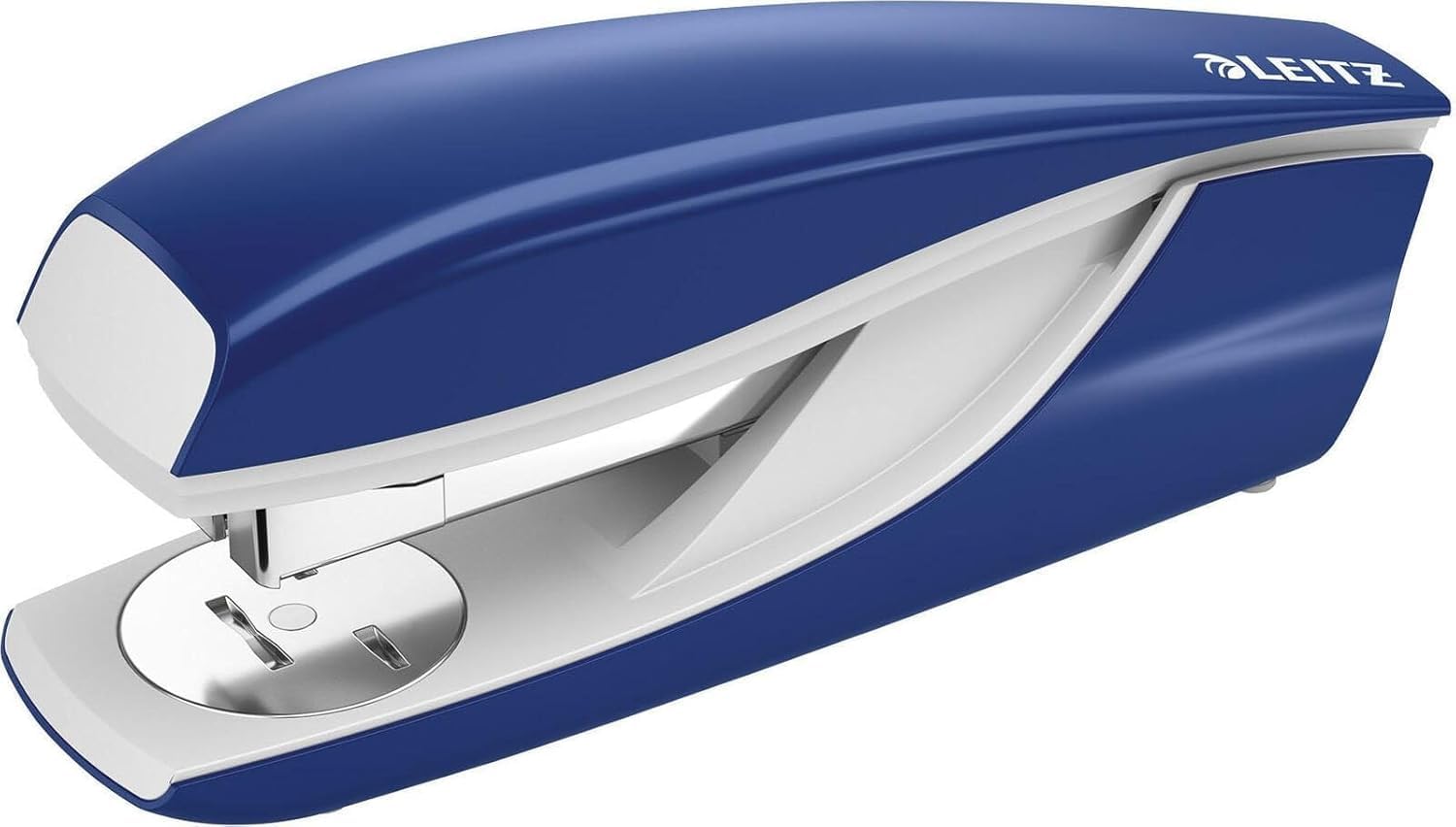
Image: Leitz Next 5522 Stapler. This image displays the blue stapler, highlighting its sturdy construction and design.
Aufstellen
Laden von Heftklammern
To ensure optimal performance, use Leitz Power Performance P4 staples. Compatible staple sizes include 24/6, 24/8, and 26/6. For best results and warranty coverage, use Leitz staples (product references 55710000, 55590000).
- Press the release button or pull the top cover upwards to open the stapler's staple channel.
- Insert a strip of compatible staples into the channel with the points facing downwards.
- Gently push the staple channel back into place until it clicks securely.
Bedienungsanleitung
Dokumente heften
The Leitz Next 5522 Stapler can staple up to 40 sheets of 80 gsm paper. Its patented Direct Impact Technology ensures precise and effortless stapling.
- Richten Sie die Blätter, die Sie heften möchten, aneinander aus.
- Legen Sie die Blätter unter den Heftkopf und positionieren Sie sie dort, wo die Heftklammern sitzen sollen.
- Press down firmly on the stapler head until the staple penetrates the paper.
- Release the stapler head.
Using the Rotating Anvil (Open and Closed Stapling)
The stapler features a rotating anvil, allowing you to switch between closed stapling (permanent) and open stapling (temporary). Closed stapling bends the staple inwards, securing documents permanently. Open stapling bends the staple outwards, allowing for easy removal without tearing the paper.
- To change the stapling mode, rotate the metal anvil located at the base of the stapler to the desired position.
- Ensure the anvil is securely set before stapling.
Nailing Function
For temporary fastening of items to a board or surface, the stapler can be opened 180 degrees to function as a tacker or nailer.
- Open the stapler completely by pressing the release mechanism and extending the top part until it lies flat.
- Position the stapler over the item and surface, then press down to drive the staple.
Integrated Staple Remover
A handy integrated staple remover is located at the rear of the stapler for convenient staple removal.
- Slide the tip of the remover under the staple.
- Gently lift to pry the staple out of the paper.
Wartung
Allgemeine Pflege und Reinigung
To maintain the performance and appearance of your Leitz Next 5522 Stapler, follow these simple care instructions:
- Keep the stapler clean and free from dust and debris. Use a soft, dry cloth to wipe the exterior.
- Vermeiden Sie die Verwendung von aggressiven Chemikalien oder Scheuermitteln, da diese die Oberfläche beschädigen können.
- Ensure that only compatible staples are used to prevent jamming and damage to the mechanism.
- Bewahren Sie den Hefter bei Nichtgebrauch an einem trockenen Ort auf.
Fehlerbehebung
Häufige Probleme und Lösungen
- Staple Jams: If staples frequently jam, ensure you are using the correct size and type of staples (24/6, 24/8, or 26/6 Leitz Power Performance P4 staples). Overfilling the staple channel or attempting to staple too many sheets can also cause jams. Clear any jammed staples carefully using the integrated staple remover or a small tool.
- Staples Not Penetrating: If staples are not fully penetrating the paper, check that you are not exceeding the 40-sheet capacity. Ensure the stapler is pressed down firmly and evenly. Verify that the anvil is set correctly for closed stapling if a permanent bond is desired.
- Staples Bending: Bent staples often indicate incorrect staple size, low-quality staples, or attempting to staple too many sheets. Ensure you are using genuine Leitz staples of the correct size for optimal results.
Technische Daten
| Marke | Leitz |
| Modellnummer | 55220035 |
| Heftkapazität | Up to 40 sheets (80 gsm) |
| Kompatible Heftklammern | 24/6, 24/8, 26/6 (Leitz Power Performance P4 recommended) |
| Material | Kunststoff (mit Metallkomponenten) |
| Farbe | Blau |
| Betriebsmodus | Handbuch |
| Technische Daten | 16.5 x 6.7 x 4 cm |
| Artikelgewicht | 300 g |
| Hersteller | Esselte Leitz |
| Ursprungsland | Deutschland |
Garantie und Support
Garantieinformationen
The Leitz Next 5522 Stapler comes with a 10 Jahre Garantie when using genuine Leitz staples. This warranty covers manufacturing defects under normal use conditions. Please retain your proof of purchase for warranty claims.
Kundenservice
For further assistance, technical support, or warranty inquiries, please contact Leitz customer service or visit the official Leitz webWebsite:
- Leitz Official WebWebsite: www.leitz.com
- Siehe Verpackung oder offizielle Angaben. webWebsite für regionale Kontaktinformationen.


