Einführung
This manual provides detailed instructions for the proper use and care of your Calypso K5571/1 digital watch. Please read this manual thoroughly to ensure optimal performance and longevity of your timepiece. Keep this manual for future reference.
Aufstellen
1. Erstmalige Einstellung von Uhrzeit und Datum
Your Calypso K5571/1 watch features a digital display. To set the time and date:
- Drücken Sie die MODUS Drücken Sie die Taste (normalerweise unten links) wiederholt, bis der Zeiteinstellungsmodus angezeigt wird (oft durch blinkende Ziffern gekennzeichnet).
- Verwenden Sie die ADJ or SATZ button (usually top left or right) to select the digit you wish to change (hours, minutes, year, month, day).
- Verwenden Sie die START/STOP or LICHT button (usually top right or bottom right) to adjust the selected digit up or down.
- Repeat steps 2 and 3 until the correct time and date are set.
- Drücken Sie die MODUS erneut drücken, um den Einstellmodus zu verlassen.
2. Batterieinformationen
The Calypso K5571/1 watch is powered by a battery. When the display becomes dim or functions become erratic, it indicates a low battery. Battery replacement should be performed by a qualified watch technician to ensure water resistance is maintained.
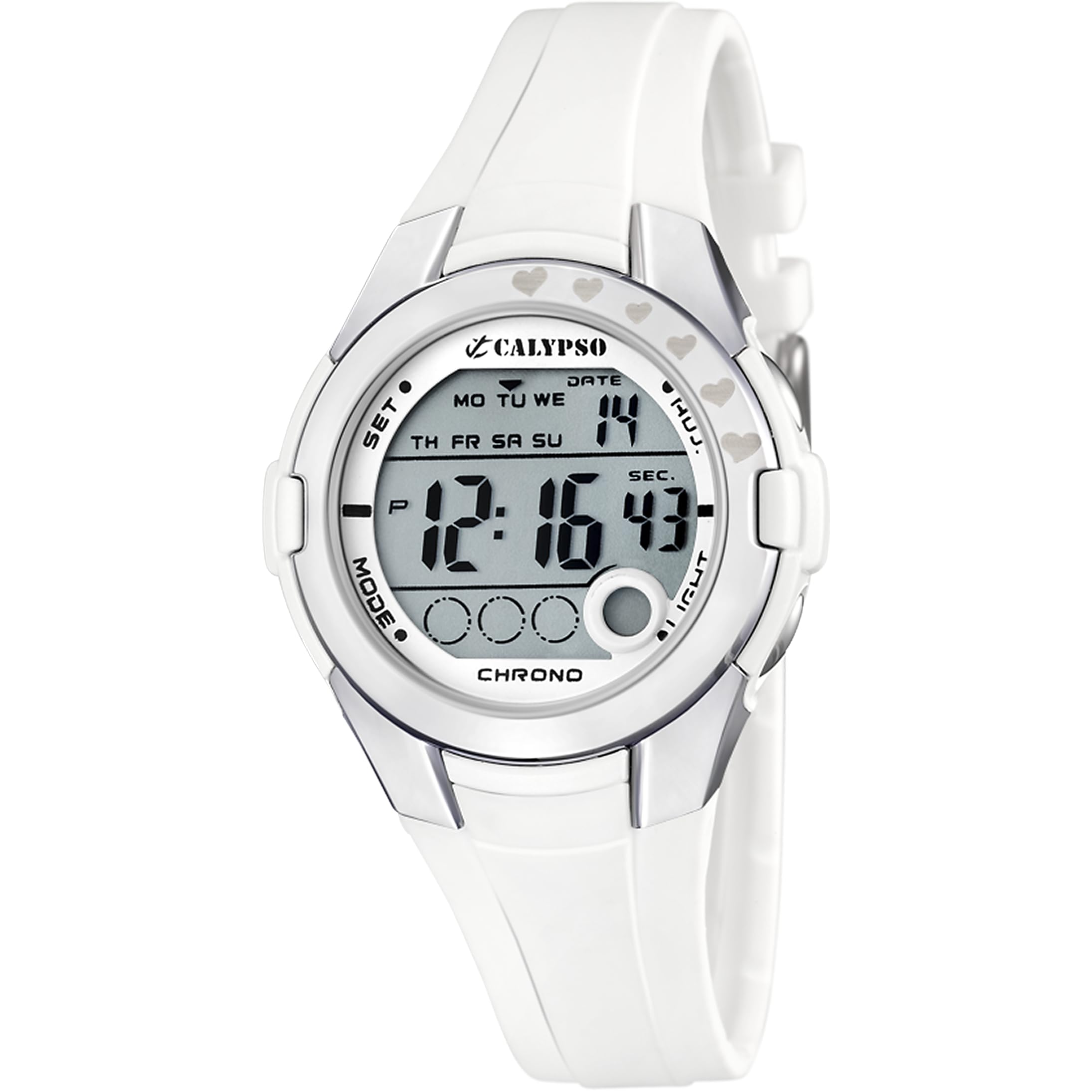
Figure 1: Calypso K5571/1 Digital Watch. This image shows the watch face and strap, illustrating its design.
Bedienung Ihrer Uhr
1. Zeitanzeigemodi
Your watch typically displays time in a 12-hour or 24-hour format. Use the MODUS button to cycle through different display modes such as time, date, alarm, and stopwatch.
2. Stopwatch Function (Chronomètre)
So verwenden Sie die Stoppuhr:
- Drücken Sie die MODUS button until the stopwatch display appears (usually showing "00:00:00").
- Drücken Sie die START/STOP Zum Starten der Zeitmessung drücken.
- Drücken START/STOP again to pause or stop the timing.
- Drücken Sie die ZURÜCKSETZEN Taste (oft die ADJ or LICHT button in stopwatch mode) to clear the stopwatch to zero.
3. Backlight Function (Eclairage)
Um das Display bei schwachem Licht zu beleuchten, drücken Sie die LICHT Knopf. Die Hintergrundbeleuchtung bleibt normalerweise einige Sekunden lang eingeschaltet.
4. Wasserbeständigkeit
The Calypso K5571/1 watch is water-resistant up to 100 meters (10 ATM). This means it is suitable for swimming, showering, and snorkeling. It is nicht suitable for scuba diving or high-impact water sports. Do not operate buttons while the watch is submerged in water, as this can compromise the water seal.
Wartung
1. Reinigen Sie Ihre Uhr
The watch features a polyurethane strap and a mineral glass dial window. To clean your watch:
- Reinigen Sie das Uhrengehäuse und das Armband mit einem weichen, fusselfreien Tuch.amp Tuch.
- Bei hartnäckigen Verschmutzungen eine milde Seifenlösung verwenden und anschließend gründlich mit klarem Wasser abspülen.
- Avoid using harsh chemicals, solvents, or abrasive cleaners, as these can damage the watch's finish and materials.
- Stellen Sie sicher, dass die Uhr vollständig trocken ist, bevor Sie sie wieder tragen.
2. Batteriewechsel
When the battery needs replacement, it is recommended to take your watch to an authorized Calypso service center or a reputable watch repair shop. This ensures that the correct battery type is used and the water resistance seal is properly re-installed.
3. Pflege der Wasserbeständigkeit
So erhalten Sie die Wasserdichtigkeit Ihrer Uhr:
- Vermeiden Sie extreme Temperaturschwankungen für die Uhr (z. B. heiße Dusche gefolgt von kaltem Wasser).
- Drücken Sie keine Knöpfe, solange die Uhr nass oder unter Wasser ist.
- Have the water resistance seals checked periodically, especially if the watch is frequently exposed to water.
Fehlerbehebung
| Problem | Mögliche Ursache | Lösung |
|---|---|---|
| Das Display ist leer oder dunkel. | Schwache Batterie. | Ersetzen Sie die Batterie. |
| Die Uhrzeit ist falsch. | Zeit nicht richtig eingestellt oder versehentlich verstellt. | Refer to the "Initial Time and Date Setting" section to reset the time. |
| Tasten reagieren nicht. | Die Uhr befindet sich möglicherweise im Sperrmodus oder der Akku ist fast leer. | Drücken Sie die MODUS button to cycle through modes. If unresponsive, consider battery replacement. |
| Kondenswasser im Inneren der Uhr. | Die Wasserdichtigkeit ist beeinträchtigt. | Immediately take the watch to a service center to prevent further damage. |
Technische Daten
| Besonderheit | Detail |
|---|---|
| Modellnummer | K5571 |
| Anzeigetyp | Digitales |
| Bewegungstyp | Quarz |
| Wasserbeständigkeitstiefe | 100 Meter (10 ATM) |
| Armbandmaterialtyp | Polyurethan |
| Gehäusematerialart | Edelstahl |
| Materialtyp des Zifferblattfensters | Mineralglas |
| Gehäusedurchmesser | 38 Millimeter |
| Bandbreite | 22.1 Millimeter |
| Gehäusedicke | 13 Millimeter |
| Artikelgewicht | 32 Gramm |
| Besondere Merkmale | Backlight, Stopwatch |
| Stromquelle | Batteriebetrieben |
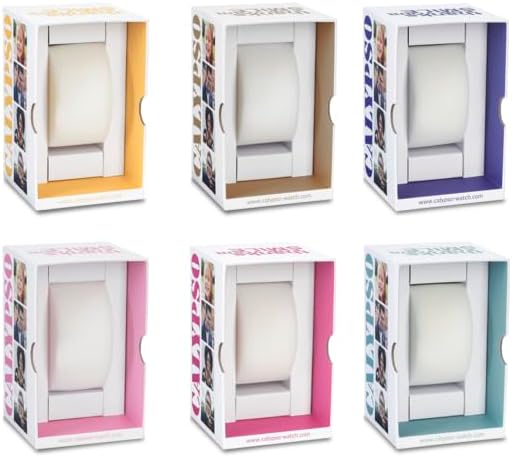
Abbildung 2: Bspample Calypso watch packaging. The watch comes in a protective box, which may vary in color.
Garantieinformationen
Your Calypso K5571/1 watch is covered by a manufacturer's warranty against defects in materials and workmanship. The specific terms and duration of the warranty may vary by region. Please refer to the warranty card included with your purchase or visit the official Calypso webWebsite für detaillierte Informationen.
Die Garantie deckt in der Regel Folgendes nicht ab:
- Schäden, die durch unsachgemäße Verwendung, Unfälle oder nicht autorisierte Reparaturen entstehen.
- Normal wear and tear of the strap, case, or crystal.
- Akkulaufzeit.
Kundenservice
If you encounter any issues or have questions regarding your Calypso K5571/1 watch that are not addressed in this manual, please contact Calypso customer support or visit their official website for assistance. You may find contact information on the product packaging or the warranty card.
Weitere Informationen finden Sie unter Calypso Watches official webWebsite.


