Einführung
This manual provides comprehensive instructions for the operation and maintenance of your new Sharp Aquos LCD TV Remote Control, model RRMCGA535WJSA. This genuine Sharp remote transmitter is designed to provide seamless control over your compatible Sharp Aquos LCD TV models. Please read this manual thoroughly before use to ensure proper functionality and to maximize your viewErfahrung.
Sicherheitshinweise
Bitte beachten Sie folgende Sicherheitsvorkehrungen:
- Do not expose the remote control to direct sunlight, high humidity, or extreme temperatures.
- Vermeiden Sie es, die Fernbedienung fallen zu lassen oder starken Stößen auszusetzen.
- Do not attempt to disassemble or modify the remote control. This may void the warranty and cause damage.
- Bewahren Sie Batterien außerhalb der Reichweite von Kindern auf. Bei Verschlucken sofort einen Arzt aufsuchen.
- Entsorgen Sie gebrauchte Batterien gemäß den örtlichen Vorschriften. Nicht verbrennen.
Packungsinhalt
Überprüfen Sie, ob alle Artikel im Paket vorhanden sind:
- Sharp Aquos LCD TV Remote Control (Model: RRMCGA535WJSA)
- Bedienungsanleitung (dieses Dokument)
Hinweis: Batterien sind in der Regel nicht im Lieferumfang enthalten und müssen separat erworben werden.
Produkt überview
Familiarize yourself with the buttons and features of your remote control.

Abbildung 1: Vorderseite View der Fernbedienung
This image displays the front of the Sharp Aquos remote control, showing all primary buttons including power, input selection, channel, volume, numeric keypad, and navigation controls. The Sharp and Aquos logos are visible at the bottom.
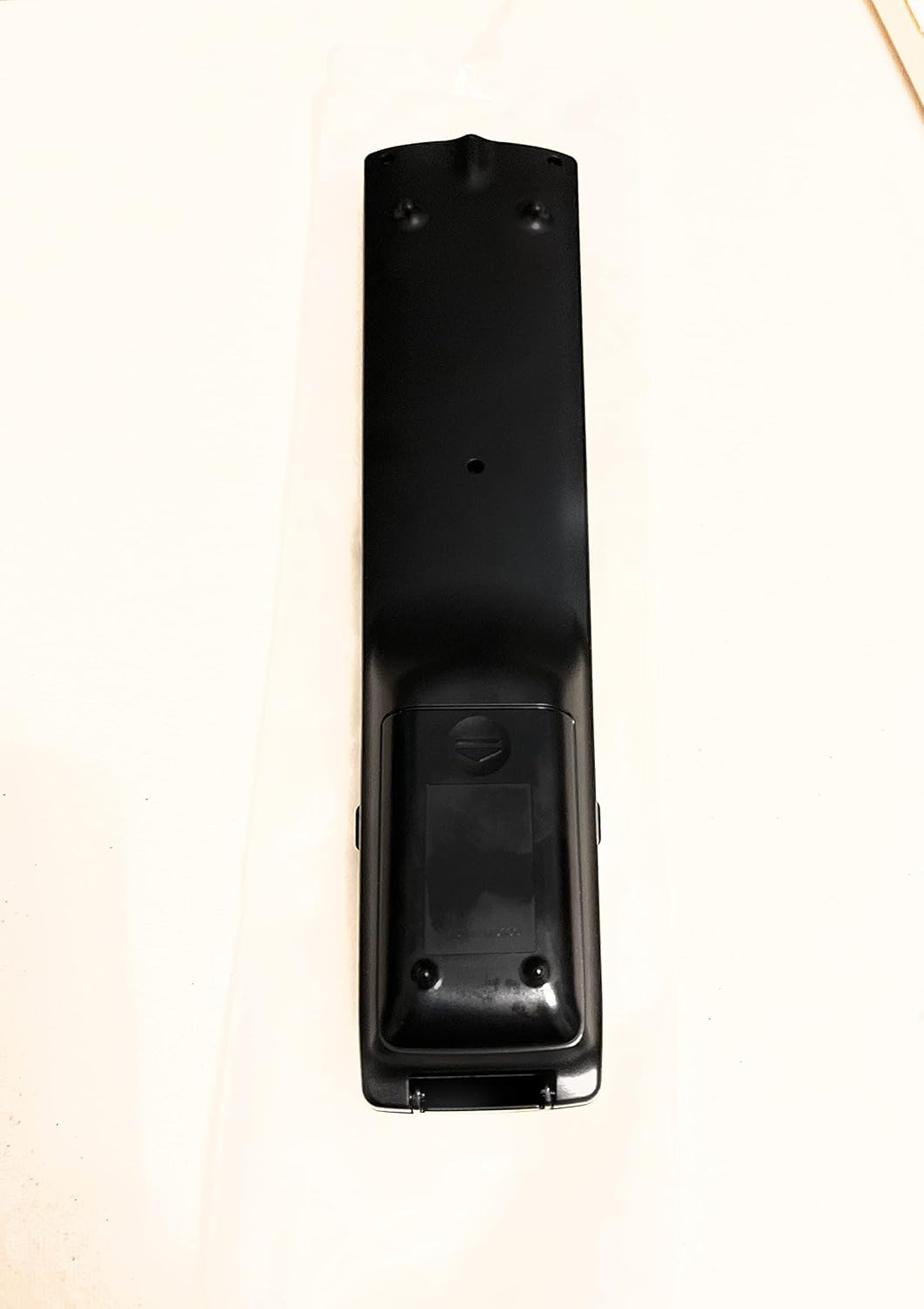
Abbildung 2: Zurück View der Fernbedienung
This image shows the rear side of the Sharp Aquos remote control, highlighting the smooth, ergonomic design and the battery compartment cover.

Figure 3: Remote Control with Battery Compartment Open
This image illustrates the Sharp Aquos remote control with its battery compartment cover slid open, revealing the space for battery insertion.

Figure 4: Close-up of Hidden Panel
This close-up image shows the lower section of the Sharp Aquos remote control with its hinged panel opened, revealing additional function buttons such as SLEEP, AUDIO, AV MODE, and CC (Closed Caption).
Tastenfunktionen:
| Taste | Funktion |
|---|---|
| LEISTUNG | Schaltet den Fernseher ein oder aus. |
| EINGABE / QUELLE | Wählt die Eingangsquelle aus (z. B. HDMI, AV, Komponente). |
| CH +/- | Schaltet den Fernsehkanal vorwärts oder rückwärts. |
| LAUTSTÄRKE +/- | Regelt die Lautstärke. |
| MUTE | Schaltet den Fernsehton stumm oder hebt die Stummschaltung auf. |
| SPEISEKARTE | Öffnet das Bildschirmmenü des Fernsehers. |
| EINGEBEN | Bestätigt die Auswahl im Menü. |
| Navigationspfeile (Hoch/Runter/Links/Rechts) | Navigiert durch die Menüoptionen. |
| EXIT / RETURN | Verlässt das aktuelle Menü oder kehrt zum vorherigen Bildschirm zurück. |
| Ziffernblock (0-9) | Gibt die Kanalnummern direkt ein. |
| SCHLAFEN (under hidden panel) | Legt fest, dass sich der Fernseher nach einer festgelegten Zeit automatisch ausschaltet. |
| AUDIO (under hidden panel) | Wählt Audiomodi oder -spuren aus. |
| AV-MODUS (under hidden panel) | Adjusts picture and sound settings for different content types. |
| CC (Untertitel) (under hidden panel) | Turns closed captions on or off. |
Aufstellen
Einlegen der Batterie:
- Suchen Sie das Batteriefach auf der Rückseite der Fernbedienung (siehe Abbildung 2).
- Slide the battery compartment cover downwards to open it (refer to Figure 3).
- Insert two (2) AAA batteries (not included), ensuring the positive (+) and negative (-) terminals align correctly with the indicators inside the compartment.
- Schieben Sie den Batteriefachdeckel wieder an seinen Platz, bis er sicher einrastet.
Hinweis: Verwenden Sie immer neue Batterien desselben Typs. Mischen Sie keine alten und neuen Batterien oder Batterien unterschiedlicher Typen.
Bedienungsanleitung
Grundlegende Bedienung:
- Ein-/Ausschalten: Drücken Sie die LEISTUNG button to turn your Sharp Aquos TV on or off.
- Lautstärkeregelung: Drücken Sie die LAUTSTÄRKE + Taste zum Erhöhen der Lautstärke und VOL - Lautstärke verringern.
- Kanalauswahl: Verwenden Sie die CH+ or CH - buttons to change channels sequentially. Alternatively, use the numeric keypad to directly enter a channel number.
- Auswahl der Eingangsquelle: Drücken Sie die EINGANG or QUELLE button to cycle through available input sources (e.g., HDMI 1, HDMI 2, AV, Component).
- Stumm: Drücken Sie die MUTE Drücken Sie diese Taste, um den TV-Ton vorübergehend stummzuschalten. Durch erneutes Drücken wird der Ton wiederhergestellt.
Menüführung:
- Drücken Sie die SPEISEKARTE button to display the TV's on-screen menu.
- Verwenden Sie die Navigationspfeile (Up, Down, Left, Right) to move through menu options.
- Drücken Sie die EINGEBEN button to select a highlighted option or confirm a setting.
- Drücken Sie die EXIT or ZURÜCKKEHREN button to close the menu or go back to the previous menu level.
Advanced Functions (Hidden Panel):
Some advanced functions are located under a hinged panel at the bottom of the remote control (refer to Figure 4). Gently open this panel to access buttons such as:
- SCHLAFEN: Stellt einen Timer ein, damit sich der Fernseher automatisch ausschaltet.
- AUDIO: Adjusts audio settings or selects audio tracks.
- AV-MODUS: Cycles through preset picture and sound modes (e.g., Standard, Movie, Game).
- CC (Untertitel): Schaltet Untertitel ein oder aus.
Wartung
Reinigung:
To clean the remote control, wipe it gently with a soft, dry cloth. Do not use liquid cleaners, abrasive cleaners, or chemical solvents, as these may damage the surface or internal components.
Batteriewechsel:
Replace batteries when the remote control's response becomes sluggish or stops working. Follow the battery installation steps outlined in the "Setup" section. Always replace both batteries at the same time.
Fehlerbehebung
| Problem | Mögliche Ursache | Lösung |
|---|---|---|
| Fernbedienung funktioniert nicht. | Tote oder falsch eingelegte Batterien. | Tauschen Sie die Batterien gegen neue aus und achten Sie dabei auf die richtige Polarität (+/-). |
| Die Reichweite der Fernbedienung ist gering. | Weak batteries; obstruction between remote and TV; infrared sensor on TV is blocked. | Replace batteries. Ensure no objects are blocking the line of sight between the remote and the TV's IR sensor. |
| Bestimmte Tasten reagieren nicht. | Schmutz oder Ablagerungen unter dem Knopf; interne Fehlfunktion. | Clean the remote control. If the issue persists, the remote may require replacement. |
| Der Fernseher reagiert nicht auf Fernbedienungsbefehle. | TV is unplugged or turned off; TV's IR sensor is faulty. | Ensure the TV is powered on and plugged in. Test with another remote if available. Consult TV's manual for IR sensor location. |
Technische Daten
| Besonderheit | Detail |
|---|---|
| Modellnummer | RRMCGA535WJSA |
| Marke | Scharf |
| Kompatible Geräte | Sharp Aquos LCD Televisions (various models, see product title for list) |
| Konnektivitätstechnologie | Infrarot (IR) |
| Stromquelle | 2 x AAA-Batterien (nicht enthalten) |
| Abmessungen (ca.) | 8.8 x 2.4 x 0.9 Zoll (Verpackungsmaße) |
| Gewicht (ca.) | 4 Unzen |
| Besonderheit | Ergonomic design, Hidden function panel |
Garantie und Support
Haftungsausschluss:
This item is provided in new condition. Please note that this item is offered "as is" as it is past its original manufacturer's warranty period. Any implied warranties are disclaimed to the fullest extent permitted by law.
Kundendienst:
For further assistance or inquiries regarding your Sharp Aquos LCD TV, please refer to your television's original instruction manual or visit the official Sharp support website. For issues specifically with this replacement remote control, please contact the seller from whom it was purchased.


