1. Einleitung
This manual provides instructions for the setup, operation, and maintenance of your ViewSonic VX2770SMH-LED 27-inch IPS 1080p Frameless LED Monitor. This monitor features a sleek design, Full HD 1920x1080 resolution, and an IPS panel for wide viewing angles and accurate color reproduction. It includes HDMI, DVI, and VGA inputs, along with integrated speakers.
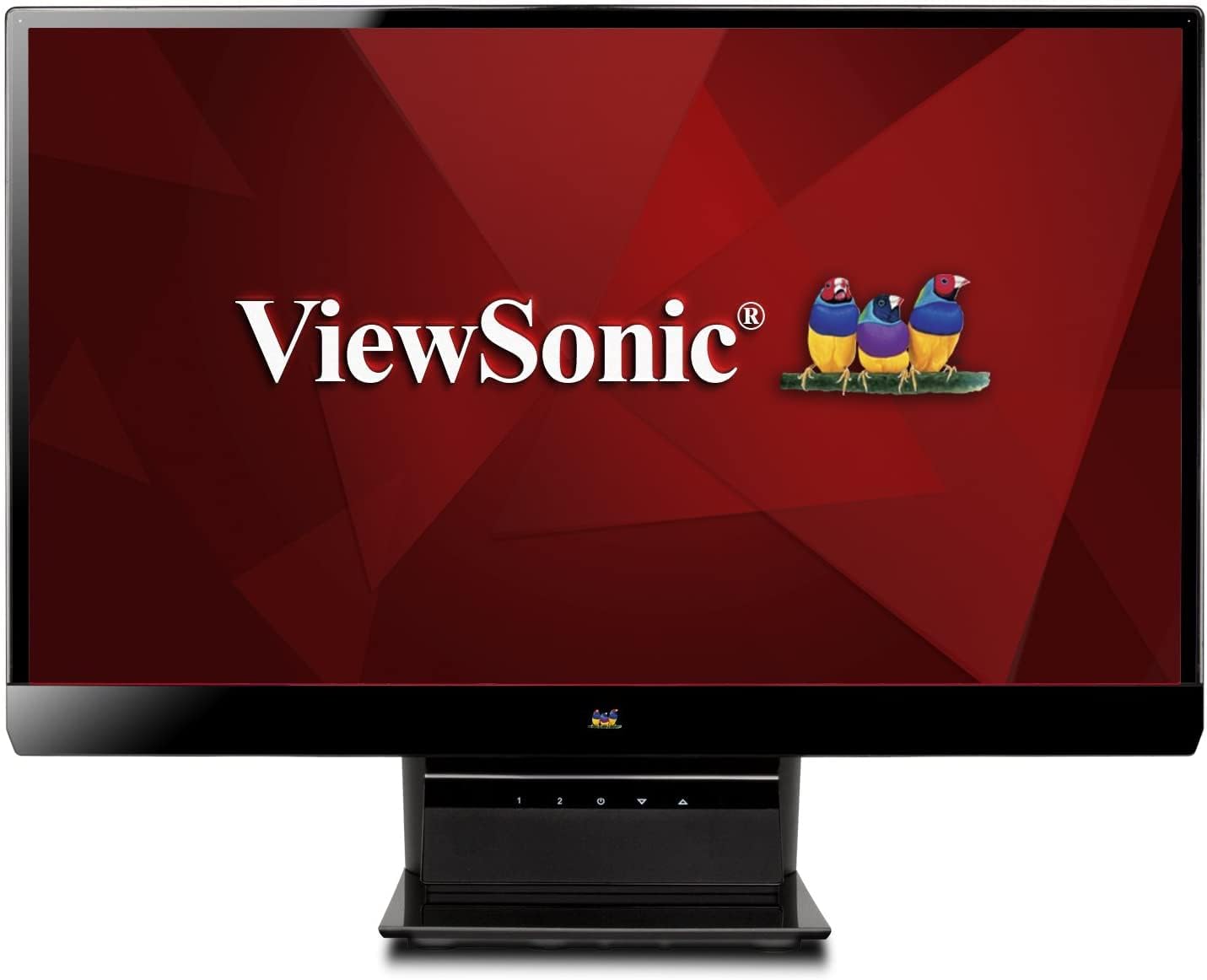
Abbildung 1: ViewSonic VX2770SMH-LED 27-inch monitor displaying a tropical beach scene.
2. Packungsinhalt
Prüfen Sie, ob alle Artikel in Ihrer Produktverpackung enthalten sind:
- VX2770Smh-LED display
- Stromkabel
- AC/DC-Adapter
- VGA-Kabel
- HDMI-Kabel
- Kurzanleitung
- ViewSonic Wizard-CD
3. Einrichtung
Befolgen Sie diese Schritte, um Ihren Monitor einzurichten:
- Montieren Sie den Ständer: Carefully attach the monitor panel to the stand base according to the Quick Start Guide. Ensure it is securely fastened.
- Strom anschließen: Connect the AC/DC adapter to the monitor's power input, then plug the power cable into the adapter and a power outlet.
- Videokabel anschließen: Connect one end of the appropriate video cable (HDMI, DVI, or VGA) to the corresponding port on the back of the monitor and the other end to your computer's video output port.
- Einschalten: Drücken Sie den Netzschalter am Monitor, um ihn einzuschalten.

Abbildung 2: Rückseite view of the monitor, illustrating the stand attachment area and overall design.
4. Bedienung des Monitors
The monitor features capacitive control buttons located on the stand for easy access to settings and power functions.

Abbildung 3: Vorderseite view of the monitor, showing the control buttons on the stand.
Ein-/Ausschalten
Press the power button (usually indicated by a power symbol) to turn the monitor on or off.
Bildschirmmenü (OSD)
Use the control buttons to navigate the OSD menu. This menu allows you to adjust various display settings such as brightness, contrast, color temperature, input source, and more. Refer to the digital manual on the ViewSonic Wizard CD for detailed OSD navigation.
5. Konnektivität
Der ViewSonic VX2770SMH-LED monitor offers multiple input options for versatile connectivity:
- HDMI: Für hochauflösende digitale Video- und Audioübertragung.
- DVI-D: For digital video input.
- VGA: Für analoge Videoeingänge.
The monitor also features integrated speakers with SRS Premium Sound for audio output.

Abbildung 4: Nahaufnahme view of the HDMI, DVI, and VGA input ports on the monitor's rear panel.
Video 1: Official product video demonstrating the features and design of the ViewSonic VX2770SMH-LED monitor, including its frameless design, IPS panel technology, connectivity options, and energy efficiency.
6. Anzeigefunktionen
- IPS-Panel-Technologie: Provides consistent and accurate colors with wide 178/178-degree viewing angles, ensuring clear images from nearly any perspective.
- Full HD 1080p-Auflösung: Delivers sharp and detailed images (1920x1080) for an enhanced viewErfahrung.
- Rahmenloses Design: The ultra-thin bezel creates a seamless visual experience, ideal for multi-monitor setups.
- MEGA Dynamic Contrast Ratio: A 30,000,000:1 dynamic contrast ratio enhances image depth and detail.
- LED-Hintergrundbeleuchtung: Energy-efficient LED backlighting contributes to lower power consumption.
- Energiesparmodus: Further reduces power consumption and extends the monitor's lifespan.
- sRGB Color Correction: Ensures accurate color reproduction for various applications.
7. Wartung
Um die Langlebigkeit und optimale Leistung Ihres Monitors zu gewährleisten, befolgen Sie bitte diese Wartungsrichtlinien:
- Reinigen des Bildschirms: Wischen Sie den Bildschirm vorsichtig mit einem weichen, fusselfreien Tuch ab. Bei hartnäckigen Flecken leicht andrücken.ampen the cloth with water or a mild, non-abrasive screen cleaner. Avoid spraying liquid directly onto the screen.
- Reinigung des Casing: Verwenden Sie ein weiches, trockenes Tuch, um den Bildschirm des Monitors zu reinigen.asing.
- Belüftung: Um eine Überhitzung zu vermeiden, stellen Sie sicher, dass die Lüftungsöffnungen des Monitors nicht blockiert sind.
- Ausschalten bei Nichtgebrauch: Turn off the monitor when not in use to save energy and prolong its life.
8. Fehlerbehebung
Sollten Sie Probleme mit Ihrem Monitor haben, beachten Sie bitte die folgenden gängigen Schritte zur Fehlerbehebung:
- Kein Strom: Check if the power cable and AC/DC adapter are securely connected to the monitor and a working power outlet.
- Kein Signal: Verify that the video cable is correctly connected to both the monitor and your computer. Ensure the correct input source is selected via the OSD menu.
- Bildprobleme (unscharf, verzerrt, falsche Farben): Adjust the display settings through the OSD menu. Ensure your computer's display resolution is set to the monitor's native resolution (1920x1080).
- Kein Ton: Check the audio cable connection (if using VGA) or ensure HDMI audio is selected. Adjust the volume settings on both the monitor and your computer.
For more detailed troubleshooting, consult the digital manual on the ViewSonic Wizard-CD.
9. Spezifikationen
| Besonderheit | Spezifikation |
|---|---|
| Stehbildschirm Displaygröße | 27 Zoll |
| Bildschirmauflösung | 1920 x 1080 |
| Maximale Bildschirmauflösung | 1920 x 1080 |
| Serie | Viewsonic VX2770SMH-LED |
| Artikelmodellnummer | VX2770SMH-LED |
| Artikelgewicht | 11 Pfund |
| Technische Daten | 7.6 x 24.5 x 18.1 Zoll |
| Farbe | Schwarz |
| Bildschirmgröße | 27 Zoll |
| Auflösung | 1080p-Auflösung |
| Seitenverhältnis | 1.78:1 |
| Beschreibung der Bildschirmoberfläche | Glänzend |

Abbildung 5: Monitorabmessungen zur Planung Ihres Arbeitsbereichs.
10. Garantie und Support
Das ViewSonic monitor is covered by a 3 Jahr eingeschränkte Garantie. For warranty claims or technical support, please refer to the contact information provided in your Quick Start Guide or visit the official ViewSonic-Unterstützung webWebsite.


