1. Einleitung
The Microsoft LifeChat LX-3000 Headset (JUG-00013) is designed to provide clear stereo sound and comfortable use for various audio applications, including internet voice calls, music, movies, and gaming. Featuring a noise-cancelling microphone and convenient in-line controls, this wired USB headset offers a reliable audio solution for your PC.
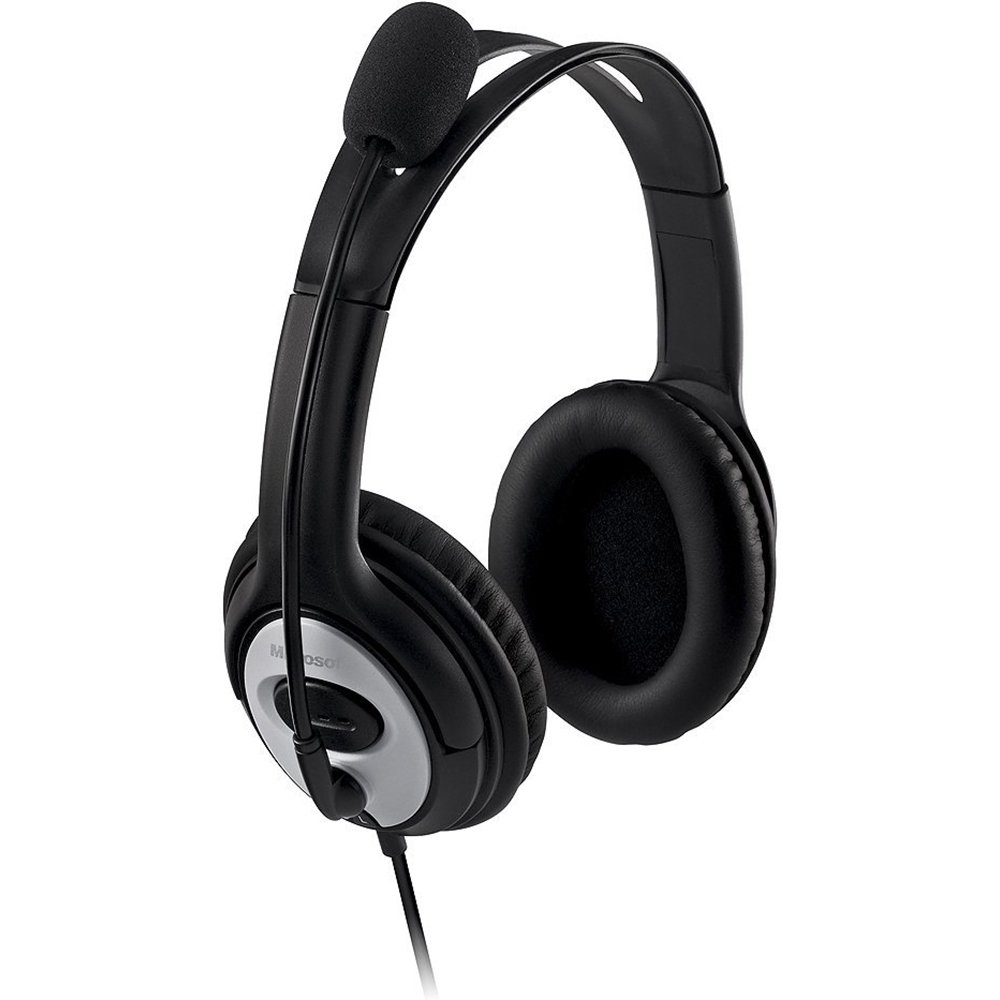
Figure 1: Microsoft LifeChat LX-3000 Headset with microphone and in-line controls.
2. Einrichtung
The Microsoft LifeChat LX-3000 Headset features a simple Plug and Play USB connection, making setup straightforward. Follow these steps to begin using your headset:
- Systemanforderungen: Ensure your PC meets the minimum operating system requirements: Microsoft Windows 10, Windows 8.1, Windows 8, or Windows 7.
- Schließen Sie das Headset an: Locate an available USB port on your computer. Insert the USB connector of the headset firmly into the USB port.
- Treiberinstallation: Your operating system should automatically detect the headset and install the necessary drivers. This process may take a few moments.
- Verbindung überprüfen: Once installed, the headset should appear as an audio device in your computer's sound settings. You may need to select it as the default playback and recording device.

Figure 2: Close-up of the USB connector for the headset.
3. Bedienungsanleitung
The LifeChat LX-3000 Headset is designed for ease of use with integrated controls and a flexible microphone.
3.1. Einstellen des Headsets
- Kopfbandeinstellung: The headband is adjustable to fit various head sizes. Gently extend or retract the earcups until the headset sits comfortably over your ears.
- Mikrofonpositionierung: The pivoting boom microphone offers 180-degree movement. Position the microphone approximately one inch from your mouth for optimal voice clarity.
3.2. Verwendung von Inline-Steuerelementen
The headset features an in-line control module for quick access to essential functions:
- Lautstärkeregelung: Verwenden Sie die Lautstärketaste (+) und Lautstärke verringern (-) buttons to adjust the listening volume.
- Mikrofonstummschaltung: Press the mute button (often indicated by a microphone icon) to temporarily disable or enable the microphone. An indicator light on the control module may show the mute status.

Figure 3: In-line control module for volume and microphone mute.
3.3. Mikrofon mit Geräuschunterdrückung
The integrated noise-cancelling microphone helps reduce background noise, ensuring your voice is heard clearly during calls and recordings.
4. Wartung
Proper care and maintenance will extend the life of your Microsoft LifeChat LX-3000 Headset.
- Reinigung der Ohrpolster: The leatherette ear pads can be gently wiped with a soft, damp Tuch. Vermeiden Sie die Verwendung aggressiver Chemikalien oder Scheuermittel.
- Kabelpflege: Avoid sharp bends or excessive pulling on the flexible 6-foot cable to prevent damage. Store the cable neatly when not in use.
- Lagerung: Bewahren Sie das Headset an einem sauberen, trockenen Ort fern von extremen Temperaturen und direkter Sonneneinstrahlung auf.
5. Fehlerbehebung
Sollten Sie Probleme mit Ihrem Headset haben, versuchen Sie die folgenden Lösungen:
| Problem | Lösung |
|---|---|
| Kein Ton aus dem Headset |
|
| Mikrofon funktioniert nicht |
|
| Schlechte Audioqualität |
|
6. Spezifikationen
Key technical specifications for the Microsoft LifeChat LX-3000 Headset:
| Besonderheit | Detail |
|---|---|
| Marke | Microsoft |
| Modellnummer | KRUG-00013 |
| Konnektivitätstechnologie | Kabelgebunden (USB) |
| Platzierung des Ohrs | Über dem Ohr |
| Mikrofon | Noise-cancelling, Pivoting Boom (180-degree movement) |
| Bedienelemente | In-line Volume Control, Microphone Mute |
| Kabellänge | Flexible 6-foot cable |
| Ohrpolstermaterial | Kunstleder |
| Frequenzbereich | 20 Hz – 20,000 Hz |
| Kompatible Betriebssysteme | Microsoft Windows 10, Windows 8.1, Windows 8, Windows 7 |
| Artikelgewicht | 8.32 Unzen |
7. Garantie und Support
7.1. Garantieinformationen
The Microsoft LifeChat LX-3000 Headset (JUG-00013) comes with a 3 Jahr eingeschränkte HardwaregarantieDiese Garantie deckt Material- und Verarbeitungsfehler bei normalem Gebrauch ab. Die genauen Bedingungen finden Sie in der Ihrem Produkt beiliegenden Garantiedokumentation oder auf der offiziellen Microsoft-Supportseite. webWebsite.
7.2. Kundendienst
For further assistance, technical support, or warranty claims, please contact Microsoft Customer Support through their official website or the contact information provided in your product packaging. You can find additional resources and FAQs on the Microsoft-Support webWebsite.


