Einführung
This manual provides instructions for the proper setup, operation, and maintenance of your Black Box USB to Serial Cable, model IC199A-R3. This cable is designed to facilitate communication between devices with a DB9 serial port and computers equipped with a USB Type-A port. Please read this manual thoroughly before using the product to ensure optimal performance and longevity.
Produkt überview
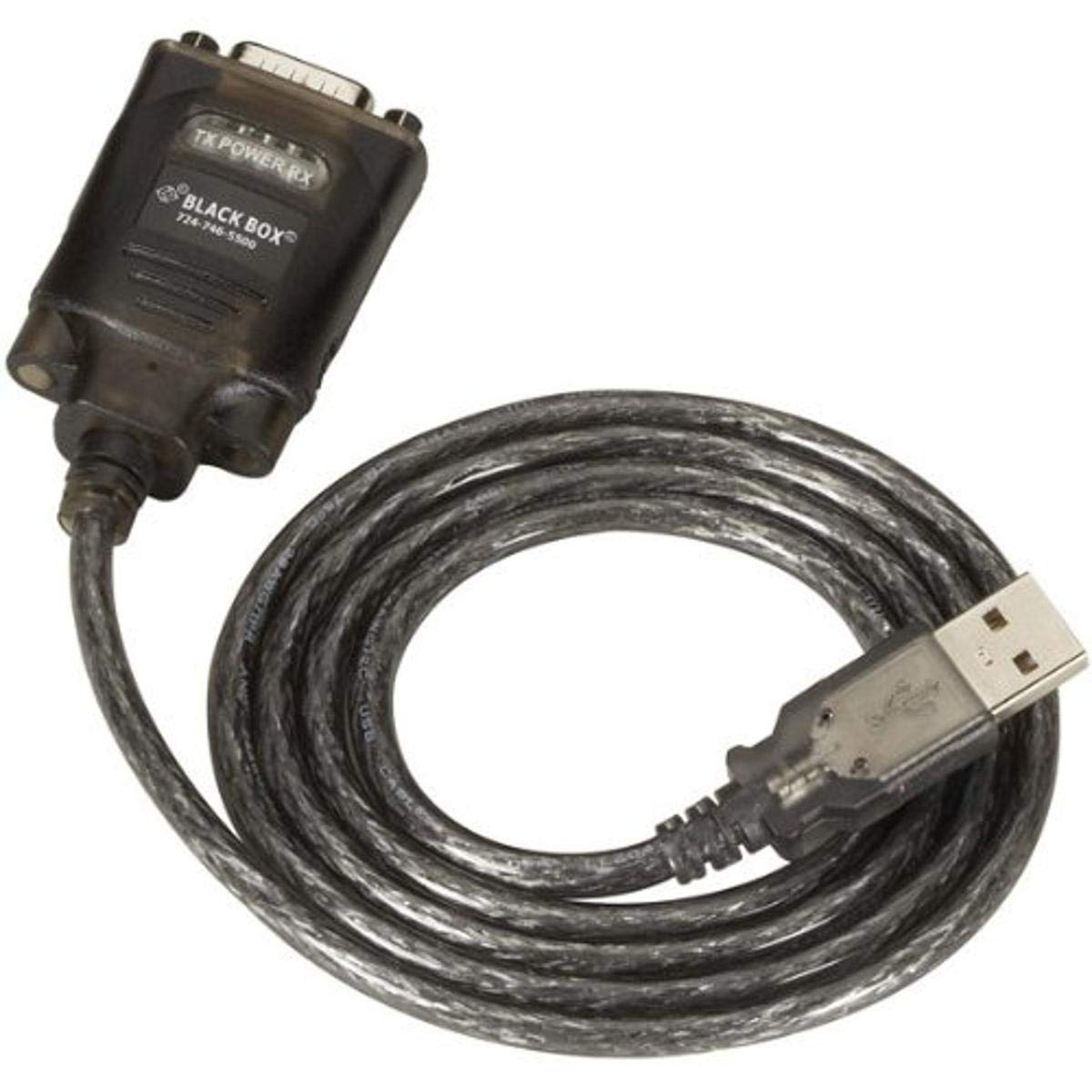
Figure 1: Black Box USB to DB9 Serial Cable (IC199A-R3)
This image displays the Black Box USB to DB9 Serial Cable, featuring a USB Type-A male connector on one end and a DB9 male serial connector on the other. The cable is black and designed for connecting serial devices to a computer's USB port.
The Black Box IC199A-R3 is a reliable solution for connecting legacy serial devices, such as modems, to modern computers that typically lack dedicated serial ports. Its robust design ensures stable data transmission.
Installationsanweisungen
- Konnektoren identifizieren: Locate the USB Type-A male connector and the DB9 male serial connector on the cable.
- Mit Computer verbinden: Insert the USB Type-A male connector into an available USB port on your computer.
- Verbindung zu seriellem Gerät herstellen: Connect the DB9 male serial connector to the DB9 female port on your serial device (e.g., modem). Ensure a secure connection.
- Treiberinstallation: In most modern operating systems (Windows 10/11, macOS, Linux), the necessary drivers should install automatically upon connection. If the device is not recognized, you may need to manually install drivers. Refer to your operating system's documentation or the Black Box support website for driver downloads if required.
- Verbindung überprüfen: After connecting, check your computer's Device Manager (Windows) or System Information (macOS/Linux) to confirm that the USB to Serial adapter is recognized and functioning correctly. It typically appears as a "USB Serial Port" or similar entry.
Bedienungsanleitung
Once the Black Box IC199A-R3 cable is properly installed and recognized by your computer, it functions as a standard serial port.
- Softwarekonfiguration: Open the serial communication software or application you intend to use (e.g., HyperTerminal, PuTTY, minicom, or specific device configuration software).
- COM-Port auswählen: Within your software, select the virtual COM port assigned to the USB to Serial adapter. This port number can usually be found in your computer's Device Manager (under "Ports (COM & LPT)").
- Configure Serial Settings: Set the appropriate serial communication parameters (baud rate, data bits, parity, stop bits, flow control) to match the requirements of your connected serial device. Refer to the documentation of your serial device for these settings.
- Kommunikation initiieren: Once configured, you can initiate data transfer or communication with your serial device through the software.
Wartung
To ensure the longevity and reliable performance of your Black Box USB to Serial Cable, follow these simple maintenance guidelines:
- Lagerung: Store the cable in a cool, dry place away from direct sunlight and extreme temperatures when not in use.
- Handhabung: Vermeiden Sie es, das Kabel stark zu biegen oder abzuknicken, insbesondere in der Nähe der Anschlüsse, da dies die internen Drähte beschädigen kann.
- Reinigung: Wischen Sie Kabel und Stecker bei Bedarf vorsichtig mit einem weichen, trockenen und fusselfreien Tuch ab. Verwenden Sie keine flüssigen Reiniger oder Lösungsmittel.
- Verbindung/Trennung: Fassen Sie beim Ein- und Ausstecken des Kabels immer das Steckergehäuse an und ziehen Sie nicht am Kabel selbst.
Fehlerbehebung
If you encounter issues with your Black Box USB to Serial Cable, consider the following troubleshooting steps:
- Kabel nicht erkannt:
- Stellen Sie sicher, dass der USB-Stecker vollständig in den USB-Anschluss des Computers eingesteckt ist.
- Probieren Sie einen anderen USB-Anschluss an Ihrem Computer aus.
- Starten Sie Ihren Computer neu.
- Check Device Manager (Windows) or System Information (macOS/Linux) for any error messages or unrecognized devices. Reinstall drivers if necessary.
- Keine Kommunikation mit dem seriellen Gerät:
- Verify that the DB9 connector is securely attached to your serial device.
- Confirm that the correct COM port is selected in your serial communication software.
- Double-check that the serial communication parameters (baud rate, data bits, parity, stop bits, flow control) in your software match those of your serial device.
- Ensure the serial device itself is powered on and functioning correctly.
- Try using a different serial communication software to rule out software-specific issues.
- Intermittierende Verbindung:
- Inspect the cable for any visible damage or frayed wires.
- Stellen Sie sicher, dass alle Verbindungen fest und nicht locker sind.
- Avoid placing the cable near sources of strong electromagnetic interference.
Technische Daten
| Marke | Black Box |
| Modellnummer | IC199A-R3 |
| Anschlusstyp (Computer) | USB-Typ-A-Stecker |
| Connector Type (Device) | DB9 Male Serial |
| Kabeltyp | USB zu Seriell |
| Kompatible Geräte | Modem |
| Besonderheit | Verwicklung frei |
| Farbe | Schwarz |
| Anzahl der Pins | 9 (on DB9 connector) |
| Artikelgewicht | 0.24 Pfund (ca. 3.84 Unzen) |
| Produktabmessungen (Verpackung) | 6.75 x 1.5 x 4 Zoll |
| Hersteller | BLACK BOX CORPORATION |
Garantie und Support
For information regarding warranty coverage, technical support, or to download the latest drivers, please visit the official Black Box webBesuchen Sie die Website oder kontaktieren Sie den Kundenservice. Bewahren Sie Ihren Kaufbeleg für Garantieansprüche auf.


