1. Einleitung
This manual provides detailed instructions for the operation and maintenance of your Casio W-735H-8A2VDF Digital Wristwatch. This timepiece is designed for durability and functionality, featuring a 10-year battery, 100-meter water resistance, and a vibration alarm. Please read this manual thoroughly to ensure proper use and to maximize the lifespan of your watch.

Bild 1.1: Front view of the Casio W-735H-8A2VDF Digital Wristwatch. The watch features a grey resin case and strap, a black digital display with time, date, and mode indicators, and buttons labeled 'ADJUST', 'MODE', 'LIGHT', 'SPLIT', and 'START'. The bezel is marked 'VIBRATION ALARM' and 'SUPER ILLUMINATOR'.
2. Einrichtung
2.1 Uhrzeit und Datum einstellen
- Im Zeitmessmodus die Taste gedrückt halten ANPASSEN Drücken Sie die Taste (oben links), bis die Sekundenanzeige zu blinken beginnt und Sie so zum Einstellungsbildschirm gelangen.
- Drücken Sie die MODUS Taste (unten links) zum Durchschalten der Einstellungen: Sekunden → Sommerzeit → Stunde → Minute → Jahr → Monat → Tag.
- Verwenden Sie die START Taste (oben rechts) zum Erhöhen des Blinkwertes oder der TEILT Drücken Sie die Taste (unten rechts), um den Wert zu verringern. Halten Sie die Taste einige Sekunden lang gedrückt. START resets them to 00.
- Sobald alle Einstellungen korrekt sind, drücken Sie die Taste ANPASSEN Taste zum Verlassen des Einstellungsbildschirms.
2.2 Wecker stellen
- Drücken Sie im Zeitmessmodus die Taste MODUS button until you reach the Alarm Mode (indicated by 'ALM' on the display).
- Halten Sie die ANPASSEN Drücken Sie die Taste, bis die Ziffern der Alarmstunde zu blinken beginnen.
- Verwenden Sie die START Und TEILT Tasten zum Einstellen der gewünschten Alarmzeit und -minute.
- Drücken Sie die MODUS button to toggle between setting the hour and minute.
- Drücken Sie die ANPASSEN button to exit the alarm setting screen.
2.3 Activating Vibration Alarm and Hourly Zeitsignal
- Im Alarmmodus die Taste drücken START button to toggle the alarm ON/OFF. An alarm indicator will appear when active.
- Drücken Sie die TEILT button to toggle the Hourly Time Signal ON/OFF. A signal indicator will appear when active.
- To activate the vibration for the alarm, press and hold the START button in Alarm Mode until 'VIB' appears on the display. Repeat to deactivate.
3. Bedienungsanleitung
3.1 Modusnavigation
Drücken Sie die MODUS Taste (unten links) zum Durchschalten der verschiedenen Modi:
- Zeitmessmodus (aktuelle Uhrzeit, Datum)
- Stopwatch Mode ('ST')
- Countdown Timer Mode ('TR')
- Alarm Mode ('ALM')
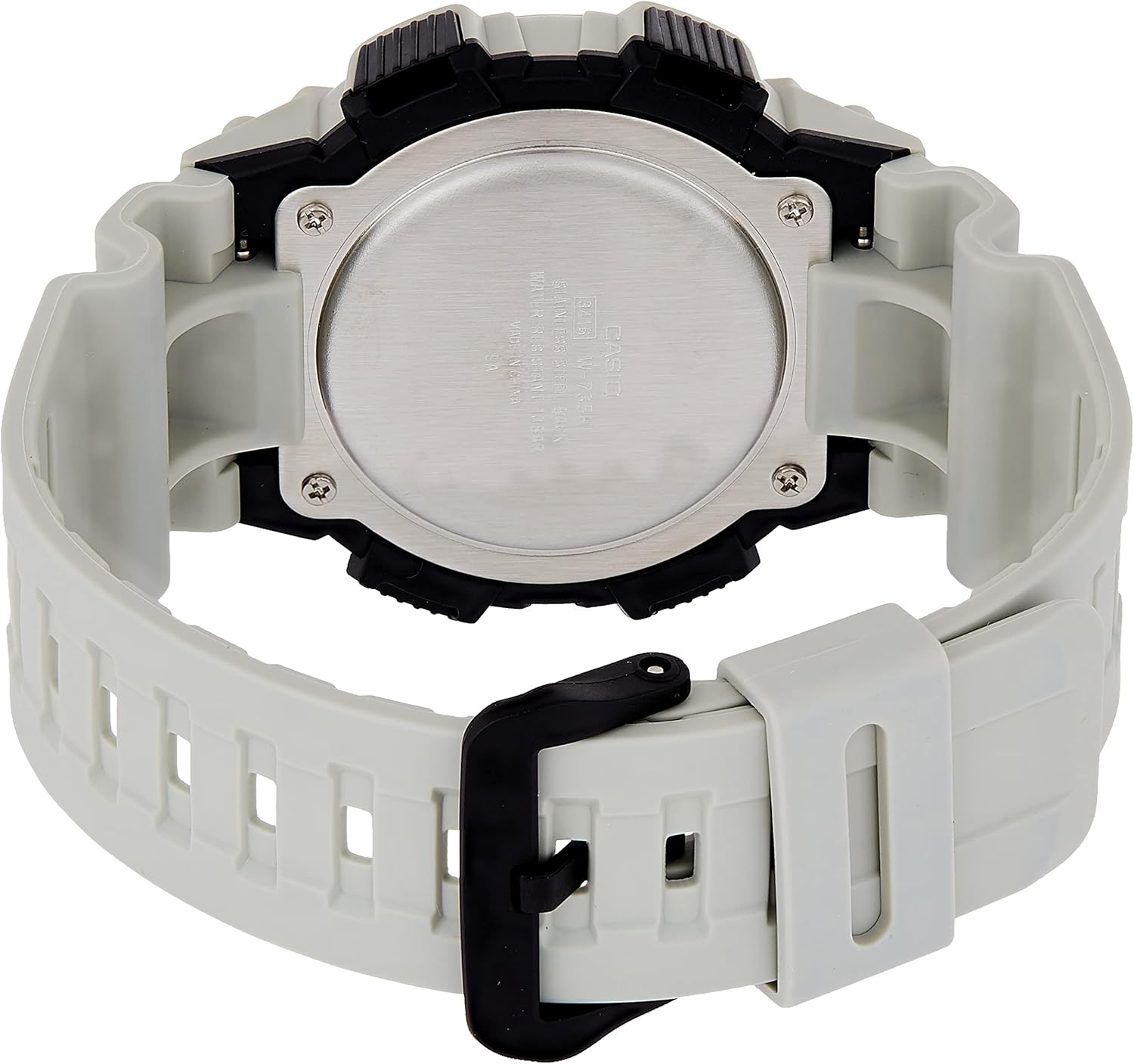
Bild 3.1: Seite view of the Casio W-735H-8A2VDF Digital Wristwatch. This image highlights the four operational buttons on the watch's sides, labeled 'ADJUST', 'MODE', 'SPLIT', and 'START', which are used for navigating modes and setting functions.
3.2 Stoppuhrfunktion
- Enter Stopwatch Mode ('ST').
- Drücken START (top right) to begin timing.
- Drücken START Um die Zeitmessung erneut zu stoppen.
- Drücken ANPASSEN (top left) to reset the stopwatch to zero.
- Zum Aufzeichnen von Zwischenzeiten drücken Sie TEILT (bottom right) while the stopwatch is running. The display will show the split time. Press TEILT again to return to elapsed time.
3.3 Countdown-Timer-Funktion
- Enter Countdown Timer Mode ('TR').
- Halten Sie die ANPASSEN button until the timer settings begin to flash.
- Verwenden Sie die START Und TEILT Tasten zur Einstellung der gewünschten Countdown-Zeit (Stunden, Minuten, Sekunden).
- Drücken ANPASSEN , um den Einstellungsbildschirm zu verlassen.
- Drücken START Um den Countdown zu starten. Drücken Sie START erneut, um anzuhalten/fortzusetzen.
- When the countdown reaches zero, the watch will emit an alarm or vibrate (if set). Press any button to stop the alert.
3.4 Using the Illuminator (LED Backlight)
Drücken Sie die LICHT button (bottom center) to illuminate the display for easy viewing in low-light conditions. The backlight duration is preset.
4. Wartung
4.1 Reinigung Ihrer Uhr
Regularly wipe your watch with a soft, dry cloth to remove dirt and moisture. For stubborn dirt, use a soft cloth dampMit Wasser und einem milden, neutralen Reinigungsmittel abspülen und anschließend trocken wischen. Vermeiden Sie die Verwendung flüchtiger Substanzen wie Verdünner oder Benzin, da diese die Harzkomponenten beschädigen können.
4.2 Vorsichtsmaßnahmen zur Wasserdichtigkeit
Your Casio W-735H-8A2VDF is rated for 100-meter water resistance. This means it is suitable for swimming and snorkeling. However, avoid operating the watch buttons while it is submerged in water. Do not use the watch for scuba diving or other types of diving that require air tanks.
4.3 Batteriewechsel
The watch is equipped with an LR44 battery designed for approximately 10 years of operation. When the display becomes dim or functions become erratic, it indicates that the battery power is low. Battery replacement should be performed by a qualified technician to ensure proper water resistance and function. Do not attempt to replace the battery yourself.

Bild 4.1: Zurück view of the Casio W-735H-8A2VDF Digital Wristwatch. The stainless steel case back is visible, engraved with 'CASIO', 'WATER RESIST 10BAR', 'STAINLESS STEEL BACK', and 'SHOCK RESIST', along with the model number.
5. Fehlerbehebung
- Time/Date is Incorrect: Re-enter the Timekeeping Mode and adjust the time and date settings as described in Section 2.1. Ensure DST (Daylight Saving Time) is set correctly for your region.
- Alarm ertönt/vibriert nicht: Check if the alarm is activated in Alarm Mode (Section 2.3). Verify that the vibration alarm is enabled if you prefer vibration over sound.
- Anzeige ist leer oder schwach: This usually indicates a low battery. Contact a qualified watch technician for battery replacement.
- Die Schaltflächen reagieren nicht: If the watch is unresponsive, try pressing all four buttons simultaneously for a few seconds to perform a soft reset. If the issue persists, the battery may be completely depleted or there may be an internal malfunction requiring professional service.
6. Spezifikationen
| Modellnummer | W-735H-8A2VDF |
| Wasserbeständigkeit | 100 Meter (10 BAR) |
| Akku-Typ | 1 x LR44 (approx. 10-year life) |
| Genauigkeit | ±30 Sekunden pro Monat (Durchschnitt) |
| Funktionen | Timekeeping, Stopwatch, Countdown Timer, Multi-function Alarms (with vibration), Hourly Time Signal, LED Backlight |
| Maße | 3.15 x 4.8 x 3.54 Zoll |
| Gewicht | 1.06 Unzen |

Bild 6.1: The Casio W-735H-8A2VDF Digital Wristwatch displayed on a wrist, illustrating its size and fit for daily wear.
7. Garantie und Support
For detailed information regarding the product warranty, please refer to the warranty card included with your purchase or visit the official Casio website. For customer support, service, or inquiries about replacement parts, please contact Casio customer service directly through their official channels.
Casio Offiziell WebWebsite: www.casio.com


