1. Einleitung
The BenQ GP20 is an Ultra-Lite LED 700 Lumen Projector designed for versatile use, offering high-definition projection in various environments. This compact projector features 720p HD resolution, built-in 3W speakers with SRS surround sound, and 3D-ready projection capabilities. It supports unparalleled multimedia connectivity, including wireless display functions and MHL for mobile devices.
This manual provides essential information for setting up, operating, and maintaining your BenQ GP20 projector to ensure optimal performance and longevity.
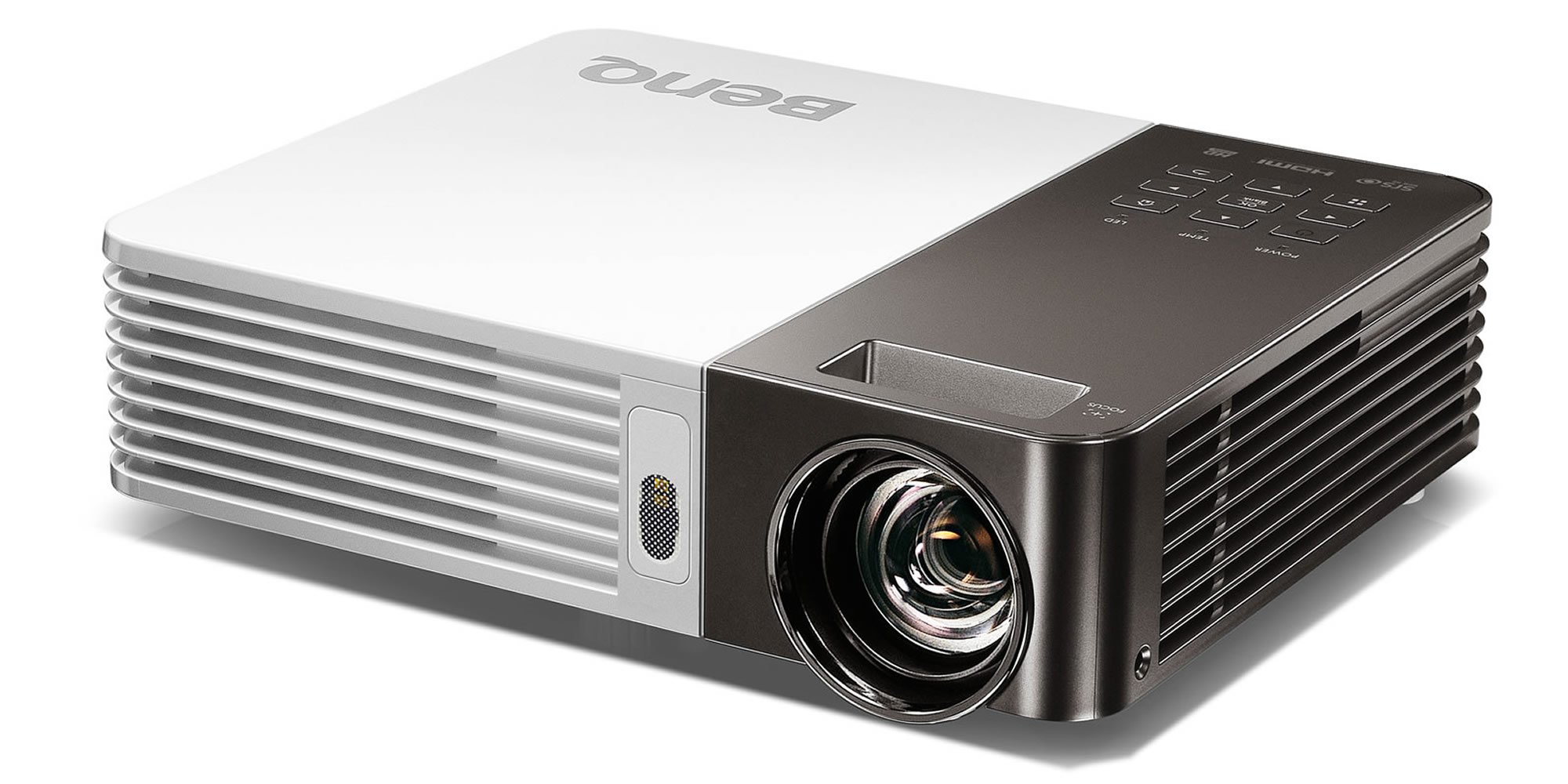
Image 1.1: The BenQ GP20 Wireless Ultra-Lite LED 700 Lumen Projector, showcasing dank seiner kompakten Bauweise und Linse.
2. Auspacken und Packungsinhalt
Upon opening the BenQ GP20 package, ensure all components are present and undamaged. The standard package includes the projector unit, a remote control, power cables, and a carrying case. Additional accessories such as a wireless dongle and various connection cables may also be included.

Image 2.1: The BenQ GP20 projector box, with various accessories including cables, remote, and carrying case laid out.
3. Einrichtungsanweisungen
3.1 Erstplatzierung
Place the projector on a stable, flat surface. For optimal image quality, position the projector perpendicular to the projection surface (screen or wall). The short-throw projection technology allows for a large 40-inch picture from approximately one meter distance.
3.2 Stromanschluss
- Schließen Sie das Netzkabel an den Stromeingang des Projektors an.
- Stecken Sie das andere Ende des Stromkabels in eine geeignete Steckdose.
- Drücken Sie die Einschalttaste am Projektor oder auf der Fernbedienung, um das Gerät einzuschalten.
3.3 Bildanpassung
The GP20 features an automatic keystone correction function. This feature automatically adjusts misshaped images, graphics, and charts into a perfect square, eliminating the need for manual adjustments.
4. Bedienungsanleitung
4.1 Benutzeroberfläche
The GP20 user interface is designed for ease of use, featuring navigation elements similar to popular multimedia devices. This intuitive design minimizes the need for extensive manual consultation.
4.2 Content Source Selection
The projector can automatically detect and select content sources when devices like SD cards or USB drives are plugged in. Manual selection is also available through the on-screen menu.
4.3 Fernbedienungsfunktionen
Use the provided remote control to navigate menus, adjust settings, and control playback. Familiarize yourself with the buttons for power, source selection, volume, and menu navigation.
5. Konnektivität
5.1 Wireless Display
The GP20 supports wireless display functions, allowing connection via notebooks, PCs, or mobile devices. The EZ QPresenter 2.0 for PC offers wireless connectivity from your PC to the GP20, with options for extending to a secondary display or projecting streaming video. The iOS EZ QPresenter 2.0 app allows projection of PDF, MS Office, and iWorks documents directly from an iPhone or iPad, including Dropbox streaming.
5.2 MHL Connectivity
The projector features MHL (Mobile High-Definition Link) functionality, enabling you to mirror content from compatible Android devices to the big screen. Your device will also charge while connected via MHL.
5.3 Andere Verbindungen
The GP20 offers various ports for multimedia connectivity, including USB. Refer to the port labels on the projector for specific connection types.
6. Erweiterte Funktionen
6.1 LED Projection Technology
Utilizing RGB LEDs as the light source, the GP20 delivers vibrant, color-rich images with a 10000:1 contrast ratio and 100% NTSC color gamut. This technology ensures a long lifespan for the light source, up to 30,000 hours in Eco Mode, without a decrease in brightness.
6.2 Auto Blank Eye Protection
The Auto Blank feature is designed for eye protection, particularly around young children. It detects movements within 20 to 30 centimeters in front of the lens and automatically cuts off the projection light to prevent direct exposure.
6.3 3D-Ready Projection
The BenQ GP20 is 3D-ready, allowing for immersive 3D content viewing with compatible 3D glasses and source material.
7. Wartung
7.1 Reinigung des Projektors
- Exterieur: Use a soft, lint-free cloth to gently wipe the projector's exterior. Avoid abrasive cleaners or solvents.
- Linse: Use a lens cleaning cloth or specialized lens paper with a small amount of lens cleaning solution. Do not touch the lens directly with your fingers.
- Belüftung: Um eine Überhitzung zu vermeiden, muss sichergestellt werden, dass die Lüftungsöffnungen frei von Staub und Verstopfungen sind.
7.2 Speicherung
Bewahren Sie den Projektor bei Nichtgebrauch in seiner Tragetasche an einem kühlen, trockenen Ort fern von direkter Sonneneinstrahlung und extremen Temperaturen auf.
8. Fehlerbehebung
If you encounter issues with your BenQ GP20 projector, consider the following basic troubleshooting steps:
- Kein Strom: Ensure the power cable is securely connected to both the projector and the electrical outlet. Check if the power outlet is functional.
- Kein Bild: Verify that the correct input source is selected. Check all cable connections between the projector and the source device.
- Verschwommenes Bild: Allow the automatic keystone correction to function. Ensure the projection surface is flat and the projector is stable.
- Kein Ton: Check the volume settings on both the projector and the source device. Ensure audio cables are correctly connected if not using HDMI.
- Fernbedienung funktioniert nicht: Prüfen Sie die Batterien der Fernbedienung und tauschen Sie sie gegebenenfalls aus. Stellen Sie sicher, dass sich keine Hindernisse zwischen der Fernbedienung und dem Infrarotempfänger des Projektors befinden.
For persistent issues, consult the BenQ support webWebsite oder wenden Sie sich an den Kundendienst.
9. Spezifikationen
| Besonderheit | Spezifikation |
|---|---|
| Marke | BenQ |
| Modellnummer | GP20 |
| Bildschirmauflösung | 1280 x 800 |
| Helligkeit | 700 Lumen |
| Lichtquelle | LED |
| Kontrastverhältnis | 10000:1 |
| Farbumfang | 100 % NTSC |
| Lautsprechertyp | Built-In (Two 3W Stereo Speakers with SRS HD) |
| Konnektivitätstechnologie | USB, Wireless Display, MHL-Enabled HDMI |
| Besondere Merkmale | 3D-Ready, Auto Keystone, Auto Blank Eye Protection |
| Artikelgewicht | 3.5 Pfund |
| Technische Daten | 2.4 x 8.6 x 6.9 Zoll |
| Stromquelle | 1 Lithium-Ionen-Akku (im Lieferumfang enthalten) |
| Energieeffizienz | Energy Star-zertifiziert |
10. Garantie und Support
For warranty information, please refer to the warranty card included with your product or visit the official BenQ webFür technischen Support, Produktregistrierung oder Serviceanfragen wenden Sie sich bitte über die offiziellen Kanäle an den BenQ-Kundendienst.


