1. Zu Endeview
The Donner DMX512 Wireless DMX System provides a reliable and efficient solution for controlling stage lighting without the need for extensive cabling. This system includes one DMX512 wireless transmitter and seven DMX512 wireless receivers, designed for seamless integration with DMX-compatible lighting fixtures. It operates on a 2.4G wireless frequency, offering high anti-jamming capabilities and automatic frequency hopping across 126 channels to ensure stable data transmission over distances up to 500 meters (visible distance).
The system simplifies setup for various applications, including stage, disco, party, and bar lighting, by eliminating the complexities of wired DMX connections. Each unit features tricolor LED indicators for easy identification of ID codes and operational status, allowing users to establish up to seven individual wireless networks without interference.
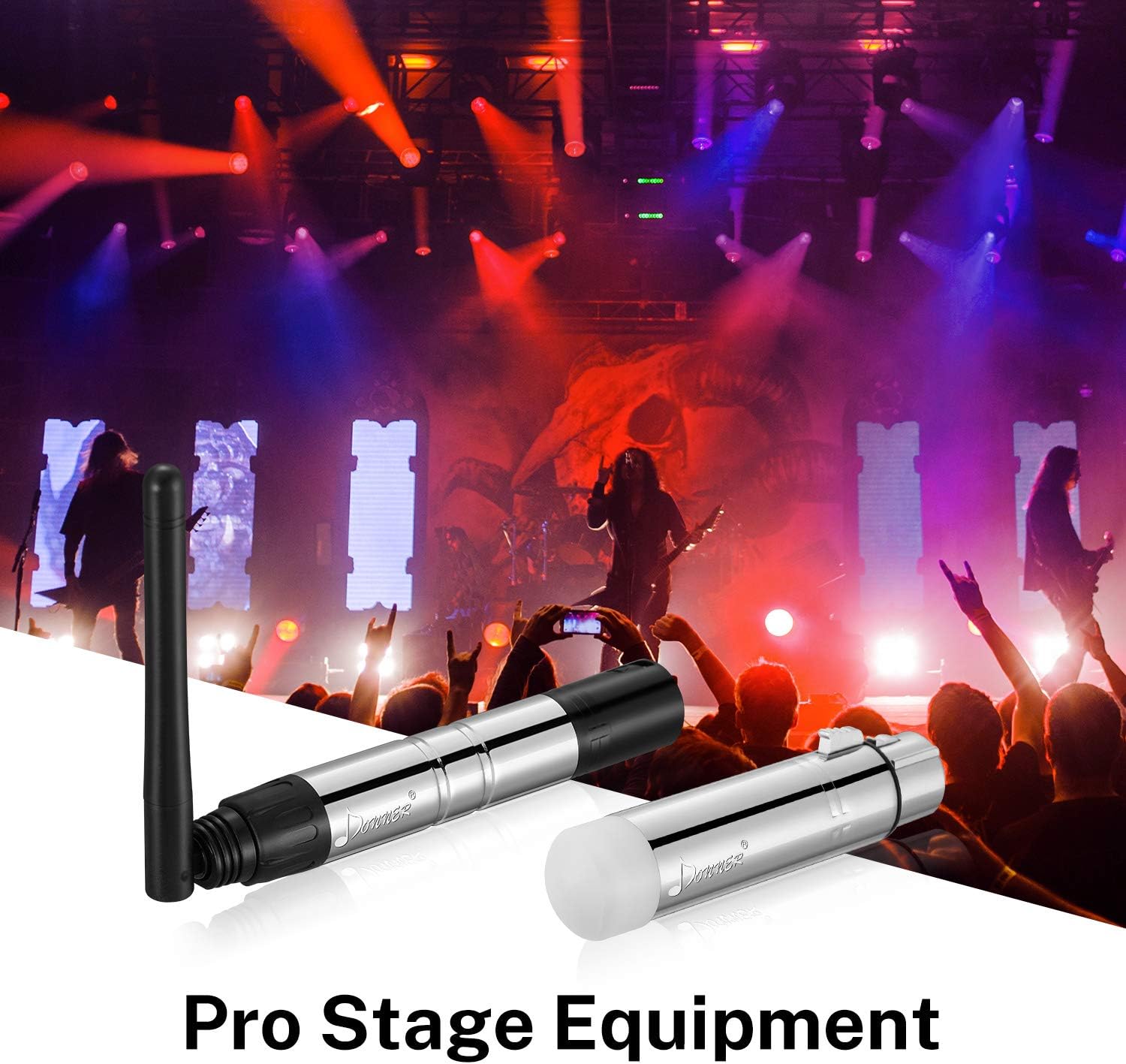
Image: The Donner DMX512 Wireless DMX System components shown in a professional stage lighting setup.
2. Packungsinhalt
- 1 x DMX512-Funksender
- 7 x DMX512 Wireless Receivers
- 8 x Power Adapters (Note: Units require external power; no built-in battery.)
3. Hauptmerkmale
- Drahtloses DMX512-Protokoll: Transmits standard DMX512 protocol data wirelessly.
- Erweiterte Reichweite: Communication distance up to 500 meters (visible distance).
- Automatic Frequency Hopping: 126 channels for high anti-jamming ability and reliable operation.
- Multiple ID Codes: 7 settable ID codes allow for up to 7 individual wireless networks without interference.
- Tricolor LED Indicators: Visual feedback for ID code and connection status.
- Plug-and-Play: Simple setup and operation.
- Keine Latenz: Ensures real-time data transmission without delay.
4. Einrichtung
4.1 Komponentenidentifikation
The system consists of a transmitter and multiple receivers. The transmitter sends DMX signals from your controller, and the receivers distribute them to your DMX-compatible lighting fixtures.

Bild: Eine Nahaufnahme view of the DMX512 wireless transmitter (with antenna) and receiver units.
4.2 Anschluss
- Connect the DMX512 Wireless Transmitter to the DMX output of your DMX controller.
- Connect each DMX512 Wireless Receiver to the DMX input of your DMX-compatible lighting fixtures.
- Plug the provided power adapters into each transmitter and receiver unit, then connect them to a power source.

Image: An illustration demonstrating the easy wireless connection from a DMX controller to multiple lighting fixtures via the Donner DMX system.
4.3 Pairing (ID Code Matching)
The transmitter and receivers must be set to the same ID code to communicate. The units use tricolor LED indicators to display the selected ID code.
- Press the button on the transmitter to cycle through the 7 available ID codes. Observe the color of the LED indicator.
- For each receiver, press its button until the LED indicator matches the color of the transmitter's LED.
- Once the colors match, the transmitter and receiver are paired. Repeat for all receivers.
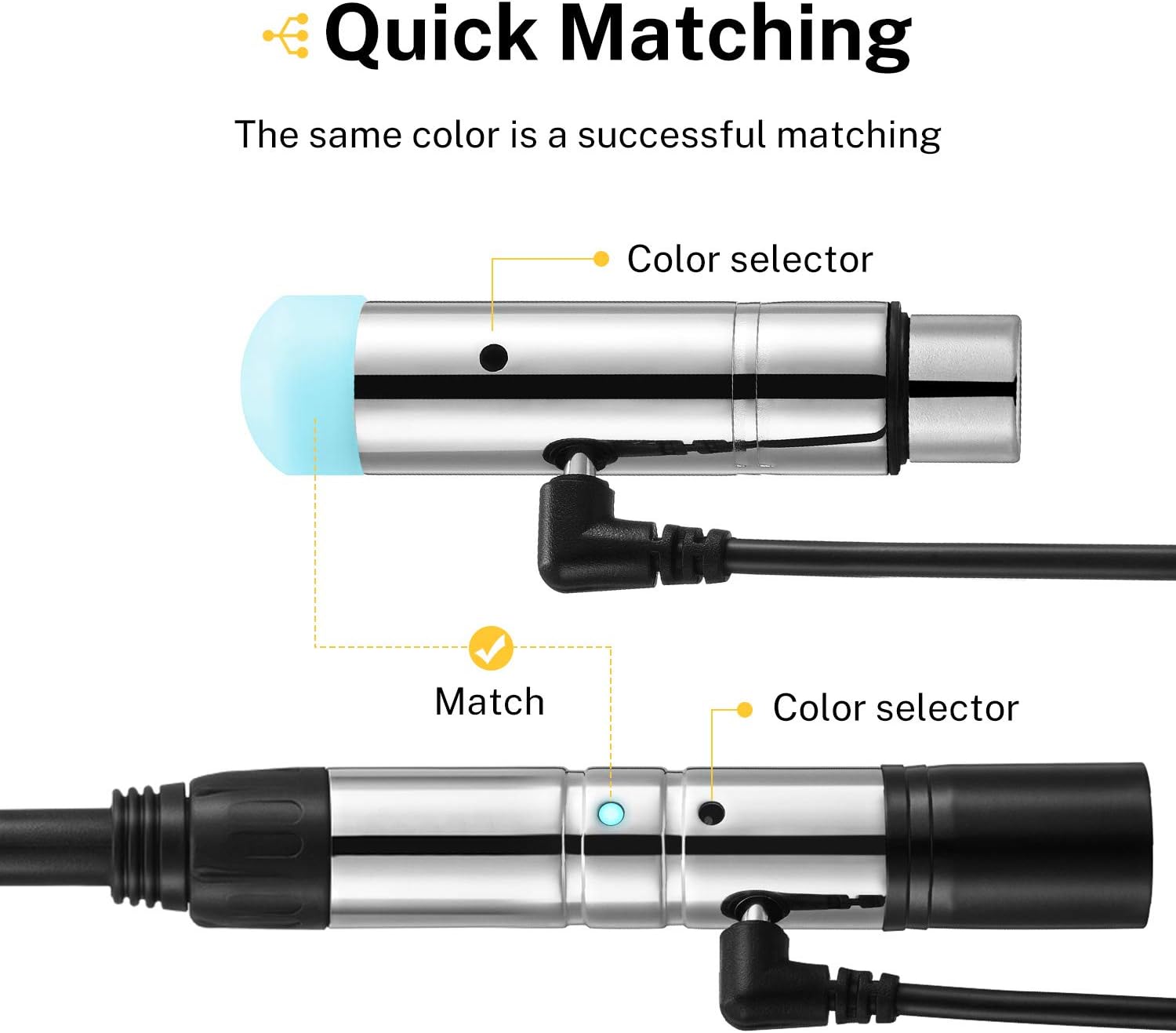
Image: A visual guide illustrating how to match the color indicators on the transmitter and receiver for successful pairing.
4.4 Einschalten
After connecting and pairing, ensure all units are powered on. The LED indicators will show a solid color (matching the selected ID) when a stable connection is established.
5. Bedienung
5.1 DMX-Kanalauswahl
The system supports 7 groups of ID codes, each represented by a different LED color. This allows for multiple independent DMX universes to operate in the same area without interference. Ensure your DMX controller and all associated lighting fixtures are configured to the correct DMX channels within the selected wireless ID group.
5.2 Signalübertragung
The transmitter continuously broadcasts DMX signals to all paired receivers. The 2.4G frequency hopping technology automatically selects the clearest channel, minimizing interference and ensuring a stable connection. There is no noticeable time delay during data transmission, providing real-time control of your lighting.
Image: An illustration depicting the wireless signal range of the Donner DMX system, extending up to 400 meters.
5.3 Multiple Receiver Setup
One DMX512 wireless transmitter can control multiple DMX512 wireless receivers simultaneously, as long as they are all set to the same ID code. This allows for flexible and scalable lighting setups.
6. Wartung
- Reinigung: Reinigen Sie die Außenseite der Geräte mit einem weichen, trockenen Tuch. Verwenden Sie keine scharfen Chemikalien oder Scheuermittel.
- Lagerung: Lagern Sie die Geräte bei Nichtgebrauch an einem kühlen, trockenen Ort, geschützt vor direkter Sonneneinstrahlung und extremen Temperaturen.
- Handhabung: Vermeiden Sie es, die Geräte fallen zu lassen oder starken Stößen auszusetzen, da dies zu Schäden an den internen Bauteilen führen kann.
7. Fehlerbehebung
- No Signal/Lights Not Responding:
- Ensure the transmitter and all receivers are powered on.
- Verify that the transmitter and all receivers are set to the same ID code (matching LED color).
- Check all DMX and power cable connections.
- Confirm that your lighting fixtures are DMX512 compatible and correctly addressed.
- Verringern Sie den Abstand zwischen Sender und Empfängern oder beseitigen Sie etwaige Hindernisse.
- Zeitweises Signal/Verzögerung:
- This can sometimes be resolved by power cycling the transmitter and receivers.
- Ensure no other 2.4G wireless devices are causing significant interference nearby.
- Check for any physical obstructions that might be blocking the signal path.
- LED-Anzeige leuchtet nicht:
- Vergewissern Sie sich, dass das Netzteil fest angeschlossen ist und Strom erhält.
- Versuchen Sie es gegebenenfalls mit einer anderen Steckdose oder einem anderen Netzteil.
8. Spezifikationen

Image: Detailed dimensions of the Donner DMX512 Wireless DMX Transmitter and Receiver units.
| Besonderheit | Spezifikation |
|---|---|
| Modellnummer | EC757+EC775X7 |
| Farbe | Silber |
| Material | Kunststoff, Metall |
| Stromquelle | External Power Adapter (No built-in battery) |
| Bandtage | 5 Volt |
| Artikelgewicht | 7.04 ounces (total for 8 units) |
| Produktabmessungen (Sender) | 4.72"L x 1.18"W x 3.5"H (approx. with antenna) |
| Produktabmessungen (Empfänger) | 3.1"L x 0.9"W (approx.) |
| Drahtlose Frequenz | 2.4G ISM |
| Kanäle | 126 (automatisches Frequenzsprungverfahren) |
| ID-Codes | 7 Groups (color-coded) |
| Kommunikationsentfernung | Bis zu 500 Meter (Sichtweite) |
| Kompatibilität | DMX512 Protocol |
9. Wichtige Hinweise
- This system only supports devices marked with the DMX512 protocol.
- The units do not have built-in batteries and require a power adapter for operation.
- For optimal performance, ensure a clear line of sight between the transmitter and receivers.
10. Garantie und Support
For detailed warranty information, product registration, and technical support, please refer to the official Donner website or the documentation included with your purchase. You may also contact Donner customer service directly for assistance.


