Einführung
Thank you for choosing the ANSMANN Powerline 5 Pro Charger. This advanced microprocessor-controlled charger is designed for NiMH/NiCd rechargeable batteries, offering multiple charging programs and comprehensive safety features. Please read this manual carefully before using the device to ensure safe and optimal performance.
Sicherheitshinweise
- Use the charger only for NiMH/NiCd rechargeable batteries. Do not attempt to charge primary (non-rechargeable) batteries.
- Setzen Sie das Ladegerät weder Regen noch Feuchtigkeit aus.
- Das Ladegerät darf nicht zerlegt oder verändert werden. Alle Wartungsarbeiten dürfen nur von qualifiziertem Fachpersonal durchgeführt werden.
- Sorgen Sie während des Ladevorgangs für ausreichende Belüftung.
- Außerhalb der Reichweite von Kindern aufbewahren.
- Vermeiden Sie Kurzschlüsse der Batteriekontakte.
- Ziehen Sie den Stecker des Ladegeräts aus der Steckdose, wenn Sie es nicht verwenden.
Produkt überview
The ANSMANN Powerline 5 Pro is a versatile battery charger featuring an LCD display and individual charging slots. It supports various battery sizes and offers multiple operational modes.

Abbildung 1: Vorderseite view of the ANSMANN Powerline 5 Pro Charger, showing the LCD display, control buttons (Current, Display, Mode), and four charging slots for cylindrical batteries, plus a dedicated slot for a 9V E-block battery.
Hauptmerkmale:
- Vielseitige Anwendung: Charges 1-4 NiMH/NiCd batteries of sizes Micro AAA, Mignon AA, Baby C, Mono D, and one 9V E-block battery.
- Intelligente Ladetechnologie: Four charging programs (Charge, Discharge, Refresh, Test) individually adjustable per charging station.
- Hohe Sicherheit: Features reverse polarity protection, short circuit protection, overcharge protection, and automatic shut-off.
- Easy-to-read Display: Large illuminated LCD shows capacity, voltage, charging/discharging current, and charging time for each slot.
- Bequeme Nutzung: Includes wide-range power supply for worldwide use and a 12V car adapter.
Packungsinhalt
Bitte überprüfen Sie nach dem Öffnen der Verpackung, ob alle Komponenten vorhanden und unbeschädigt sind:
- ANSMANN Powerline 5 Pro Charger Unit
- AC Power Adapter (Wide-range)
- 12V Autoadapter
- Benutzerhandbuch (dieses Dokument)
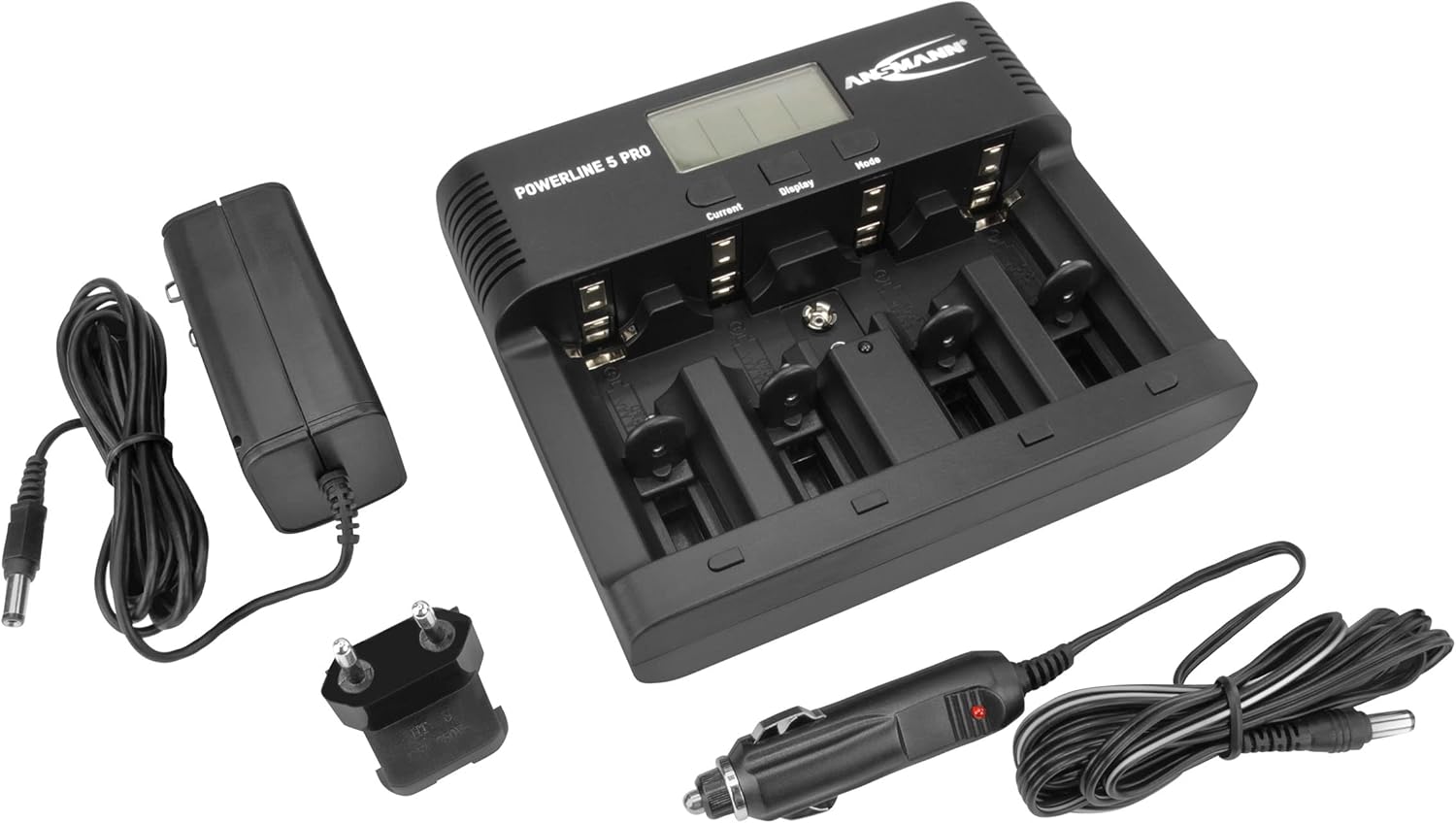
Figure 2: The Powerline 5 Pro charger shown with its included accessories: the AC power adapter and the 12V car adapter.
Aufstellen
Anschließen der Stromversorgung:
- Locate the DC 12V 1.5A input port on the rear of the charger.
- Connect the provided AC power adapter or 12V car adapter to this input port.
- Plug the other end of the AC power adapter into a suitable wall outlet, or the car adapter into your vehicle's 12V socket.
- The charger's LCD display will illuminate, indicating it is powered on and ready for use.
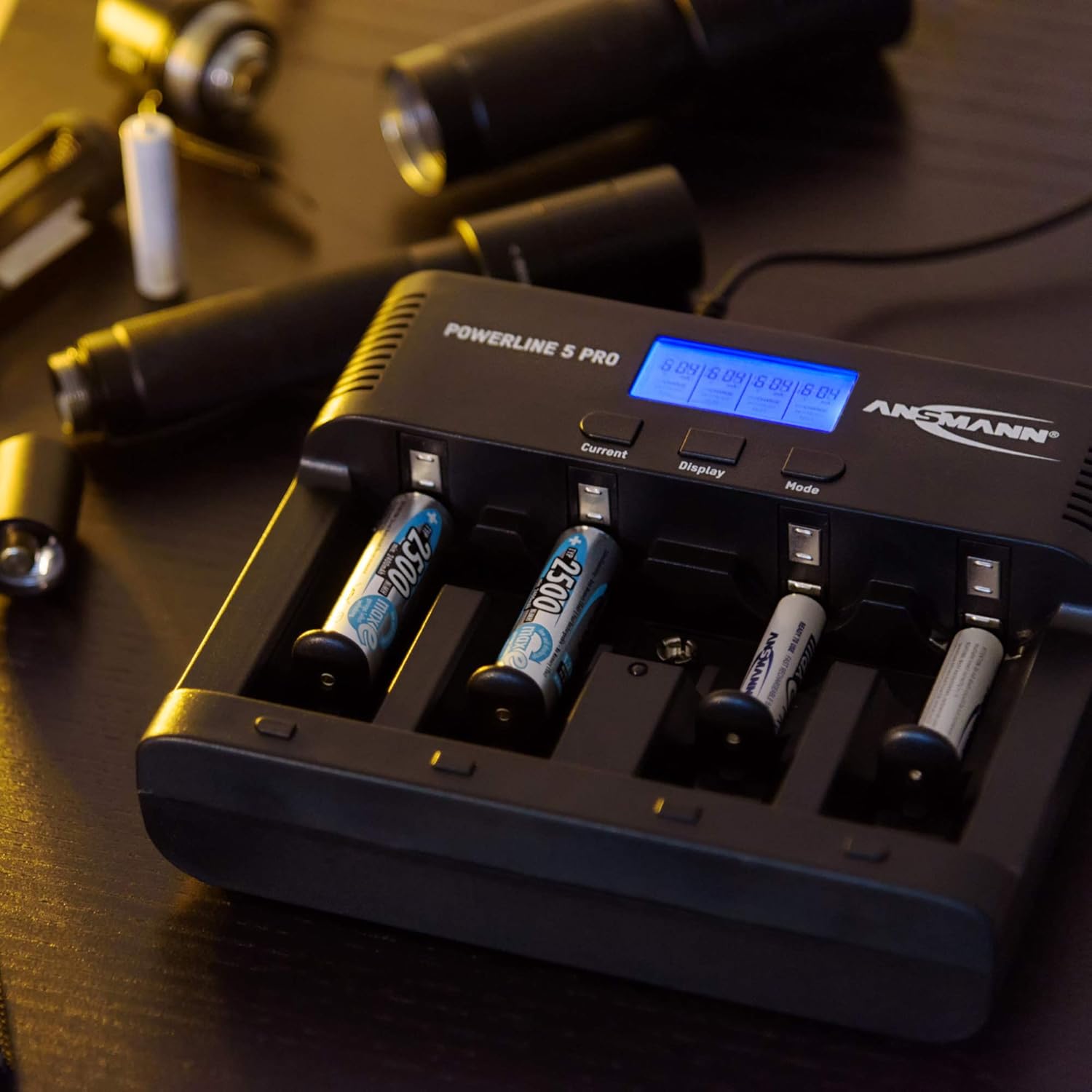
Abbildung 3: Rückseite view of the Powerline 5 Pro charger highlighting the 12V 1.5A DC input port for connecting the power adapter.
Bedienungsanleitung
Batterien einlegen:
The charger supports various battery sizes. Ensure correct polarity when inserting batteries into the charging slots. The 9V E-block battery has a dedicated slot.

Figure 4: Illustration showing the various battery types suitable for the Powerline 5 Pro charger, including Micro AAA, Mignon AA, Baby C, Mono D, and 9V E-Block.
Das Display und die Bedienelemente verstehen:
The LCD display provides real-time information for each charging slot. The three buttons (Current, Display, Mode) allow you to control the charging process.
- Aktueller Button: Adjusts the charging/discharging current.
- Anzeigetaste: Toggles through different display parameters (e.g., voltage, capacity, time).
- Modus-Taste: Selects the desired operating program (Charge, Discharge, Refresh, Test).

Figure 5: The Powerline 5 Pro charger with batteries inserted, demonstrating the individual monitoring and automatic shutdown features. The LCD shows charging status.
Ladeprogramme:
Each charging slot can operate independently with its own program.
- Aufladung: Standard charging mode. Insert battery, select desired current with "Current" button, then press "Mode" to start. The charger automatically detects full charge and switches to trickle charge.
- Entladung: Discharges the battery before recharging it. Useful for reducing memory effect in NiCd batteries. Select "Discharge" mode with "Mode" button, then set discharge current with "Current" button. After discharge, the charger will automatically begin charging.
- Aktualisieren: Repeatedly discharges and charges the battery to optimize its capacity and rejuvenate older batteries. This process can take several hours or even days depending on battery condition. Select "Refresh" mode with "Mode" button.
- Prüfen: Charges the battery fully, then discharges it to measure its actual capacity, and finally recharges it. This provides an accurate reading of the battery's health. Select "Test" mode with "Mode" button.
To select a program for a specific slot, first select the slot by pressing the "Display" button until the desired slot is highlighted, then use the "Mode" button to cycle through programs. Use the "Current" button to adjust current settings if applicable.
Wartung
- Reinigen Sie das Ladegerät regelmäßig mit einem weichen, trockenen Tuch. Verwenden Sie keine Scheuermittel oder Lösungsmittel.
- Ensure the charging contacts are free of dust and debris for optimal connection.
- Bewahren Sie das Ladegerät an einem kühlen, trockenen Ort auf, wenn Sie es nicht verwenden.
- Vermeiden Sie es, das Ladegerät fallen zu lassen oder starken Stößen auszusetzen.
Fehlerbehebung
| Problem | Mögliche Ursache | Lösung |
|---|---|---|
| Das Ladegerät lässt sich nicht einschalten. | Keine Stromversorgung; defekter Adapter; lose Verbindung. | Check power outlet; ensure adapter is securely connected to charger and wall/car socket; try a different outlet. |
| Battery not charging (display shows "ERR"). | Incorrect battery type (non-rechargeable); faulty battery; incorrect polarity; poor contact. | Ensure battery is NiMH/NiCd; try a different battery; reinsert battery with correct polarity; clean battery and charger contacts. |
| Charging process takes too long. | High capacity battery; low charging current selected; battery in "Refresh" or "Test" mode. | This is normal for high capacity batteries; increase charging current if possible; "Refresh" and "Test" modes are designed to take longer. |
| Das Display ist dunkel oder flackert. | Instabile Stromversorgung. | Ensure stable power source; try a different outlet or adapter. |
Technische Daten
| Besonderheit | Detail |
|---|---|
| Modellnummer | 1001-0018 |
| Kompatible Batterietypen | NiMH / NiCd (Micro AAA, Mignon AA, Baby C, Mono D, 9V E-block) |
| Eingangslautstärketage | 12V DC, 1.5A (via included AC adapter or car adapter) |
| Ladeprogramme | Laden, Entladen, Auffrischen, Testen |
| Anzeige | LCD mit Hintergrundbeleuchtung |
| Sicherheitsfunktionen | Reverse polarity protection, short circuit protection, overcharge protection, automatic shut-off |
| Technische Daten | 5.59 x 6.67 x 1.56 Zoll (14.2 x 17.0 x 3.96 cm) |
| Artikelgewicht | 1.21 Pfund (0.55 kg) |
| Hersteller | ANSMANN |

Figure 6: Dimensions of the Powerline 5 Pro charger, indicating a width of 17.0 cm and a height of 14.2 cm.
Garantie und Support
ANSMANN products are manufactured with high quality standards. For warranty information and technical support, please refer to the official ANSMANN webBesuchen Sie die Website oder kontaktieren Sie direkt den Kundenservice. Bewahren Sie Ihren Kaufbeleg als Kaufnachweis auf.
Weitere Unterstützung finden Sie unter Ansmann Store on Amazon.


