1. Produktüberschreitungview
The OMNITRONIC STR-1000 is a robust and durable pocket receiver designed for in-ear monitoring applications. It functions as a replacement or extension unit for the OMNITRONIC IEM-1000 in-ear monitoring system, operating within the 823-832 MHz duplex frequency range. This device provides reliable audio reception for performers and presenters, ensuring clear sound transmission directly to the user's earphones.
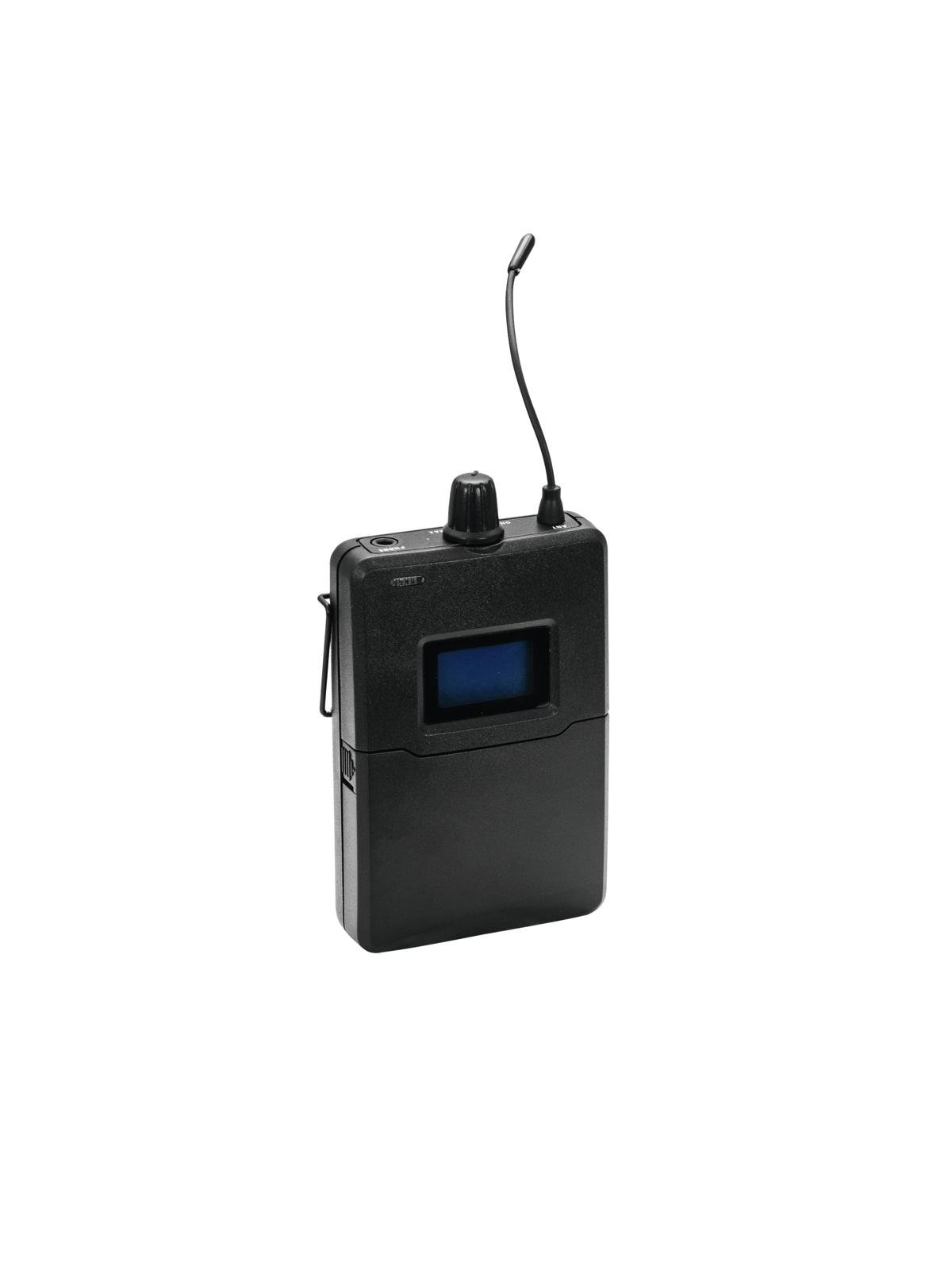
Bild 1.1: Vorderseite view of the OMNITRONIC STR-1000 Pocket Receiver, showing its compact design and controls.
2. Packungsinhalt
Prüfen Sie, ob alle Artikel im Paket enthalten sind. Sollten Artikel fehlen oder beschädigt sein, kontaktieren Sie umgehend Ihren Händler.
- 1x OMNITRONIC STR-1000 Pocket Receiver
- 1x Pair of Mini Earphones
- 1x Transport Case
- 1x Benutzerhandbuch (dieses Dokument)
3. Einrichtungsanweisungen
Follow these steps for the initial setup of your STR-1000 pocket receiver.
- Batterien installieren: Open the battery compartment cover on the back of the receiver. Insert two fresh AA batteries, ensuring correct polarity (+/-). Close the cover securely.
- Kopfhörer anschließen: Plug the mini earphones into the 3.5mm (1/8-inch) stereo jack located on the top or side of the receiver. Ensure the plug is fully inserted.
- Einschalten: Press and hold the power button (usually located on the front or side) until the display illuminates.
- Frequenzsynchronisation: The STR-1000 must be synchronized with an OMNITRONIC IEM-1000 transmitter. Refer to the IEM-1000 transmitter manual for specific instructions on how to pair or synchronize the receiver's frequency with the transmitter's output. Typically, this involves setting the receiver to the same frequency channel as the transmitter.
- Lautstärkeregelung: Start with the volume control at a low setting before placing the earphones in your ears. Gradually increase the volume to a comfortable listening level once audio is received.
4. Operating the STR-1000
The STR-1000 is designed for straightforward operation. Familiarize yourself with the controls for optimal use.
- Ein-/Ausschalten: Press and hold the power button to turn the unit on or off. A short press may activate a mute function or display backlight, depending on the model's specific design.
- Lautstärkeregelung: Use the dedicated volume up/down buttons or rotary knob to adjust the listening level. Always adjust to a comfortable level to prevent hearing damage.
- Kanalauswahl: If your receiver supports multiple channels, use the channel selection buttons (often labeled "Up" and "Down" or "CH") to cycle through available frequencies. Ensure the selected channel matches the transmitter's output.
- Anzeigeinformationen: The receiver's display typically shows the current channel, battery status, and signal strength. Monitor these indicators during operation.
- Frequenzbereich: The STR-1000 operates in the 823-832 MHz duplex range. This frequency band is generally license-free and registration-free within the EU. However, it is crucial to verify specific regulations in your country of use, as local laws may vary.
5. Wartung und Pflege
Proper maintenance ensures the longevity and reliable performance of your STR-1000 receiver.
- Reinigung: Use a soft, dry cloth to clean the exterior of the receiver. Do not use liquid cleaners, solvents, or abrasive materials, as these can damage the finish or internal components.
- Batteriepflege: Remove batteries if the receiver will not be used for an extended period to prevent leakage and damage. Dispose of used batteries responsibly according to local regulations.
- Lagerung: Store the receiver in its transport case in a cool, dry place, away from direct sunlight, extreme temperatures, and high humidity.
- Ohrhörerpflege: Clean earphones regularly with a soft, damp cloth. Replace ear tips if they become worn or damaged for optimal hygiene and sound quality.
6. Anleitung zur Fehlerbehebung
If you encounter issues with your STR-1000, consult the following table before contacting support.
| Problem | Mögliche Ursache | Lösung |
|---|---|---|
| Kein Ton aus Kopfhörern |
|
|
| Static or intermittent audio |
|
|
| Der Receiver lässt sich nicht einschalten |
|
|
7. Technische Daten
| Besonderheit | Spezifikation |
|---|---|
| Marke | Omnitronic |
| Modellname | STR-1000 |
| Modellnummer | 14013241 |
| ASIN | B00TZP6PFK |
| Frequenzbereich | 823-832 MHz (Duplex) |
| Anschlüsse | AUX (3.5mm stereo jack for earphones) |
| Stromversorgung | 2x AA Batterien (nicht enthalten) |
| Kompatibilität | OMNITRONIC IEM-1000 In-Ear Monitoring System |
| License Status (EU) | License-free and registration-free (verify local regulations) |
8. Wichtige Sicherheitshinweise
Read and follow all safety instructions to prevent injury or damage to the device.
- Gehörschutz: Avoid listening at high volume levels for extended periods to prevent hearing damage. Always start with a low volume and gradually increase it.
- Batteriesicherheit: Use only specified battery types. Do not mix old and new batteries, or different types of batteries. Do not expose batteries to excessive heat or fire.
- Wasser und Feuchtigkeit: Do not expose the receiver to rain, moisture, or liquids. If the device comes into contact with liquid, immediately power it off and remove batteries.
- Hitze: Do not place the receiver near heat sources such as radiators, heat registers, stoves, or other apparatus (including ampKonverter (Lüfter), die Wärme erzeugen.
- Wartung: Versuchen Sie nicht, dieses Produkt selbst zu warten. Überlassen Sie alle Wartungsarbeiten qualifiziertem Servicepersonal.
- Entsorgung: Dispose of this product and its batteries in accordance with local environmental regulations. Do not dispose of with household waste.
9. Garantie und Support
For warranty information, technical support, or service inquiries, please refer to the documentation provided with your purchase or contact your authorized Omnitronic dealer. Keep your proof of purchase for warranty claims.
Omnitronic products are manufactured by Steinigke Showtechnic, a company known for reliable quality since 1979.


