Einführung
The Ergotron Vertical CPU Holder provides a secure and space-saving solution for mounting your computer's central processing unit (CPU) or power supply. Designed to integrate with VESA monitor arms or directly onto sturdy vertical surfaces, this holder helps maintain an organized workspace by keeping your PC off the desk and out of the way. Its robust steel construction ensures durability and secure retention for a wide range of CPU sizes.
Packungsinhalt
Vor Beginn der Installation sicherstellen, dass alle Komponenten vorhanden sind:
- Vertical CPU Holder assembly
- Befestigungsmaterial (Schrauben, Unterlegscheiben, Inbusschlüssel)
- Protective pads (adhesive)
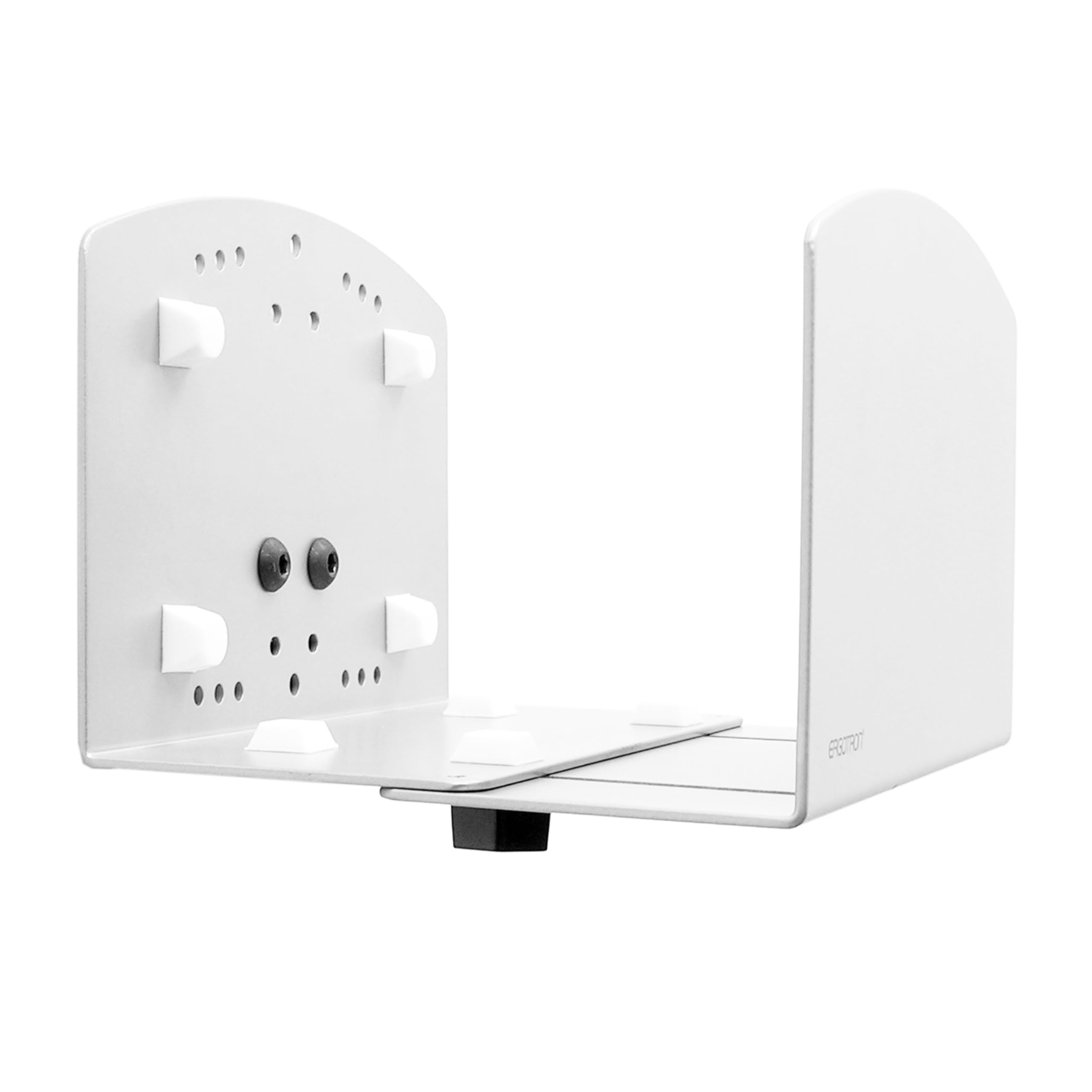
Image: Ergotron Vertical CPU Holder and its components, including the main white holder, mounting screws, an Allen wrench, and protective adhesive pads.
Setup und Installation
This CPU holder can be installed directly onto a sturdy vertical surface or an Ergotron Wall Track. Choose the appropriate method for your setup.
1. Prepare the CPU Holder
- Apply the provided protective pads to the inner surfaces of the CPU holder where your computer will rest. This prevents scratches and provides a snug fit.
- Adjust the width of the holder to match your CPU. The holder accommodates PCs from 2 to 8 inches (5 to 20 cm) wide. Use the included fasteners to lock the desired width.
2. Montagemöglichkeiten
Option A: Direct Wall/Surface Mount
- Select a sturdy vertical surface capable of supporting the weight of the CPU holder and your computer (up to 40 lbs / 18 kg).
- Position the CPU holder against the surface at the desired height. Mark the locations for the mounting screws.
- Drill pilot holes if necessary, according to the type of surface and mounting hardware.
- Secure the CPU holder to the surface using the provided screws and an appropriate screwdriver or drill. Ensure it is firmly attached and does not wobble.
Option B: Ergotron Wall Track Mount
- Ensure you have an Ergotron Wall Track securely installed.
- Align the mounting holes on the CPU holder with the attachment points on the Ergotron Wall Track.
- Use the appropriate hardware (often included with the wall track or CPU holder) to attach the holder to the track. Tighten all fasteners to ensure stability.
Bedienungsanleitung
Once the CPU holder is securely installed and its width adjusted:
- Carefully slide your CPU or power supply into the holder.
- Ensure the CPU is seated firmly and evenly within the holder.
- If necessary, re-adjust the width fasteners to achieve a snug fit, preventing movement without applying excessive pressure.
The holder is designed for vertical orientation of your CPU, optimizing space and airflow.
Wartung
Regular maintenance ensures the longevity and safe operation of your Ergotron CPU Holder.
- Reinigung: Wischen Sie den Halter mit einem weichen, fusselfreien Tuch ab.amp Mit einem Tuch abwischen. Vermeiden Sie scheuernde Reiniger oder Lösungsmittel, die die Oberfläche beschädigen könnten.
- Überprüfung der Befestigungselemente: Periodically check all mounting screws and width adjustment fasteners to ensure they remain tight. Re-tighten if any looseness is detected.
- Pad-Inspektion: Inspect the protective pads for wear or damage. Replace if necessary to maintain proper cushioning and grip for your CPU.
Fehlerbehebung
| Problem | Mögliche Ursache | Lösung |
|---|---|---|
| CPU holder feels loose after installation. | Mounting screws are not fully tightened or surface is not sturdy. | Ensure all mounting screws are securely tightened. Verify the mounting surface is appropriate and can support the weight. |
| CPU does not fit or is too loose in the holder. | Width adjustment is incorrect or CPU dimensions are outside the specified range. | Re-adjust the width fasteners to match your CPU's dimensions. Confirm your CPU's width is between 2 and 8 inches (5 to 20 cm). |
| Scratches on CPU casing. | Protective pads are missing or worn. | Ensure all protective pads are correctly applied and in good condition. Replace if necessary. |
Technische Daten
| Besonderheit | Detail |
|---|---|
| Modellnummer | 97-468-216 |
| Technische Daten | 11.26 x 10.35 x 7.4 Zoll (28.6 x 26.3 x 18.8 cm) |
| Artikelgewicht | 1.98 Pfund (0.9 kg) |
| CPU Width Capacity | 2 bis 8 cm |
| Gewichtskapazität | Bis zu 40 kg (18 Pfund) |
| Material | Robuste Stahlkonstruktion |
| Farbe | Weiß |
Offizielle Produktvideos
Für dieses spezielle Modell sind derzeit keine offiziellen Produktvideos des Verkäufers verfügbar.
Garantieinformationen
For detailed warranty information regarding your Ergotron Vertical CPU Holder, please refer to the official Ergotron website or contact Ergotron customer support directly. Warranty terms and conditions may vary by region and product.
Kundenservice
If you require assistance with installation, troubleshooting, or have any questions about your Ergotron Vertical CPU Holder, please contact Ergotron customer support. Visit the official Ergotron webWebsite für Kontaktdaten und Support-Ressourcen.
Besuchen Sie auch die Ergotron Store on Amazon für weitere Produktinformationen.