1. Wichtige Sicherheitshinweise
Please read all instructions carefully before using the STIM-PRO Comfort TENS Unit. Failure to follow these instructions could result in injury or device malfunction.
- Do not use if you have a pacemaker, implanted defibrillator, or other implanted metallic or electronic device.
- Do not use on open wounds, rashes, swollen, red, infected, or inflamed skin areas.
- Consult your physician before use if you have epilepsy, heart disease, or are pregnant.
- Außerhalb der Reichweite von Kindern aufbewahren.
- Aussagen zu Nahrungsergänzungsmitteln wurden von der FDA nicht geprüft und sind nicht zur Diagnose, Behandlung, Heilung oder Vorbeugung von Krankheiten oder Gesundheitszuständen bestimmt.
2. Produktüberschreitungview
The axion STIM-PRO Comfort is a 2-channel Transcutaneous Electrical Nerve Stimulation (TENS) device designed for drug-free pain relief. It features 8 pre-installed programs and adjustable intensity for personalized treatment.


Hauptmerkmale:
- 2-Channel Device: Allows for the use of up to 4 electrodes simultaneously.
- 8 vorinstallierte Programme: Designed for various pain types, offering simple and intuitive operation.
- Einstellbare Intensität: Continuous intensity adjustment up to 80mA for comfortable and effective treatment.
- Timer-Funktion: Selectable treatment durations of 15, 30, 60 minutes, or continuous operation.
- Tragbares Design: Compact and lightweight with a belt clip for use at home, work, or on the go.
3. Einrichtung
Packungsinhalt:
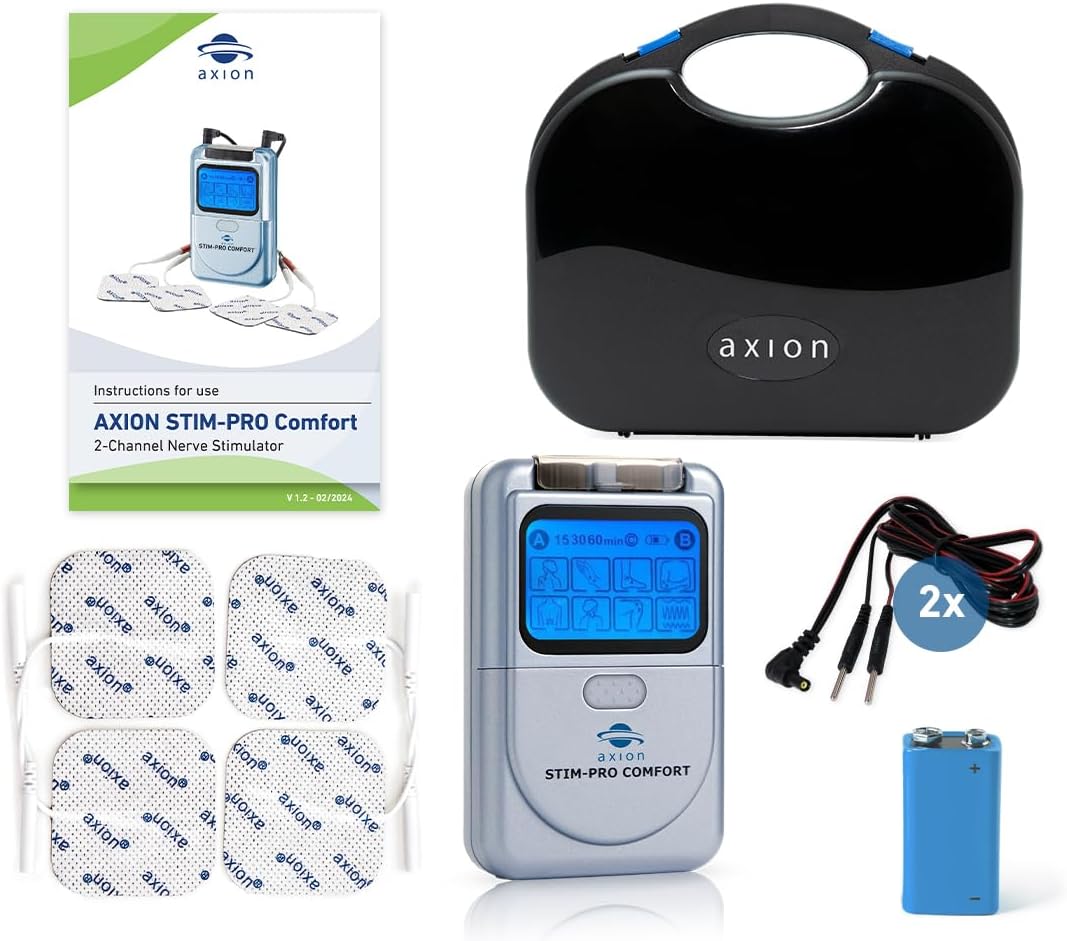
- Batterie einlegen: Open the battery compartment on the back of the device. Insert the included 9V battery, ensuring correct polarity. Close the compartment securely.
- Kabel anschließen: Plug the connection cables into the output jacks (A and B) on the top of the TENS unit.
- Elektroden anbringen: Connect the electrode pads to the pin connectors on the end of the cables. Ensure a secure connection.
4. Bedienungsanleitung
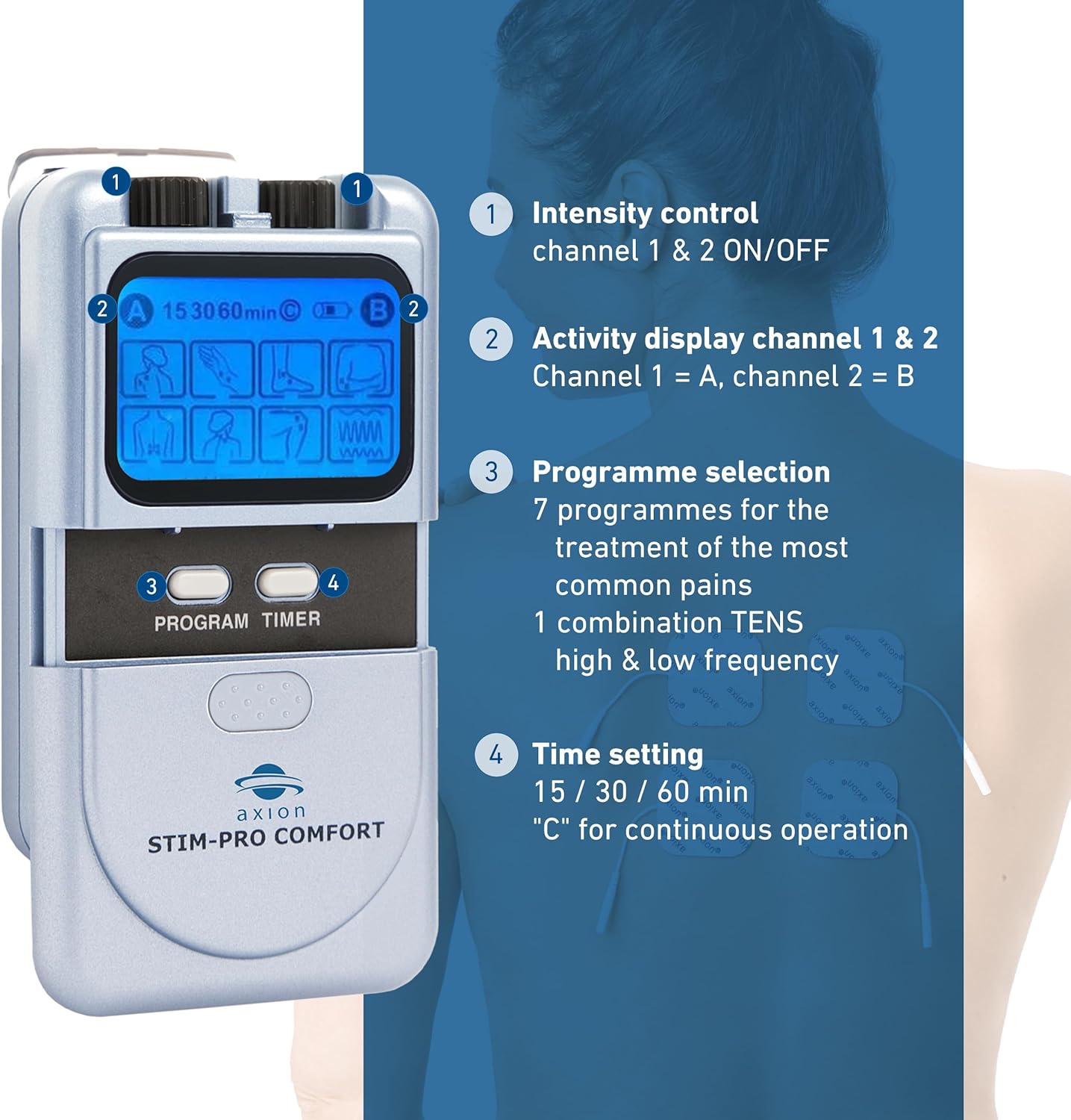
Kontrollen überview:
- Haut vorbereiten: Ensure the skin where electrodes will be placed is clean, dry, and free of oils or lotions.
- Elektroden platzieren: Apply the electrode pads firmly to the desired treatment area. Refer to the diagram below for common placement suggestions. Ensure electrodes are not touching each other.
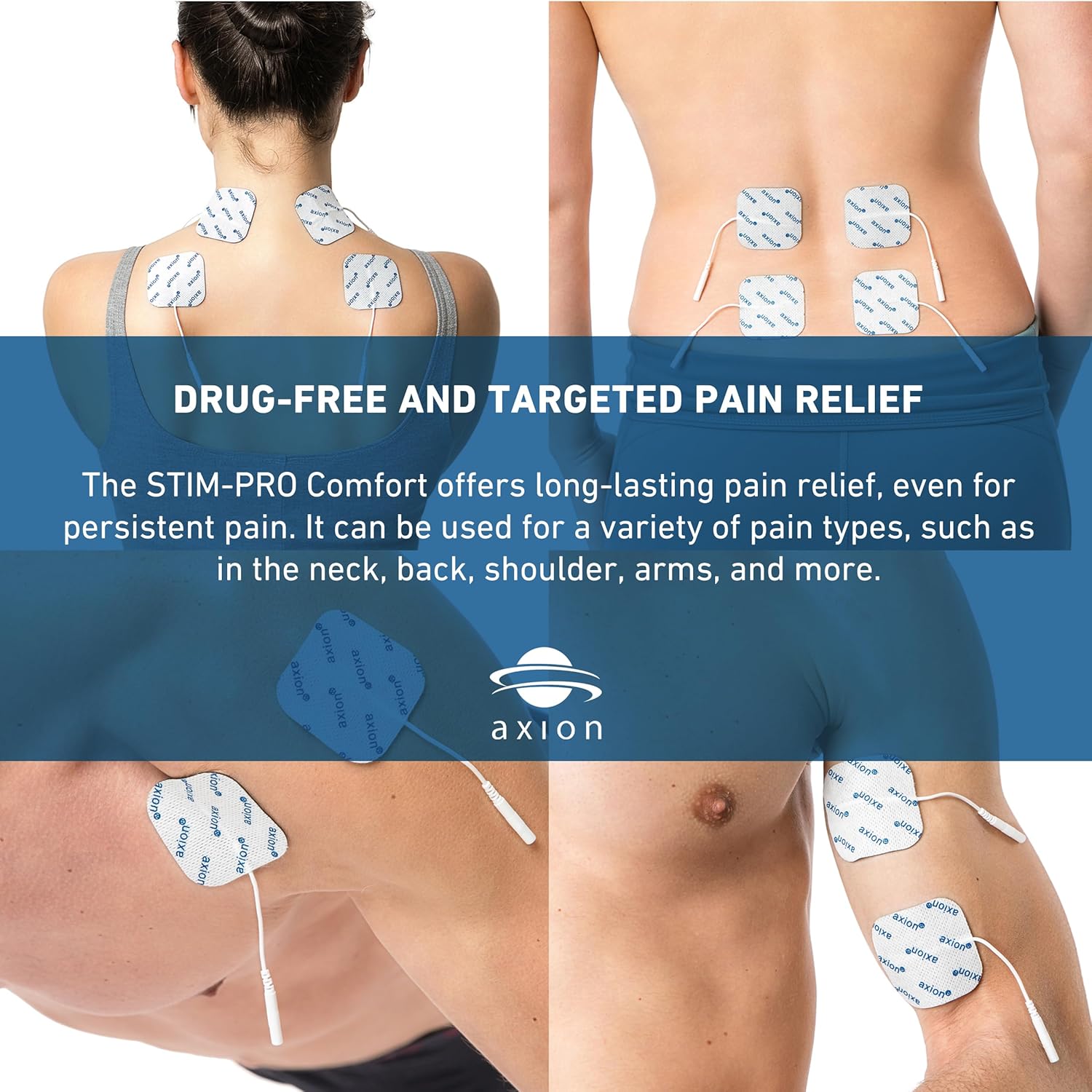
Electrode placement for various body areas for drug-free and targeted pain relief. - Gerät einschalten: Rotate the intensity control knob (1) clockwise to turn on the device.
- Programm auswählen: Press the 'PROGRAM' button (3) to cycle through the 8 pre-installed programs. The selected program will be indicated on the display (2).
- Timer einstellen: Press the 'TIMER' button (4) to select the desired treatment duration: 15 minutes, 30 minutes, 60 minutes, or continuous ('C').
- Intensität anpassen: Slowly rotate the intensity control knob (1) clockwise to increase the intensity to a comfortable level. You should feel a strong, but comfortable, tingling sensation. Do not increase intensity to a painful level.
- Endbehandlung: Once the treatment time is complete, the device will automatically turn off. To manually stop treatment, rotate the intensity control knob (1) counter-clockwise until the device turns off. Carefully remove the electrodes from your skin.
5. Wartung
Gerätepflege:
- Reinigen Sie das Gerät mit einem weichen,amp Tuch. Verwenden Sie keine Scheuermittel und tauchen Sie das Gerät nicht in Wasser.
- Store the device and accessories in the provided case when not in use.
Elektrodenpflege:
Proper care extends the life of your electrode pads.
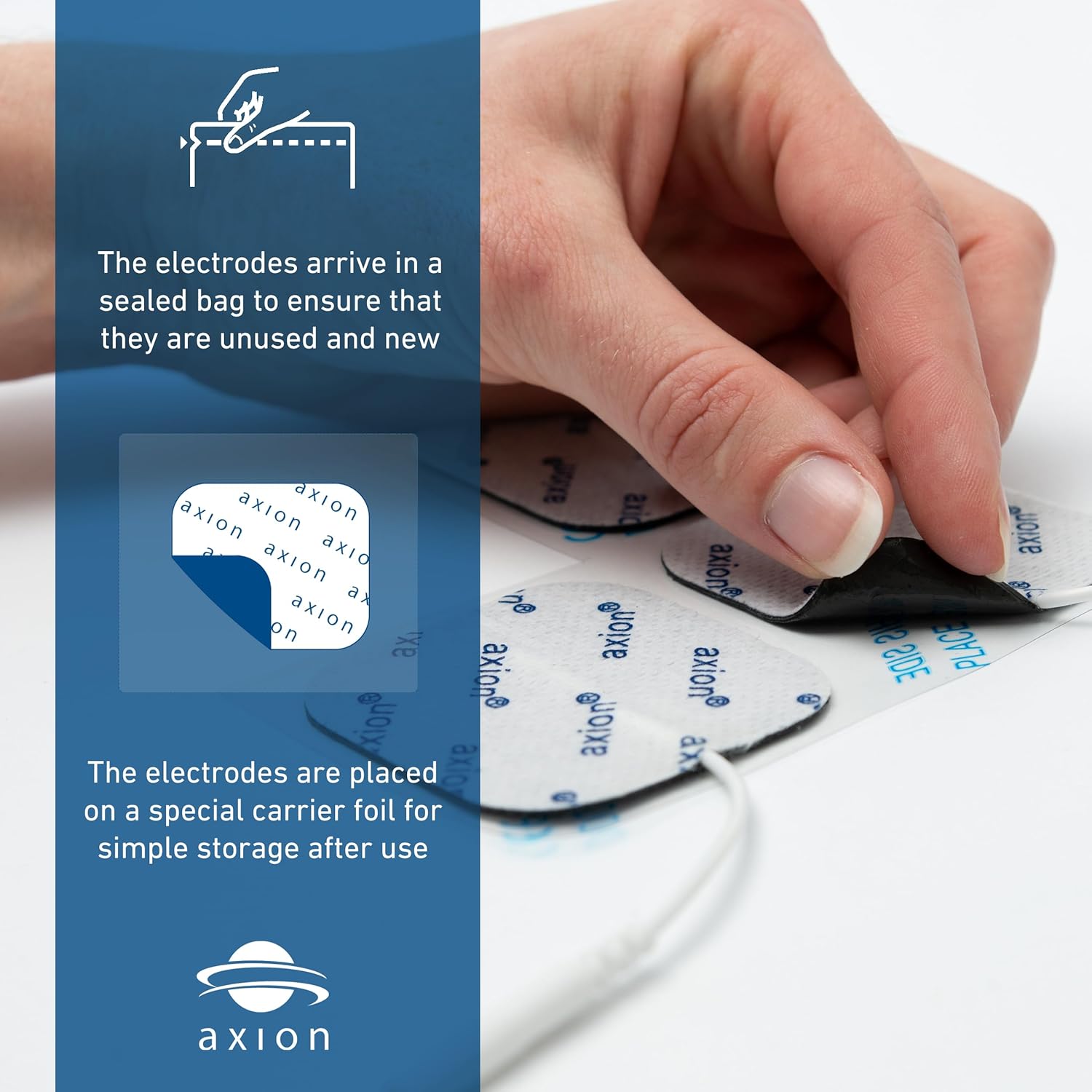
- After each use, place the electrodes back onto the clear plastic film or carrier foil they came with.
- If electrodes lose their stickiness, gently wipe the adhesive side with a damp cloth (water only) and let them air dry. Do not rub vigorously.
- Replace electrodes when they no longer adhere well to the skin or if they cause discomfort.
Batteriewechsel:
When the display dims or the device does not power on, it's time to replace the 9V battery. Follow the steps in Section 3. Setup to replace the battery.
6. Fehlerbehebung
| Problem | Mögliche Ursache | Lösung |
|---|---|---|
| Gerät lässt sich nicht einschalten. | Die Batterie ist leer oder falsch eingesetzt. | Tauschen Sie die 9V-Batterie aus oder überprüfen Sie deren Polarität. |
| Keine oder nur schwache Empfindung. | Electrodes not properly attached, electrodes are worn out, or intensity is too low. | Ensure electrodes are firmly attached to clean skin. Replace electrodes if worn. Slowly increase intensity. |
| Sensation is uncomfortable or painful. | Intensität ist zu hoch. | Slowly decrease intensity until comfortable. |
| Electrodes do not stick. | Skin is oily/dirty, or electrodes are worn out. | Clean and dry skin thoroughly before application. Replace electrodes if they have lost adhesion. |
7. Spezifikationen
- Modellnummer: 1023
- Produktabmessungen: 8.98 x 2.13 x 7.64 Zoll; 1.06 Pfund
- Energiequelle: 1 x 9-V-Batterie (im Lieferumfang enthalten)
- Kanäle: 2 unabhängige Kanäle
- Programme: 8 pre-installed TENS programs
- Intensität: Continuously adjustable, 0 - 80 mA
- Timer: 15, 30, 60 minutes, and continuous operation
- Hersteller: Axion USA LLC
8. Garantie und Support
For warranty information, please refer to the documentation included with your purchase or visit the official axion website. For technical support or further assistance, please contact axion customer service directly.
Kontaktinformationen: Please refer to the contact details provided on the product packaging or the official axion webWebsite für die aktuellsten Supportinformationen.