1. Einleitung
The ThermoPro TP02S is a digital food thermometer designed for quick and accurate temperature readings of various foods. It features a long stainless steel probe, a clear digital display, and simple operation, making it suitable for cooking, baking, grilling, and candy making. This manual provides instructions for proper use and care of your TP02S thermometer.
2. Produktüberschreitungview
The ThermoPro TP02S thermometer consists of the main unit with a digital display and a stainless steel probe, along with a protective probe cover.

Figure 2.1: ThermoPro TP02S Digital Food Thermometer and its protective probe cover.

Figure 2.2: Labeled diagram of the ThermoPro TP02S components, including the clear LCD display, 5.3-inch super long stainless steel probe, instant sensitive probe tip, ON/OFF button, °C/°F button, pocket clip, and battery compartment.
Komponenten:
- Thermometereinheit: Main body with digital display and control buttons.
- Edelstahlsonde: 5.3-inch long probe for temperature measurement.
- Protective Probe Cover: For safe storage and protection of the probe tip.
- LR44-Batterie: One LR44 battery is included and pre-installed.
3. Einrichtung
3.1. Einlegen der Batterie
The ThermoPro TP02S comes with one LR44 battery pre-installed. If replacement is needed, follow these steps:
- Suchen Sie das Batteriefach auf der Rückseite des Thermometers.
- Use a small screwdriver or coin to open the battery cover.
- Insert one new LR44 battery, ensuring the correct polarity (+/-).
- Schließen Sie die Batterieabdeckung fest.

Figure 3.1: Illustration of the battery compartment and LR44 battery for the ThermoPro TP02S.
3.2. Erstreinigung
Before first use, and after each subsequent use, clean the stainless steel probe with a damp cloth or sponge. Do not immerse the entire unit in water.
4. Bedienung
The ThermoPro TP02S is designed for straightforward temperature measurement.

Figure 4.1: Visual guide for operating the ThermoPro TP02S, including cleaning, power on, unit selection, probe insertion, and reading temperature.
4.1. Temperaturmessung
- Drücken Sie die EIN/AUS Taste, um das Thermometer einzuschalten.
- Um zwischen Celsius (°C) und Fahrenheit (°F) umzuschalten, drücken Sie die Taste ° C / ° F Der Knopf befindet sich auf der Rückseite des Geräts.
- Führen Sie die Edelstahlsonde in den dicksten Teil des Lebensmittels ein und vermeiden Sie dabei Knochen und Knorpel.
- Warten Sie 4-7 Sekunden, bis sich die Temperaturanzeige auf dem Digitaldisplay stabilisiert hat.
- Sobald die gewünschte Temperatur erreicht ist, entfernen Sie die Sonde aus dem Lebensmittel.
- Drücken Sie die EIN/AUS button to turn off the thermometer, or it will automatically power off after 10 minutes of inactivity to conserve battery life.

Figure 4.2: The ThermoPro TP02S provides fast (4-7 seconds) and accurate (±0.9°F / ±0.5°C) temperature readings.
4.2. Temperature Range and Applications
The thermometer has a wide temperature range of -58°F to 572°F (-50°C to 300°C), making it suitable for various culinary tasks.

Abbildung 4.3: Bspamples of the ThermoPro TP02S's versatility in measuring temperatures for steak, candy making, home baking, and coffee brewing.
5. Wartung
5.1. Reinigung und Pflege
- Reinigen Sie die Edelstahlsonde nach jedem Gebrauch gründlich mit einem feuchten Tuch.amp Tuch oder Schwamm.
- Das Gerät ist nicht wasserdicht. Do not immerse the thermometer unit or the probe's plug-in hole in any liquid. This can lead to damage and inaccurate readings.
- Avoid exposing the unit to extreme heat or direct flame for extended periods.
5.2. Speicherung
Bewahren Sie das Thermometer an einem trockenen Ort auf, wenn es nicht in Gebrauch ist.
- Always use the protective probe cover to prevent physical damage to the probe tip.
- The thermometer features a hanging hole for convenient storage on kitchen hooks.
- The probe cover includes a pocket clip for easy portability.
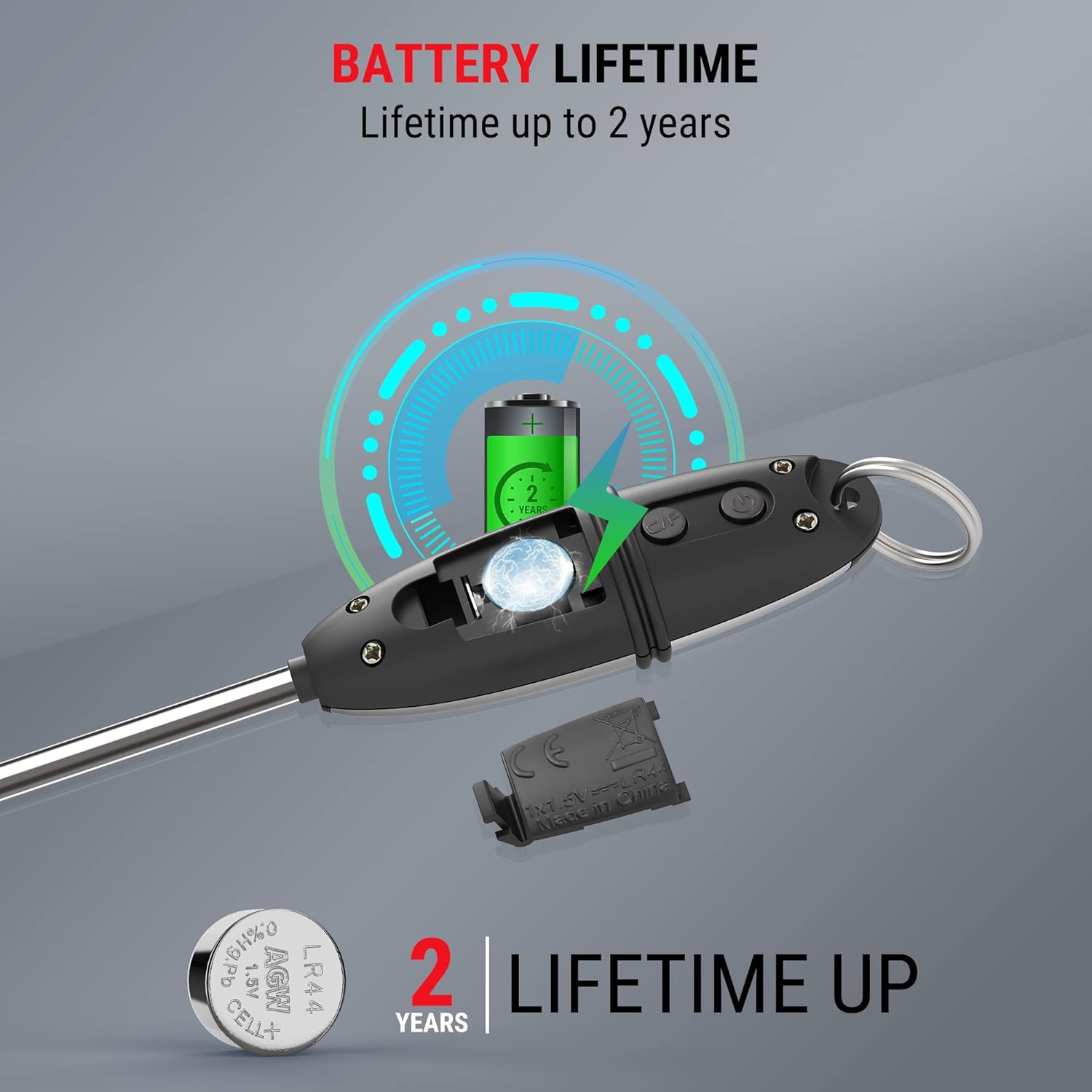
Figure 5.1: The protective probe cover can be used to extend the handle or for safe storage.
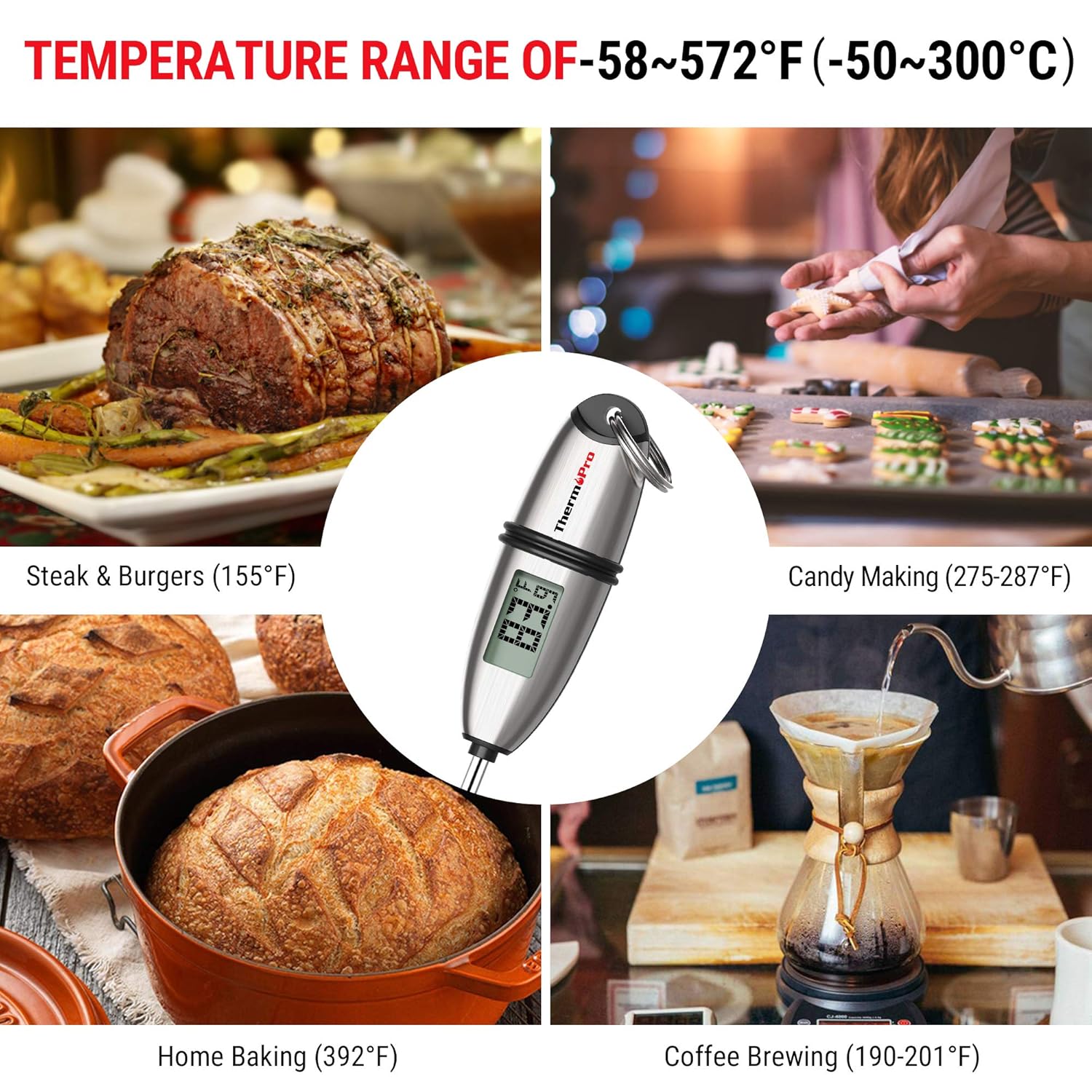
Figure 5.2: Multiple mounting and storage options for the ThermoPro TP02S, including hanging, pocket clip, and drawer storage.
6. Fehlerbehebung
6.1. Displaying Error Codes
- If the LCD screen displays HHH, the measured temperature is above the thermometer's measurable range.
- If the LCD screen displays LLL, the measured temperature is below the thermometer's measurable range.
6.2. Ungenaue Messwerte
- Ensure the probe is inserted into the thickest part of the food and not touching bone, gristle, or the bottom of the cooking vessel.
- Verify the battery has sufficient power. Replace if necessary.
6.3. Gerät schaltet sich nicht ein
- Prüfen Sie, ob die Batterie korrekt mit der richtigen Polarität eingesetzt ist.
- Replace the battery with a new LR44 battery.
7. Spezifikationen
| Besonderheit | Spezifikation |
|---|---|
| Modellnummer | TP-02s |
| Temperaturbereich | -58°F bis 572°F (-50°C bis 300°C) |
| Genauigkeit | ± 0.9 ° F (± 0.5 ° C) |
| Auslesegeschwindigkeit | 4-7 Sekunden |
| Sondenlänge | 5.3 Zoll |
| Stromquelle | 1 x LR44-Batterie (im Lieferumfang enthalten) |
| Auto-Off | 10 Minuten Inaktivität |
| Material | Edelstahl (Sonde) |
| Technische Daten | 8.6 x 1.2 x 1.2 Zoll |
| Gewicht | 0.8 Unzen |
| Zertifizierungen | CE, FCC, NSF |
8. Garantie und Support
ThermoPro provides a warranty for its products. For specific warranty details, registration, or technical support, please refer to the official ThermoPro webBesuchen Sie die Website oder kontaktieren Sie direkt den Kundenservice. Bewahren Sie Ihren Kaufbeleg als Kaufnachweis auf.
Kontaktinformationen: Bitte besuchen Sie die ThermoPro Store auf Amazon or the official ThermoPro webWebsite für die aktuellsten Supportinformationen.


