1. Produktüberschreitungview
The ZOTAC GeForce GTX 1080 Mini is a high-performance graphics card designed for gaming and VR applications. It features NVIDIA Pascal architecture, 8GB GDDR5X memory, and a compact design suitable for smaller PC builds. This manual provides essential information for the installation, operation, and maintenance of your graphics card.
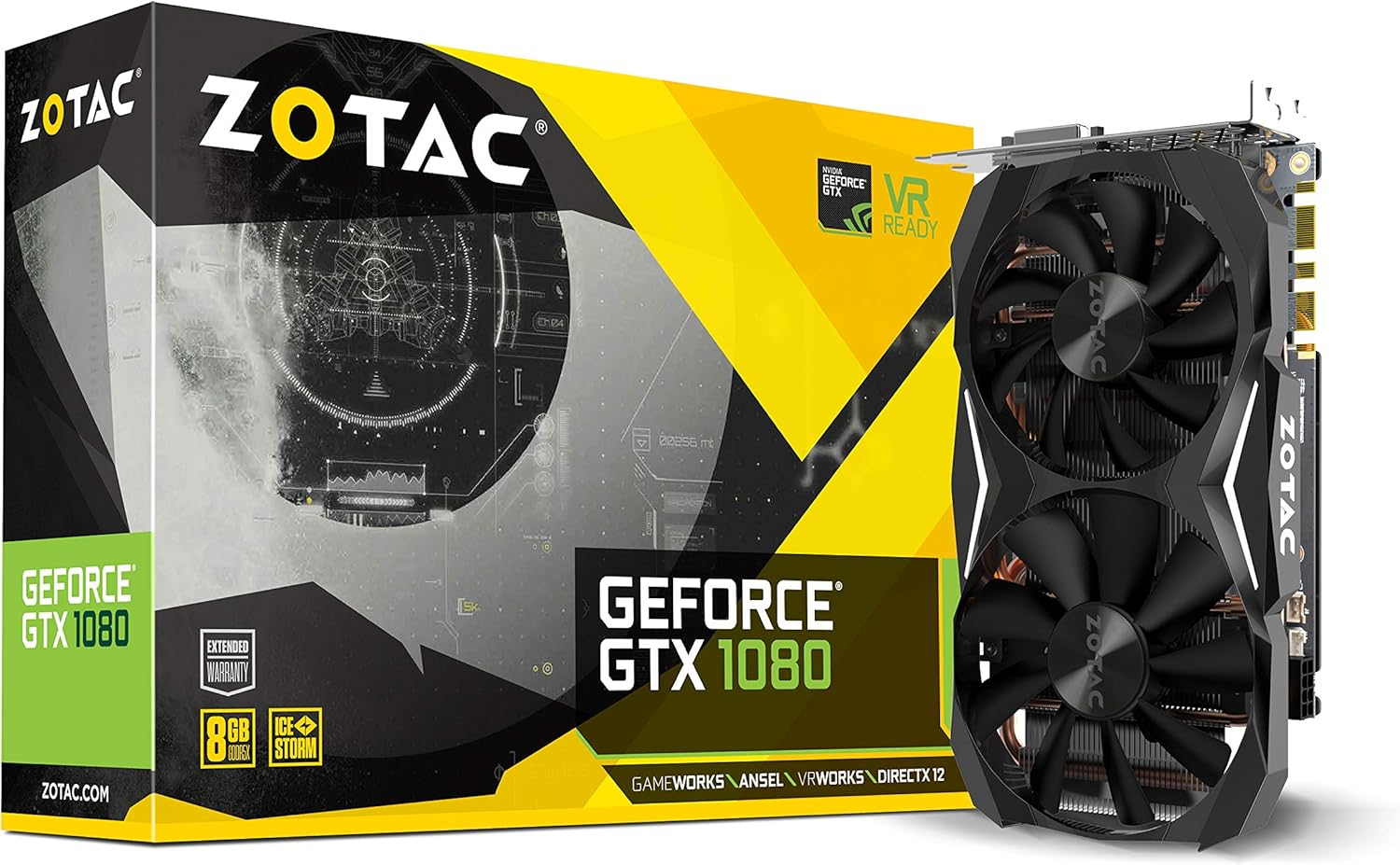
Figure 1: ZOTAC GeForce GTX 1080 Mini Graphics Card, front view with dual fans.
2. Lieferumfang
Vergewissern Sie sich vor der Installation, dass alle Komponenten vorhanden sind:
- ZOTAC GeForce GTX 1080 Mini Graphics Card
- 2 x Dual 6-pin to 8-pin power cable
- Bedienungsanleitung
- Treiberdiskette
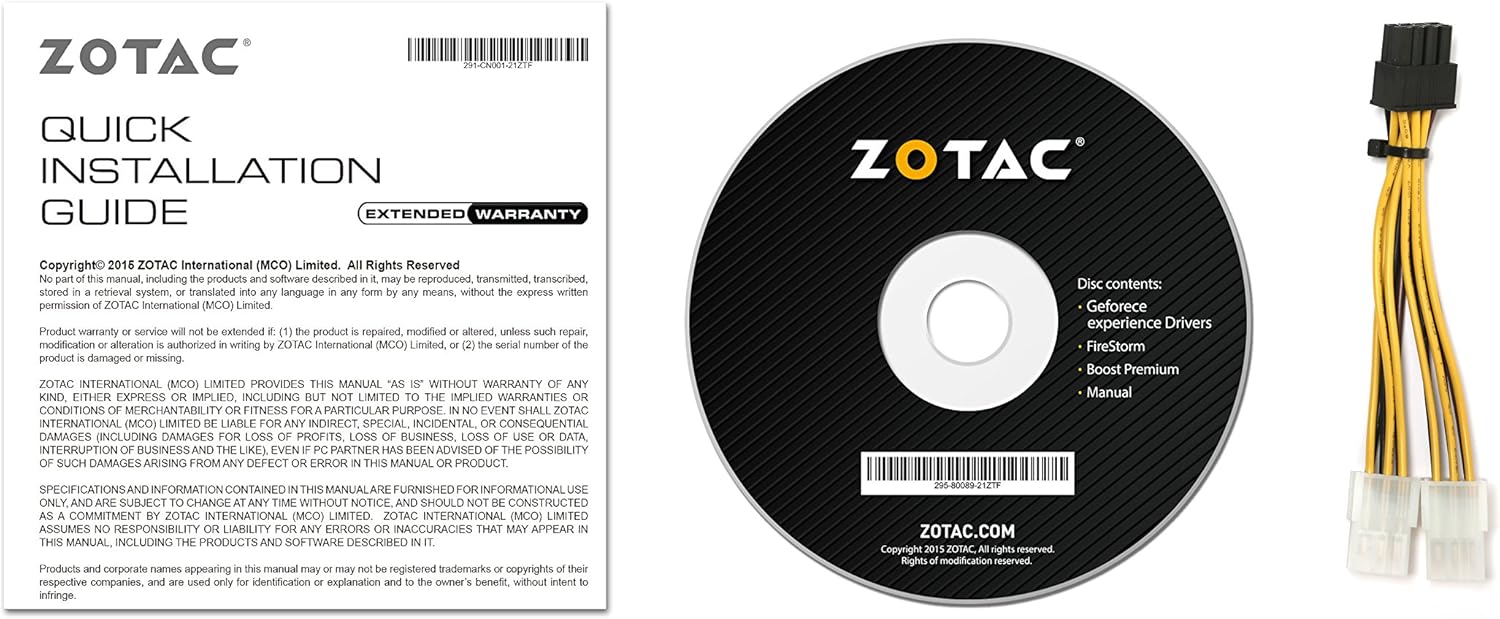
Figure 2: Included accessories and documentation.
3. Einrichtung und Installation
Before installing the graphics card, ensure your computer is powered off and unplugged from the wall outlet. It is recommended to wear an anti-static wrist strap to prevent damage from electrostatic discharge.
3.1 Systemanforderungen
- PCI Express-kompatibles Motherboard mit einem x16-Grafiksteckplatz mit doppelter Breite.
- Minimum 500 watt power supply recommended.
- 180 watt minimum power consumption.
- 8-pin PCI Express power connectors (use included adapter if necessary).
- Microsoft Windows 10/8/7 x86/x64.
3.2 Physische Installation
- Öffnen Sie das Gehäuse Ihres Computers.
- Locate an available PCI Express x16 slot on your motherboard.
- Remove any expansion slot covers that correspond to the graphics card's size.
- Carefully align the graphics card with the PCI Express slot and press firmly until it is securely seated.
- Secure the graphics card to the chassis with the appropriate screws.
- Connect the 8-pin PCI Express power connector(s) from your power supply to the graphics card. Use the provided dual 6-pin to 8-pin adapter if your power supply only has 6-pin connectors.
- Schließen Sie Ihr Computergehäuse.

Figure 3: Graphics card display outputs (3x DisplayPort 1.4, 1x HDMI 2.0b, 1x Dual-Link DVI).
3.3 Treiberinstallation
- Connect your display to one of the graphics card's output ports.
- Schalten Sie Ihren Computer ein.
- Insert the included driver disc into your optical drive and follow the on-screen instructions. Alternatively, download the latest drivers from the official ZOTAC website or NVIDIA webWebsite für optimale Leistung und Kompatibilität.
- Starten Sie Ihren Computer neu, nachdem die Treiberinstallation abgeschlossen ist.
4. Bedienung Ihrer Grafikkarte
The ZOTAC GeForce GTX 1080 Mini is equipped with advanced NVIDIA technologies to enhance your gaming and visual experience.
4.1 Hauptmerkmale
- NVIDIA Pascal Architecture: Delivers superior performance and power efficiency.
- 8GB GDDR5X Memory: Bietet ample memory for high-resolution gaming and demanding applications.
- VR bereit: Optimized for virtual reality experiences.
- NVIDIA GameWorks Technology: Delivers interactive and cinematic experiences.
- NVIDIA VRWorks Technology: Enables next-generation VR performance, low latency, and plug-and-play compatibility.
- NVIDIA G-Sync Ready: Synchronizes display refresh rates to the GPU for smooth, tear-free gaming.
- NVIDIA Ansel Technology: A revolutionary way to capture in-game screenshots.
- NVIDIA SLI-fähig: Allows for multi-GPU configurations for increased performance (requires compatible motherboard and additional card).
- 4K Gaming Support: Capable of delivering high-resolution gaming experiences.
- Unterstützung mehrerer Displays: Unterstützt bis zu 4 Displays gleichzeitig.
4.2 Software Utility (FireStorm)
The ZOTAC FireStorm software utility provides an intuitive interface for monitoring and tuning your graphics card. It allows for fan speed control, clock speed adjustments, and LED lighting customization.
Video 1: Official ZOTAC overview of the GeForce GTX 1080 Mini, highlighting key features and the FireStorm software.
5. Wartung
Durch sachgemäße Wartung wird die Langlebigkeit und optimale Leistung Ihrer Grafikkarte sichergestellt.
- Halten Sie die Treiber auf dem neuesten Stand: Überprüfen Sie regelmäßig die ZOTAC- oder NVIDIA-Installationsdateien. website for the latest graphics drivers to ensure compatibility and performance improvements.
- Regelmäßig reinigen: Use compressed air to gently remove dust from the fans and heatsink fins. Ensure the computer is powered off and unplugged before cleaning.
- Überwachen Sie die Temperaturen: Use monitoring software (like ZOTAC FireStorm) to keep an eye on the GPU temperature, especially during heavy loads, to prevent overheating.

Abbildung 4: Oben view der Grafikkarte, die das Dual-Lüfter-Kühlsystem zeigt.
6. Fehlerbehebung
Sollten Sie Probleme mit Ihrer Grafikkarte haben, beachten Sie bitte die folgenden gängigen Schritte zur Fehlerbehebung:
- Keine Anzeigeausgabe:
- Stellen Sie sicher, dass das Monitorkabel fest mit der Grafikkarte und dem Monitor verbunden ist.
- Verify the graphics card is properly seated in the PCI Express slot.
- Check that all necessary power connectors are attached to the graphics card.
- Testen Sie es nach Möglichkeit mit einem anderen Displaykabel oder Monitor.
- Systeminstabilität oder Abstürze:
- Ensure graphics drivers are up-to-date.
- Monitor GPU temperatures to ensure it's not overheating.
- Prüfen Sie, ob Ihr Netzteil die Mindestwattzahl erfüllt.tagDie Anforderung.
- Schlechte Leistung in Spielen:
- Ensure graphics drivers are up-to-date.
- Check in-game graphics settings and reduce them if necessary.
- Schließen Sie nicht benötigte Hintergrundanwendungen.
- Monitor GPU and CPU usage to identify potential bottlenecks.
7. Spezifikationen
| Besonderheit | Detail |
|---|---|
| Grafik-Coprozessor | NVIDIA GeForce GTX 1080 |
| CUDA-Kerne | 2560 |
| Videospeicher | 8 GB GDDR5X |
| Speicherbus | 256-Bit |
| Engine Clock (Base) | 1620 MHz |
| Engine Clock (Boost) | 1759 MHz |
| Speichertakt | 10 GHz |
| PCI Express | 3.0 |
| Anzeigeausgänge | 3 x DisplayPort 1.4, 1 x HDMI 2.0b, 1 x Dual-Link DVI |
| Maximale Bildschirmauflösung | 3840 x 2160 |
| Unterstützung für mehrere Bildschirme | Quad-Simultananzeige fähig |
| Stromanschlüsse | 8-pin PCI Express |
| Empfohlenes Netzteil | Minimum 500W |
| Energieaufnahme | 180W (minimum) |
| Abmessungen (LxBxH) | 8.3 x 1.61 x 4.92 Zoll |
| Artikelgewicht | 1 Pfund |
8. Garantie und Support
An extended warranty is included with every ZOTAC graphics card purchase. User registration is required on the official ZOTAC website to activate the extended warranty.
For technical support, driver downloads, or further product information, please visit the official ZOTAC webWebsite: www.zotac.com


