Produkt überview
The Ultimate Ears WONDERBOOM is a compact, portable, and waterproof Bluetooth speaker designed to deliver surprisingly serious sound. Its robust design makes it ideal for outdoor adventures, poolside parties, or even use in the shower. With 360-degree sound and impressive battery life, the WONDERBOOM ensures your music is always with you.
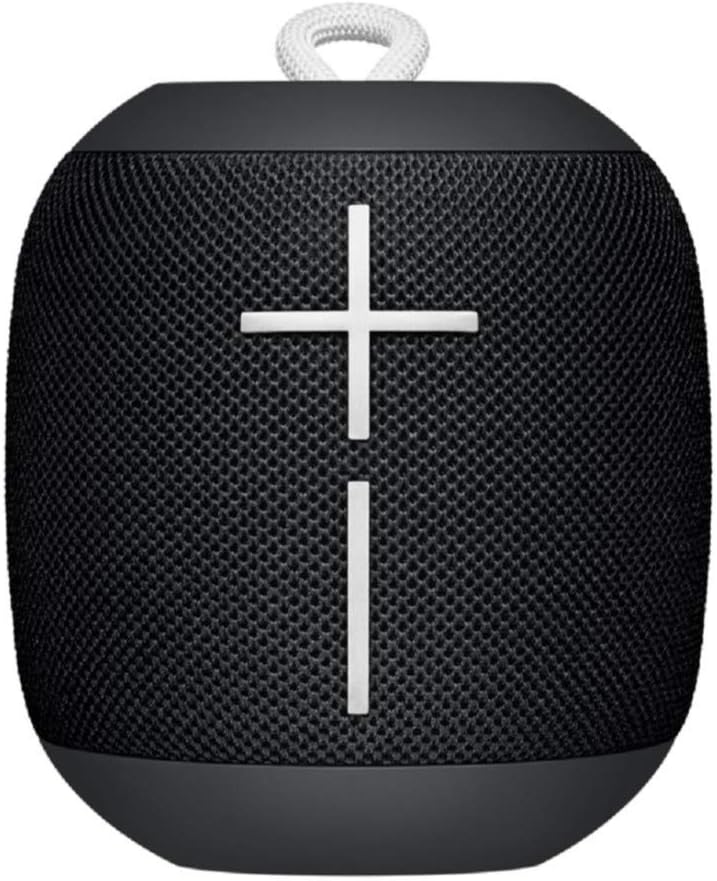
Bild: Vorderseite view of the Ultimate Ears WONDERBOOM speaker in Phantom Black, showcasing its compact, cylindrical design with large volume controls.
Lieferumfang
- Ultimate Ears WONDERBOOM Speaker
- USB-Ladekabel
- Kurzanleitung
Aufstellen
1. Einschalten
Press the power button located on the top of the speaker. A sound will indicate that the speaker is powered on and ready for pairing.
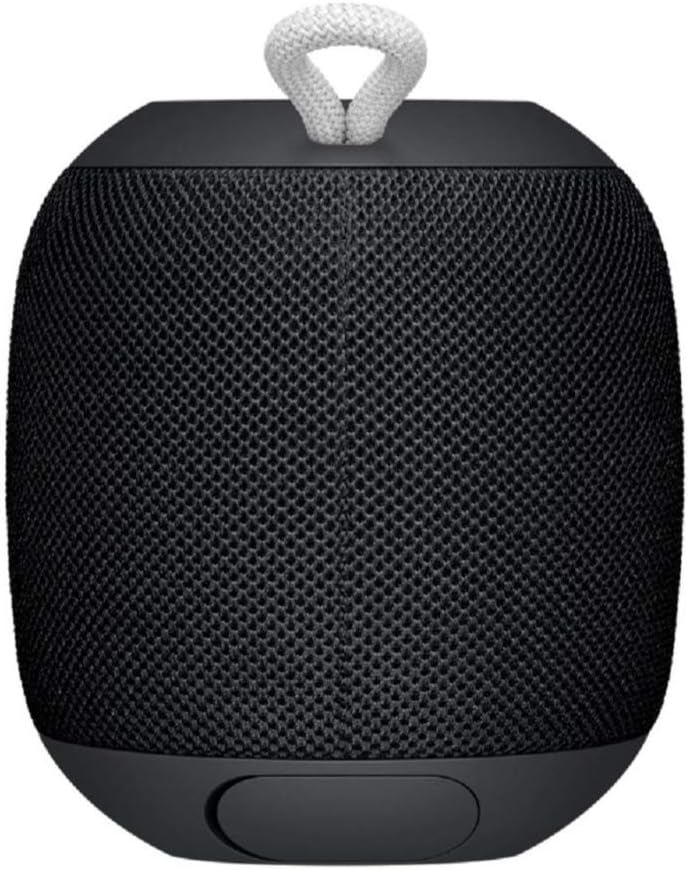
Image: Close-up of the top surface of the WONDERBOOM speaker, highlighting the power button and the Ultimate Ears logo.
2. Bluetooth-Kopplung
- Turn on your WONDERBOOM speaker.
- Öffnen Sie auf Ihrem Mobilgerät die Bluetooth-Einstellungen.
- Select 'WONDERBOOM' from the list of available devices to pair.
- Nach erfolgreicher Kopplung gibt der Lautsprecher einen Bestätigungston von sich.
Bedienungsanleitung
Grundlegende Bedienelemente
- Abspielen/Pause: Press the UE logo button on the top of the speaker once.
- Lied überspringen: Double-tap the UE logo button to skip to the next track.
- Lautstärkeregelung: Use the large '+' and '-' buttons on the front of the speaker to adjust the volume.

Bild: Vorderseite view of the WONDERBOOM speaker, clearly showing the prominent '+' and '-' buttons for volume control.
Double Up (Pairing Two WONDERBOOMs)
For a louder and more immersive audio experience, you can wirelessly pair two WONDERBOOM speakers together.
- Ensure both WONDERBOOM speakers are powered on.
- On one speaker, press and hold the UE logo button on the top until you hear a confirmation tone.
- Wiederholen Sie den Vorgang beim zweiten Lautsprecher.
- Both speakers will now play audio from the same source, creating a stereo sound.

Image: Two individuals interacting with two WONDERBOOM speakers, demonstrating the 'Double Up' pairing feature for enhanced sound.
Wasserdichte Eigenschaften
The WONDERBOOM is IPX7 rated, meaning it can be immersed in water up to 1 meter (3.3 feet) for up to 30 minutes. It is designed to float, making it perfect for use around pools, beaches, or in the shower.
Video: An official product video demonstrating the Ultimate Ears WONDERBOOM's waterproof capabilities and robust design.
Akkulaufzeit und Aufladen
The WONDERBOOM offers up to 10 hours of continuous playback on a single charge. When the battery is low, the speaker will indicate this with an audible alert.
Laden
To charge your WONDERBOOM, open the weather door at the bottom of the speaker and connect the included USB charging cable to a power source. A full charge takes approximately 2.8 hours.
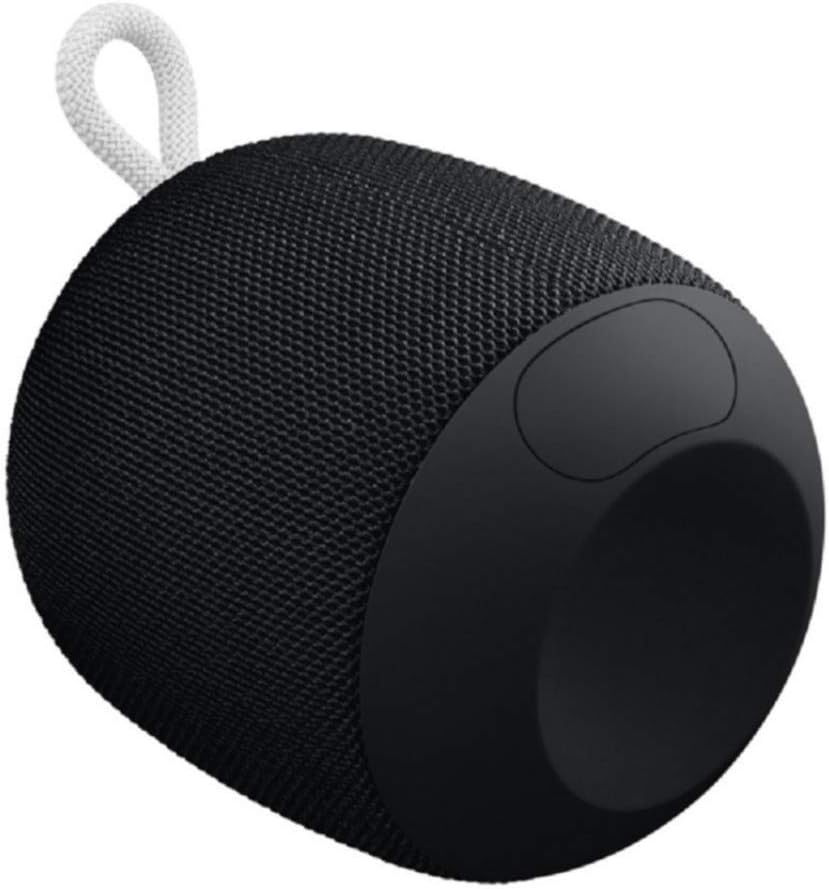
Image: The underside of the WONDERBOOM speaker, showing the protective flap covering the charging port in an open position.
Technische Daten
| Besonderheit | Beschreibung |
|---|---|
| Modellname | WUNDERBOOM |
| Lautsprechertyp | Im Freien |
| Besondere Merkmale | Stereo pairing, Portable |
| Akkulaufzeit | Bis zu 10 Stunden |
| Wasserbeständigkeit | IPX7 (Waterproof up to 1m for 30 mins) |
| Ladezeit | Ca. 2.8 Stunden |
| Drahtlose Reichweite | Bis zu 100 Fuß (30 Meter) |
| Artikelgewicht | 0.5 Pfund (8 Unzen) |
| Technische Daten | 4.2"T x 4.6"B x 5.3"H |
| Konnektivität | Bluetooth |
| Hersteller | Logitech |
Wartung
To ensure the longevity of your WONDERBOOM speaker, follow these maintenance guidelines:
- Reinigung: Wischen Sie den Lautsprecher mit einem weichen, damp Tuch. Verwenden Sie keine scharfen Chemikalien oder Scheuermittel.
- Lagerung: Store the speaker in a cool, dry place when not in use. Avoid prolonged exposure to extreme temperatures.
- Ladeanschluss: Ensure the charging port cover is securely closed when the speaker is not charging, especially when near water, to maintain its waterproof integrity.
Fehlerbehebung
If you encounter issues with your WONDERBOOM speaker, try the following solutions:
- Kein Strom: Ensure the speaker is fully charged. Connect it to a power source using the provided USB cable.
- Probleme mit der Bluetooth-Konnektivität:
- Stellen Sie sicher, dass Bluetooth auf Ihrem Gerät aktiviert ist.
- Bringen Sie den Lautsprecher näher an Ihr Gerät heran.
- Forget the speaker from your device's Bluetooth settings and re-pair.
- Starten Sie sowohl den Lautsprecher als auch Ihr Gerät neu.
- Kein Ton/Geringe Lautstärke:
- Überprüfen Sie die Lautstärke sowohl am Lautsprecher als auch an Ihrem angeschlossenen Gerät.
- Stellen Sie sicher, dass der Lautsprecher nicht stummgeschaltet ist.
- If using 'Double Up', ensure both speakers are properly paired.
Garantie und Support
The Ultimate Ears WONDERBOOM comes with a Limited Warranty. For detailed warranty information and support, please refer to the official User Guide (PDF) available for download or visit the Ultimate Ears support webWebsite.


