1. Einleitung
This manual provides detailed instructions for the safe and proper installation, operation, and maintenance of your MANHATTAN Universal Flat-Panel TV Articulating Wall Mount, Model 461399. This single-arm mount is designed to securely hold flat-panel televisions ranging from 13 to 42 inches and weighing up to 20 kg (44 lbs). It offers adjustable tilt, swivel, and level functionalities to optimize your viewErfahrung.

Bild 1.1: Schräg view of the MANHATTAN Universal Flat-Panel TV Articulating Wall Mount.
2. Sicherheitshinweise
WARNUNG: Read all instructions carefully before installation. Improper installation can result in property damage, serious injury, or death. If you do not understand these instructions or have doubts about the safety of the installation, contact a qualified installer.
- Stellen Sie sicher, dass die Montagefläche das Gesamtgewicht der Halterung und des Fernsehers sicher tragen kann.
- Die maximale Tragfähigkeit von 20 kg (44 lbs) darf nicht überschritten werden.
- Dieses Produkt ist nur für den Gebrauch in Innenräumen vorgesehen.
- Verwenden Sie ausschließlich das mitgelieferte Montagematerial. Sollten Teile fehlen oder beschädigt sein, wenden Sie sich bitte an den Kundendienst.
- Always use a stud finder to locate wall studs for secure mounting in wood stud walls.
- Wear appropriate safety gear during installation, including eye protection.
3. Packungsinhalt
Verify that all components are present and undamaged before beginning installation. If any parts are missing or defective, do not proceed with installation and contact customer support.
- Wall Mount Assembly (Single Arm)
- TV Mounting Brackets (VESA Plate)
- Hardware Kit (Screws, Washers, Spacers, Wall Anchors)
- Bedienungsanleitung
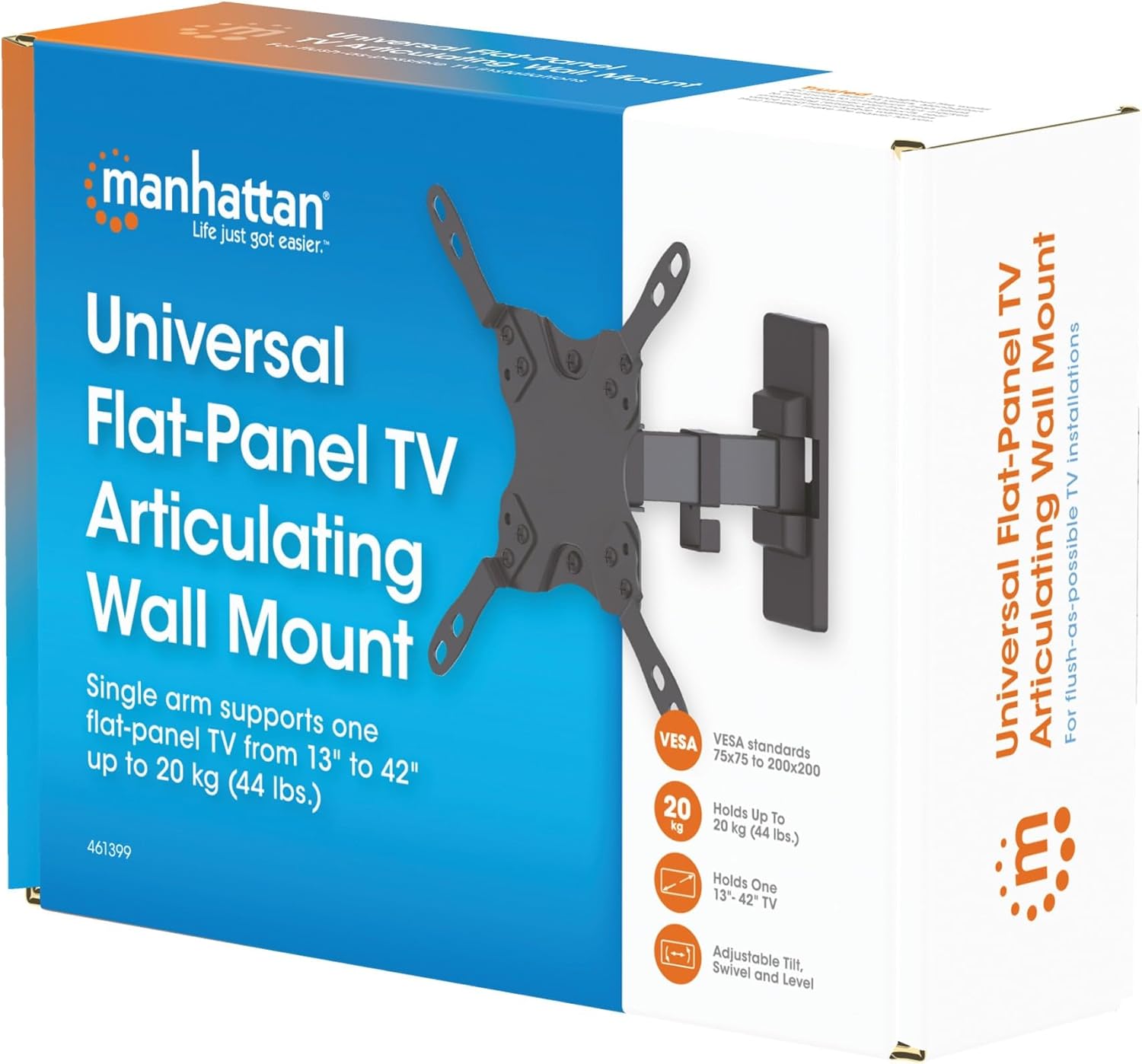
Image 3.1: Packaging of the MANHATTAN Universal Flat-Panel TV Articulating Wall Mount.
4. Einrichtung und Installation
4.1 Prüfungen vor der Installation
- TV-Kompatibilität: Ensure your TV's weight is within 20 kg (44 lbs) and its screen size is between 13 and 42 inches. Check the VESA mounting pattern on your TV (typically 75x75mm, 100x100mm, 200x100mm, or 200x200mm).
- Wandtyp: Determine your wall type (wood stud, concrete, brick). Different wall types require specific mounting hardware and techniques.
- Erforderliche Werkzeuge: Pencil, drill, stud finder (for wood walls), level, Phillips head screwdriver, socket wrench.
4.2 Anbringen der TV-Halterungen am Fernseher
- Legen Sie Ihren Fernseher vorsichtig mit dem Bildschirm nach unten auf eine weiche, saubere Oberfläche, um Beschädigungen am Bildschirm zu vermeiden.
- Identifizieren Sie die VESA-Montagelöcher auf der Rückseite Ihres Fernsehers.
- Wählen Sie aus dem Hardware-Kit die passenden Schrauben, Unterlegscheiben und Abstandshalter aus, die zu den Befestigungslöchern Ihres Fernsehers passen.
- Attach the TV mounting brackets to the back of your TV using the selected hardware. Ensure they are securely fastened but do not overtighten.

Bild 4.2.1: Hinten view of the VESA plate, showing mounting holes for TV attachment.

Bild 4.2.2: Vorderseite view of the VESA plate, showing mounting holes for TV attachment.
4.3 Montage der Wandplatte
- Determine the desired height and position for your TV. Use a pencil to mark the top center of where the mount will be.
- Place the wall plate against the wall at the marked position and use a level to ensure it is perfectly horizontal. Mark the drill holes.
- Für Holzständerwände: Use a stud finder to locate the center of a wood stud. Drill pilot holes (recommended size in manual, typically 5mm) into the stud. Secure the wall plate using the lag bolts and washers.
- Für Beton-/Ziegelwände: Drill pilot holes (recommended size in manual, typically 10mm) into the solid concrete or brick. Insert wall anchors into the holes. Secure the wall plate using the lag bolts and washers.
- Stellen Sie sicher, dass die Wandplatte fest und sicher an der Wand befestigt ist.

Abbildung 4.3.1: Seite view of the mount, illustrating its extension from the wall.
4.4 Aufhängen des Fernsehers
- Heben Sie den Fernseher mit den angebrachten Halterungen vorsichtig mit Hilfe einer zweiten Person an und hängen Sie diese in die Wandplatte ein.
- Stellen Sie sicher, dass der Fernseher fest auf der Wandhalterung sitzt.
- Tighten any safety screws or locking mechanisms to prevent accidental dislodgement.
5. Bedienungsanleitung (Einstellungen)
This articulating wall mount allows for flexible positioning of your TV to achieve optimal viewwinkeln.
- Neigungseinstellung: Loosen the tilt knobs on the VESA plate, adjust the TV to the desired vertical angle (+5° to -12°), and then retighten the knobs.
- Schwenkeinstellung: Gently push or pull the TV to swivel it horizontally (up to 180° depending on TV size and wall distance).
- Pegeleinstellung: If your TV is slightly unlevel after installation, there may be a mechanism to adjust the horizontal level (typically +/-3°). Consult the specific diagram for your model.

Image 5.1: Technical diagram showing dimensions and available adjustment angles (tilt, swivel, level).
5.1 Kabelmanagement
Utilize the integrated cable clips on the arm to route and organize your TV cables, ensuring a neat appearance and preventing damage.

Image 5.1.1: Detail of the mount arm showing cable management clips.
6. Wartung
- Überprüfen Sie regelmäßig alle Schrauben und Verbindungen, um sicherzustellen, dass sie fest und sicher sind.
- Reinigen Sie die Halterung mit einem weichen, trockenen Tuch. Vermeiden Sie scheuernde Reiniger oder Lösungsmittel.
- If the mount becomes stiff, a small amount of silicone-based lubricant can be applied to the articulating joints.
7. Fehlerbehebung
| Problem | Mögliche Ursache | Lösung |
|---|---|---|
| Der Fernseher ist nicht waagerecht. | Wall plate not level during installation; level adjustment needed. | Re-check wall plate level and adjust if necessary. Use the mount's level adjustment feature if available. |
| Die Halterung fühlt sich locker oder instabil an | Mounting screws are not fully tightened; wall anchors not properly installed; wall surface is inadequate. | Ensure all mounting screws are securely tightened. Verify wall anchors are correctly installed for your wall type. If the wall is inadequate, consult a professional. |
| Difficulty moving/adjusting TV | Joints are too tight or require lubrication. | Loosen adjustment screws slightly. Apply silicone-based lubricant to articulating joints if needed. |
8. Spezifikationen
| Modellnummer | 461399 |
| Marke | MANHATTAN |
| Montagetyp | Bewegliche Wandhalterung |
| Bewegungstyp | Artikulieren |
| Material | Metall |
| Farbe | Schwarz |
| Kompatible Geräte | Television (13" - 42") |
| Maximale Gewichtskapazität | 20 kg |
| VESA-Kompatibilität | 75x75mm, 100x100mm, 200x100mm, 200x200mm |
| Neigungsbereich | +5° bis -12° |
| Schwenkbereich | Bis zu 180° (abhängig von der TV-Größe) |
| Pegelanpassung | +/-3° |
| Technische Daten | 7.48 x 8.66 x 8.66 inches (approximate, folded) |
| Artikelgewicht | 2.31 Pfund |
9. Garantie und Support
For warranty information or technical support, please refer to the documentation included with your purchase or visit the official MANHATTAN webBewahren Sie Ihren Kaufbeleg für Garantieansprüche auf.
Hersteller: MANHATTAN
Datum der Erstveröffentlichung: 9. Juni 2017


