1. Einleitung
Vielen Dank für Ihren Einkauf.asing the Coby CSB04 Bluetooth Soundbar Speaker. This manual provides important information regarding the setup, operation, and maintenance of your new soundbar. Please read this manual thoroughly before using the device and retain it for future reference.
The Coby CSB04 is a sleek and compact soundbar designed to enhance your audio experience. It features wireless Bluetooth connectivity, an RCA line input, and comes with a remote control for convenient operation.
2. Sicherheitshinweise
Bitte beachten Sie die folgenden Sicherheitsvorkehrungen, um Schäden am Gerät oder Verletzungen zu vermeiden:
- Die Soundbar darf weder Regen, Feuchtigkeit noch extremen Temperaturen ausgesetzt werden.
- Öffnen Sie nicht das casing. Alle Wartungsarbeiten sind qualifiziertem Personal zu überlassen.
- Stellen Sie sicher, dass das Netzteil mit Ihrem örtlichen Stromnetz kompatibel ist.
- Keep the soundbar away from heat sources and direct sunlight.
- Nur mit trockenem Tuch reinigen.
3. Packungsinhalt
Carefully unpack your Coby CSB04 Soundbar and check that all items are present and in good condition. If any items are missing or damaged, contact your retailer.
- Coby CSB04 Bluetooth Soundbar Speaker
- Netzteil
- RCA-Kabel
- Fernbedienung
- Benutzerhandbuch (dieses Dokument)

Image 3.1: Coby CSB04 Soundbar packaging. The box displays the Coby logo and "Slim 2.0 Sound Bar" text.
4. Produktüberschreitungview
Familiarize yourself with the components and controls of your Coby CSB04 Soundbar.
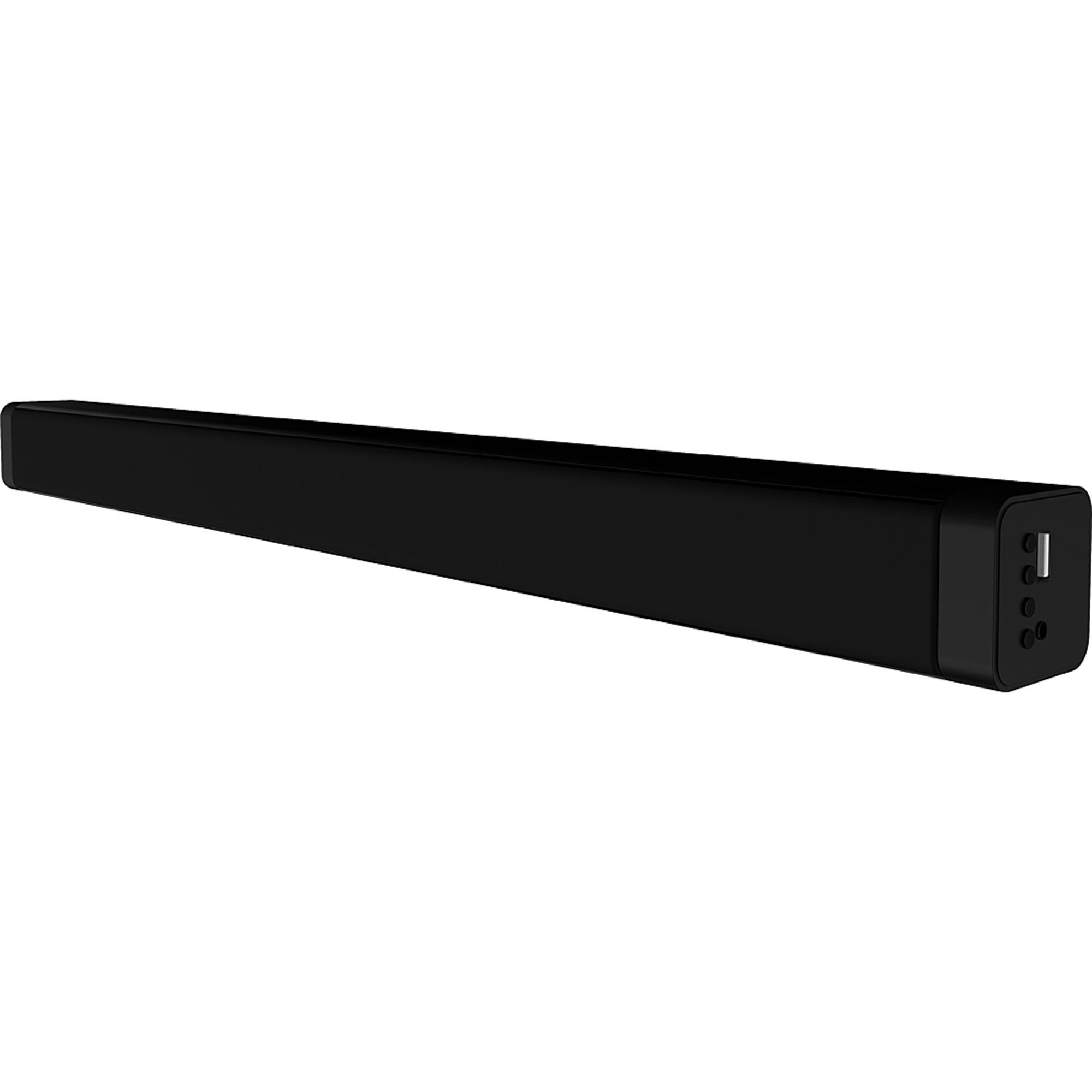
Bild 4.1: Vorderseite view of the Coby CSB04 Bluetooth Soundbar. The soundbar is black and rectangular.

Abbildung 4.2: Seite view of the Coby CSB04 Soundbar, showing a USB port and other connection points.
4.1. Front Panel / Top Panel Controls
- Netzschalter: Schaltet die Soundbar ein oder aus.
- Lautstärke erhöhen/verringern: Regelt die Lautstärke.
- Modus-Taste: Switches between input modes (Bluetooth, RCA).
- LED-Anzeige: Shows current status (e.g., Bluetooth pairing, input mode).
4.2. Anschlüsse auf der Rückseite
- DC IN: Schließen Sie hier das Netzteil an.
- RCA L/R Input: Connect external audio devices using the RCA cable.
- USB-Anschluss: For potential firmware updates or specific media playback (functionality may vary).
4.3. Fernbedienung
The included remote control allows for convenient operation of the soundbar from a distance. Functions typically include Power, Volume Up/Down, Mode Selection, Mute, and Playback controls for Bluetooth mode.
5. Einrichtung
5.1. Stromanschluss
- Schließen Sie das Netzteil an das DC-Eingang Anschluss an der Rückseite der Soundbar.
- Stecken Sie das andere Ende des Netzteils in eine Wandsteckdose.
- Die Soundbar wechselt in den Standby-Modus.
5.2. Audioverbindung
You can connect audio sources to the soundbar via Bluetooth or RCA cable.
5.2.1. Bluetooth-Verbindung
- Power on the soundbar using the Power button on the unit or remote control.
- Drücken Sie die Modus button repeatedly until the LED indicator shows Bluetooth mode (usually a blinking blue light).
- Aktivieren Sie Bluetooth auf Ihrem Smartphone oder einem anderen Bluetooth-fähigen Gerät und suchen Sie nach verfügbaren Geräten.
- Select "CSB04" (or similar name) from the list of devices.
- Nach erfolgreicher Kopplung leuchtet die LED-Anzeige durchgehend blau und Sie hören einen Bestätigungston.
- Sie können nun Audio von Ihrem Gerät über die Soundbar abspielen.
5.2.2. Cinch-Anschluss
- Connect one end of the RCA cable to the Cinch L/R-Eingang Anschlüsse an der Soundbar.
- Connect the other end of the RCA cable to the audio output ports (usually "Audio Out" or "L/R Out") of your TV, DVD player, or other audio source.
- Schalten Sie die Soundbar ein.
- Drücken Sie die Modus button repeatedly until the LED indicator shows RCA mode (e.g., a green light).
- Spiele Audio von deinem angeschlossenen Gerät ab.
6. Bedienungsanleitung
6.1. Ein-/Ausschalten
Drücken Sie die Leistung Drücken Sie eine Taste an der Soundbar oder auf der Fernbedienung, um das Gerät ein- oder auszuschalten.
6.2. Lautstärke anpassen
Verwenden Sie die Lauter (+) Und Lautstärke runter (-) Die Lautstärke kann über Tasten an der Soundbar oder der Fernbedienung eingestellt werden.
6.3. Changing Input Mode
Drücken Sie die Modus button on the soundbar or remote control to cycle through available input sources: Bluetooth, RCA.
6.4. Bluetooth-Wiedergabe
Once paired, your Bluetooth device will automatically connect to the soundbar when both are powered on and within range. Use your device's controls or the soundbar's remote control (if applicable) for playback functions like Play/Pause, Next Track, and Previous Track.
7. Wartung
Durch sachgemäße Wartung wird die Langlebigkeit und optimale Leistung Ihrer Soundbar sichergestellt.
- Reinigung: Use a soft, dry cloth to wipe the exterior of the soundbar. Do not use liquid cleaners or aerosols.
- Lagerung: Wenn Sie die Soundbar über einen längeren Zeitraum lagern, trennen Sie sie vom Stromnetz und bewahren Sie sie an einem kühlen, trockenen Ort auf.
- Belüftung: Ensure the soundbar has adequate ventilation and is not covered, to prevent overheating.
8. Fehlerbehebung
If you encounter issues with your Coby CSB04 Soundbar, refer to the following common problems and solutions:
| Problem | Mögliche Ursache | Lösung |
|---|---|---|
| Kein Strom | Netzteil nicht angeschlossen oder Steckdose defekt. | Ensure the power adapter is securely connected to the soundbar and a working power outlet. Try a different outlet. |
| Kein Ton | Incorrect input mode, low volume, or incorrect cable connection. |
|
| Bluetooth-Kopplung fehlgeschlagen | Soundbar nicht im Kopplungsmodus, Gerät zu weit entfernt oder Störungen. |
|
| Fernbedienung funktioniert nicht | Leere Batterien oder Verstopfung. | Replace the batteries in the remote control. Ensure there is no obstruction between the remote and the soundbar's sensor. |
9. Spezifikationen
Here are the technical specifications for the Coby CSB04 Bluetooth Soundbar Speaker:
- Modell: CSB04
- Lautsprechertyp: Soundbar
- Konnektivitätstechnologie: Bluetooth
- Maximale Lautsprecherausgangsleistung: 10 Watt
- Kompatible Geräte: Smartphone (and other Bluetooth/RCA audio sources)
- Kontrollmethode: Fernbedienung
- Energiequelle: Netzkabel (Netzadapter)
- Farbe: Schwarz
- Abmessungen: 85.09 x 14.22 x 38.35 cm (ungefähr 33.5 x 5.6 x 15.1 Zoll)
- Gewicht: 1.54 kg (ca. 3.4 Pfund)
- Montageart: Tischhalterung
10. Garantie und Support
Informationen zur Garantie und zum technischen Support finden Sie auf der Ihrem Produkt beiliegenden Garantiekarte oder auf der offiziellen Coby-Website. webBewahren Sie Ihren Kaufbeleg als Kaufnachweis auf.
Für weitere Unterstützung können Sie sich über die offiziellen Kanäle an den Coby-Kundendienst wenden.


