Einführung
The Amkette Pocket FM Radio Portable Multimedia Speaker is a versatile device designed for audio playback and utility. It combines a portable FM radio with a multimedia speaker, supporting various input options, and features a powerful integrated torch. This manual provides detailed instructions for setting up, operating, maintaining, and troubleshooting your device to ensure optimal performance.

Image: The Amkette Pocket FM Radio Portable Multimedia Speaker, showcasing its compact design, speaker grille, digital display, and integrated torch.
Lieferumfang
Upon unboxing your Amkette Pocket FM Radio, please ensure all the following components are present:
- Amkette Pocket FM Radio Portable Multimedia Speaker
- Rechargeable Battery (1800mAh Li-Ion)
- Ladekabel (USB)
- Benutzerhandbuch (dieses Dokument)
Produkt überview
Familiarize yourself with the various parts of your Amkette Pocket FM Radio:
- 1. Telescopic FM Antenna: Ausziehbare Antenne für verbesserten FM-Empfang.
- 2. Digitalanzeige: Shows FM frequency, time, and battery status.
- 3. Lautsprechergitter: Front-facing speaker for audio output.
- 4. Ziffernblock: For direct frequency input and track selection.
- 5. Funktionstasten: Play/Pause, Mode, Next/Previous Track, Torch activation.
- 6. Integrated Torch: Powerful LED light for illumination.
- 7. USB-Port: For USB drive playback and charging.
- 8. Micro-SD-Kartensteckplatz: Zur Wiedergabe von Micro-SD-Karten.
- 9. AUX-Eingang: Zum Anschluss externer Audiogeräte.
- 10. Volume Control/Power Knob: Rotary knob to turn on/off and adjust volume.
Bild: Vorderseite view of the Amkette Pocket FM Radio, highlighting the speaker, keypad, and display.

Image: The Amkette Pocket FM Radio with its powerful LED torch illuminated, showing the backlit buttons.
Aufstellen
1. Einbau und Aufladen der Batterie
- Suchen Sie das Batteriefach auf der Rückseite des Geräts.
- Insert the provided 1800mAh Li-Ion battery, ensuring correct polarity.
- Schließen Sie den Batteriefachdeckel fest.
- Connect the provided USB charging cable to the speaker's charging port and the other end to a USB power adapter (not included) or a computer's USB port.
- The charging indicator will illuminate. A full charge typically takes approximately 3-4 hours.
- Für eine optimale Akkulaufzeit laden Sie das Gerät vor dem ersten Gebrauch vollständig auf.

Image: Diagram illustrating the powerful 1800mAh battery and its estimated playback times for FM radio, LED torch, and USB play.
Bedienungsanleitung
1. Ein-/Ausschalten und Lautstärkeregelung
- To power on the device, rotate the volume knob clockwise until you hear a click and the display illuminates.
- To power off, rotate the volume knob counter-clockwise until it clicks off.
- Die Lautstärke lässt sich durch Drehen desselben Knopfes im Uhrzeigersinn erhöhen und gegen den Uhrzeigersinn verringern.
2. FM-Radiobetrieb
- Extend the telescopic FM antenna fully for best reception.
- Press the "Mode" button until "FM" is displayed.
- To auto-scan and save stations, press and hold the "Play/Pause" button. The radio will scan and store available FM frequencies.
- To manually tune, use the numeric keypad to enter the desired frequency directly.
- Use the "Next/Previous" buttons to navigate between saved stations.

Bild: Nahaufnahme view of the Amkette Pocket FM Radio highlighting the high diversity external FM antenna and its importance for reception.
3. Multimedia Playback (USB/Micro SD Card)
- Insert a USB drive or Micro SD card (up to 32GB, formatted to FAT32) containing MP3 audio files in den entsprechenden Steckplatz.
- The device will automatically switch to USB or SD card mode and begin playing. If not, press the "Mode" button to select the correct input.
- Use the "Play/Pause" button to pause or resume playback.
- Use the "Next/Previous" buttons to skip tracks.
- The numeric keypad can be used for direct track selection if supported by the file System.
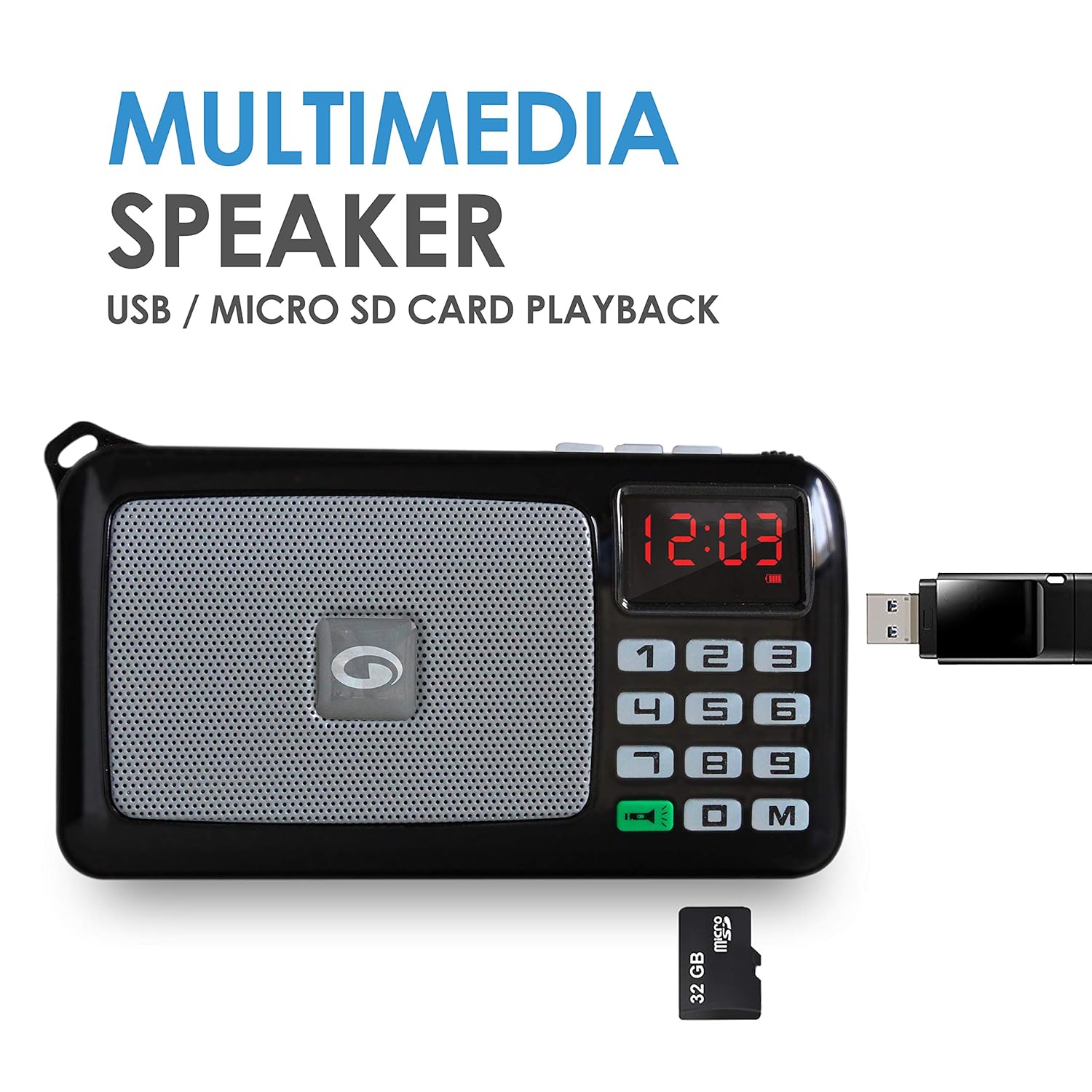
Image: The Amkette Pocket FM Radio demonstrating its multimedia speaker capabilities with USB and Micro SD card playback options.
4. AUX-Eingang
- Connect an external audio device (e.g., smartphone, laptop) to the speaker's AUX input using a 3.5mm audio cable (not included).
- Drücken Sie die Taste „Mode“, bis „AUX“ angezeigt wird.
- Steuern Sie Wiedergabe und Lautstärke über Ihr angeschlossenes externes Gerät.
5. Taschenlampenfunktion
- Press the dedicated "Torch" button (often indicated by a flashlight icon) to turn the powerful LED torch on or off.
- The torch can be used independently of the audio functions.
Image: The Amkette Pocket FM Radio with its powerful LED torch illuminated, showing the backlit buttons for ease of use in low light.
Wartung
- Halten Sie das Gerät trocken. Vermeiden Sie den Kontakt mit Wasser und hoher Luftfeuchtigkeit.
- Reinigen Sie das Gerät mit einem weichen, trockenen Tuch. Verwenden Sie keine scharfen Chemikalien oder Scheuermittel.
- Bewahren Sie das Gerät an einem kühlen, trockenen Ort auf, wenn es längere Zeit nicht benutzt wird.
- Vermeiden Sie es, das Gerät fallen zu lassen oder starken Stößen auszusetzen.
- If the battery is not used for a long time, charge it at least once every three months to maintain its lifespan.
Fehlerbehebung
| Problem | Mögliche Ursache | Lösung |
|---|---|---|
| Gerät lässt sich nicht einschalten. | Battery is low or depleted; Power knob is off. | Charge the battery; Rotate the power knob clockwise to turn on. |
| Schlechter UKW-Empfang. | Antenne nicht ausgefahren; Gebiet mit schwachem Signal. | Fully extend the telescopic antenna; Try moving the device to a different location (e.g., near a window). |
| No sound from USB/SD card. | Falscher Modus ausgewählt; beschädigt files; Incompatible format; USB/SD card not inserted correctly. | Press "Mode" button to select correct input; Ensure fileDie Dateien sind im MP3-Format; USB-/SD-Karte erneut einlegen; eine andere USB-/SD-Karte ausprobieren. |
| Torch not working. | Battery is low; Torch button not pressed correctly. | Charge the battery; Press the torch button firmly. |
Technische Daten
| Besonderheit | Detail |
|---|---|
| Modellnummer | 833BK |
| Technische Daten | 12.3 x 3.3 x 6.8 cm |
| Artikelgewicht | 264 g |
| Akku-Typ | 1800mAh Li-Ion (Rechargeable, Replaceable) |
| Playback Time (FM Radio) | Bis zu 12 Stunden |
| Playback Time (USB/SD) | Bis zu 6 Stunden |
| Torch Backup Time | Bis zu 8 Stunden |
| Konnektivität | USB, MicroSD, AUX |
| Besondere Merkmale | Built-In Flashlight, High Diversity Antenna, Backlit Buttons |
| Farbe | Schwarz |

Image: Diagram showing the physical dimensions of the Amkette Pocket FM Radio: 12.3cm length, 3.3cm width, and 6.8cm height.
Garantie und Support
Your Amkette Pocket FM Radio Portable Multimedia Speaker comes with a 1 Jahr Herstellergarantie from the date of purchase. This warranty covers manufacturing defects and ensures peace of mind regarding the product's quality.
For warranty claims, technical support, or any inquiries, please contact Amkette customer service. Refer to the contact information provided on the product packaging or the official Amkette webWebsite.
Haftungsausschluss: FM reception can vary from place to place due to environmental factors and signal strength.


