1. Einleitung
The Acer Predator Cestus 500 PMW730 is a high-performance wired gaming mouse designed for precision and customization. It features an ambidextrous ergonomic design, adjustable Omron switches, and programmable buttons to enhance your gaming experience. This manual provides detailed instructions for setting up, operating, maintaining, and troubleshooting your gaming mouse.
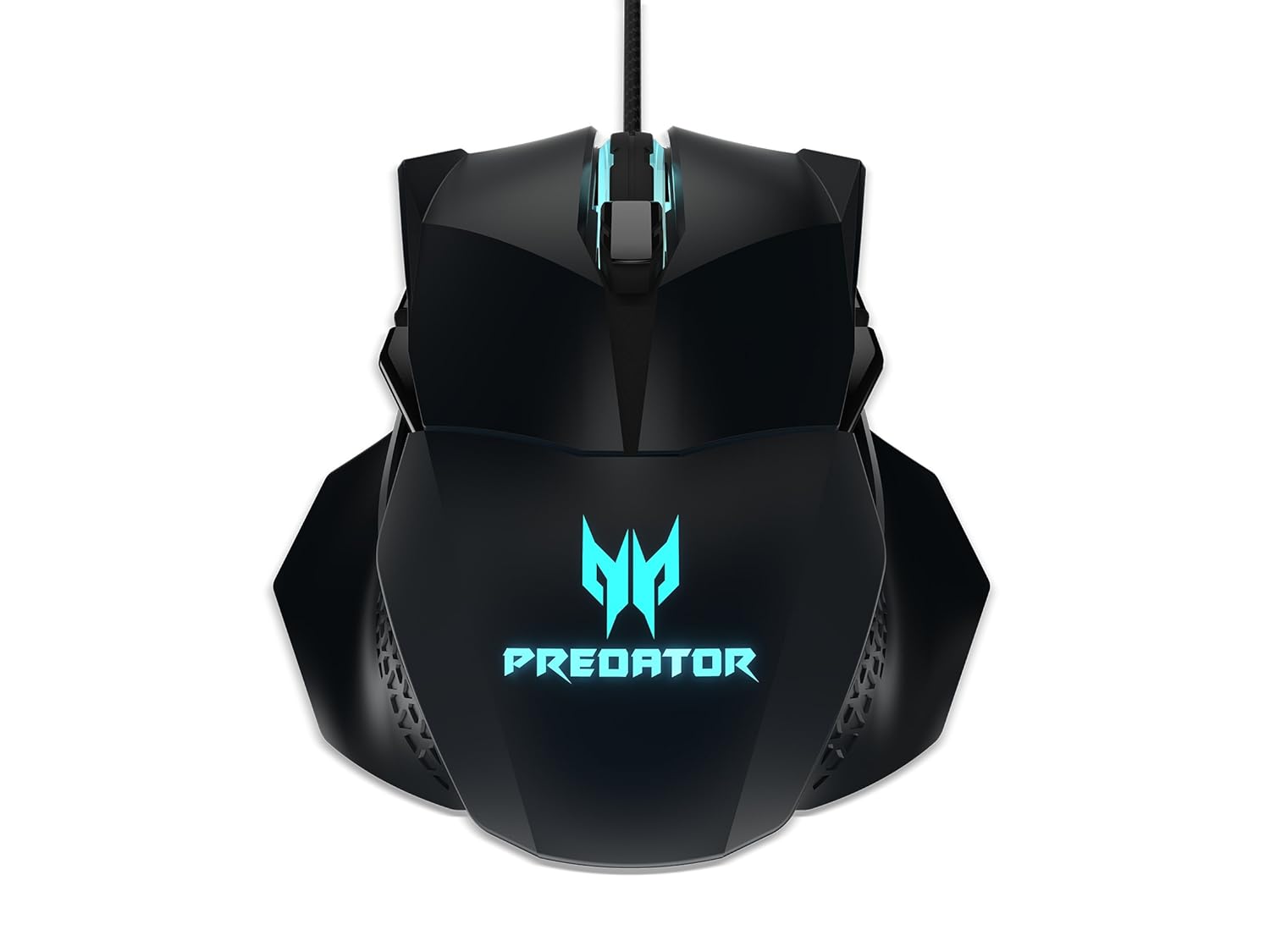
Abbildung 1: Oben view of the Acer Predator Cestus 500 Gaming Mouse, showcasing its symmetrical design and illuminated Predator logo.
2. Packungsinhalt
Bitte überprüfen Sie, ob alle Artikel in Ihrem Paket vorhanden sind:
- 1 x Acer Predator Cestus 500 Wired Gaming Mouse
- 4 x Magnetic Side Panels (2 sets for customization)
- 1 x Kurzanleitung
- 1 x Carry Kit
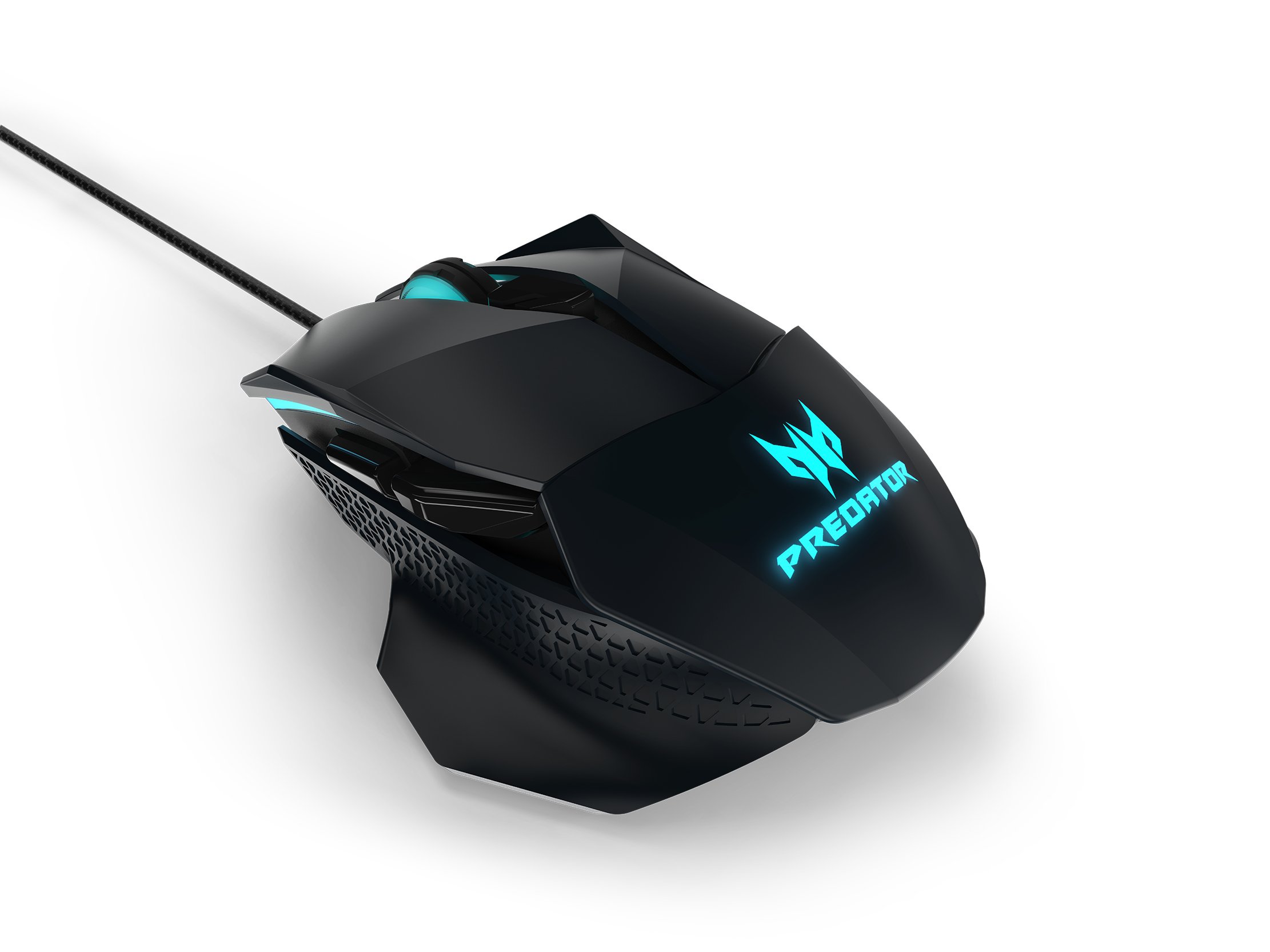
Figure 2: The Acer Predator Cestus 500 mouse with its detachable side panels, illustrating the customization options.
3. Einrichtung
3.1 Anschließen der Maus
- Unpack the Acer Predator Cestus 500 gaming mouse from its packaging.
- Schließen Sie das USB-Kabel der Maus an einen freien USB-Anschluss Ihres Computers an.
- Das Betriebssystem erkennt und installiert automatisch die notwendigen Treiber.
3.2 Attaching Side Panels
The mouse comes with two sets of magnetic side panels to accommodate different grip styles (claw or palm) and hand sizes. To attach or swap panels:
- Align the desired side panel with the magnetic connectors on either side of the mouse.
- Gently push the panel until it snaps securely into place.
- Wiederholen Sie den Vorgang auf der anderen Seite.
3.3 Installing Predator Quartermaster Software
For full customization of DPI settings, programmable buttons, and RGB lighting, install the Predator Quartermaster software. This software can typically be downloaded from the official Acer support webWebsite für Ihr spezifisches Modell.
- Besuchen Sie den Acer-Support. webWebsite.
- Suchen nach 'Predator Quartermaster' or navigate to the support page for the Predator Cestus 500 (Model NP.MCE11.008).
- Laden Sie das Installationsprogramm herunter und führen Sie es aus.
- Befolgen Sie die Anweisungen auf dem Bildschirm, um die Installation abzuschließen.
4. Bedienungsanleitung
4.1 Grundlegende Mausfunktionen
The mouse functions as a standard plug-and-play device for basic navigation (left-click, right-click, scroll wheel).
4.2 DPI-Anpassung
The Predator Cestus 500 features a maximum DPI of 7200 and a tracking speed of 150 IPS. DPI settings can be adjusted on-the-fly using dedicated buttons on the mouse or through the Predator Quartermaster software. The software allows for precise configuration of multiple DPI levels to suit different gaming scenarios.
4.3 programmierbare Tasten
The mouse is equipped with 8 programmable buttons. These buttons can be assigned various functions, macros, or key combinations using the Predator Quartermaster software. Refer to the software's user interface for detailed instructions on button mapping.
4.4 Adjustable Omron Switches
The mouse features dual Omron switches with a total lifespan of 70 million clicks (50M + 20M). A unique toggle on the base of the mouse allows you to adjust the click force, providing a personalized tactile response.
4.5 RGB Lighting Profiles
Customize the mouse's 16.8 million RGB lighting with five distinct profiles. Diese Profiles can be configured and saved using the Predator Quartermaster software, allowing you to switch between different lighting effects and colors for various games or moods.

Abbildung 3: Seite view of the Acer Predator Cestus 500, highlighting its ergonomic contours and side buttons.
5. Wartung
5.1 Reinigung der Maus
Um optimale Leistung und ein ansprechendes Erscheinungsbild zu gewährleisten:
- Trennen Sie die Maus vor der Reinigung von Ihrem Computer.
- Verwenden Sie ein weiches, trockenes, fusselfreies Tuch, um die Oberfläche der Maus abzuwischen.
- Bei hartnäckigen Verschmutzungen leicht dampBefeuchten Sie das Tuch mit Wasser oder einer milden Reinigungslösung. Vermeiden Sie aggressive Chemikalien.
- Use a can of compressed air to clear dust from crevices and around buttons.
- Die Maus darf nicht in Wasser oder andere Flüssigkeiten getaucht werden.
5.2 Kabelmanagement
Avoid sharp bends or kinks in the mouse cable to prevent damage. Store the mouse and its cable neatly when not in use, ideally in the provided carry kit.
6. Fehlerbehebung
6.1 Maus reagiert nicht
- Stellen Sie sicher, dass das USB-Kabel fest mit einem funktionierenden USB-Anschluss Ihres Computers verbunden ist.
- Versuchen Sie, die Maus an einen anderen USB-Anschluss anzuschließen.
- Testen Sie die Maus an einem anderen Computer, um festzustellen, ob das Problem an der Maus oder an Ihrem System liegt.
- Starten Sie Ihren Computer neu.
6.2 DPI or Button Settings Not Working
- Ensure the Predator Quartermaster software is installed and running.
- Check for software updates for Predator Quartermaster.
- Verify that the settings are correctly configured and saved within the software.
- Bei Verwendung mehrerer Profisfiles, stellen Sie sicher, dass das richtige Produktfile ist aktiv.
6.3 Probleme mit der RGB-Beleuchtung
- Confirm that the Predator Quartermaster software is installed and that lighting effects are enabled.
- Prüfen Sie, ob es Software gibt, die möglicherweise die RGB-Beleuchtung steuert und mit dieser in Konflikt steht.
- Ensure the mouse firmware is up to date via the Predator Quartermaster software.
7. Spezifikationen
| Besonderheit | Spezifikation |
|---|---|
| Marke | Acer |
| Serie | Predator Cestus |
| Modellnummer | NP.MCE11.008 |
| Farbe | Schwarz |
| Konnektivitätstechnologie | Verdrahtet |
| DPI | Bis zu 7200 DPI |
| IPS Speed | 150 IPS |
| Anzahl der Tasten | 8 (Programmierbar) |
| Schaltertyp | Omron (Adjustable Click Force) |
| Lebensdauer wechseln | 70 Million Clicks (50M + 20M) |
| RGB-Beleuchtung | 16.8 Million Colors, 5 Customizable Profiles |
| Design | Ambidextrous, Ergonomic with 4 Magnetic Side Panels |
| Hardware-Plattform | Laptop, Personalcomputer |
| Betriebssystemkompatibilität | Linux, Windows 7, Windows XP (and newer Windows versions) |
| Produktabmessungen (L x B x H) | 12.4 x 9.64 x 4.03 cm |
| Artikelgewicht | 100 g |
| Im Lieferumfang enthaltene Komponenten | Gaming Mouse, 4 Side Panels, Quick Start Guide, Carry Kit |
8. Garantieinformationen
For detailed warranty information, please refer to the warranty card included in your product packaging or visit the official Acer support webDie Garantiebedingungen können je nach Region und Kaufdatum variieren.
9. Unterstützung
If you encounter issues not covered in this manual or require further assistance, please contact Acer customer support through their official website or the contact information provided in your product documentation. Ensure you have your product model number (NP.MCE11.008) and serial number ready when contacting support.
Acer-Support WebWebsite: https://www.acer.com/support


