1. Produktüberschreitungview
The CHACON 54661 Set provides a convenient solution for wirelessly controlling your electrical appliances and lighting. This set includes two remote-controlled sockets and one remote control, allowing you to switch devices on or off from a distance within your home.
- Kabellose Kontrolle: Operate devices without direct access to the wall socket.
- Einfache Installation: Einfache Plug-and-Play-Installation.
- Breite Kompatibilität: Suitable for various household appliances.
- Betriebsfrequenz: 433.92 MHz.
- Maximale Leistung: 2000 Watt.
- Übertragungsbereich: Bis zu 25 Meter im freien Gelände.

Image: CHACON remote control and a socket in a typical home environment, demonstrating wireless control.
2. Sicherheitshinweise
Bitte lesen und verstehen Sie alle Sicherheitshinweise, bevor Sie dieses Produkt verwenden. Die Nichtbeachtung dieser Hinweise kann zu Stromschlag, Brand oder schweren Verletzungen führen.
- Nur zur Verwendung im Innenbereich: This product is designed for indoor use in dry locations. Do not expose to rain or moisture.
- Maximale Belastung: Do not exceed the maximum load of 2000 Watts. Overloading can cause overheating and fire.
- Belüftung: Ensure adequate ventilation around the sockets. Do not cover them.
- Kinder und Haustiere: Außerhalb der Reichweite von Kindern und Haustieren aufbewahren.
- Demontage: Versuchen Sie nicht, das Gerät zu öffnen, zu verändern oder zu reparieren. Überlassen Sie alle Wartungsarbeiten qualifiziertem Fachpersonal.
- Reinigung: Vor der Reinigung vom Stromnetz trennen. Ein trockenes, weiches Tuch verwenden. Keine flüssigen Reinigungsmittel verwenden.
- Entsorgung: Dispose of batteries and the product according to local regulations.
3. Packungsinhalt
Überprüfen Sie, ob alle Artikel im Paket vorhanden sind:
- 2 x CHACON Remote Controlled Sockets
- 1 x CHACON Remote Control
- 1 x Lithium-ion Battery (pre-installed in remote or supplied separately)
- 1 x Benutzerhandbuch (dieses Dokument)
4. Einrichtung
4.1. Installation der Fernbedienungsbatterie
The remote control requires one Lithium-ion battery. If not pre-installed, follow these steps:
- Suchen Sie das Batteriefach auf der Rückseite der Fernbedienung.
- Öffnen Sie die Abdeckung des Batteriefachs.
- Insert the Lithium-ion battery, ensuring correct polarity (+ and -).
- Schließen Sie den Batteriefachdeckel fest.

Bild: Nahaufnahme view of the CHACON remote control, showing the ON/OFF buttons and channel selectors (1, 2, 3, 4).
4.2. Pairing Sockets with Remote Control
Each socket needs to be paired with the remote control to establish communication. The remote control has four channels (1, 2, 3, 4) which can be used to control individual sockets or groups of sockets.
- Plug one CHACON remote controlled socket into a standard wall outlet. The LED indicator on the socket may flash.
- Within 5 seconds of plugging in the socket, press and hold the small pairing button located on the side or front of the socket until the LED indicator starts flashing rapidly.
- While the socket's LED is flashing, press the desired "ON" button (e.g., "1 ON") on the remote control.
- The socket's LED indicator will stop flashing and remain solid for a moment, then turn off, indicating successful pairing.
- Repeat this process for the second socket, assigning it to a different channel (e.g., "2 ON") or the same channel if you wish to control both simultaneously.
- To unpair a socket, plug it in, then press and hold the pairing button until the LED flashes rapidly. Then, press the corresponding "OFF" button on the remote control.

Image: A CHACON remote controlled socket plugged into a wall outlet, ready for pairing.
5. Bedienungsanleitung
Once your sockets are paired, you can easily control your connected devices.
- Plug the appliance you wish to control into the CHACON remote controlled socket.
- Ensure the appliance's own power switch is in the "ON" position (if applicable).
- To turn the appliance ON, press the corresponding "ON" button (1, 2, 3, or 4) on your remote control.
- To turn the appliance OFF, press the corresponding "OFF" button (1, 2, 3, or 4) on your remote control.
You can control devices individually or, if multiple sockets are paired to the same channel, control them simultaneously.
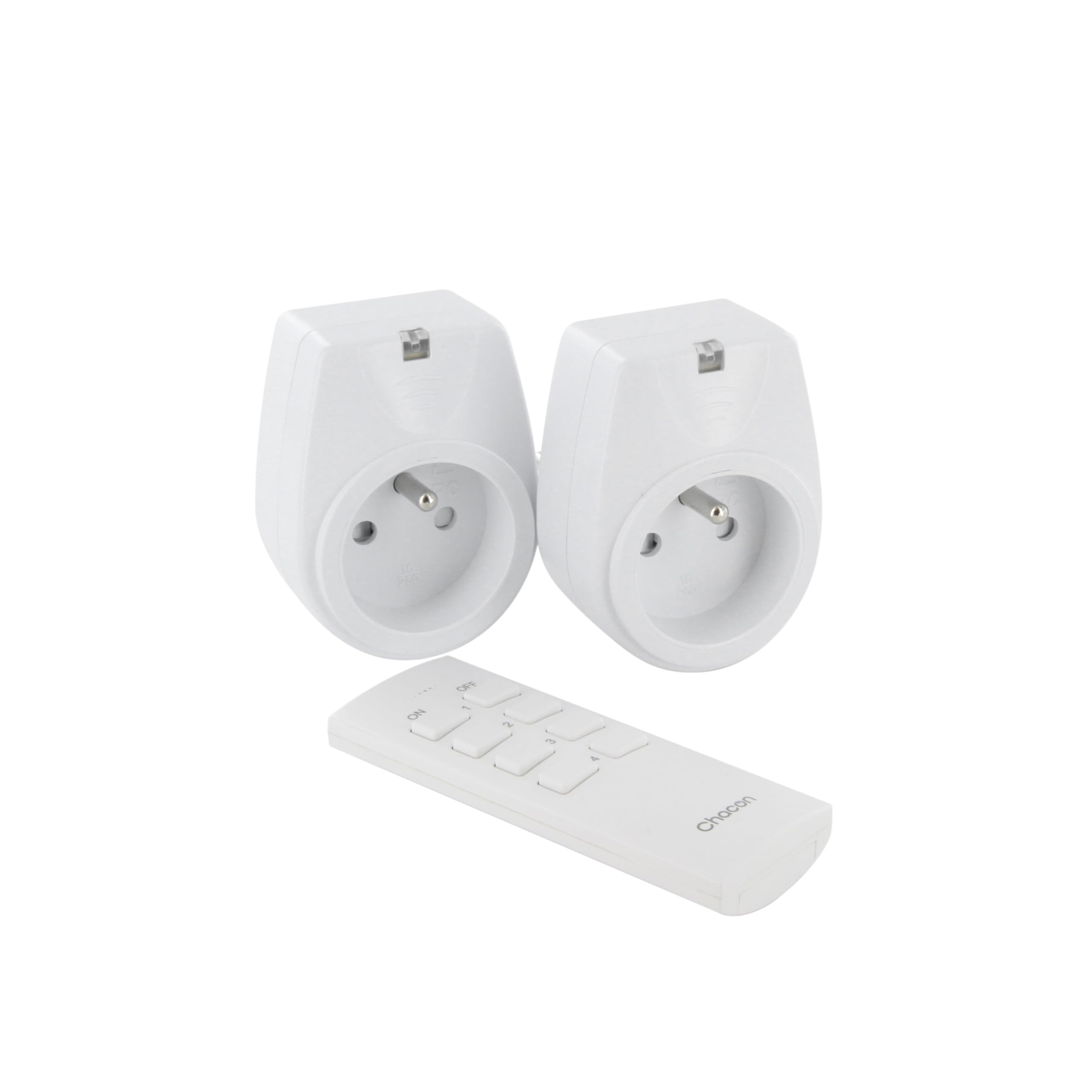
Image: A hand holding the CHACON remote control, demonstrating its use to switch on a lamp.
6. Wartung
6.1. Reinigung
To clean the sockets and remote control, ensure they are disconnected from power. Use a soft, dry cloth. Do not use abrasive cleaners, solvents, or immerse in water.
6.2. Austausch der Fernbedienungsbatterie
If the remote control's range decreases or it stops responding, the battery may need replacement. Follow the steps in Section 4.1 to replace the Lithium-ion battery with a new one of the same type.
7. Fehlerbehebung
| Problem | Mögliche Ursache | Lösung |
|---|---|---|
| Socket does not respond to remote control. |
|
|
| Das angeschlossene Gerät lässt sich nicht ein-/ausschalten. |
|
|
| Reduced transmission range. |
|
|
8. Spezifikationen
| Marke | CHAKON |
| Modellnummer | 54661 |
| Farbe | Weiß |
| Besondere Merkmale | Kabellos |
| Kompatible Geräte | Air conditioner, Game console, Iron, Speaker, Lamp, DVD player, MP3 player, E-reader, Coffee machine, Modem, Laptop, Heater, Router, Refrigerator, Set-top box, Smartphone, Smartwatch, Audio system, Hair dryer, Tablet, Television |
| Typ der Fernbedienungsbatterie | Lithium-Ionen (1 im Lieferumfang enthalten) |
| Maximale Leistung | 2000 Watt |
| Übertragungsdistanz | 25 m (freies Feld) |
| Frequenz | 433.92 MHz |
| Bandtage | 230 V |
| Anzahl der Steckdosen | 2 |
| Steckertyp | FR (Type E/F) |
| Material | Polyvinylchlorid (PVC) |
| Ursprungsland | China |
9. Gewährleistung
This CHACON product is covered by a 2 Jahr Garantie from the date of purchase. This warranty covers manufacturing defects and material faults under normal use. It does not cover damage caused by misuse, accident, unauthorized modification, or improper installation.
Bitte bewahren Sie Ihren Kaufbeleg für Garantieansprüche auf.
10. Unterstützung
For technical assistance, troubleshooting not covered in this manual, or warranty inquiries, please contact CHACON customer support.
Visit the official CHACON webAuf dieser Website finden Sie die aktuellsten Supportinformationen und Kontaktdaten.
Note: Specific contact information may vary by region.


