Einführung
Thank you for choosing the Mesqool White Noise Sound Machine. This device is designed to create a peaceful and relaxing environment, aiding in sleep, concentration, and masking unwanted noise. With its portable design and versatile features, it is an ideal companion for home, office, or travel. This manual provides detailed instructions for setup, operation, maintenance, and troubleshooting to ensure optimal performance and user satisfaction.
Sicherheitshinweise
CAUTION: For safe and proper use, always ensure correct battery installation, keep away from children as it is not a toy, and avoid excessive volume levels to prevent hearing damage.
Bitte lesen und verstehen Sie alle Sicherheitshinweise, bevor Sie das Gerät benutzen. Bewahren Sie diese Bedienungsanleitung zum späteren Nachschlagen auf.
Produkt überview
Hauptmerkmale:
- 8 Relaxing & Soothing Nature Sounds: Includes white noise, fan, midnight surf, dream shower, snow stream, summer night, storm thunder, and dream forest.
- 3 Auto-Off Timer Options: Set for 15, 30, or 60 minutes, or play continuously all night.
- Dual Power Supply: Operates via AC power adapter or 3 x 'AA' batteries (not included) for backup.
- 2 USB Charging Ports: Conveniently charge your mobile devices (USB charging works only when AC power is connected).
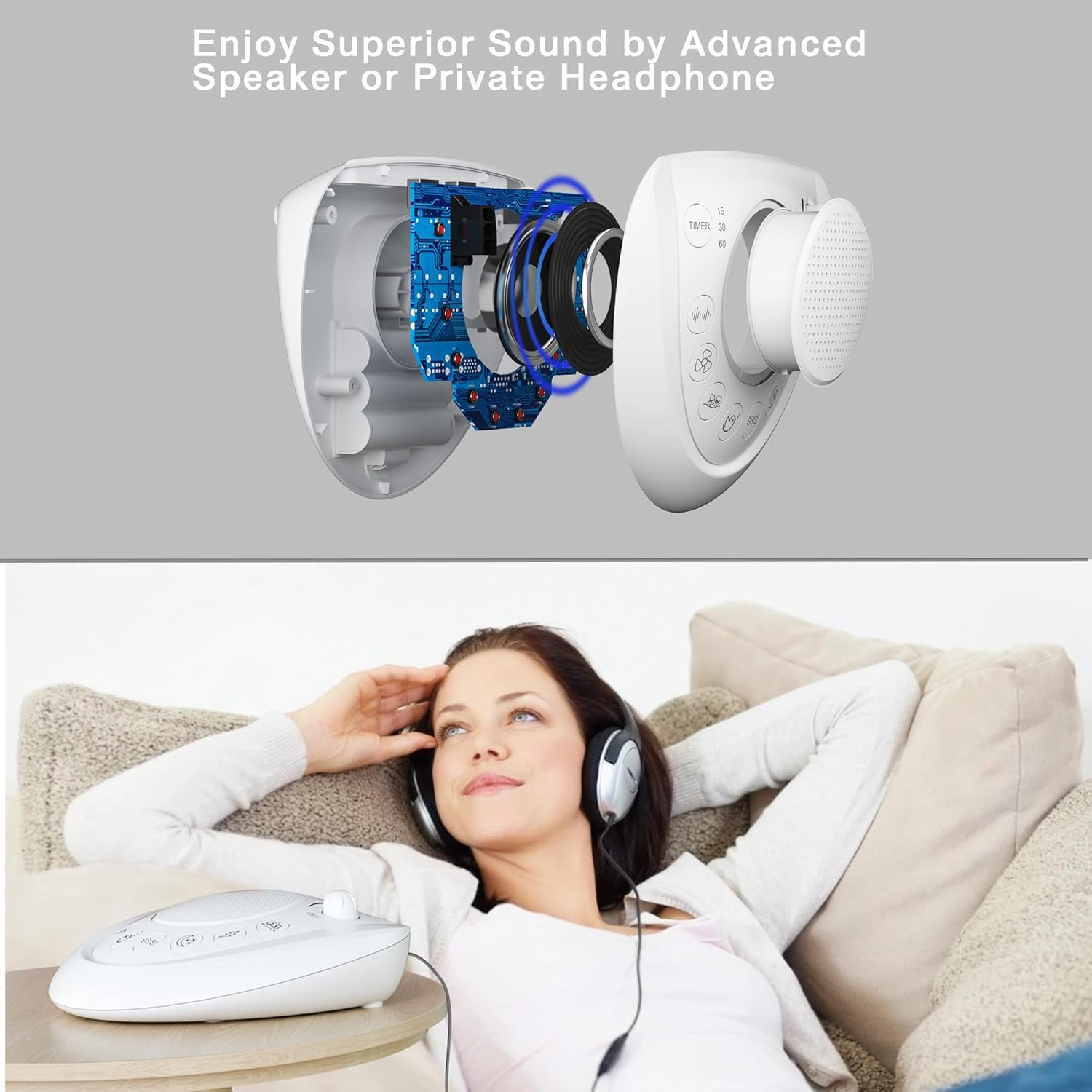
- 3.5mm Earphone/Headphone Jack: For private listening without disturbing others.
- Adjustable Volume: Large rotary knob for precise volume control.
- Portable and Lightweight: Ideal for travel and easy placement in any room.
Komponenten:
The Mesqool White Noise Sound Machine features a compact design with intuitive controls.

- Lautsprechergitter: Central output for sound.
- Lautstärkeregler: Located at the top right, rotates to adjust sound level and turn the unit ON/OFF.
- Timer-Taste: On the left, cycles through 15, 30, 60 minutes, or continuous play.
- Sound Selection Buttons: Eight distinct buttons for selecting different nature sounds.
- USB-Ladeanschlüsse: Located on the back for charging external devices.
- DC-Eingangsbuchse: Zum Anschließen des Netzteils.
- 3.5mm Kopfhörerbuchse: For private audio output.
- Batteriefach: On the bottom for 'AA' batteries.
Aufstellen
Your Mesqool White Noise Sound Machine can be powered by an AC adapter or batteries.
Einschalten des Geräts:
- Wechselstromversorgung: Connect the provided AC power adapter to the DC input jack on the back of the unit, then plug the adapter into a standard wall outlet.
- Batteriebetrieb (Notstromversorgung): Open the battery compartment on the bottom of the unit. Insert 3 x 'AA' batteries (not included), ensuring correct polarity (+/-). Batteries are primarily for backup and to retain settings during power outages.

Bedienungsanleitung
1. Turning On/Off and Volume Control:
- Rotate the large knob on the top right clockwise to turn the unit ON and increase the volume.
- Rotate the knob counter-clockwise to decrease the volume and turn the unit OFF.

2. Sound Selection:
Press any of the eight dedicated sound buttons on the front panel to select your desired nature sound. The available sounds include:
- White Noise (3 variations)
- Fan (3 variations)
- Ocean (3 variations)
- Bird Chirping (3 variations)
- Water Stream (3 variations)
- Summer Night (3 variations)
- Thunder & Rain (3 variations)
- Forest (3 variations)

3. Auto-Off Timer Function:
Press the 'TIMER' button on the left side of the unit to cycle through the auto-off timer options:
- 15 Мinuten
- 30 Мinuten
- 60 Мinuten
- Continuous Play (no timer)
The unit will automatically shut off after the selected time period. If no timer is set, the sound will play continuously until manually turned off.
4. USB Charging Ports:
The two USB ports on the back of the unit allow you to charge your mobile devices. Simply connect your device's USB charging cable to one of the ports. Note that USB charging functionality is only active when the sound machine is connected to AC power.

5. Verwendung von Kopfhörern:
For private listening, plug any standard 3.5mm earphone or headphone into the headphone jack located on the back of the unit. The sound will then be routed through your headphones, muting the main speaker.
Wartung
To ensure the longevity and optimal performance of your Mesqool White Noise Sound Machine, follow these simple maintenance guidelines:
- Reinigung: Wischen Sie die Außenseite des Geräts mit einem weichen, trockenen Tuch ab. Verwenden Sie keine Scheuermittel, Wachse oder Lösungsmittel.
- Lagerung: If storing the unit for an extended period, remove the batteries to prevent leakage. Store in a cool, dry place away from direct sunlight.
- Feuchtigkeit vermeiden: Halten Sie das Gerät von Wasser und hoher Luftfeuchtigkeit fern.
Fehlerbehebung
If you encounter any issues with your Mesqool White Noise Sound Machine, please refer to the following common problems and solutions:
| Problem | Mögliche Ursache | Lösung |
|---|---|---|
| Kein Strom/Gerät lässt sich nicht einschalten. | AC adapter not properly connected; Batteries are dead or incorrectly inserted. | Ensure AC adapter is securely plugged into the unit and wall outlet. If using batteries, replace them with fresh ones and check polarity. |
| Kein Ton. | Volume is too low; Headphone jack is in use; Sound is not selected. | Increase volume using the rotary knob. Disconnect headphones if plugged in. Press a sound selection button. |
| USB-Ladefunktion funktioniert nicht. | Unit is not connected to AC power; Charging cable is faulty. | Ensure the unit is powered by the AC adapter. Try a different USB charging cable. |
| Die Timerfunktion funktioniert nicht. | Timer nicht richtig eingestellt. | Press the 'TIMER' button repeatedly until the desired time (15, 30, or 60 minutes) is selected. |
Sollte das Problem nach dem Ausprobieren dieser Lösungsansätze weiterhin bestehen, wenden Sie sich bitte an den Mesqool-Kundendienst, um weitere Unterstützung zu erhalten.
Technische Daten
| Modellnummer | MQL-CR1007 |
| Technische Daten | 15.75 x 12.45 x 4.32 cm (6.2 x 4.9 x 1.7 Zoll) |
| Gewicht | 320 g (0.7 Pfund) |
| Stromquelle | AC Adapter (included), 3 x 'AA' Batteries (not included) |
| USB-Ausgang | 5 V, 1 A |
| Anzahl der Sounds | 8 main sound categories (24 non-looping variations) |
| Timer-Optionen | 15, 30, 60 minutes, Continuous Play |
| Material | Plastik |
| Farbe | Weiß |
Garantie und Support
Mesqool provides the following warranty for your White Noise Sound Machine:
- 3-month refund
- 12-month replacement
- 18 Monate erweiterte Garantie
For warranty claims, technical support, or any inquiries, please contact Mesqool customer service through the retailer's platform or the official Mesqool website. Please have your model number (MQL-CR1007) and purchase information ready when contacting support.


