1. Einleitung
The Korg AW-OTG is a clip-on guitar tuner designed for accurate and visible tuning. It incorporates advanced OLED display technology, providing a clear and smooth visual experience from various viewing angles. This tuner is engineered to offer high-precision tuning, making it a reliable tool for guitarists.
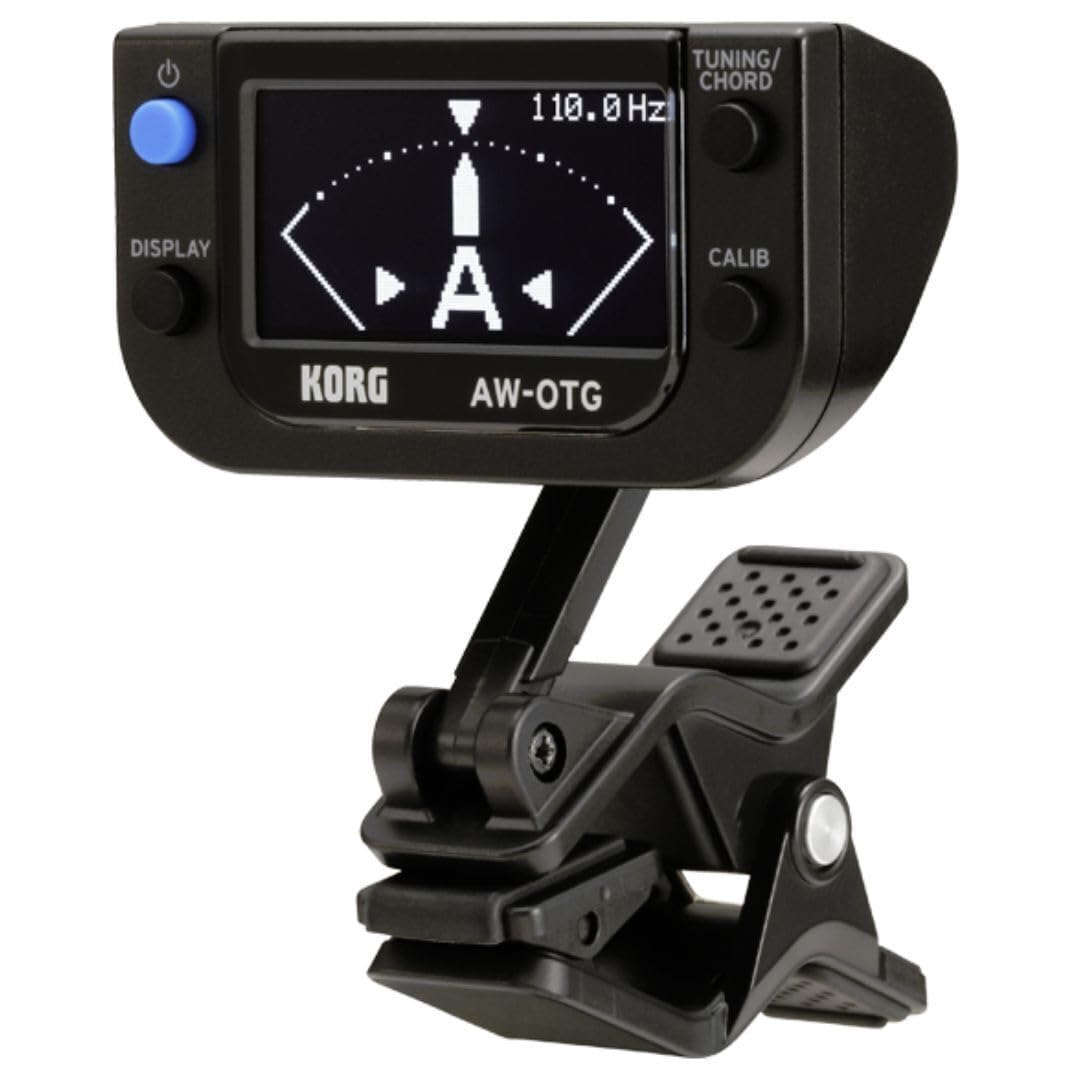
Figure 1: Korg AW-OTG Clip-On Guitar Tuner attached to a guitar headstock.
2. Produktmerkmale
- OLED-Displaytechnologie: Provides high visibility and clarity from any viewing-Winkel.
- Guitar-Specific Functions: Includes an intuitive chord finder function.
- Ultrahochpräzise Abstimmung: Achieves accuracy of ±0.1 cents.
- STROBOSKOP-Funktion: Optional mode for enhanced tuning accuracy.
- Alternative Tuning-Animationen: Offers various visual tuning displays.
- Kalibrierfunktion: Allows adjustment of the reference pitch.
- Speichersicherung: Retains settings after power off.
- Automatische Abschaltung: Verlängert die Batterielebensdauer durch automatisches Abschalten nach einer gewissen Zeit der Inaktivität.
3. Einrichtung
3.1 Einlegen der Batterie
- Open the battery compartment cover located on the back of the tuner unit.
- Legen Sie eine AAA-Batterie ein und achten Sie dabei auf die richtige Polarität (+/-), wie im Batteriefach angegeben.
- Schließen Sie den Batteriefachdeckel fest.

Figure 2: Battery compartment with AAA battery installed.
3.2 Anbringen des Stimmgeräts
- Gently open the clip on the tuner.
- Attach the tuner securely to the headstock of your guitar. Ensure the clip makes firm contact with the instrument for optimal vibration detection.
- Stellen Sie den Winkel des Displays für bequemen Komfort ein. viewing. The tuner features a flexible joint for easy positioning.

Abbildung 3: Seite view of the tuner clip.
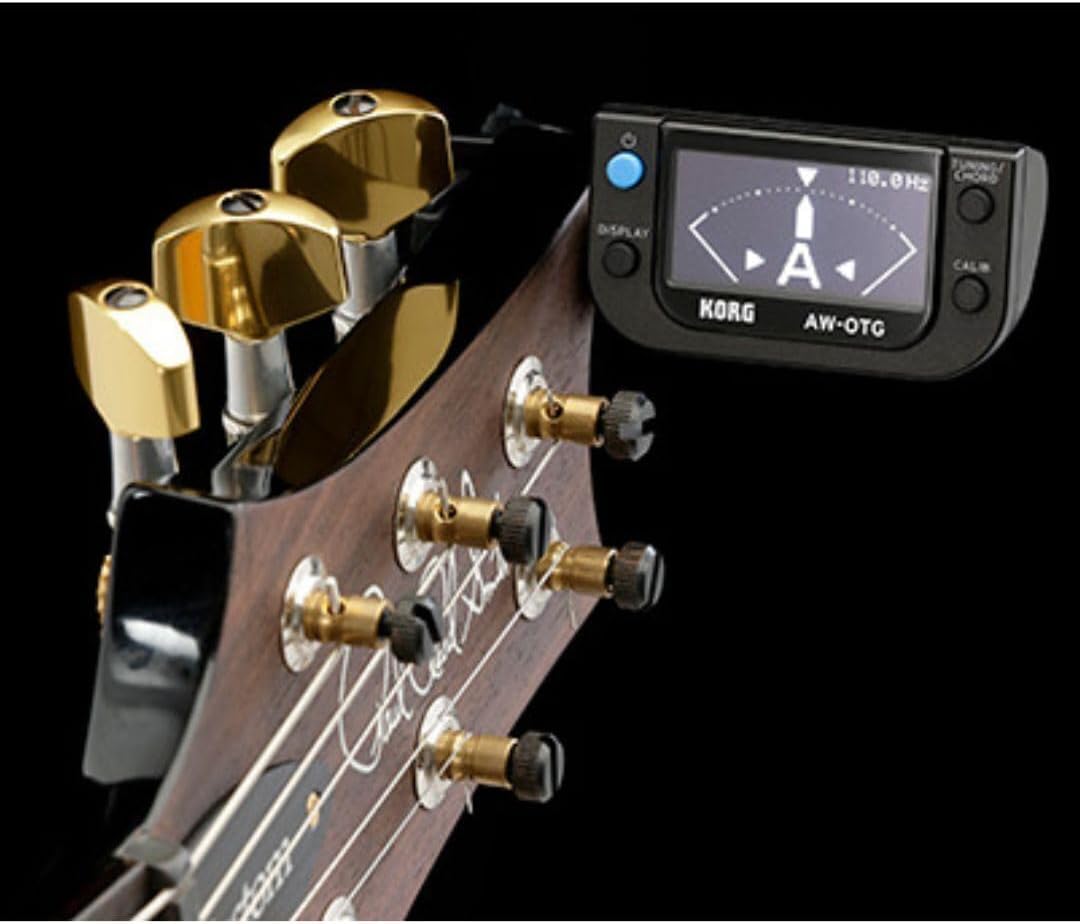
Abbildung 4: Stimmgerät am Gitarrenkopf.
4. Bedienung
4.1 Ein-/Ausschalten
Halten Sie die LEISTUNG button (located on the top left of the unit) to turn the tuner on or off. The OLED display will illuminate upon activation.
4.2 Grundlegende Stimmung
- Once powered on and attached to your instrument, pluck a single string.
- The display will show the detected note and a meter indicating pitch accuracy.
- Adjust the string's tension until the meter centers and the note name is stable, indicating accurate tuning.

Figure 5: Tuner display during operation.
4.3 Display Modes (TUNING/CHORD Button)
Drücken Sie die TUNING/CHORD button (top right) to cycle through different display modes, including standard tuning, strobe mode, and various animation options. The AW-OTG also features a chord finder function accessible through this button.
4.4 Calibration (CALIB Button)
Drücken Sie die KALIB button (bottom right) to adjust the reference pitch (A4). The default setting is 440 Hz. Refer to the on-screen instructions for specific calibration steps.
4.5 Memory Backup
The tuner automatically saves your last used settings, such as display mode and calibration, even after being powered off.
4.6 Automatische Abschaltung
To conserve battery life, the AW-OTG will automatically power off after a period of inactivity. This feature is enabled by default.
5. Wartung
5.1 Reinigung
Wipe the tuner's surface with a soft, dry cloth. Avoid using abrasive cleaners, solvents, or waxes, as these can damage the finish and display.
5.2 Batteriewechsel
When the display dims or the tuner becomes unresponsive, replace the AAA battery as described in Section 3.1. Always dispose of used batteries according to local regulations.
6. Fehlerbehebung
| Problem | Lösung |
|---|---|
| Das Tunergerät lässt sich nicht einschalten. | Check if the battery is correctly installed with the proper polarity. Replace the battery if it is depleted. |
| Inaccurate or unstable tuning. | Ensure the tuner is securely clipped to the guitar headstock. Avoid noisy environments. Try recalibrating the tuner (Section 4.4). |
| Das Display ist dunkel oder unleserlich. | Replace the battery. The OLED display may dim when battery power is low. |
7. Spezifikationen
- Modellnummer: AW-OTG
- Stimmgenauigkeit: ±0.1 Cent
- Anzeigetyp: OLED
- Stromversorgung: 1 x AAA-Batterie (im Lieferumfang enthalten)
- Produktabmessungen: 2.5 x 2 x 2.8 Zoll
- Artikelgewicht: 0.001 Unzen
- Hersteller: Korg
- Datum der Erstveröffentlichung: 26. Juli 2010
8. Garantie und Support
8.1 Garantieinformationen
Warranty terms and conditions for the Korg AW-OTG Clip-On Guitar Tuner are typically provided with the product packaging or can be found on the official Korg webBitte bewahren Sie Ihren Kaufbeleg für Garantieansprüche auf.
8.2 Kundendienst
For technical assistance, product inquiries, or support, please visit the official Korg website or contact Korg customer service directly. Contact information can usually be found in the product packaging or on the manufacturer's support pages.


