1. Einleitung
Thank you for choosing the Vandlion V8 Keychain Voice Recorder. This compact and versatile device is designed for high-quality audio recording in various environments, offering ease of use and portability. It also functions as an MP3 player and a USB storage device. Please read this manual thoroughly to understand the features and proper operation of your new device.
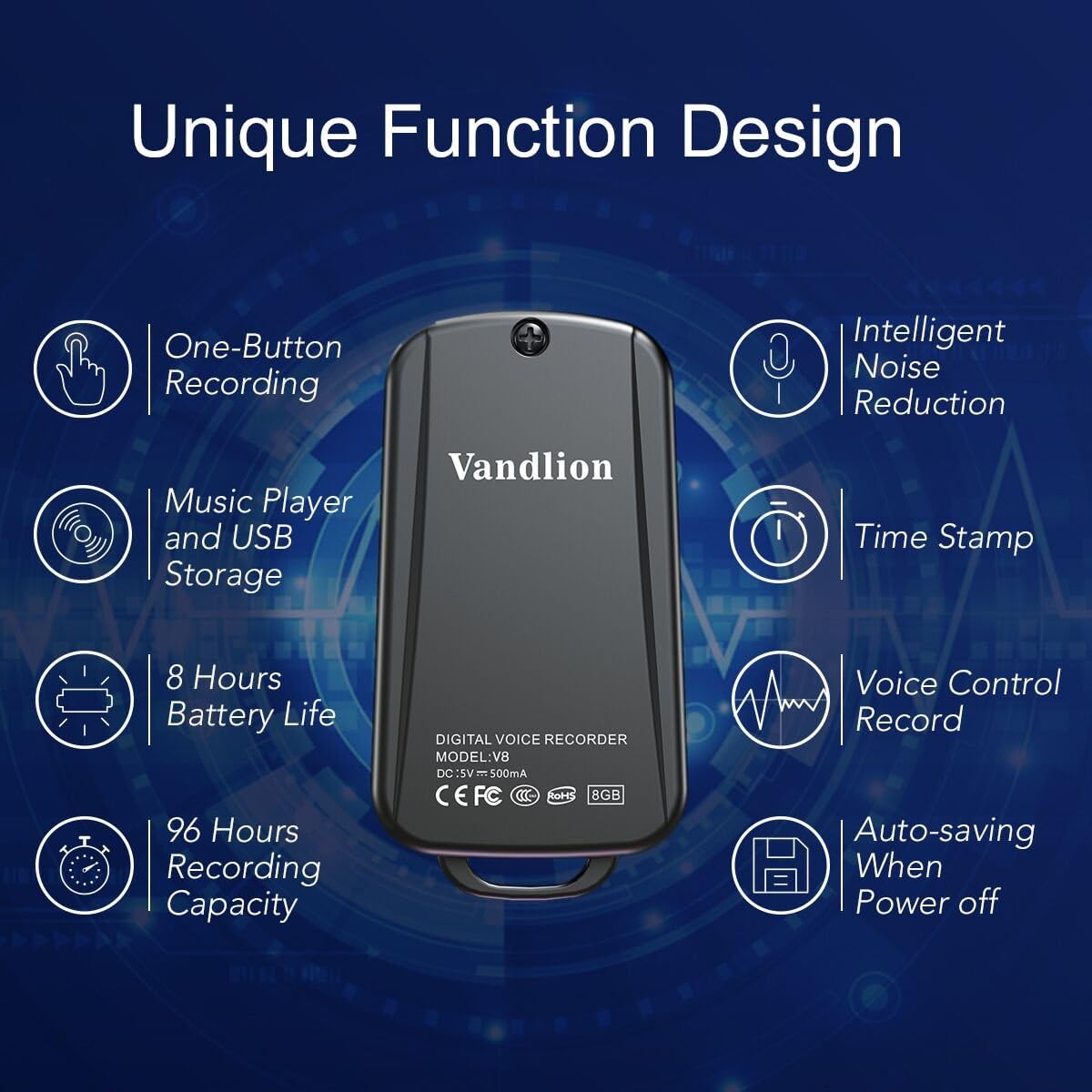
Image 1: Vandlion V8 Keychain Voice Recorder highlighting features like one-button recording, intelligent noise reduction, time stamp, voice control record, auto-saving, music player, USB storage, 8 hours battery life, and 96 hours recording capacity.
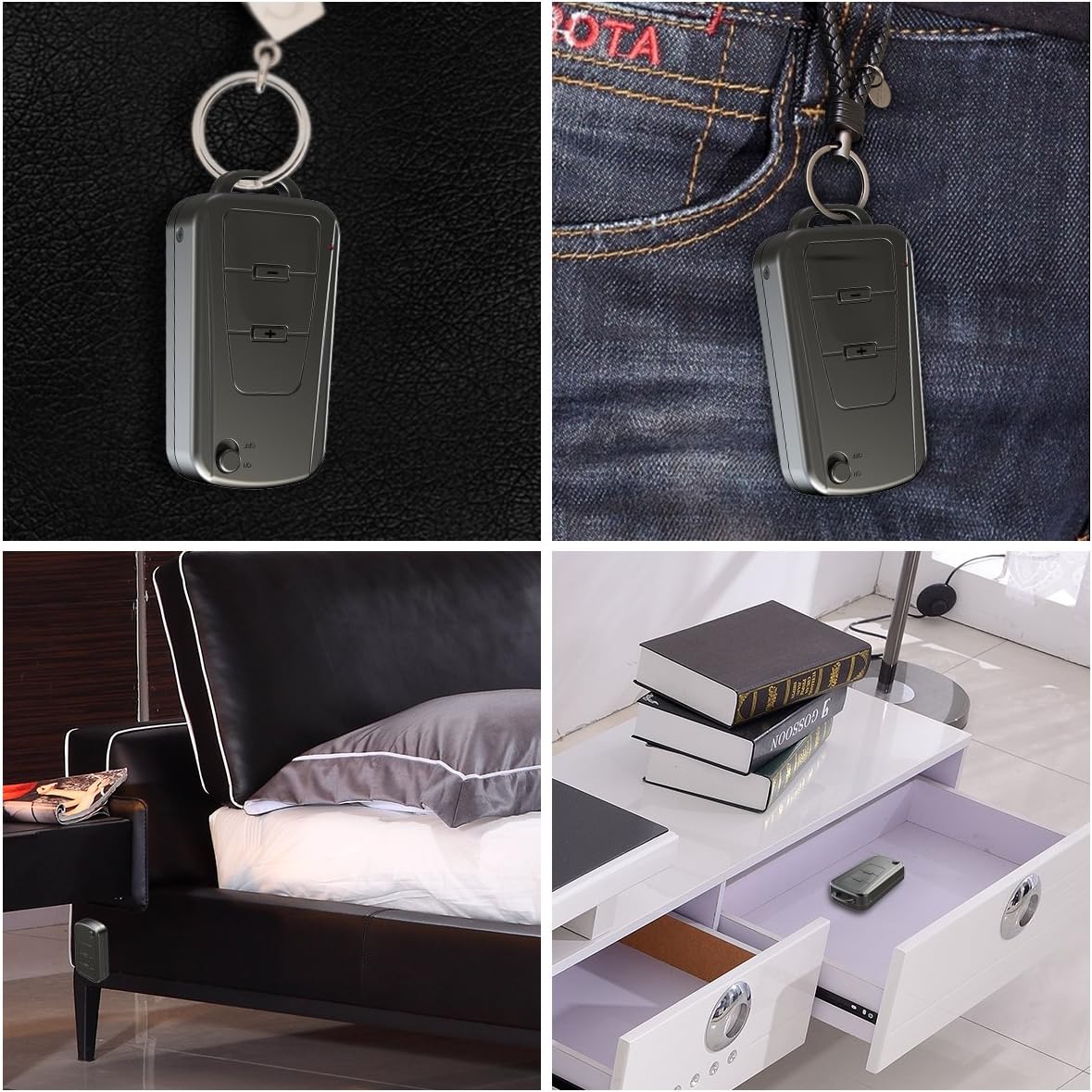
Image 2: The Vandlion V8 recorder shown in various discreet usage scenarios, including attached to a keychain, clipped to trousers, placed beside a bed, and hidden in a drawer.

Image 3: The Vandlion V8 recorder depicted in various application scenarios such as classes, meetings, speeches, concerts, interviews, and for forensic purposes.
2. Packungsinhalt
- 1 x Vandlion V8 Voice Recorder
- 1 x USB-Kabel
- 1 x Benutzerhandbuch (dieses Dokument)
3. Gerät überview
Machen Sie sich mit den physischen Komponenten Ihres Diktiergeräts vertraut.
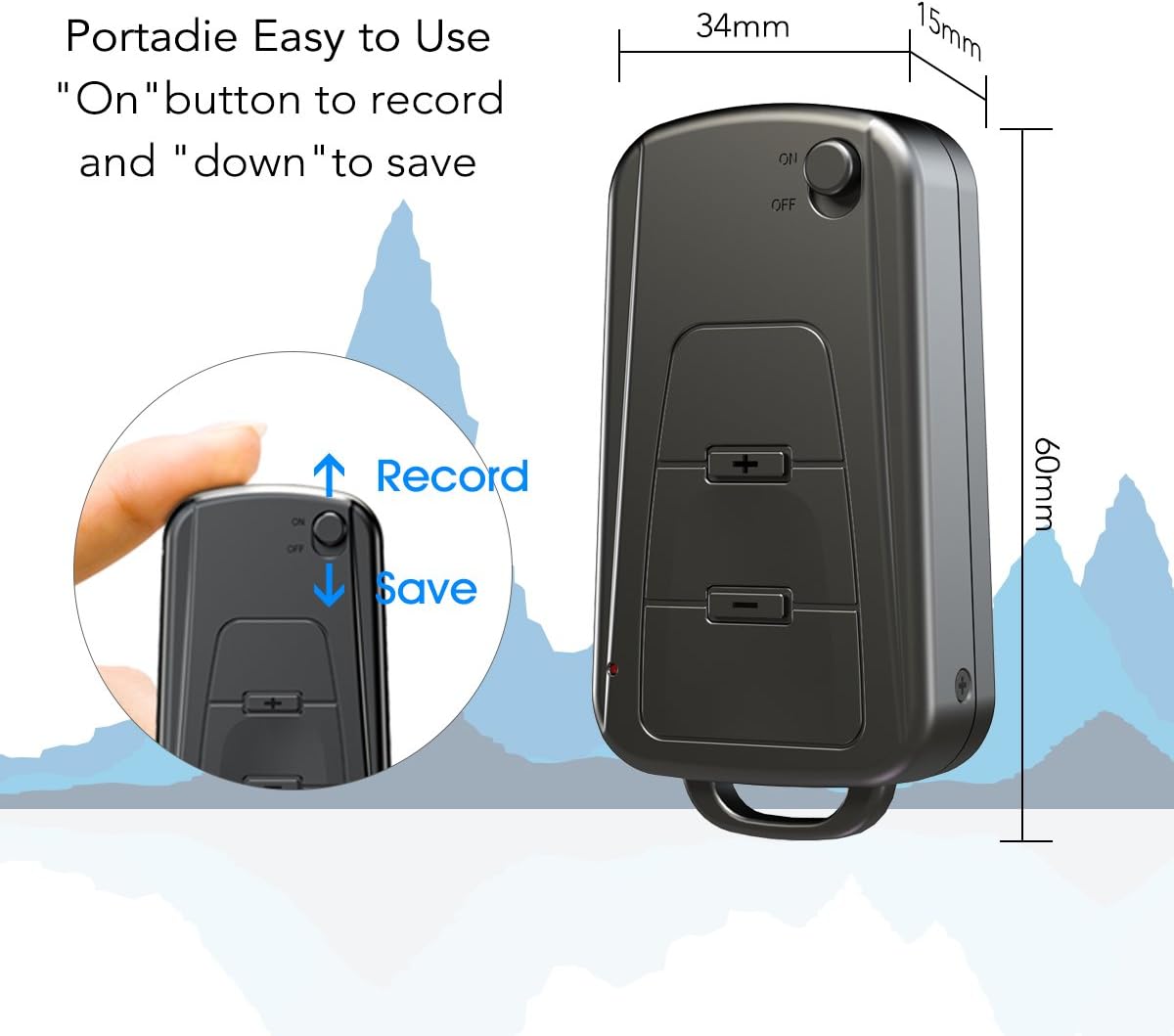
Abbildung 4: Seite view of the Vandlion V8 recorder, illustrating the ON/OFF switch for recording and saving, along with volume control buttons. Dimensions are also shown: 60mm length, 34mm width, 15mm thickness.
- Ein / Aus Schalter: Used to start and stop recording, and to power the device.
- USB-Anschluss: Zum Aufladen und Anschließen an einen Computer.
- Kopfhöreranschluss: Zur Audiowiedergabe.
- Mikrofon: Integriert für Audioaufnahmen.
- Kontrollleuchte: Gibt Statusinformationen (z. B. Aufnahme, Ladevorgang).
4. Einrichtung
4.1. Aufladen des Geräts
Before first use, fully charge the voice recorder. Connect the device to a computer's USB port or a USB wall adapter using the provided USB cable. The indicator light will typically show a specific color (e.g., red) during charging and change (e.g., blue or off) when fully charged. A full charge provides approximately 20 hours of operation.
4.2. Erstes Einschalten
Slide the ON/OFF switch to the "ON" position to power on the device. The indicator light will briefly illuminate.
5. Bedienungsanleitung
5.1. Ein-Knopf-Aufnahme
- Um die Aufnahme zu starten, schieben Sie den EIN/AUS-Schalter auf die Position "AN" position. The device will automatically begin recording. The indicator light will not flicker during recording to ensure discreet operation.
- To save the recording, slide the ON/OFF switch to the "AUS" position. The device will save the current recording and power off.
Image 5: Close-up of the Vandlion V8 recorder demonstrating the simple "ON" to record and "OFF" to save operation.
5.2. Sprachaktivierte Aufnahme (VOR)
The device features a smart voice-activated system. When enabled, the recorder will only record when sound is detected, conserving storage space and battery life. Refer to the full user guide (if available from manufacturer) for detailed instructions on enabling/disabling VOR, as this feature may require specific button presses or software settings not covered by the basic one-button operation.
5.3. Wiedergabe von Aufnahmen
- Connect headphones to the headphone jack on the device.
- Power on the device by sliding the ON/OFF switch to "ON".
- Use the volume buttons (if present) to navigate through recordings and adjust playback volume.
Alternatively, connect the device to a computer to play back recordings.
5.4. Übertragen Files an einen Computer
- Ensure the recorder is powered off.
- Connect the recorder to your computer using the supplied USB cable. The device will be recognized as a removable storage drive.
- Open the drive, locate the recording files (typically in WAV format), and drag them to your computer.
- Hinweis für Mac-Benutzer: You may need to use VLC Media Player or similar software to play WAV files recorded by this device.
5.5. Verwendung als MP3-Player
The device supports WAV, WMA, and MP3 audio formats. You can transfer music files to the device's storage via USB connection, similar to transferring recordings. Once music files are on the device, connect headphones and power on the device to listen to your music.
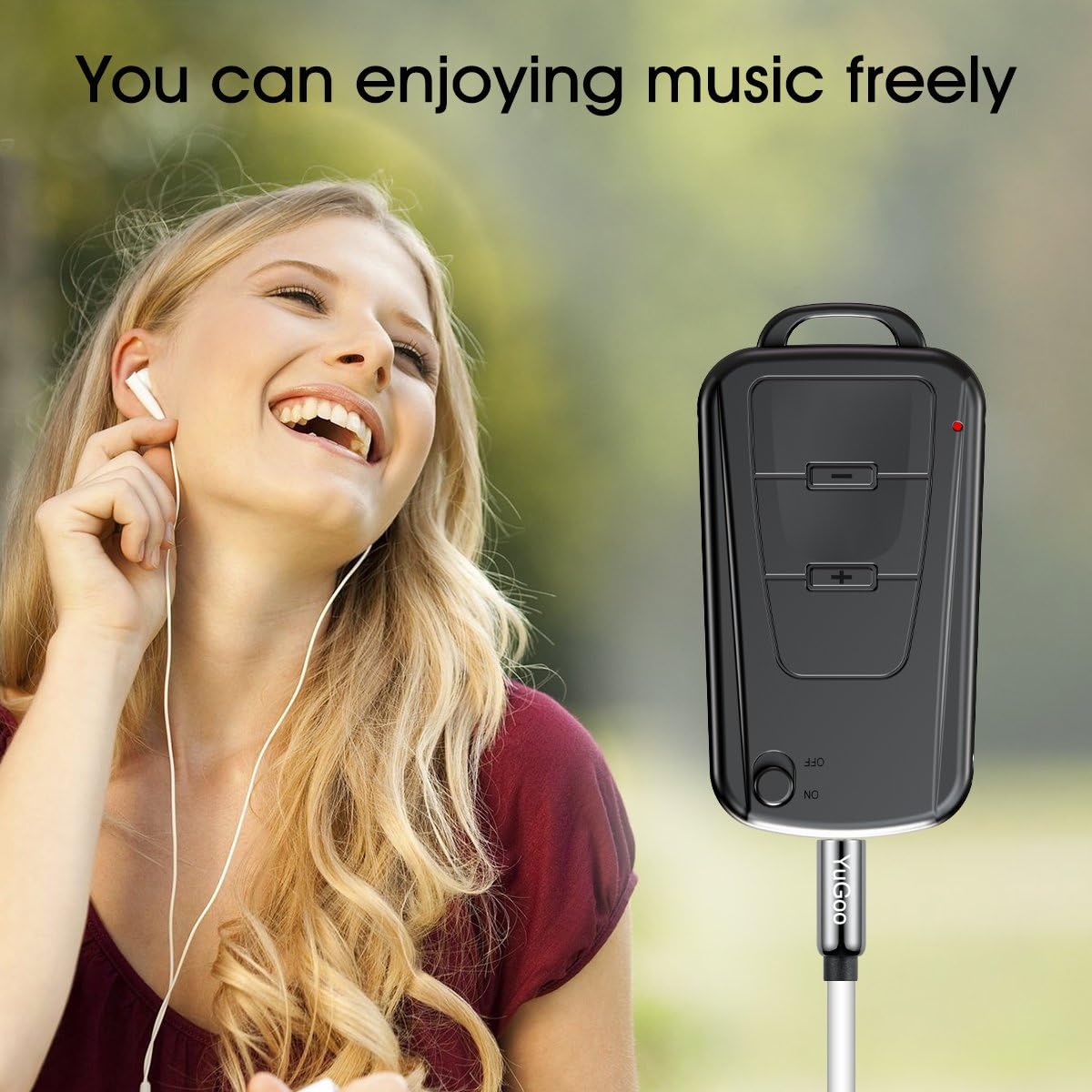
Image 6: The Vandlion V8 recorder connected to earphones, demonstrating its capability as an MP3 player for enjoying music.
6. Wartung
- Halten Sie das Gerät trocken. Vermeiden Sie den Kontakt mit Feuchtigkeit oder Flüssigkeiten.
- Reinigen Sie das Gerät mit einem weichen, trockenen Tuch. Verwenden Sie keine scharfen Chemikalien oder Scheuermittel.
- Bewahren Sie das Gerät an einem kühlen, trockenen Ort fern von direkter Sonneneinstrahlung und extremen Temperaturen auf.
- Laden Sie den Akku regelmäßig auf, auch wenn er nicht benutzt wird, um seine Lebensdauer zu erhalten. Vermeiden Sie es, den Akku über längere Zeiträume vollständig zu entladen.
7. Fehlerbehebung
- Gerät lässt sich nicht einschalten:
- Stellen Sie sicher, dass der Akku geladen ist. Schließen Sie das Gerät an eine Stromquelle an und versuchen Sie es erneut.
- Aufzeichnung nicht möglich:
- Check if the device has sufficient storage space. Ensure the ON/OFF switch is in the "ON" position.
- Schlechte Aufnahmequalität:
- Ensure the microphone is not obstructed. Record in a quiet environment. The device features DSP noise reduction for clear audio.
- Gerät wird vom Computer nicht erkannt:
- Try a different USB port or cable. Ensure the device is powered off before connecting. Restart your computer.
- Wiedergabe nicht möglich files on Mac:
- Mac users are advised to use VLC Media Player for optimal playback of recorded WAV files.
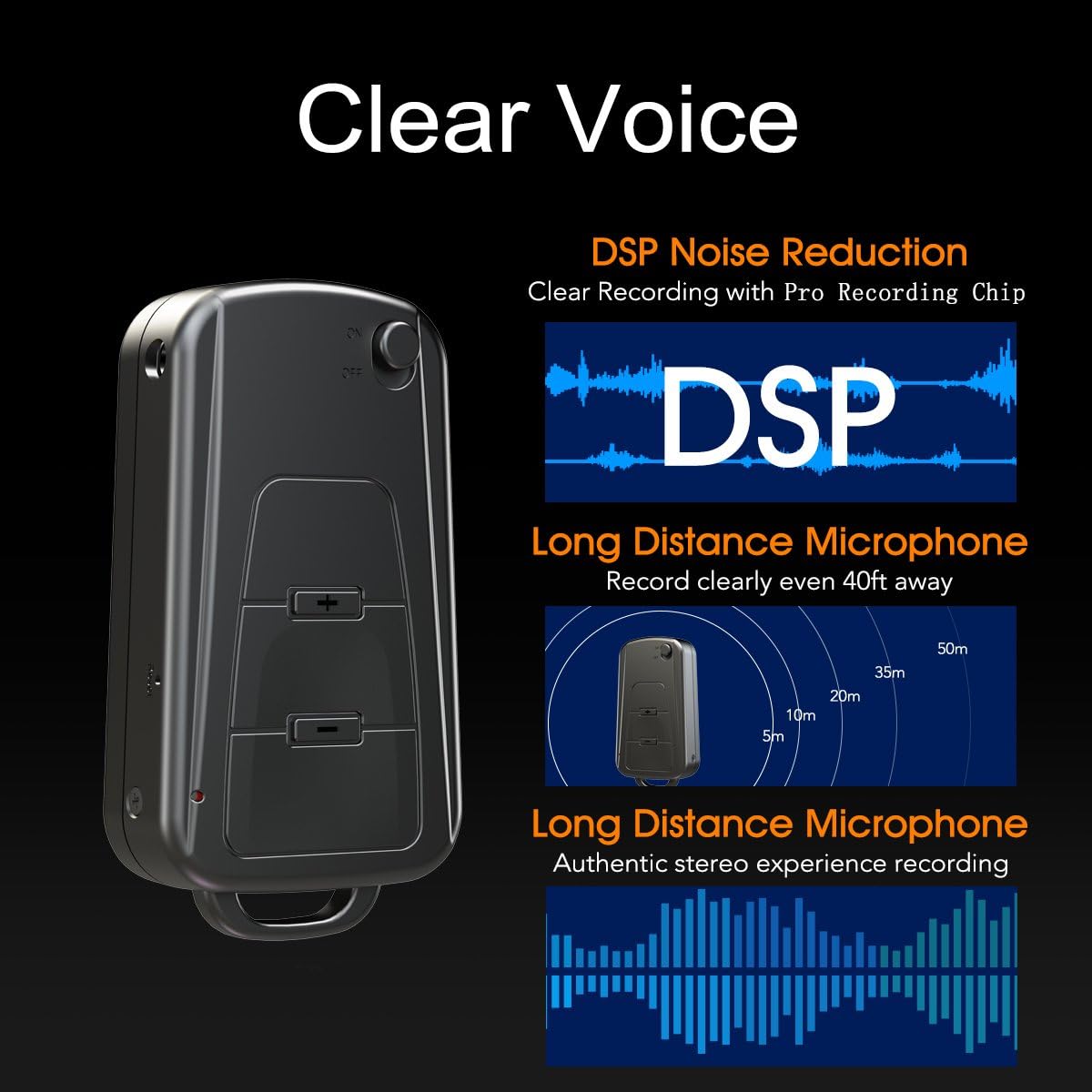
Image 7: Diagram illustrating the Vandlion V8's DSP noise reduction technology for clear recording and its long-distance microphone, capable of capturing sound clearly from up to 40 feet away, providing an authentic stereo experience.
8. Spezifikationen
| Besonderheit | Spezifikation |
|---|---|
| Modell | V8 |
| Speicherkapazität | 8GB (approx. 96 hours recording capacity) |
| Akkulaufzeit (Aufnahme) | Ca. 20 Stunden |
| Aufnahmeformat | WAV |
| Musikformat | WAV, WMA, MP3 |
| Sampling-Rate | 192Kbps |
| Maße | 60 x 34 x 15 mm (2.36 x 1.33 x 0.59 Zoll) |
| Gewicht | 27 g (1.46 Unzen) |
| Schnittstelle | USB |
| Kompatible Geräte | MP3 Player, Personal Computer |
| Mikrofonbetriebsmodus | Stereo |
9. Garantie und Support
9.1. Herstellergarantie
This Vandlion V8 Keychain Voice Recorder comes with a Six Months Manufacturer's Warranty Diese Garantie gilt ab Kaufdatum und deckt Material- und Verarbeitungsfehler bei normalem Gebrauch ab. Sie deckt keine Schäden ab, die durch Missbrauch, Unfälle, unbefugte Änderungen oder normale Abnutzung verursacht wurden.
9.2. Kundendienst
For further assistance, technical support, or warranty claims, please contact Vandlion customer service through the retailer where the product was purchased or refer to the official Vandlion website for contact information. Additional resources, such as a PDF version of the user manual and updated user guides, may be available for download from the manufacturer's support page.
10. Wichtige Sicherheitshinweise
- Versuchen Sie nicht, das Gerät zu zerlegen oder zu modifizieren.
- Außerhalb der Reichweite von Kindern aufbewahren.
- Entsorgen Sie das Gerät und die Batterie verantwortungsbewusst gemäß den örtlichen Vorschriften.
- Vermeiden Sie extreme Temperaturen und direkte Sonneneinstrahlung.


